Resolution is only part of how a webcam performs on a call. Focus, framing, the microphones and the setup decide the rest. Together, these 12 picks are the best webcams among our current-method reviews for daily meetings, online classes, live streams and lessons given standing up.
Each camera's score comes from its full review, and the list runs in score order. Prices range from budget cameras to a flagship on a motorized gimbal, while resolutions run from 1080p through 2K to 4K. The picks also differ on focus, with fixed and autofocus lenses, and on how wide they see. The boxes vary as well: some leave out a lens shutter, others a USB-C plug.
Our Top Picks
Compare all 12 picks
| Spec | #1 Insta360 Link 2 4K PTZ Webcam | #2 Logitech C920x HD Pro Webcam | #3 EMEET NOVA 4K Webcam | #4 Logitech C922x Pro Stream Webcam | #5 UGREEN 2K Webcam | #6 Acer A640 4K Webcam | #7 EMEET C60E Dual-Camera 4K Webcam | #8 Insta360 Link 2 Pro 4K PTZ Webcam | #9 EMEET SmartCam S600 4K Webcam | #10 EMEET C960 1080P Webcam (2025 Version) | #11 Logitech Brio 101 | #12 Anker PowerConf C200 |
|---|---|---|---|---|---|---|---|---|---|---|---|---|
| Score | 8.6 | 8.5 | 8.4 | 8.3 | 8.3 | 8.3 | 8.2 | 8.2 | 8 | 7.9 | 7.8 | 7.8 |
| Form factor | 4K (camera) | 1080p | 4K (camera) | 1080p | 2K | 4K (camera) | 4K (camera) | 4K (camera) | 4K (camera) | 1080p | 1080p | 2K |
| Platform / ecosystem | — | Windows / PC | — | — | — | — | — | — | Mac, Windows / PC | Mac, Windows / PC | — | Windows / PC |
| Specific feature | App control, Pan / tilt, Auto-tracking | — | Omnidirectional, Privacy shutter | — | Privacy shutter | Privacy shutter | Omnidirectional, Privacy shutter | App control, Pan / tilt, Auto-tracking | Privacy shutter | Omnidirectional, Privacy shutter | Privacy shutter | Privacy shutter |
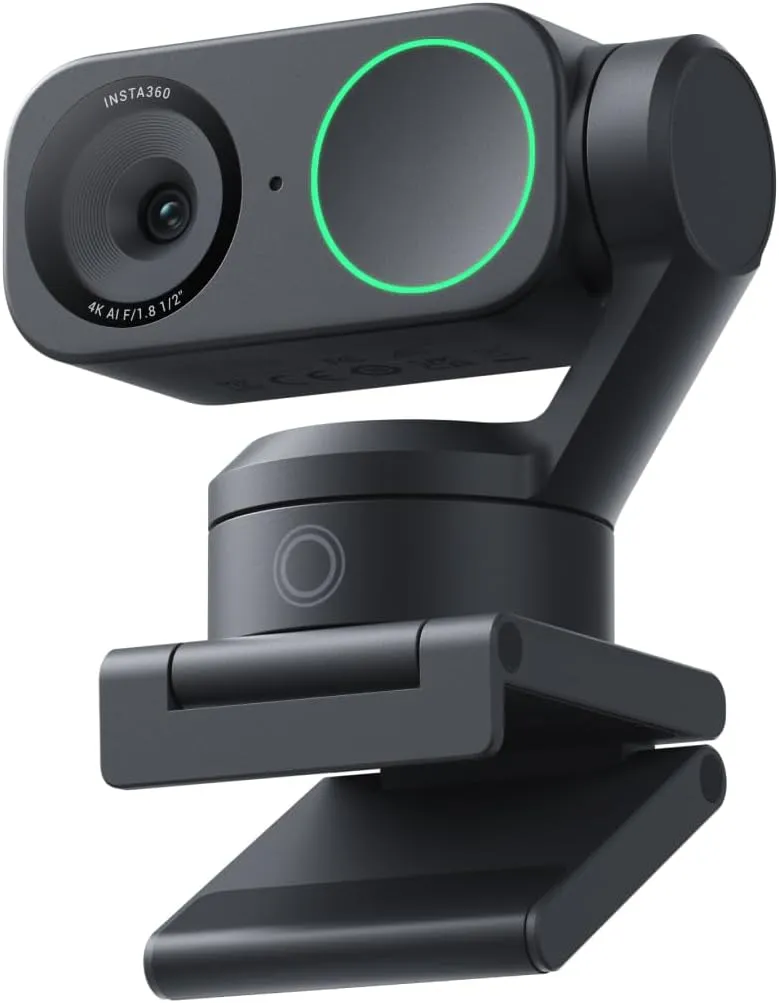
Insta360 Link 2 4K PTZ Webcam Top Pick
Made for talks and lessons delivered standing up: its motorized head pans and tilts to follow a speaker who stands, leans back or walks to a whiteboard, while phase-detection autofocus keeps the 4K picture sharp.
A sharp, fast-focusing 4K webcam whose gimbal keeps a moving presenter centered, worth the premium for calls taken on your feet.
Pros: What we liked
- Pro: Sharp 4K with natural color from a 1/2-inch sensor, even when the room is dim
- Pro: DeskView and whiteboard modes point the lens at notes or a board on command
- Pro: Lens tips face down when idle, a privacy state visible at a glance
Cons: What could be better
- Con: Tracking can wander onto other objects, and expressive hand movements can set off gestures by accident
- Con: Link Controller, home of the advanced features, takes learning and can clash with call apps
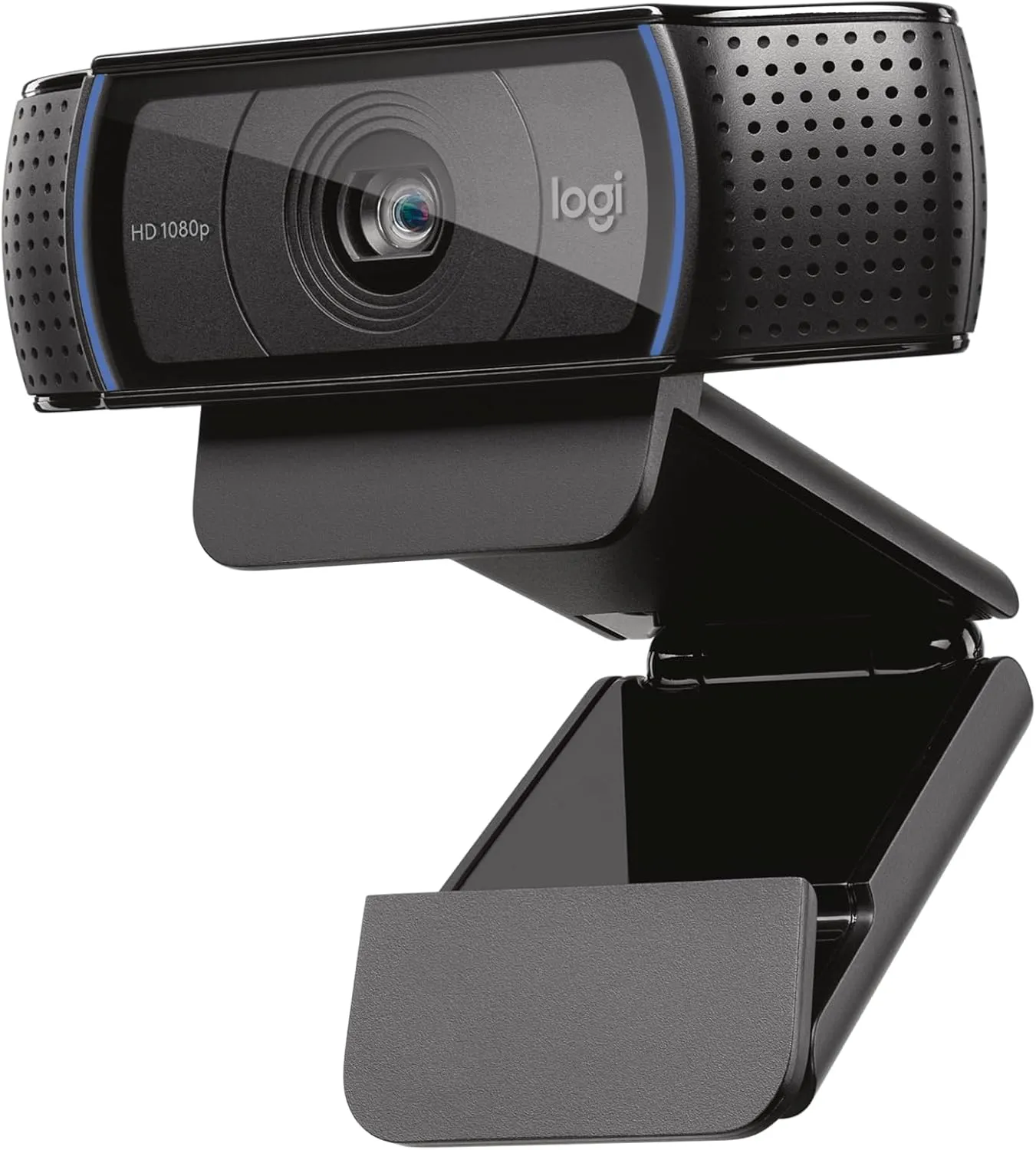
Logitech C920x HD Pro Webcam Runner Up
Logitech's long-running 1080p design for a daily call from one chair, with autofocus, two mics and a clip that also folds to stand the camera on a desk.
A dependable desk camera for seated calls in a lit room, the Logitech C920x pairs sharp 1080p detail and natural color with driver-free setup on Windows, macOS and Linux.
Pros: What we liked
- Pro: 1080p detail fine enough for stubble and skin texture, with true-to-life color under a front light
- Pro: Works as a camera and mic on Windows, macOS and Linux, with nothing to install
- Pro: Light correction holds a face bright and clear under a single lamp
Cons: What could be better
- Con: Autofocus can drift soft mid-call unless you lock the focus by hand
- Con: No lens shutter in this box, while the C920S version includes one
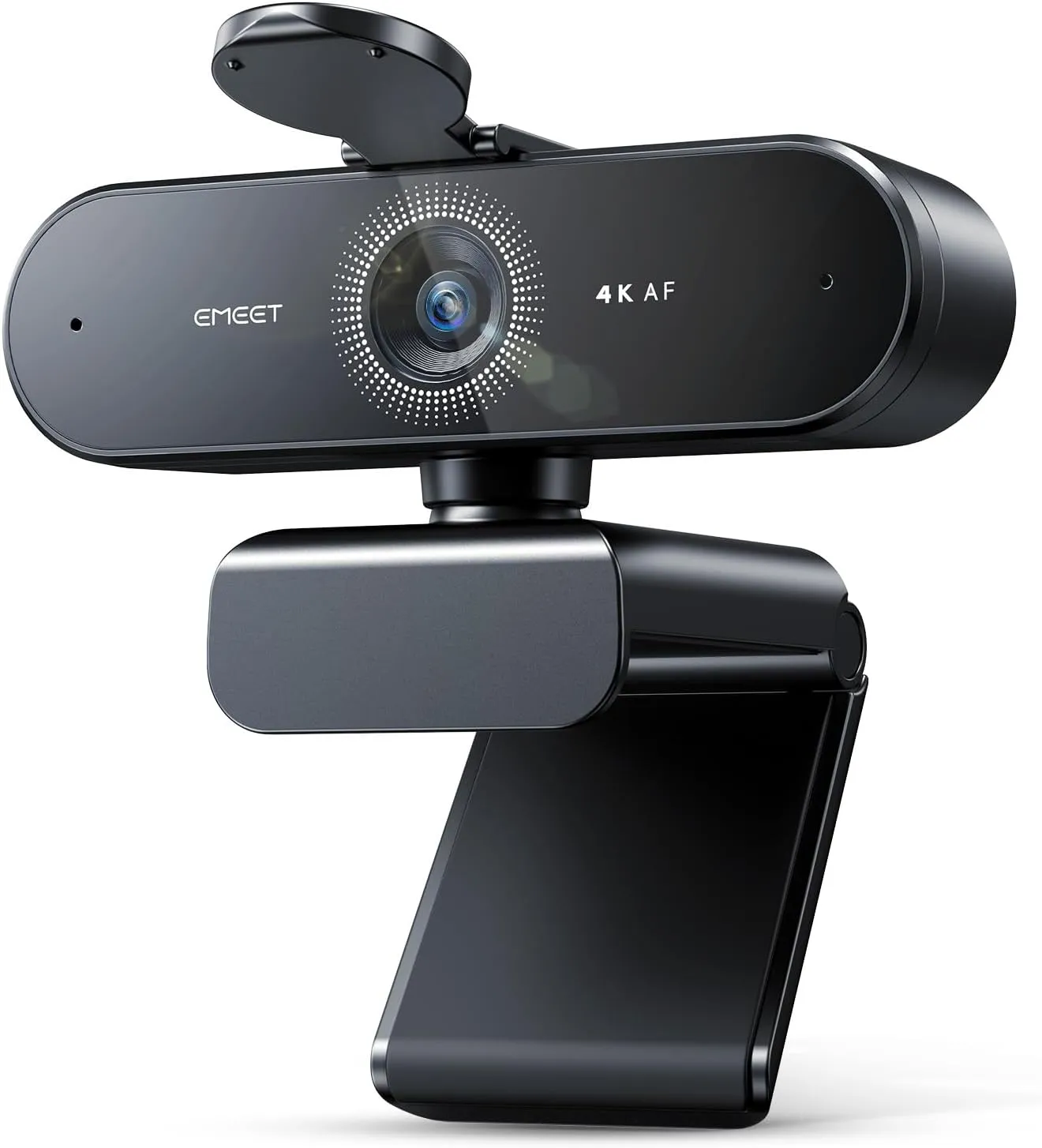
EMEET NOVA 4K Webcam Budget Pick
Budget 4K for everyday calls, online classes and a first stream, with phase-detect autofocus that settles fast and stays steady as you shift in the chair.
For one person at a desk on a budget, EMEET's NOVA 4K delivers crisp 4K detail, phase-detect focus that holds through a call and clear desk-distance audio.
Pros: What we liked
- Pro: Sharp detail and lifelike skin tones on calls and streams
- Pro: Holds a clear, usable picture in dim rooms lit by a lamp
- Pro: Plug-and-play on Windows and macOS, and a stick-on cover folds down to close the lens
Cons: What could be better
- Con: Focus is automatic only, and 30 fps is the frame-rate ceiling
- Con: Grain shows on some units, and no setting in Windows or EMEETLINK clears it
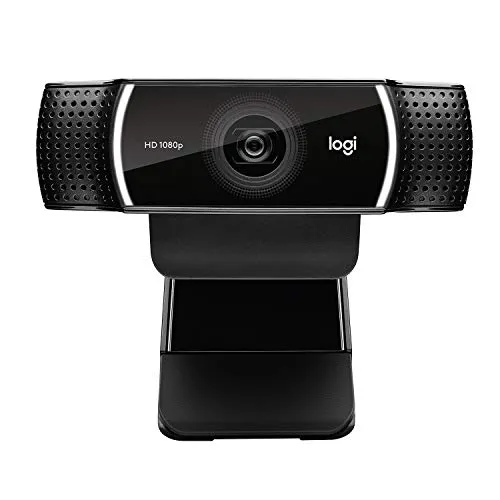
Logitech C922x Pro Stream Webcam
Logitech's streaming sibling to the C920x: crisp 1080p for calls, plus a 720p mode at 60 fps for streams from a well-lit desk.
Whether the job is a crisp 1080p call or a 60 fps stream in 720p, the Logitech C922x handles it well, provided the faster mode gets strong light.
Pros: What we liked
- Pro: Crisp 1080p with a natural look in ordinary room light
- Pro: Autofocus keeps faces sharp, and focus can also be set by hand in software
- Pro: Stereo mics clear enough to leave the headset off on daily calls
Cons: What could be better
- Con: At 720p and 60 fps the picture is softer than full HD, and the rate holds only in strong light
- Con: Ships with no privacy shutter, so any lens cover costs extra
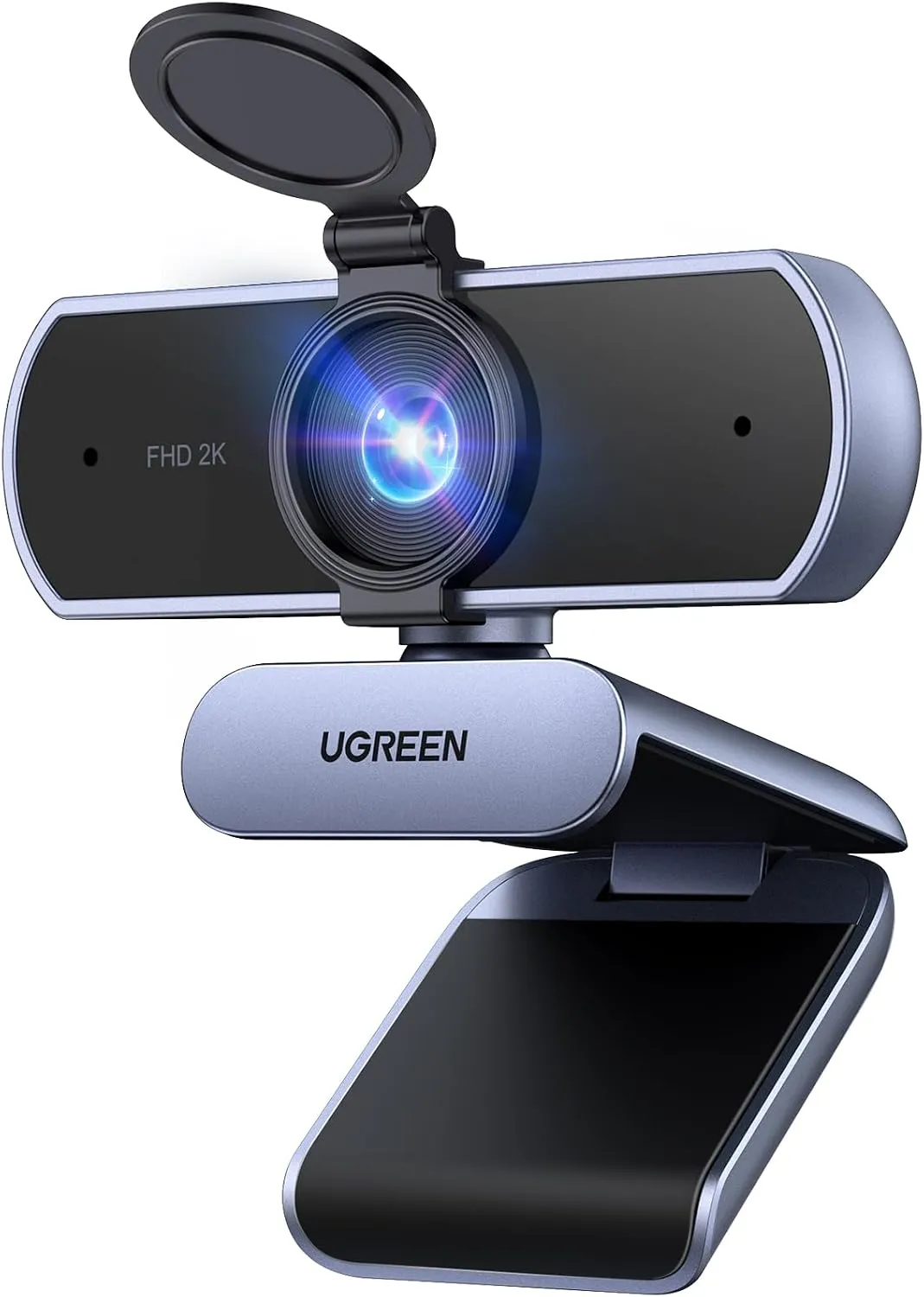
UGREEN 2K Webcam
2K video at budget money for home-office calls and online classes, sharp in decent light and driver-free on Mac and Linux as well as Windows.
Home-office calls get a clear 2K picture, two capable mics and driver-free setup from this UGREEN, which does best with the face half a meter back.
Pros: What we liked
- Pro: Plugs in with no drivers, even through a laptop dock
- Pro: Dual mics keep speech easy to follow in meetings and classes
- Pro: A solid build and a head that tilts and turns, with a tripod mount as well
Cons: What could be better
- Con: Dim light softens the image, and some LED lights send dark bands across it
- Con: Fixed focus, no zoom: UGREEN asks for 50 cm of space, and the 95-degree view stays wide
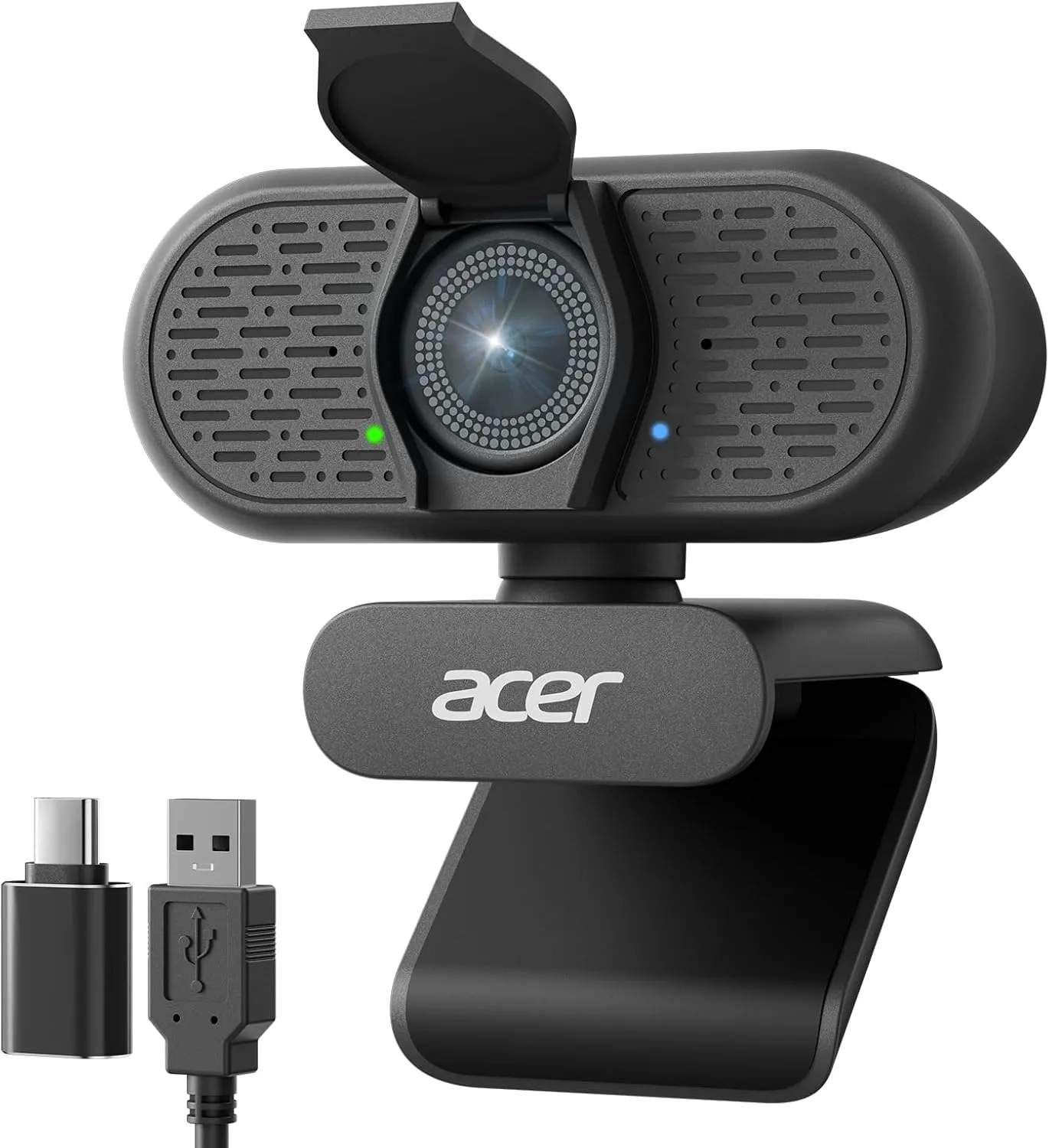
Acer A640 4K Webcam
A budget camera with a streaming camera's spec sheet: PDAF on a Sony sensor, 60 fps at 2K and 1080p, and a USB-C adapter in the box.
The Acer A640 locks focus fast and renders a crisp 4K picture for budget money, and with decent light it suits calls and starter streams alike.
Pros: What we liked
- Pro: Phase-detect focus finds a face fast and keeps it sharp as you lean in or sit back
- Pro: Acer's AI noise cancellation keeps background noise off a call
- Pro: A small, light body, a firm monitor clip and a built-in lens shutter
Cons: What could be better
- Con: A dim room can turn the picture dark and short on detail; Acer advises a well-lit space
- Con: 4K is capped at 30 fps, so 60 fps means dropping to 2K or 1080p
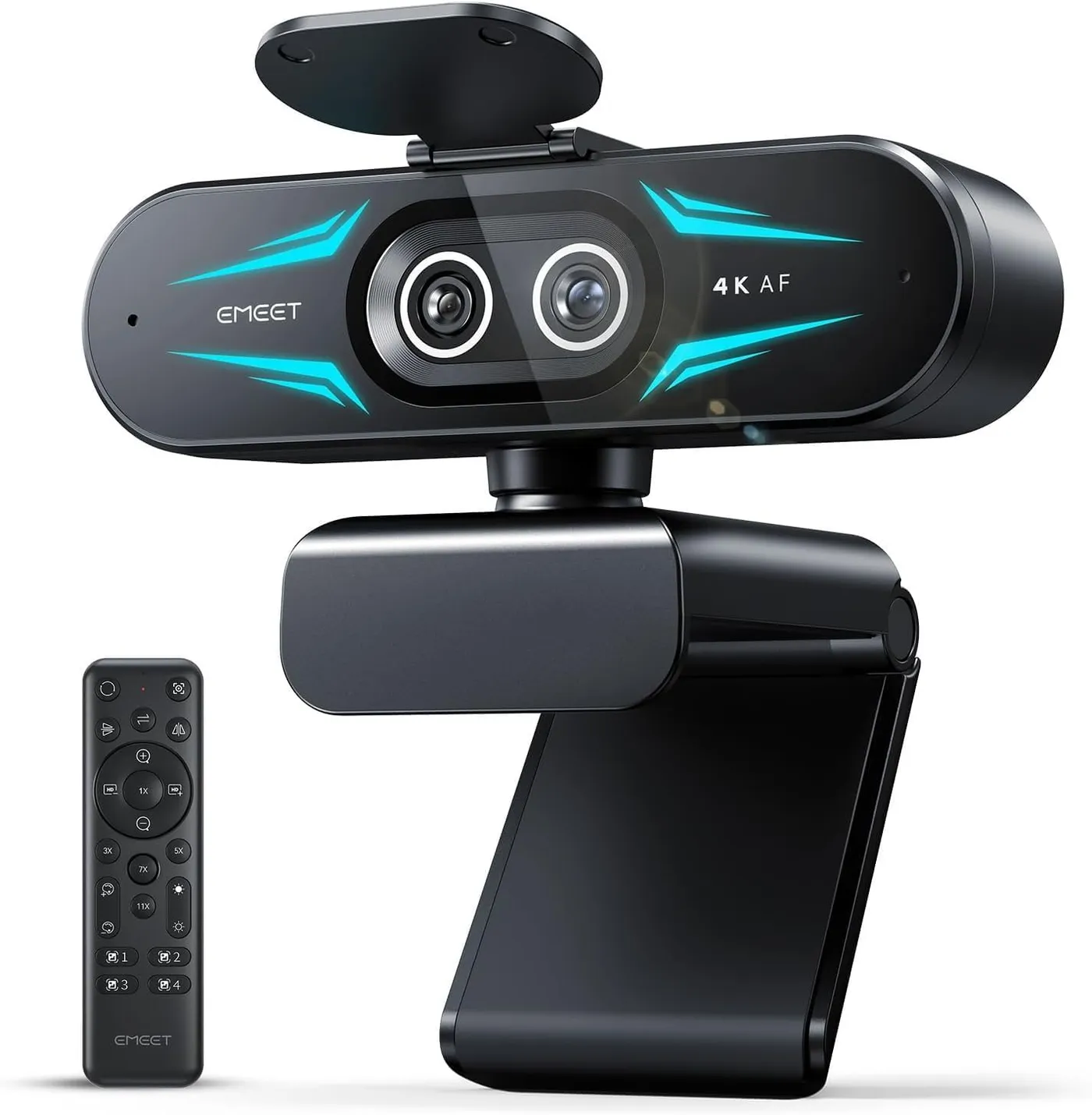
EMEET C60E Dual-Camera 4K Webcam
For art lessons, product demos and documents held up to the lens: a 45-degree telephoto sits beside the 73-degree wide camera, with zoom presets up to 11x.
With a telephoto lens one remote press away from its wide view, the EMEET C60E gives streams, classes and product demos a sharp close-up whenever they need one.
Pros: What we liked
- Pro: One press on the remote switches between the wide and telephoto views
- Pro: Fine detail stays crisp and color stays natural in ordinary indoor light
- Pro: Autofocus locks on quickly as a face or a held-up object comes closer
Cons: What could be better
- Con: Strong light can wash out the picture, and dialing the exposure back in takes work
- Con: Zoom isn't available in 4K, in YUY2 or with 60 fps running, per EMEET's listing
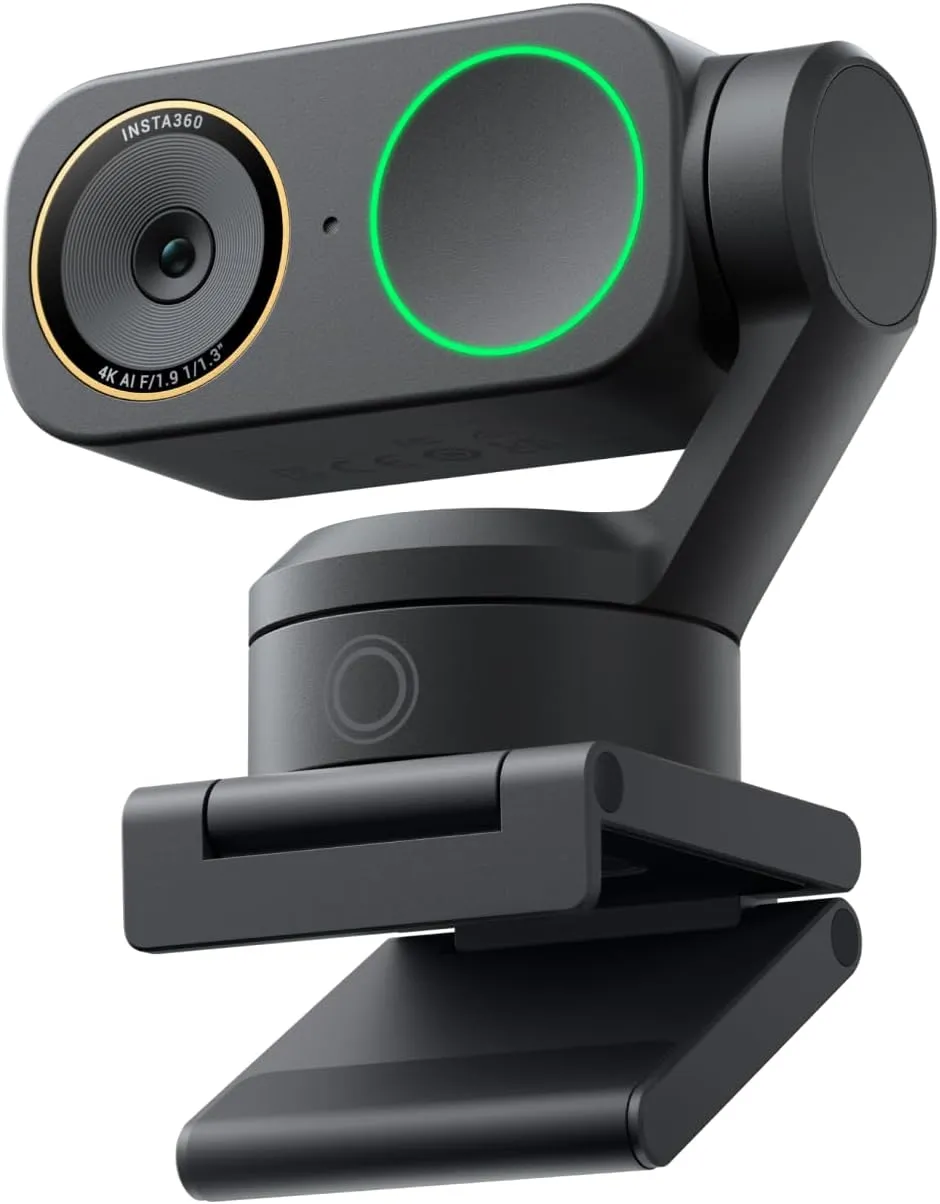
Insta360 Link 2 Pro 4K PTZ Webcam
For a presenter in a dim office or a busy shared space: the Link 2's tracking head with a 1/1.3-inch sensor and a pair of mics that can narrow pickup to one meter.
Dim rooms stay sharp and voices stay clear on this Pro, whose larger sensor and directional second mic ride the same tracking gimbal as the Link 2.
Pros: What we liked
- Pro: A dim home office still gets sharp, clear video from the larger sensor
- Pro: Group Tracking and zone controls shape how the head follows a moving speaker
- Pro: After 10 idle seconds, sleep mode turns the lens away and mutes both mics
Cons: What could be better
- Con: In some rooms color trails the detail, and manual white balance can't always correct it
- Con: Effects can stutter on laptops, and Natural Bokeh excludes AMD graphics and Intel Macs
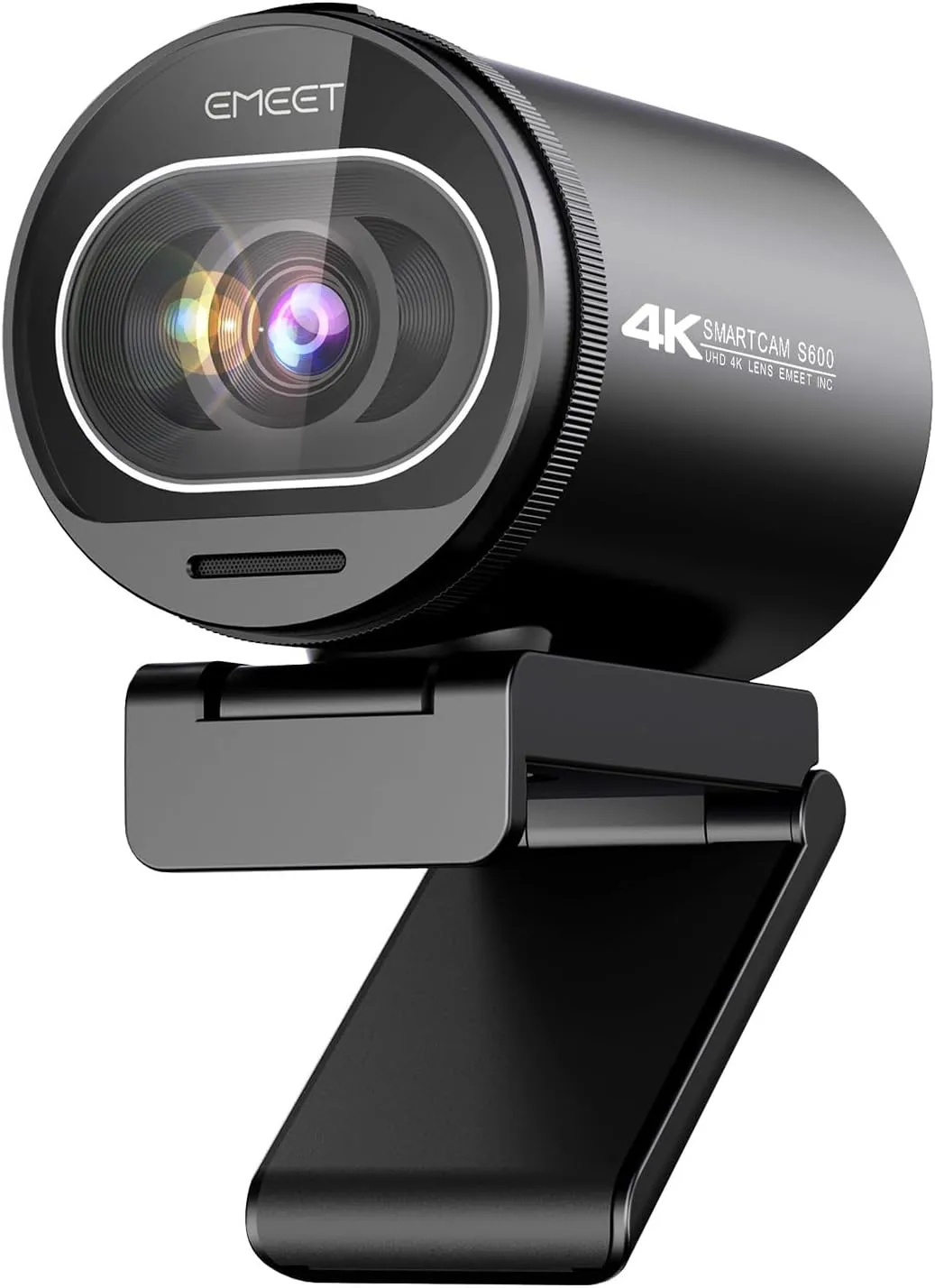
EMEET SmartCam S600 4K Webcam Best for Streaming
Built for live streams, including a gameplay stream with the camera in a corner overlay, where 1080p at 60 frames a second keeps a turn of the head fluid.
Fluid 1080p60 video and quick PDAF focus earn the EMEET S600 its mid-range price as a streaming camera, with 4K on hand for recorded clips.
Pros: What we liked
- Pro: Holds focus on a moving face, locking quickly and without hunting
- Pro: At 1080p the view can narrow to 40 degrees, cropping a busy room out
- Pro: A dial-turned, gear-driven lens cover, a white status light and a thread for a tripod
Cons: What could be better
- Con: On a stream the built-in mics sound thin, and a separate mic gives the better voice
- Con: Tilted steeply down, the camera can slip as the clip loses its hold
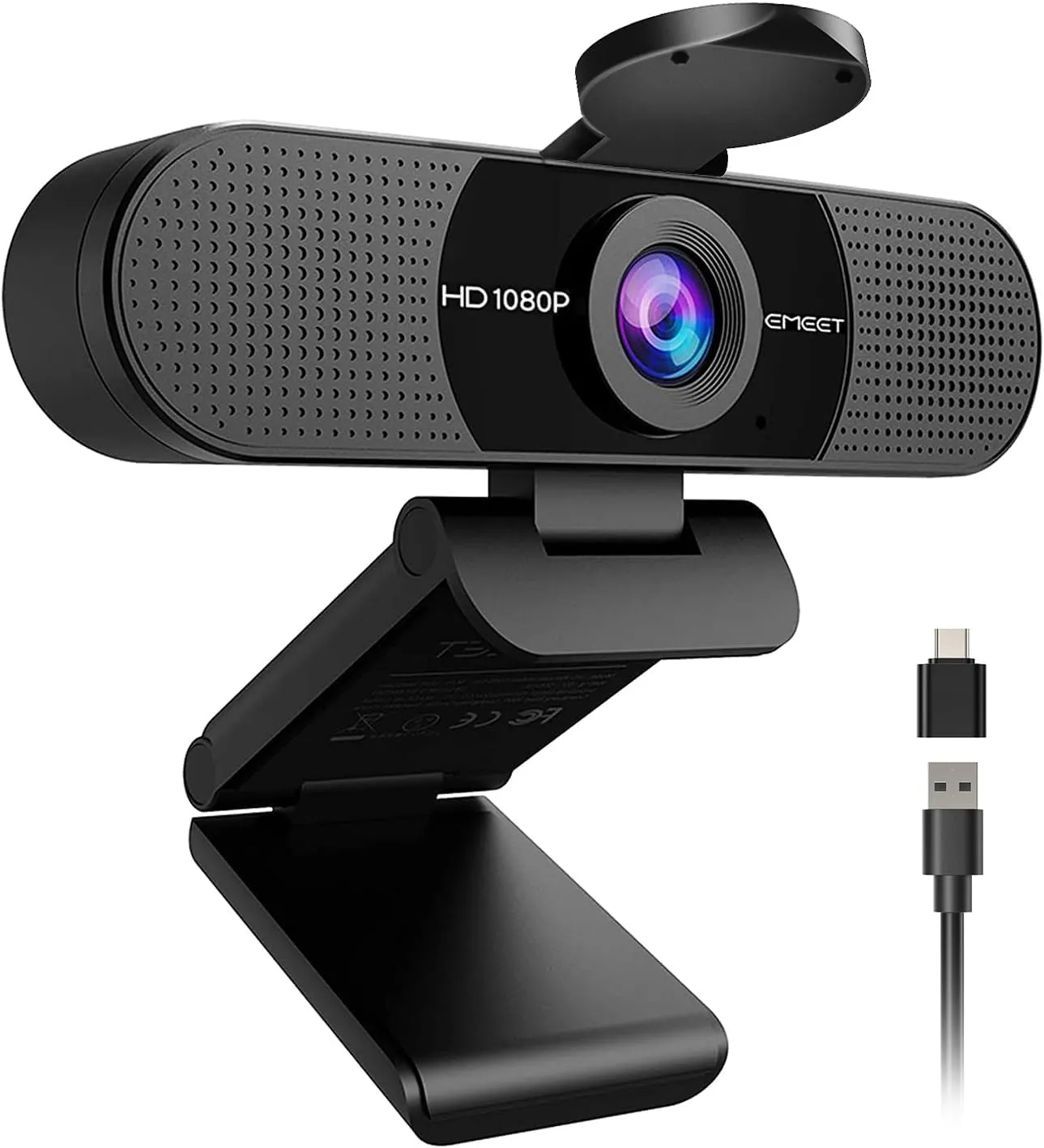
EMEET C960 1080P Webcam (2025 Version) Best for Video Calls
A call camera for a desk shared by two or a small room with several chairs in view, ready once you plug it in and pick it in the call app.
Plug in the EMEET C960 and a call gets clear 1080p in a 90-degree frame, plus two mics good enough to leave the headset off for everyday meetings.
Pros: What we liked
- Pro: Twin omnidirectional mics carry a voice cleanly from the desk
- Pro: Clear, sharp 1080p with true color under good indoor light
- Pro: A flip-down cover shuts the lens, and a blue light marks it in use
Cons: What could be better
- Con: A solo caller shares the 90-degree view with much of the room
- Con: The bundled USB-C adapter sits loosely in some ports, where a nudge can cut the feed
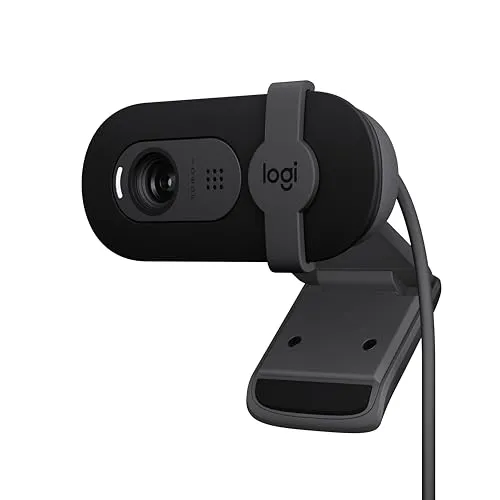
Logitech Brio 101
A compact 1080p camera for solo calls at a monitor set back on the desk, where its narrow lens frames the face and keeps the clutter behind the chair largely off camera.
Logitech's Brio 101 is a small plug-and-play 1080p camera with a sliding shutter, and it suits solo calls taken a little back from the screen.
Pros: What we liked
- Pro: A clear, natural 1080p picture, a plain step up from a laptop camera
- Pro: An integrated shutter slides over the lens by hand, no app or button needed
- Pro: Needs no driver and no required software on Windows PCs and Macs
Cons: What could be better
- Con: Its fixed-focus 58.9-degree lens doesn't zoom out, so at laptop distance a face fills the frame
- Con: Tilts but won't swivel, and it lacks a tripod thread for other mounts
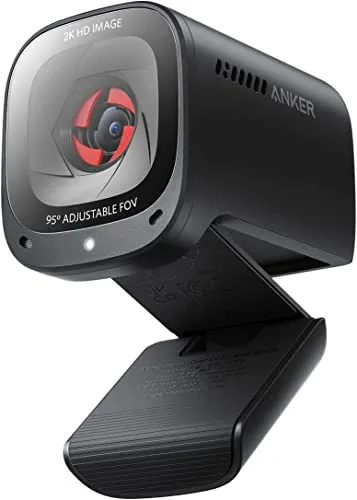
Anker PowerConf C200
A 2K meeting camera for calls that run into the evening, with three viewing angles in software and a shutter that cuts the camera off between calls.
A good buy for clear video calls, even from a dim room, and a better one once color is set by hand in AnkerWork.
Pros: What we liked
- Pro: Sharp 2K picture that holds its brightness as the room dims, with no lamp needed
- Pro: Picks up a voice clearly in a quiet room, with whole-room and front-facing patterns
- Pro: Teams and Zoom pick it up straight away on a PC or a Mac
Cons: What could be better
- Con: Automatic white balance can misread the light and tint the whole frame
- Con: Autofocus hunts more as the light fades, with manual focus in AnkerWork as the fallback
Buying Guide
Frame rate is the first spec to check when one of the best webcams here will carry a stream. The EMEET S600 runs 1080p at 60 fps, and the Acer A640 adds 60 fps at 2K. Both Insta360 cameras and the EMEET C60E also reach 60 fps at 1080p. The Logitech C922x, however, gets there only at 720p, and only under strong light.
Next, match the focus to how you sit. On the EMEET NOVA 4K, the Acer A640 and the EMEET S600, phase-detect autofocus finds a face quickly and then follows as you lean in or sit back. Fixed focus suits a chair that stays put at the right distance instead. For its 2K camera, UGREEN puts that distance beyond 50 cm, about 20 inches. On the Logitech C920x, setting the focus by hand in Logitech's software stops a mid-call drift for a seated caller.
Field of view decides how much of the room joins the call. The EMEET C960's 90 degrees fits a second face at a shared desk, and UGREEN's 2K Webcam opens wider still, to 95 degrees. By contrast, the Logitech Brio 101's 58.9-degree lens keeps clutter largely out of view, though a face fills its frame at laptop distance. The Anker PowerConf C200 switches among 65, 78 and 95 degrees in software, while the EMEET S600 narrows to 40 degrees at 1080p.
Finally, light the face from the front. A dim room can soften the picture on several picks, including the UGREEN and the Acer A640. The Insta360 Link 2 Pro and the NOVA 4K, by contrast, keep a clear picture as the light drops.
How We Order the Best Webcams on This List
Each camera's place follows its current review score. A better score puts a camera nearer the start of the list. Every score, in turn, comes from that camera's full review. When two scores tie, a camera in stock goes ahead of one that is out of stock. After that, a camera already on the list keeps its place ahead of a newcomer. Between two newcomers, the one whose review went live first takes the earlier place.
Scores change when a review is redone, so the order can shift between visits. A camera can climb, slip or leave the list as its review changes. Badges sit outside that rule, though. Each one labels a place or a job, such as streaming or video calls, and none of them moves a camera.
Two cameras a few places apart can still suit very different desks. For that reason, a camera's card says more about the right choice than its place does.
Reviewed Webcams Left Off This List
Two reviewed products sit off the list because they do a different job. The Meeting Owl 3 serves a conference room instead of a desk. Its camera, microphones and speaker share one housing in the middle of a table, and from there the camera takes in the full circle of the room. The HUE Animation Studio, meanwhile, is a stop-motion animation kit that bundles a camera with software and a book.
Five desk cameras fall just past the cut: the Logitech MX Brio, the Logitech C270, the AOC AC310, the NexiGo N60 and the EMEET C950. Their scores either sit below the line or meet it and lose the tie to a camera already listed. All five still have a full review, so a new score can bring any of them onto the list.
Four cameras with older reviews stay off for now. The four are the Logitech Brio 4K, the Elgato Facecam, the NexiGo N930AF and the Razer Kiyo Pro. Those reviews predate the method behind every score here. Each camera can return once its review is redone on the current method.
Latest Comparison
EMEET NOVA 4K vs Acer A640: Dim-Room Picture or 60 fps ModesRelated Articles
Conclusion
Match the camera to the desk, and its place on the list matters less. A presenter who stands, paces or walks to a whiteboard gets the most from the Insta360 Link 2, because its gimbal keeps a moving speaker in the shot. A caller who stays seated in a lit room gets fine 1080p detail from the Logitech C920x, with no driver to install. Budget money, meanwhile, buys 4K with phase-detect focus in the EMEET NOVA 4K, sized for a single seat.
Other desks point elsewhere. A stream that needs fluid motion suits the EMEET S600's 60 fps mode at 1080p. A desk shared by two, on the other hand, suits the EMEET C960's 90-degree view and its pair of mics. In a dim home office, the Insta360 Link 2 Pro's 1/1.3-inch sensor keeps a face clear as the light drops. The Anker PowerConf C200 also holds a face bright there, with no lamp added. Product demos and documents held up to the lens fit the EMEET C60E's telephoto camera instead.
Every one of these best webcams has a full review behind its card, and each review lays out the setup, the mounting and the limits in detail.
Frequently Asked Questions
Do you need a 4K webcam for video calls?
Usually not. Call apps often send less than a camera captures. EMEET says meeting platforms start its S600 at 1080p, and Zoom's own settings decide the resolution a call carries. A sharp 1080p camera such as the Logitech C920x covers daily calls from a seat in a lit room. The 4K mode earns its keep in capture software such as OBS, where both the EMEET S600 and the EMEET NOVA 4K can switch it on.
Which of the best webcams suits a presenter who moves around?
A camera on a gimbal. The Insta360 Link 2 pans and tilts its head to keep a speaker in the shot. It follows as the speaker stands, leans back or walks to a whiteboard. Its Pause-Track Area also stops the follow at a set boundary. The Insta360 Link 2 Pro tracks the same way, while adding a larger sensor for dim rooms and a directional mic for busy ones.
Autofocus or fixed focus: which suits a desk webcam?
Phase-detect autofocus suits a face that moves or an object held up to the lens. Phase-detect focus on the EMEET C60E and both Insta360 cameras grabs a face quickly. Fixed focus suits a seated call at a steady distance. The UGREEN 2K Webcam, the EMEET C960 and the Logitech Brio 101 all use it. The Logitech C922x has autofocus too, and a manual focus setting in Logitech's software covers the times it hunts.
Which picks work with a laptop that only has USB-C ports?
Both Insta360 cameras connect over USB-C. The EMEET S600 has a USB-C socket on the camera, so a USB-C to USB-C cable fits it. The Acer A640 and the 2025 box of the EMEET C960 each add an adapter for their USB-A plugs. Meanwhile, the Logitech C920x, the Logitech C922x, the EMEET NOVA 4K and the Logitech Brio 101 end in USB-A with no adapter in the box. Each needs an adapter or a dock, and Logitech says the Brio 101's adapter must carry both power and video.
Are the built-in microphones good enough for calls?
Yes. Each of the best webcams on this list carries a voice clearly on everyday calls, at least in a quiet room. Voice work asks more, though. For a podcast or a voiceover, the mics on the EMEET S600 and the EMEET NOVA 4K sound thin or plain. A dedicated microphone does better there. In a busy room, the Insta360 Link 2 Pro pairs a directional mic with an omnidirectional one. Its Focus mode then narrows pickup to about one meter in front.
Which picks have a privacy shutter?
Four build a cover into the camera itself. On the Logitech Brio 101 it's a sliding shutter, and the Acer A640 has a built-in one. A dial turns the EMEET S600's gear-driven cover, while the Anker PowerConf C200's cover also cuts the camera electrically. The EMEET NOVA 4K, the EMEET C60E and the EMEET C960 come with a stick-on cover instead. UGREEN also puts a cover in its box. Both Insta360 cameras park the lens face down when idle, the Link 2 Pro after 10 seconds. The Logitech C920x and C922x ship with no cover of any kind.