Insta360 Link 2 Review: A 4K Webcam on a Two-Axis Gimbal
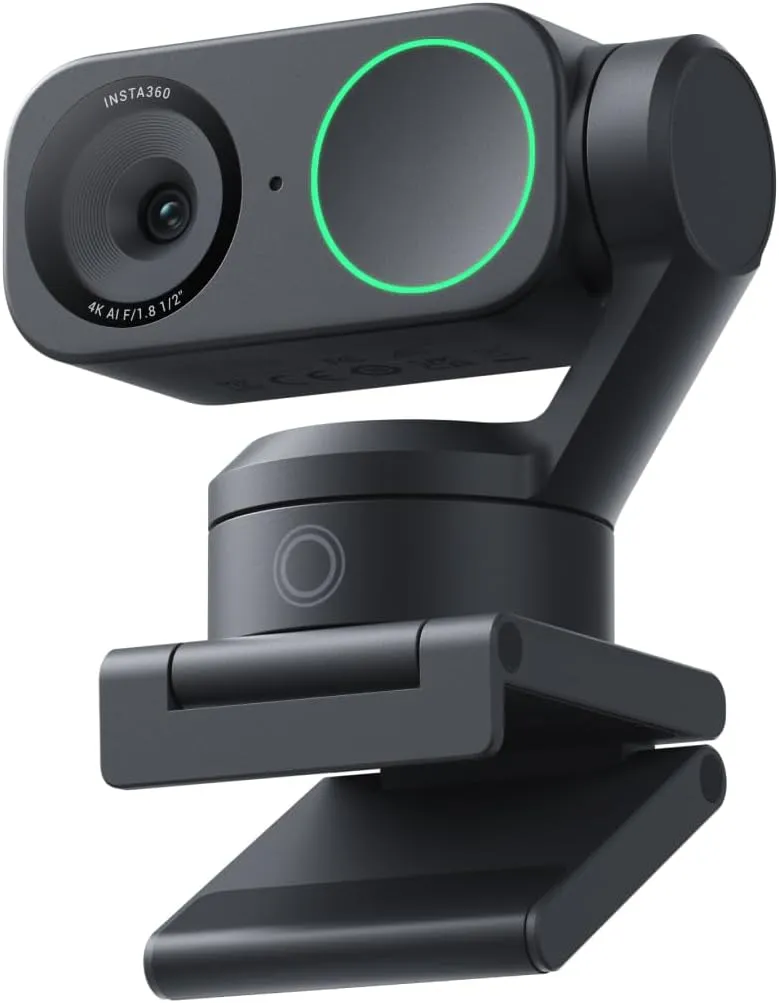
A sharp, fast-focusing 4K webcam whose gimbal keeps a moving presenter centered, worth the premium for calls taken on your feet.
The lens on this webcam sits in a small head that rides a two-axis gimbal. That one design fact changes what a camera can do on a call. When the person on camera stands, leans back or walks to a whiteboard, motors pan and tilt the head to keep them in the shot. Between calls, the head also tips the lens down toward the desk.
Motion is the reason to pay a premium for the Insta360 Link 2, so the tracking has to carry the case. Still, the rest of the hardware does its share. Behind the lens sits a 1/2-inch sensor with phase-detection autofocus. It shoots 4K at up to 30 frames per second, and 1080p doubles that to 60. Insta360 also adds AI noise canceling to the mic. Those parts hold up well, while the tracking justifies itself with a few limits attached.
Panning and tilting after a moving speaker
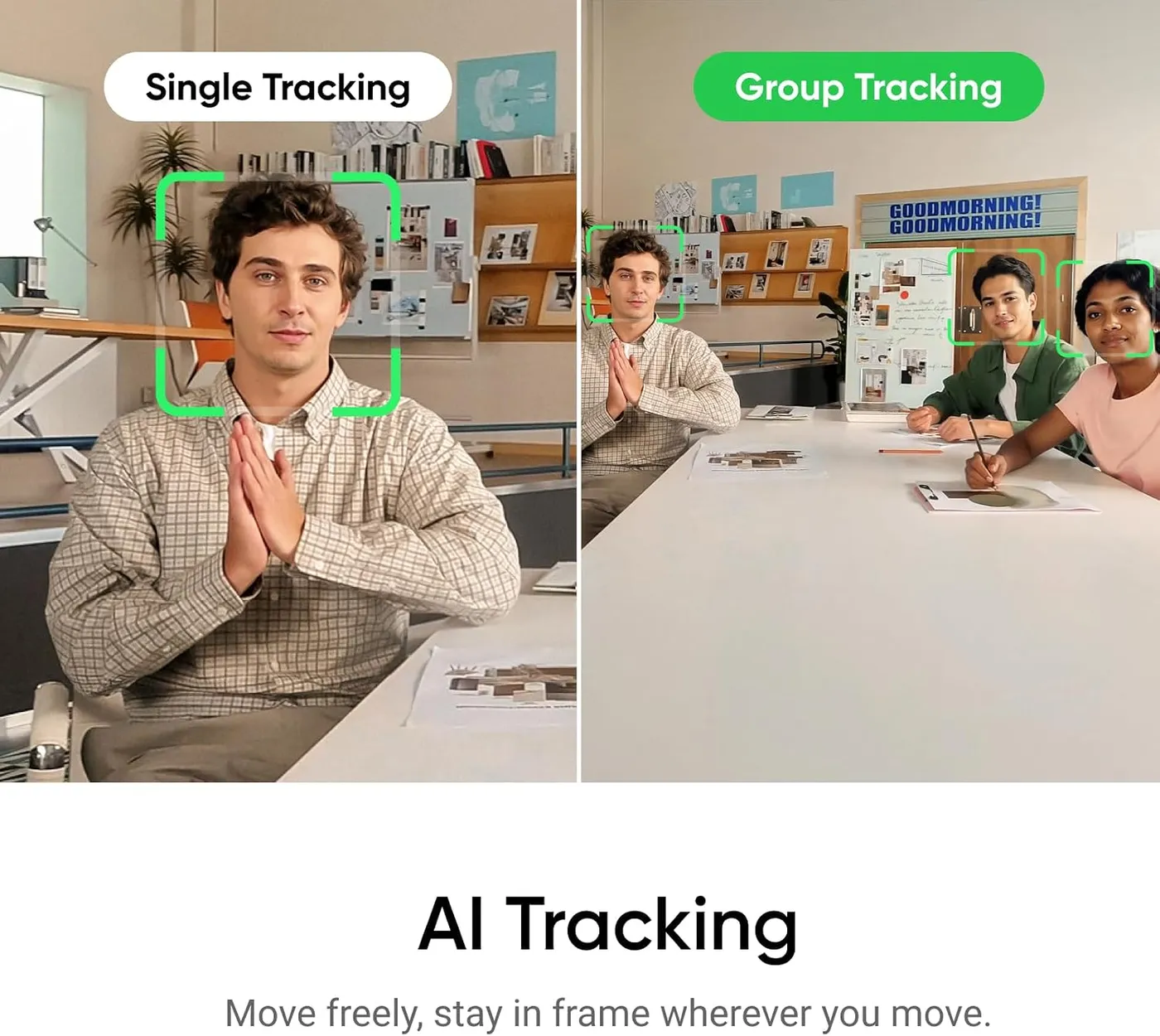
Smoothness is the tracking's best trait. Once the Insta360 Link 2 locks onto a face, it keeps that face near the center of the frame. The head then follows as the speaker shifts, stands or steps aside, moving in steady arcs free of jerky swings. By the maker's description, Link Controller can also track a whole group. The app sets how quickly the head reacts, too.
The lock is weaker at the edges of the job. A speaker who drifts far to one side, stands well back in a busy room or walks out of view can lose it. Now and then, the tracking also wanders onto another object in the room. For a presenter who moves inside a set space, Insta360's Pause-Track Area sets up a tracking fence, and the camera stops following beyond it.
Motion also changes what the far end sees. Every pan shows a new slice of the room, and a moving frame pulls attention from the face. For a seated meeting, I'd switch tracking off, which takes little effort, and let the head hold one framing the way a fixed webcam would. For a talk, a demo or a lesson at the board, though, I'd turn it back on.
Steering the head with gestures and presets
Hand signals give the speaker a few controls from where they stand. Insta360 maps three jobs to gestures: starting tracking, zooming in or out and switching on whiteboard mode. On most setups the gestures register cleanly, while on others recognition stays hit or miss. Expressive hand movements also trigger them by accident, and a sweeping hand can start a zoom or a tracking change mid-sentence.
Presets turn the gimbal into a camera operator. Link Controller stores framings and angles as presets. One click then swings the head to a saved spot, such as a shelf or a product on the desk, and another click brings it back. The company also makes a phone app for adjusting the camera from across the room.
Power-up has one quirk. Each time the computer starts, the head recalibrates with a short sweep before video appears, and a framing set by hand does not always survive it. A quick look at the shot before each call saves a surprise.
Locking focus and color onto a face
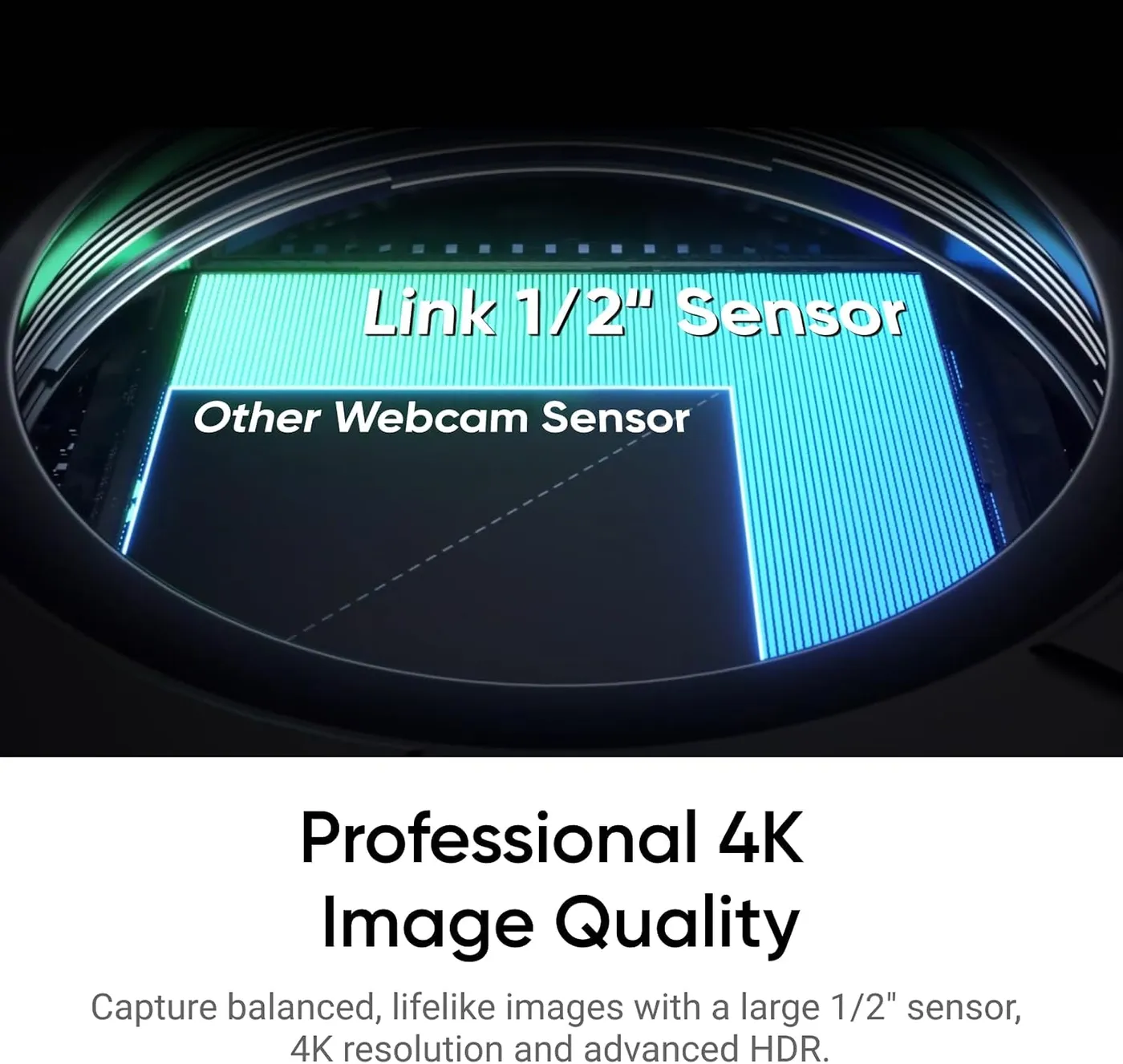
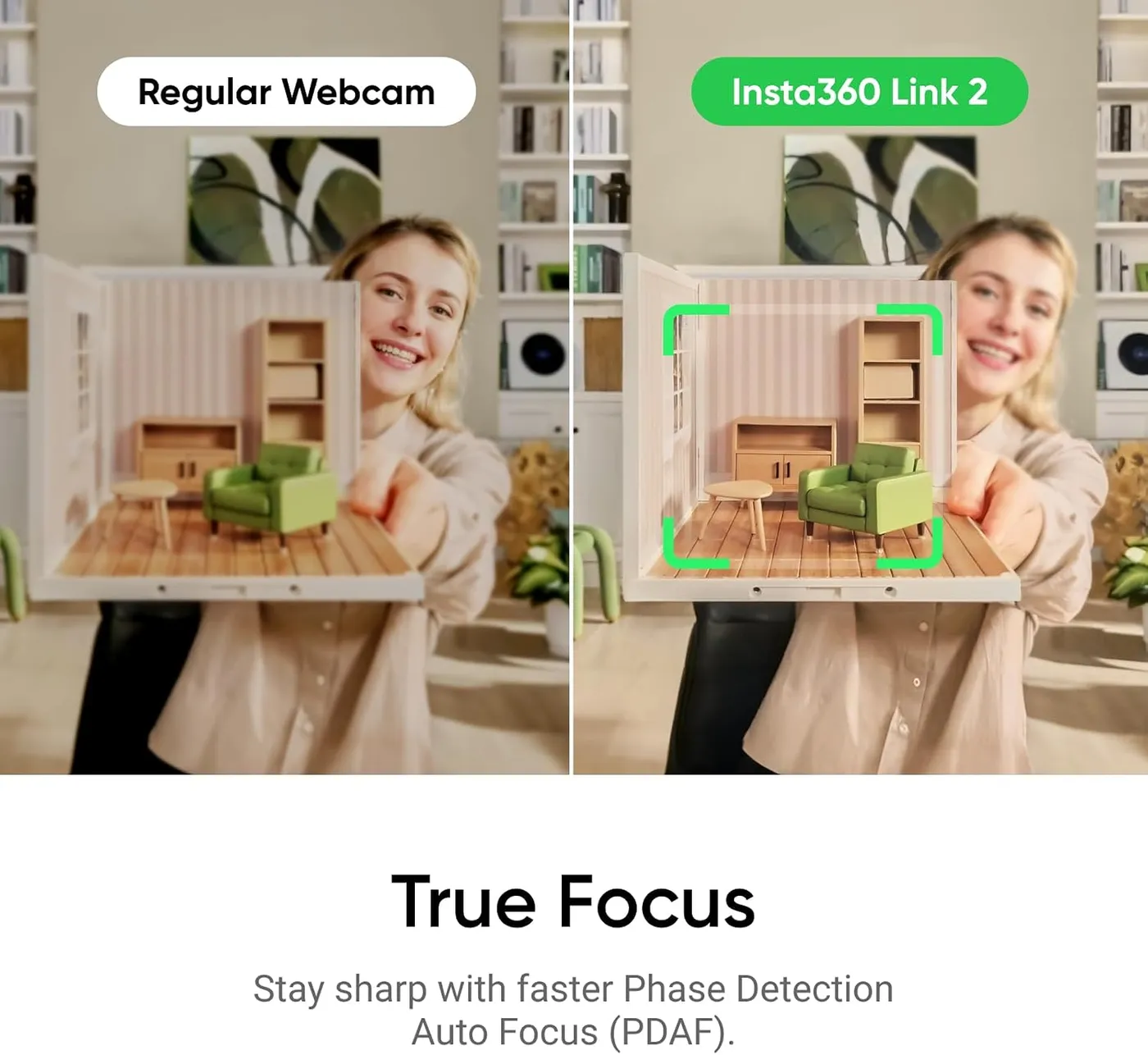
Image quality holds up its side of the premium. The Insta360 Link 2 pairs its 1/2-inch sensor with an f/1.8 lens, and the result is a sharp 4K picture with natural color and well-judged exposure. Phase-detection autofocus also snaps onto a face quickly and stays there, with no visible hunting. Insta360 rates it from 4 inches out to infinity.
A dim room costs it little. The picture stays clean and evenly exposed in low light, although a lamp in front of the face still improves it. Insta360 says its HDR works at every resolution and frame rate. For manual tuning, Link Controller adds control over exposure and color temperature. The spec sheet also lists ISO 100 to 3200 and white balance between 2000K and 10000K.
Zoom, meanwhile, is digital, up to 4x by the maker's figure, and gestures or the app can drive it. Above it in Insta360's range, the Link 2 Pro moves up to a 1/1.3-inch sensor.
Blurring the background, given the right graphics chip
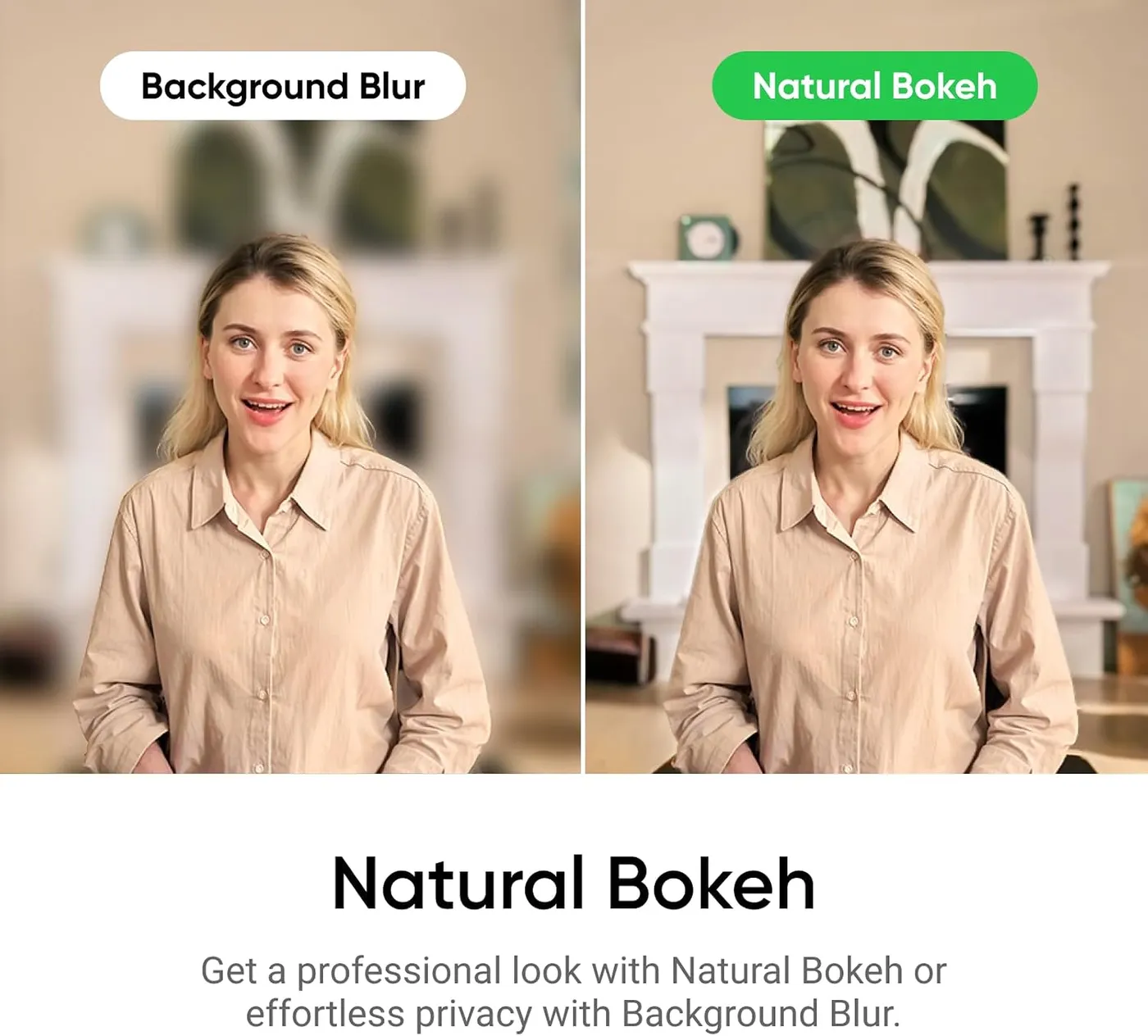
Natural Bokeh is the effect worth the setup. It softens the room behind the speaker with a gradual falloff that reads as genuine depth of field. Insta360 also includes background blur and background replacement, which takes the company's images or your own.
These effects, however, lean hard on the graphics chip. On Windows, Insta360's spec sheet limits Natural Bokeh to an NVIDIA GTX 1080, an RTX 2060 or a newer card. Macs need an Apple M1 chip or later, while AMD graphics miss out entirely. Without a capable chip, the effects stutter or never appear, so the graphics hardware deserves a check before the blur becomes a reason to buy.
All of these effects run through Insta360's virtual camera, which does not output 50 or 60 fps. Because of that, smooth 1080p at 60 fps means feeding the call app the camera's direct signal, with the blur switched off. Apple computers also need macOS 13 or later for the virtual camera.
Installing Insta360 Link 2 software, or skipping it
On a Mac, setup takes almost no effort. The camera works as a standard webcam the moment it connects, with no driver to install. Link Controller then layers the full set of controls on top. Windows PCs also detect it right away, though the listing names two exceptions: ARM-based Windows and Windows Hello face recognition. Zoom, Teams, Google Meet, Discord and OBS all take its feed, and Insta360 holds Zoom certification.
Much of what sets this camera apart lives in Link Controller. Presets, Natural Bokeh, backgrounds, tracking speed and manual image controls all run through the app. It even saves recordings straight to the computer, so a quick clip needs no separate capture tool. A locked-down work laptop that blocks installs still gets a sharp webcam, yet it loses the extras. The app also takes some learning, since getting framing, color and tracking right involves a stretch of trial and error.
On some setups, the app and the call software trip over each other, and the feed stutters or drops until one of them restarts. Firmware updates also install from Link Controller in a couple of clicks, so keeping the camera current is easy. For setup steps and fixes, see the Insta360 Link 2 troubleshooting guide.
Aiming the lens at notes and whiteboards
The gimbal pays off a second time here. DeskView tilts the head down to show papers or a sketch on the desk. Whiteboard mode, by Insta360's account, keeps a board in focus and squares it up. Because a gesture starts whiteboard mode, a presenter can also walk to the board and keep talking.
The Logitech MX Brio, Logitech's premium 4K camera, takes the manual route to similar jobs. Its Show Mode asks you to angle that webcam down at the desk by hand, and a cover rotates over its lens between meetings. The Insta360 Link 2 instead makes both moves on its own, tilting for DeskView and parking its lens face down. Their frame rates match exactly, since both cap 4K at 30 fps and reach 60 fps at 1080p.
Mounted on a tripod and turned on its side, the camera also shoots 4K vertical video in 9:16, which Insta360 calls Portrait Mode. The tripod is a separate purchase, though the mount's 1/4-inch thread accepts a standard one.
Picking out a voice in a noisy room
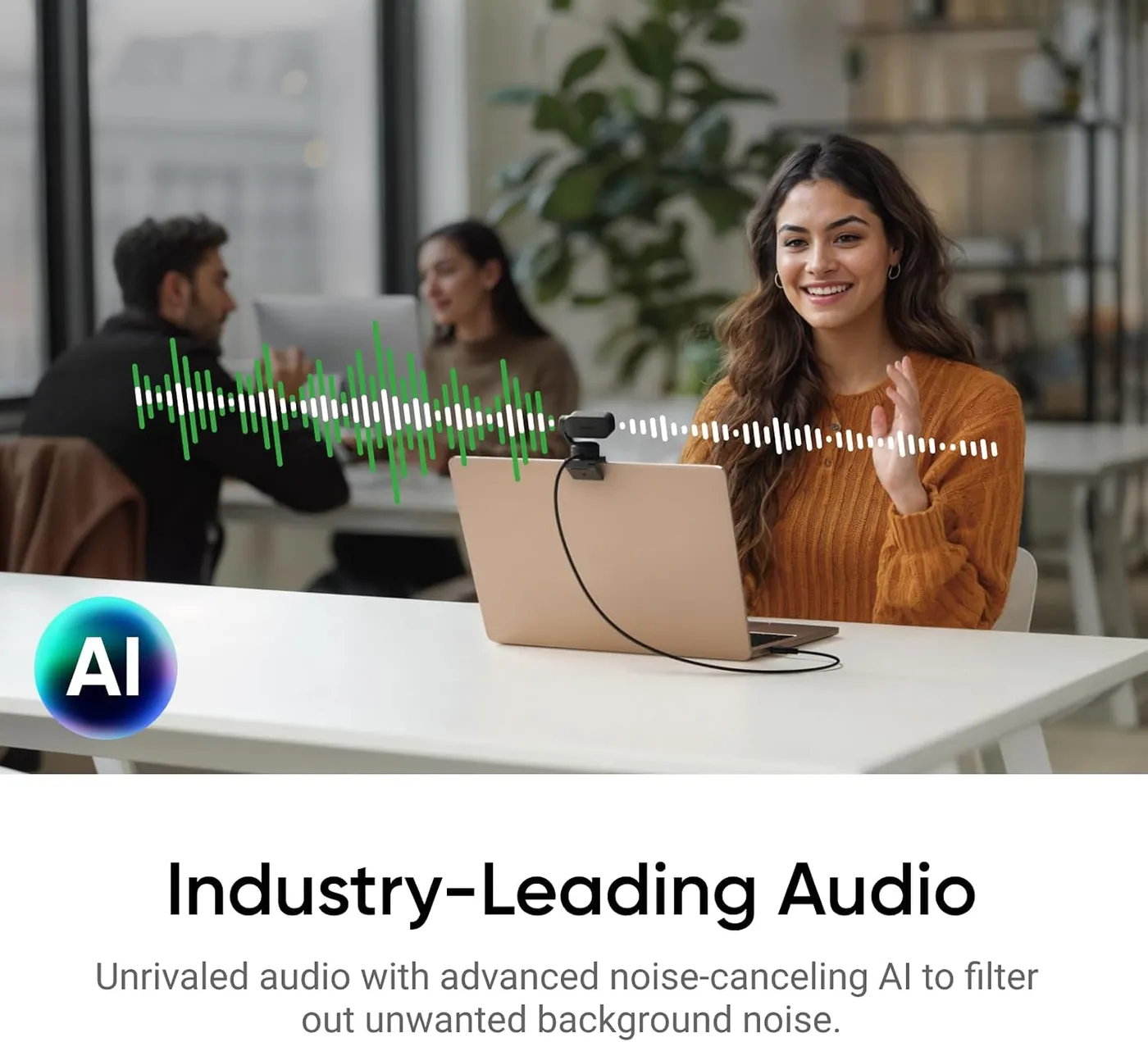
Calls are where the mic does its best work. It carries a voice cleanly at normal desk distance, and Insta360's AI noise canceling keeps home and office noise down. For daily meetings, that makes a headset optional. The maker also gives it three modes. Voice Focus suits a solo speaker, while Voice Suppression filters out nearby voices and Music Balance leaves room for background music on a stream.
Recorded audio is another matter. The mic trails a dedicated USB or XLR microphone, so podcasts and voiceovers still call for one. Paired with a desk mic, the camera works fine as a pure video source.
For a shared meeting room, Insta360 sells its Wave speakerphone as a partner. By the company's description, Wave detects the direction of a voice and then steers the camera toward whoever is talking. That extends the tracking idea to a whole table of speakers.
Mounting, parking and trusting the hardware over time
The magnetic mount holds firmly. It sits astride a monitor or laptop screen, and the camera clicks onto it magnetically, then lifts off just as quickly. The Insta360 Link 2 weighs about 100 grams on its own, by the maker's figure, and the build is dense and well finished for its size. It connects over USB-C at USB 2.0 speed, and an adapter for USB-A ports also comes in the box.
Longevity is the one doubt about the hardware. A small fraction of cameras quit early, within days or months of arrival: they stop powering on, freeze or shut off at random.
Privacy works through motion as well. After 10 seconds of inactivity, the head tips the lens down toward the desk, so one glance shows whether the camera can see the room. Insta360 instead reserves a physical shutter for the Link 2C, its gimbal-free sibling.
Pros: What we liked
- Pro: Two-axis gimbal pans and tilts smoothly to keep a moving speaker centered
- Pro: Sharp 4K picture with natural color from a 1/2-inch sensor, even in a dim room
- Pro: Phase-detection autofocus locks onto a face quickly and holds it
- Pro: DeskView and whiteboard modes aim the lens at notes or a board on command
- Pro: Lens tips face down after 10 seconds idle, a privacy state visible at a glance
- Pro: Presets swing the head to saved positions with one click
Cons: What could be better
- Con: Some units stop working within days or months and will no longer power on
- Con: Natural Bokeh needs a GTX 1080 or RTX 2060-class NVIDIA card or an M1 Mac, and ARM-based Windows is unsupported
- Con: Tracking can wander onto other objects, and expressive hands trigger gestures by accident
- Con: Advanced features live in Link Controller, which takes learning and can clash with call apps
Best For
- Presenters who stand, pace or walk to a whiteboard during calls
- Teachers and trainers who switch between a face, a desk and a board
- Mac users and NVIDIA PC owners who want natural background blur on calls
Not Ideal For
- Anyone who stays seated in one framing for every call
- Owners of ARM-based Windows laptops or AMD-graphics PCs who want the effects
- Podcasters who expect studio-quality voice from a camera mic
| Specification | Details |
|---|---|
| Resolution | 4K UHD, plus 1080p, 720p and 360p modes |
| Frame rate | 4K at up to 30 fps; 1080p and 720p at up to 60 fps |
| Field of view | 79.5° diagonal, 67° horizontal (Insta360 figures) |
| Focus | PDAF autofocus, 10 cm (4 in) to infinity |
| Sensor | 1/2-inch CMOS |
| Microphones | Built-in mic with AI noise canceling and three audio modes |
| Connection | USB-C (USB 2.0), USB-C to USB-A adapter included |
| Privacy | Head tilts down after 10 seconds of inactivity |
| Mounting | Magnetic mount with a 1/4-inch tripod thread |
| Software | Link Controller for Windows 10 or later and macOS 11 or later |
Alternatives Worth Considering
Final Verdict
The Insta360 Link 2 is the right buy under one condition: the call has to involve movement. Standing to present, walking to a whiteboard and turning the lens on a notepad are the jobs its gimbal exists for. Its sharp picture and quick focus also keep those moments looking good. When the speaker stays seated in one framing all day, though, the motor sits idle. Insta360's own Link 2C drops the motor and keeps the same sensor, while the EMEET S600 covers a seated desk and costs less. I'd pay the premium for a desk that hosts talks and lessons, not one that only takes meetings.
Frequently Asked Questions
Does the Insta360 Link 2 work on a Mac without installing anything?
Yes. A Mac treats it as a standard webcam as soon as it connects. Link Controller needs macOS 11 or later and adds presets, image controls and effects. Insta360's virtual camera, which carries the blur and backgrounds, needs macOS 13 or later.
Which graphics cards can run Natural Bokeh on a Windows PC?
Insta360 lists an NVIDIA GTX 1080, an RTX 2060 or a newer NVIDIA card, and it does not support AMD graphics for this effect. On a Mac, Natural Bokeh needs an Apple M1 chip or later.
Can the camera stop tracking once you leave a set area?
Yes. Insta360's Pause-Track Area lets you set boundaries for tracking, and the camera stops following when you step past them. That leaves room to step away while the head stays put.
How does the Link 2 protect privacy with no lens shutter?
After 10 seconds of inactivity, the head tilts down so the lens faces the desk, and you can tip it down yourself at any time. Insta360 puts a physical shutter on the Link 2C, the gimbal-free version.
Will it work with Windows Hello or an ARM-based Windows laptop?
No. Insta360's listing says the camera is not currently compatible with ARM-based Windows systems or Windows Hello face recognition, so face sign-in and ARM machines need a different webcam.
Can the Insta360 Link 2 shoot vertical video for social clips?
Yes. Insta360's Portrait Mode turns the camera on its side on a tripod for 4K video in a 9:16 frame, and 1080p runs at up to 60 fps in that orientation, though the tripod costs extra.
The Verdict
A sharp, fast-focusing 4K webcam whose gimbal keeps a moving presenter centered, worth the premium for calls taken on your feet.