Insta360 Link 2 Pro Review: A Bigger Sensor on the Same Gimbal
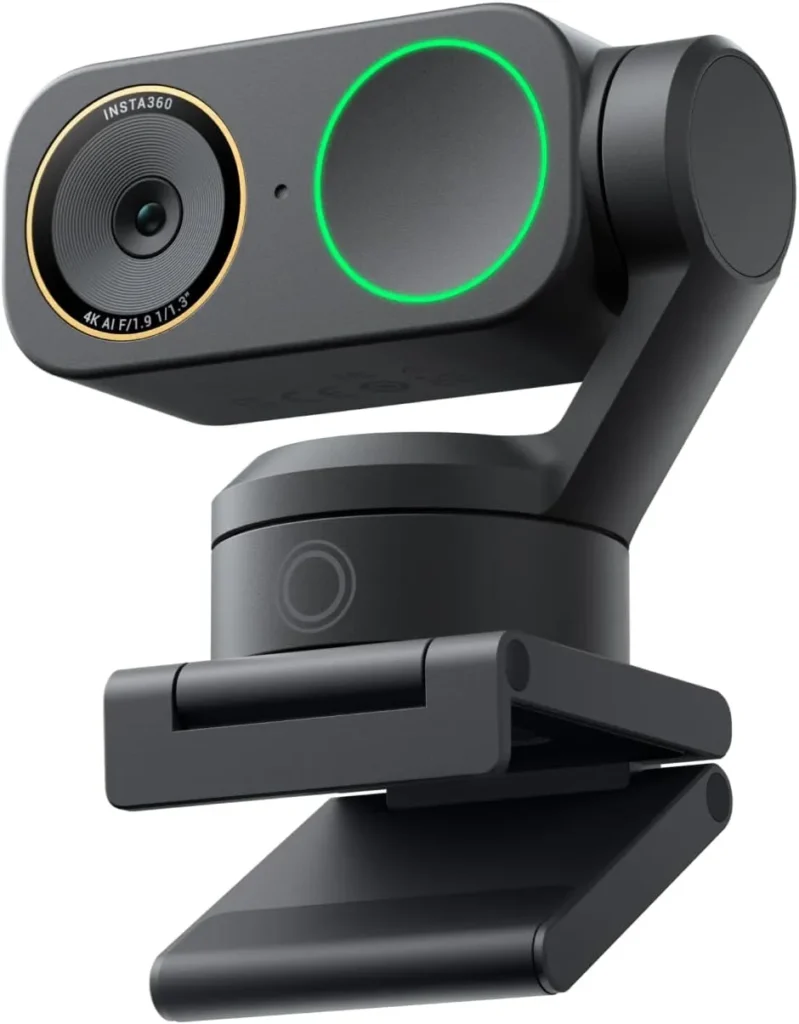
Dim rooms stay sharp and voices stay clear on this Pro, whose larger sensor and directional second mic ride the same tracking gimbal as the Link 2.
Insta360 Link 2 Pro keeps its cheaper sibling's motorized head but upgrades the parts behind the picture and the sound. Its sensor grows to 2.23 times the light-sensitive area of the Link 2's, by Insta360's figure. A directional microphone also joins the omnidirectional one, and the view widens by a few degrees.
Insta360 aims those changes at dim rooms and noisy ones, and both upgrades hold up. A dim room still gives a sharp face on camera, and voices come through clearly on calls. The two-axis gimbal and its AI tracking carry over from the Link 2. So do Elgato Stream Deck control and a 4K portrait mode, two items on the Pro's listing that Insta360 credits to the cheaper model as well.
For a study lit by one desk lamp
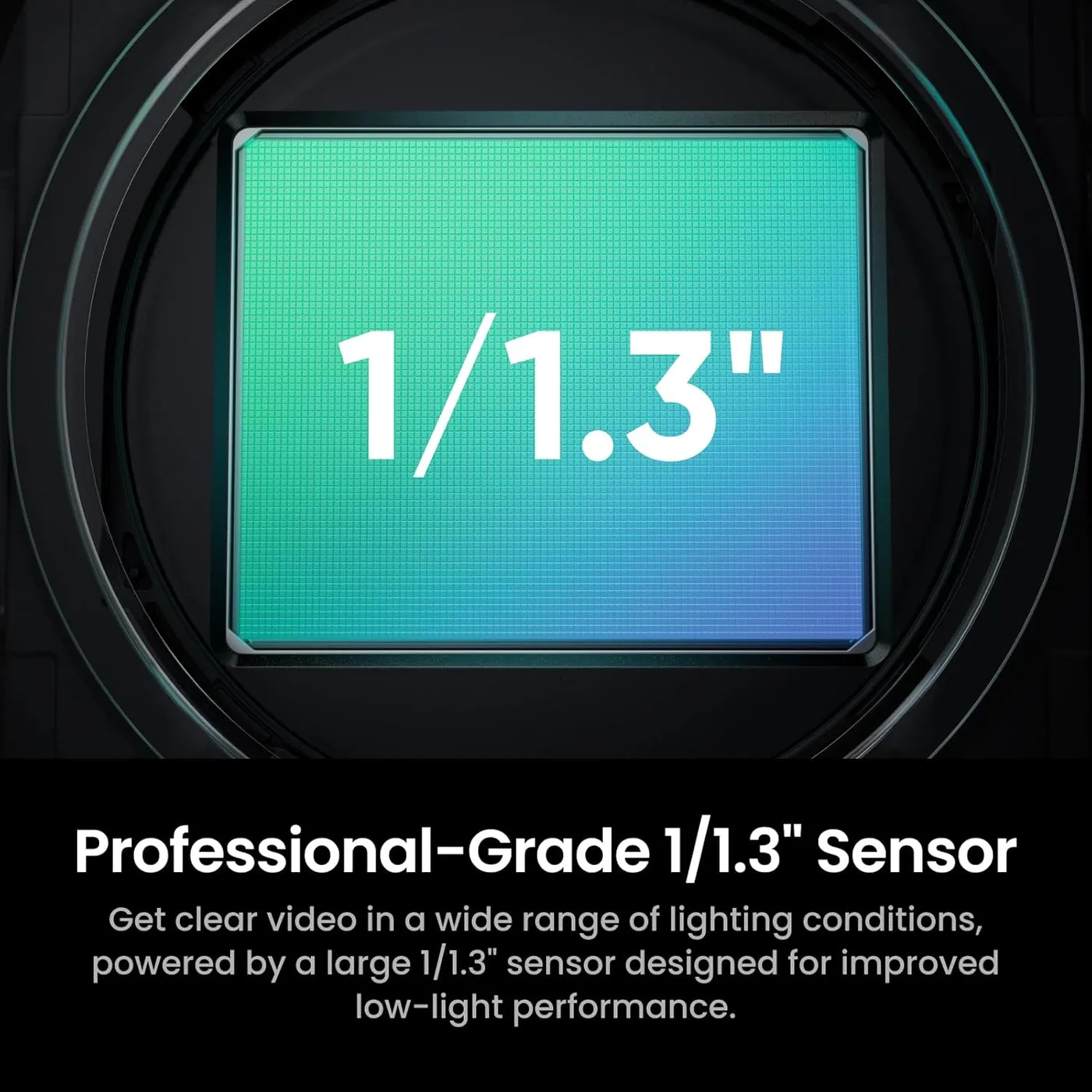
Sensor size is the first gap between the two models. The Insta360 Link 2 lists a 1/2-inch sensor, while this camera's listing names a 1/1.3-inch one, and Insta360 puts the larger chip's maximum equivalent pixel size at 2.4 micrometers. The Pro gains Dual Native ISO, too, where its sibling has a single native ISO. Insta360 credits that pair of changes with more light, richer detail and stronger low-light performance.
Dim rooms are where the Insta360 Link 2 Pro does its best work. Even a home office with poor light gives a clear and detailed face, while the 4K picture stays crisp. Autofocus also grabs a face quickly and keeps it sharp with no drifting in and out, using phase detection that Insta360 rates from 12 cm to infinity.
Two image settings reward a visit to Link Controller. By its own account, Insta360 sets the default sharpening high. A face can look over-processed until the Sharpness slider comes down. Color is less dependable than detail. Skin tones often render naturally. In some rooms, though, color comes out less true than the rest of the image, and the app's manual white balance doesn't always correct it.
Backlight gets its own tools. Insta360 says Dual Native ISO and HDR keep both bright and dark areas detailed at once. Its manual adds that HDR shows most in backlit scenes, such as a window behind the desk. Manual control goes deep as well: Insta360's product page puts the ISO range at 100 to 3200 and exposure compensation at plus or minus 3 EV. White balance runs between 2000K and 10000K, and the lens is f/1.9.
For lessons and demos given standing up
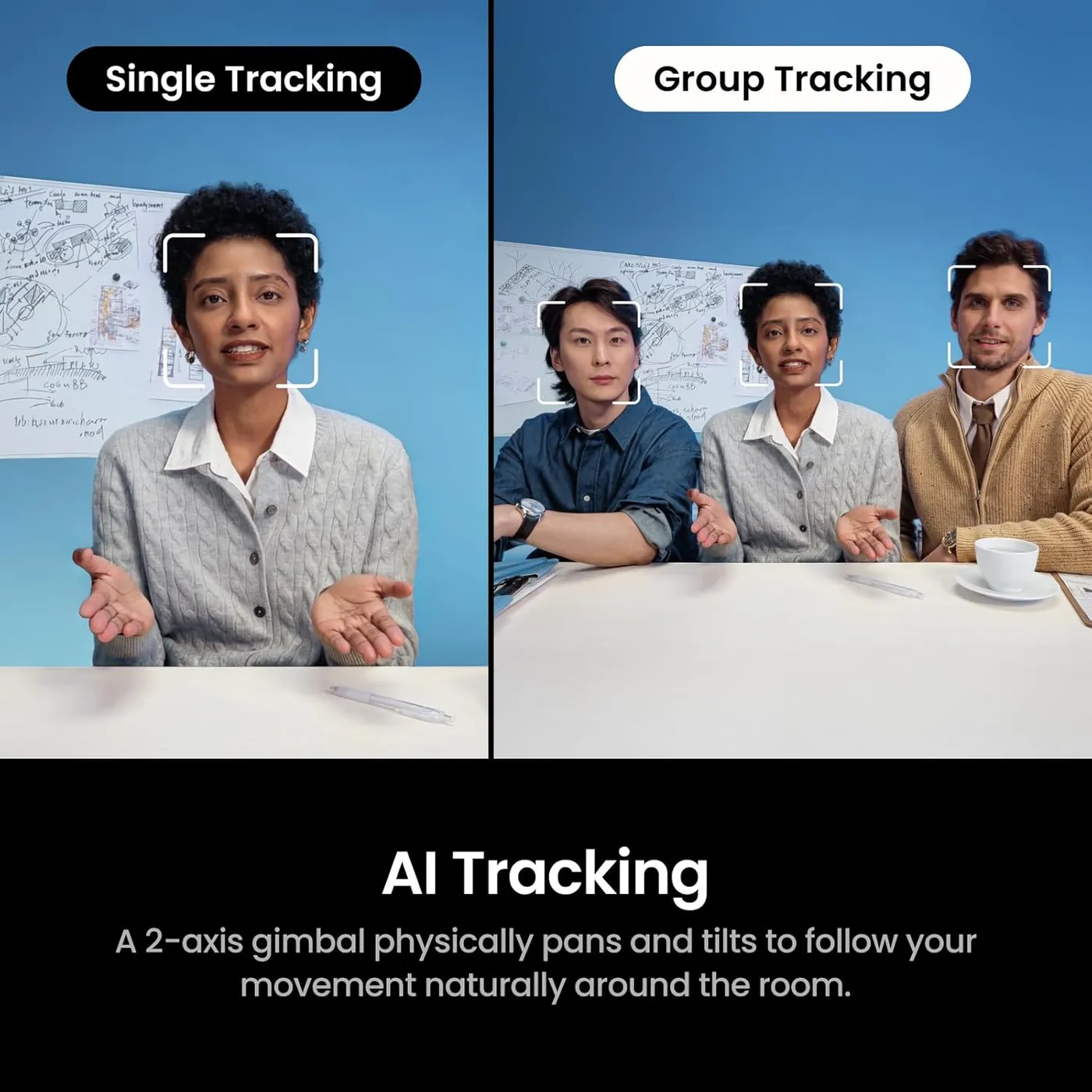
Tracking carries over unchanged from the Link 2. Insta360 lists the same AI Tracking and the same two-axis gimbal design for both cameras. On the Insta360 Link 2 Pro, the head follows a face as the speaker stands up or crosses the room, and the motion stays smooth and steady.
Several controls start and stop the follow. A palm held up to the lens toggles it, and so does a tap on the camera's touch button. Link Controller switches between Single and Group Tracking, with Insta360 recommending the group mode for two or three faces. The app also sets the tracking speed, the framing and the size of the frame.
Two zone tools decide where the camera looks. A Tracking Area confines the follow to a chosen part of the room, which Insta360 pitches for privacy. A Pause-Track Area, meanwhile, halts tracking and zooms in when the speaker reaches a whiteboard or a demo. Pan, tilt and a digital zoom of up to 4x make this a PTZ webcam, and an L-shaped hand sign drives that zoom without a trip to the app.
Insta360 built the tracking for human faces only, so it ignores hands, pets and objects. Its reach, by the company's figure, ends at 9.8 feet. After 60 seconds with no face in view, tracking switches itself off, though a shorter absence lets it pick the speaker up again.
For an open-plan desk or a cafe table
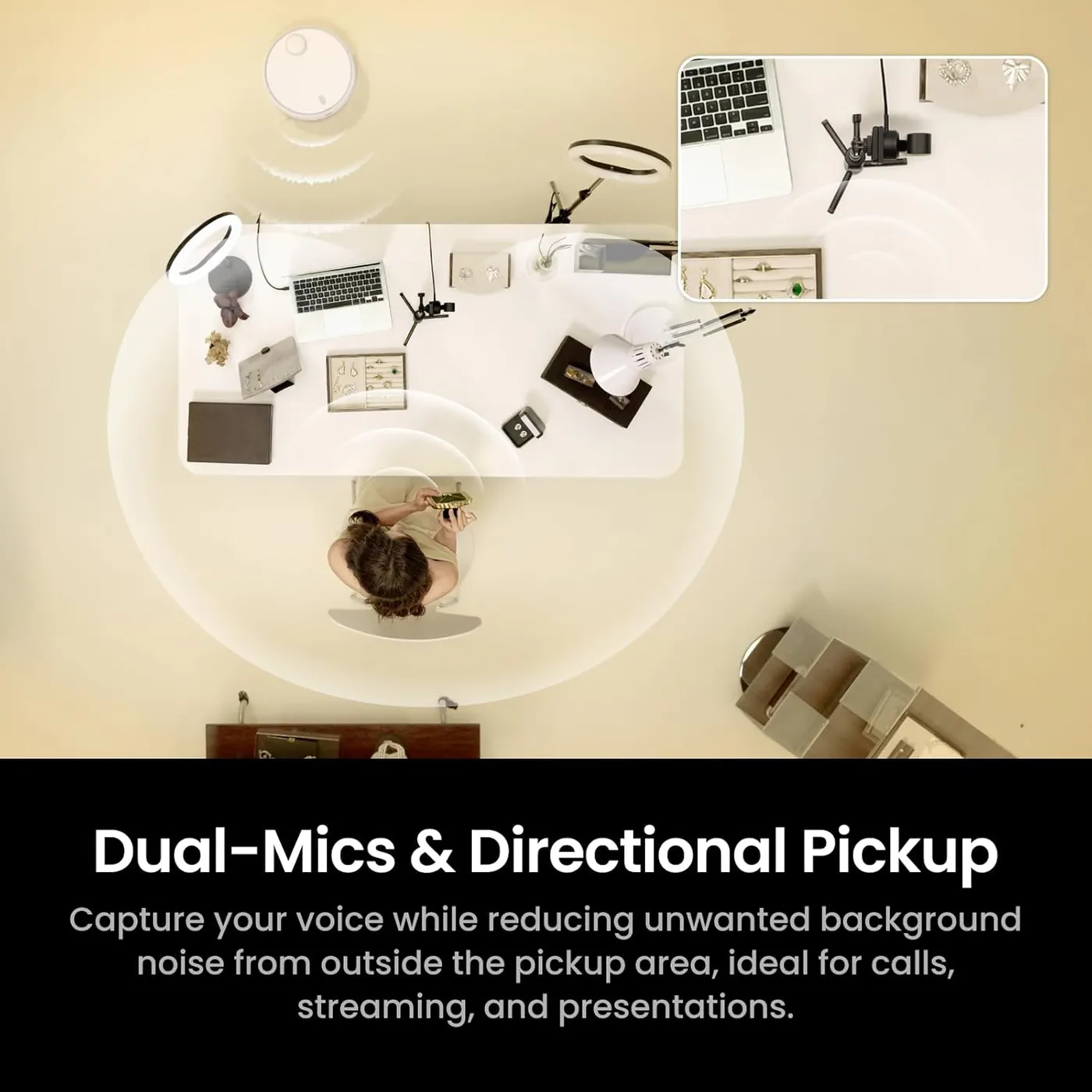
Audio is the Pro's other upgrade. The Link 2 makes do with one omnidirectional mic. The Insta360 Link 2 Pro carries a pair, one directional and one omnidirectional, and then blends them with beamforming and AI noise reduction. Its listing promises directional noise-canceling pickup that isolates a voice and turns a busy room down.
Four pickup modes split the work. Standard lifts voices and trims room noise slightly, which suits everyday calls. Wide gathers every voice in front of the camera and suppresses sound from behind it, a fit for a group meeting or a stream with a guest. Focus narrows pickup to about one meter in front, the mode Insta360 matches to an open-plan office or a cafe. Original, finally, switches noise reduction off to keep the raw sound for recording.
On calls, the pair delivers clear speech, and the camera works well as the main microphone for daily meetings. Insta360's manual also lets it run as a microphone alone, with the video off, for an audio-only call. Per Insta360, an external microphone has to connect to the computer, since the camera has no input for one.
Recordings deserve one check. If sound drifts out of step with the picture, Insta360's manual suggests trying the built-in mic in place of an external one. Its other fixes include a different player such as VLC and, while the virtual camera runs, a lower resolution.
For effects passed through the virtual camera
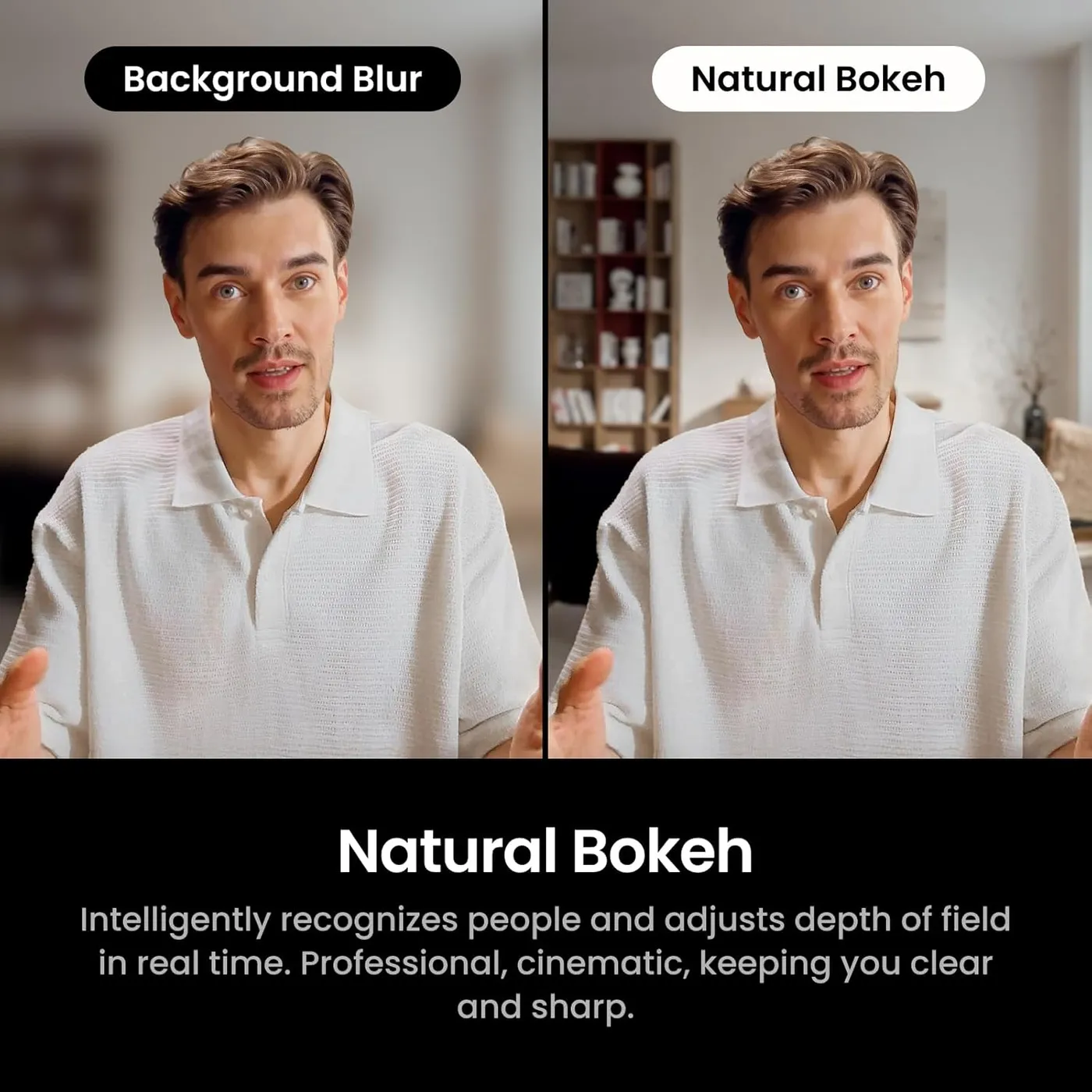
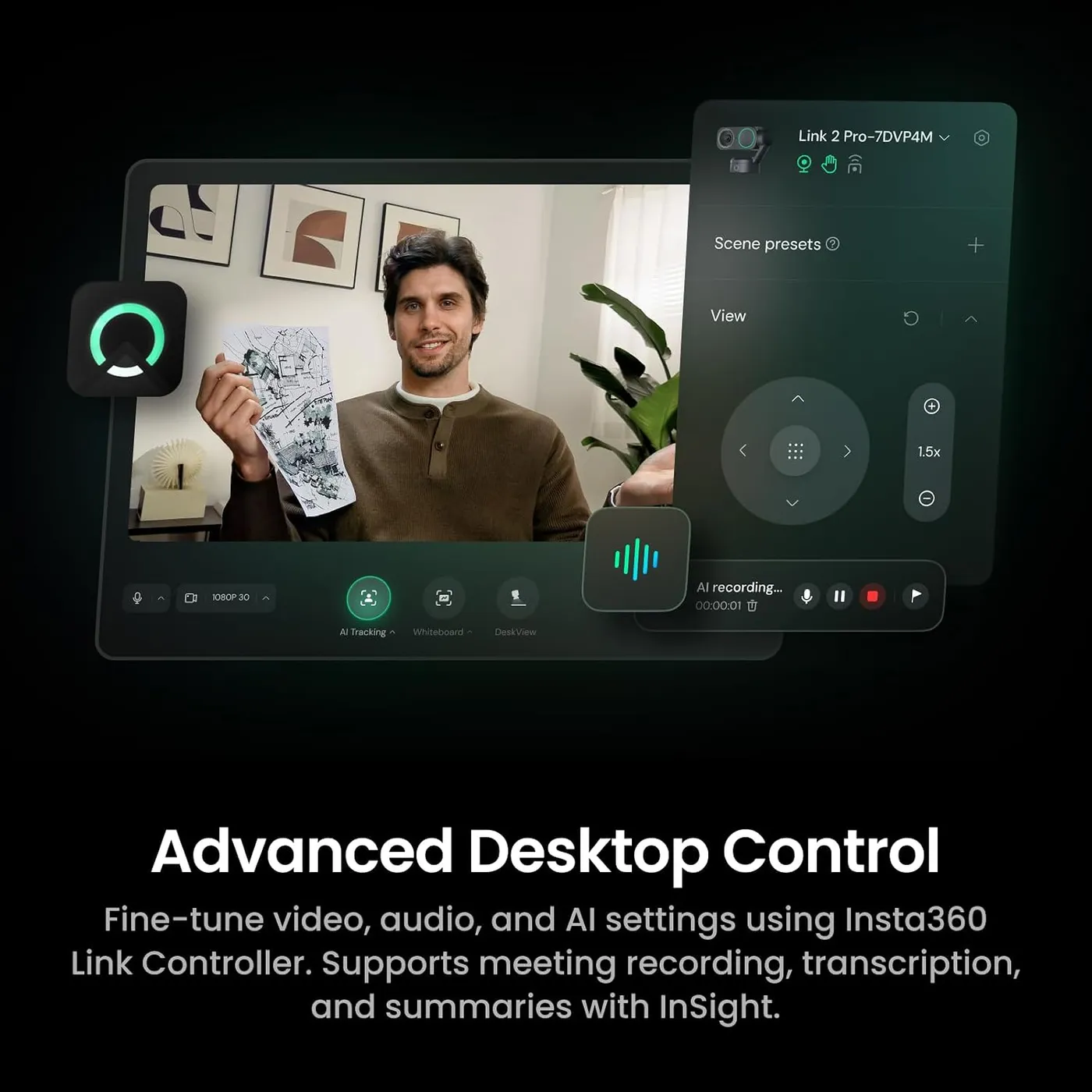
Getting started takes no software. The Insta360 Link 2 Pro works as a standard webcam on a Mac or a Windows PC, and Zoom and Teams pick it up directly. Link Controller, Insta360's free desktop app, then layers on presets and manual image controls. Its effects include Natural Bokeh, background blur and replacement, a green screen, makeup filters, overlays and a teleprompter.
Those effects lean on the computer. Insta360 asks for a 10th-generation Core i5 and 16 GB of RAM for its advanced features. Natural Bokeh also needs an NVIDIA GTX 1080, RTX 2060 or newer card on Windows, with AMD left out, or an M1 chip or later on a Mac. On a laptop, the background and makeup effects can stutter, even with discrete graphics. That list deserves a look first when the effects are part of the appeal.
Getting the effects into another app takes care. Insta360 routes them all through its virtual camera, which can't run at 50 or 60 fps. Smooth 1080p at 60 fps therefore means picking the camera's own entry instead. On some computers, an app lists the camera yet never shows its picture, or shows it without the presets set up in Link Controller. On Windows, Insta360's first fix is to switch off Link Controller's preview before another program opens the camera.
Mac setups need macOS 11 or later for Link Controller and macOS 13 for the virtual camera. Insta360's listing rules out ARM-based Windows machines, Snapdragon laptops included, along with Windows Hello. Our Insta360 Link 2 troubleshooting guide covers the Pro as well, with setup steps and these fixes.
For Stream Deck scenes and vertical clips
Two features from the Pro's listing also appear on the Link 2. Insta360 says an Elgato Stream Deck can switch cameras and modes, adjust settings and fire saved presets. One deck, it adds, can run several Link cameras at once. Its own comparison chart, however, marks the Link 2 as Stream Deck compatible too. I wouldn't pay for the Pro on Stream Deck control alone.
Portrait Mode is the other shared feature. Insta360 advertises native 4K capture in 9:16, yet its manual says the two-axis gimbal can't rotate the camera into portrait. The camera therefore goes on its side on a tripod, a step the original three-axis Link skipped. Third-party apps, the manual adds, take portrait video at 1080p.
The working modes carry over as well. By Insta360's description, DeskView aims the lens down at the desk for documents, sketches or a demo. Whiteboard mode squares up a board framed by the four included recognition markers, while Smart Whiteboard in the app reads a plain whiteboard without them. Per the manual, a phone browser on the same Wi-Fi becomes a remote by scanning a QR code. Insta360's InSight assistant adds meeting transcripts and summaries, with some features behind a paid subscription. Insta360 also says its Wave speakerphone can steer the Pro toward whoever is talking.
For privacy while Insta360 Link 2 Pro sleeps
Privacy comes from motion here. After 10 seconds without use, the head turns the lens down and the camera sleeps. Pushing the head down by hand does the same. On this model, the microphones also mute in that position, a default Insta360 leaves fixed, whereas the Link 2 makes muting optional. Insta360 keeps a sliding privacy cover for the gimbal-free Link 2C Pro instead.
Build quality matches the price. The magnetic mount in the box snaps onto a monitor and holds firmly. It also fits curved screens up to 25 mm thick and carries a 1/4-inch thread for a tripod. Insta360 puts the Insta360 Link 2 Pro at 102.5 g on its own, or 167.5 g with the mount attached.
A single USB-C cable carries power and video at USB 2.0 rates, and the box adds a USB-A adapter for computers without USB-C. Insta360 also sells a 5-meter USB-C to USB-A cable for a camera mounted far from the computer.
For a full day of calls and streams
Some units fail early, in one of two ways. The gimbal can quit within days of setup, or even within minutes, after which the head stops tracking or shows a failed self-check at startup. Other units switch themselves off partway through a call or a live stream, at times more than once.
The connection deserves the first check when the feed drops. Insta360's manual wants the included cable plugged into the computer's own port, so a hub or dock comes out of the chain. Insta360 suggests a USB 3.0 port first, and on a desktop tower, a rear-panel port. Link Controller installs firmware updates in about two to three minutes. A double press on the touch button, meanwhile, sends the gimbal back to its default angle.
Pros: What we liked
- Pro: Sharp, clear video in a dim home office from the 1/1.3-inch sensor
- Pro: Two mics, one of them directional, with four pickup modes including a one-meter Focus zone
- Pro: Phase-detection autofocus finds a face fast and stays on it
- Pro: AI tracking follows a moving speaker smoothly, with Group Tracking and zone controls
- Pro: Sleep mode turns the lens away after 10 idle seconds and mutes both mics
- Pro: Works as a plain webcam on Mac and Windows before any software goes on
Cons: What could be better
- Con: Some units fail early, with a gimbal that quits or a camera that shuts off mid-call
- Con: Background effects can stutter on laptops, and Natural Bokeh rules out AMD graphics and Intel Macs
- Con: Presets and backgrounds don't always reach Teams, Zoom or OBS without extra setup
- Con: Color accuracy trails the detail in some rooms, and manual white balance can't always fix it
Best For
- Remote workers in dim home offices who want a clearer face on calls
- Presenters and teachers who move around a room with other voices nearby
- Streamers who run their scenes from an Elgato Stream Deck
Not Ideal For
- Anyone on an ARM-based Windows laptop or relying on Windows Hello sign-in
- Callers in bright, quiet rooms, where the cheaper Link 2 tracks the same way
- Laptop users without NVIDIA graphics or Apple silicon who want the background effects
| Specification | Details |
|---|---|
| Resolution | 4K UHD; 1080p, 720p and 360p modes |
| Frame rate | 4K at up to 30 fps; 1080p and 720p at up to 60 fps |
| Field of view | 83.9° diagonal, 71.4° horizontal (Insta360 figures) |
| Focus | PDAF autofocus, 12 cm (4.7 in) to infinity |
| Sensor | 1/1.3-inch with Dual Native ISO, f/1.9 lens |
| Microphones | Two (directional plus omnidirectional), beamforming, four pickup modes |
| Connection | USB-C (USB 2.0), USB-C to USB-A adapter included |
| Privacy | Lens tilts down and mics mute after 10 seconds idle |
| Mounting | Magnetic mount with a 1/4-inch tripod thread |
| Software | Link Controller for Windows 10 or later and macOS 11 or later |
Alternatives Worth Considering
Final Verdict
Set against the Insta360 Link 2, the Insta360 Link 2 Pro is a choice about the room. Both cameras share the gimbal design, the AI tracking, Stream Deck control and 4K vertical video, so neither one pulls ahead on movement. The Pro's case rests on its larger sensor and its directional pair of mics. That case is strongest in a dim office, or in the busy shared space Insta360 built Focus mode for. In a bright, quiet room, the cheaper Link 2 tracks just as well, and I'd keep the difference.
Frequently Asked Questions
What does the Insta360 Link 2 Pro add over the Link 2?
A 1/1.3-inch sensor with Dual Native ISO replaces a 1/2-inch one, and a directional microphone joins the omnidirectional mic, with four pickup modes. The maximum view also grows to 84 degrees from 79.5. Insta360's pages give both models the same two-axis gimbal design, AI tracking, Stream Deck support and 4K Portrait Mode.
Does the camera work on calls without Link Controller installed?
Yes. It works as a standard webcam on Mac and Windows as soon as it connects, and Zoom and Teams take its feed directly. Link Controller adds presets, image and tracking controls and the effects, which reach other apps through Insta360's virtual camera.
Which computers can run Natural Bokeh and the background effects?
For Natural Bokeh, Insta360 lists NVIDIA graphics at GTX 1080 or RTX 2060 level or newer on Windows, with no AMD support, and an M1 chip or later on a Mac. Background blur and replacement run on any NVIDIA card, and the advanced features ask for a 10th-generation Core i5 and 16 GB of RAM.
How do you shoot vertical 9:16 video with the Pro?
Mount the camera on its side on a tripod, since the two-axis gimbal cannot rotate it into portrait. Link Controller then offers 4K, 1080p and 720p in 9:16, while third-party apps need 1080p selected for portrait video. Insta360 sells its Mini 2-in-1 Tripod as a separate accessory.
Do the microphones stay live when the lens tilts down?
No. On the Link 2 Pro, Privacy Mode mutes the microphones by default, and Insta360 offers no setting to change that. On the Link 2, by contrast, muting in Privacy Mode is an option you switch on yourself.
Will it work on a Snapdragon laptop or with Windows Hello?
No. Insta360's listing says the camera is not currently compatible with ARM-based Windows systems, which include Snapdragon laptops, or with Windows Hello face recognition.
The Verdict
Dim rooms stay sharp and voices stay clear on this Pro, whose larger sensor and directional second mic ride the same tracking gimbal as the Link 2.