AOC AC310 Review: Budget 4K for Calls and Online Classes
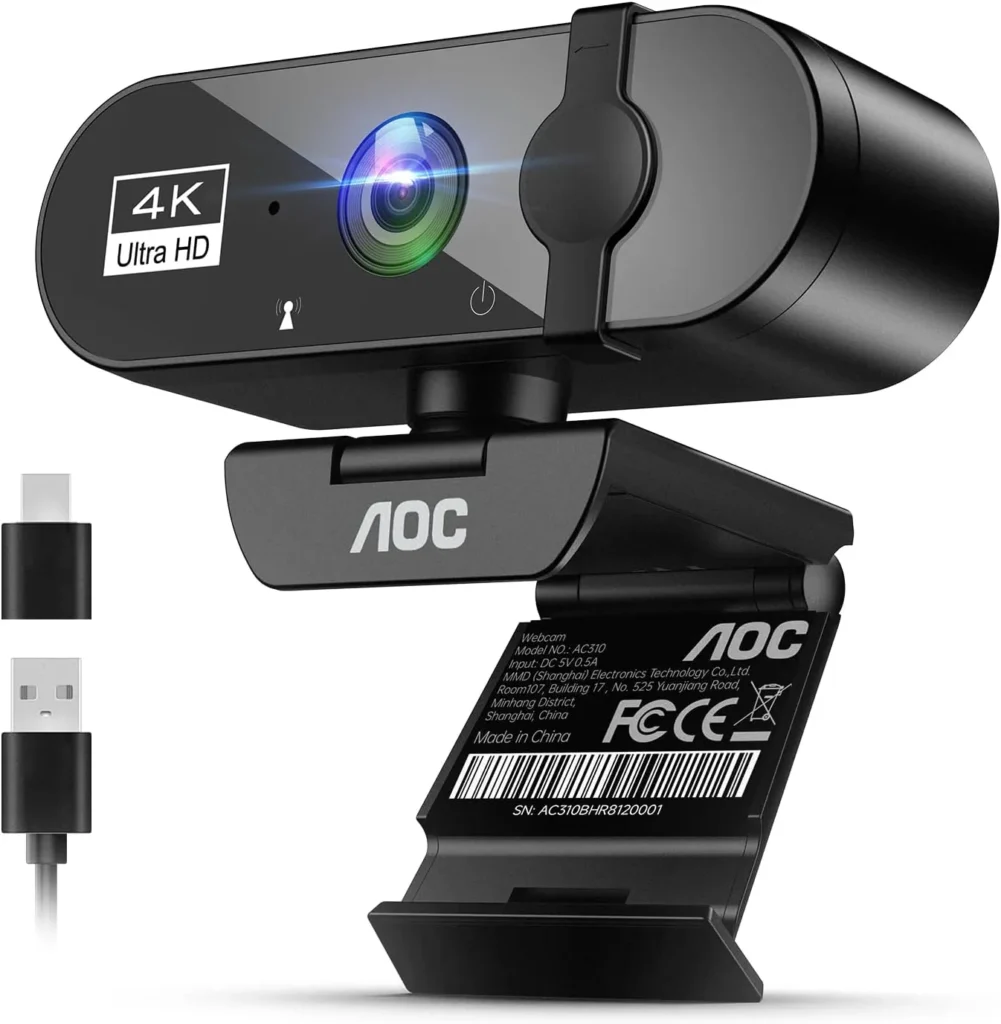
Buy the AOC AC310 for clear calls and online classes on a small budget: it needs no drivers, carries a voice well and slides a cover over its lens, with 4K best taken as headroom.
AOC's headline for the AC310 is 4K, and it opens the camera's listing. Its everyday work is humbler, though: a Teams meeting, a remote lesson, a webcam check ahead of an online exam. Judged on that work, the AOC AC310 earns its budget price. On screen, faces come through crisp, while the camera's built-in mic suits a meeting. Setting it up takes one cable and no drivers.
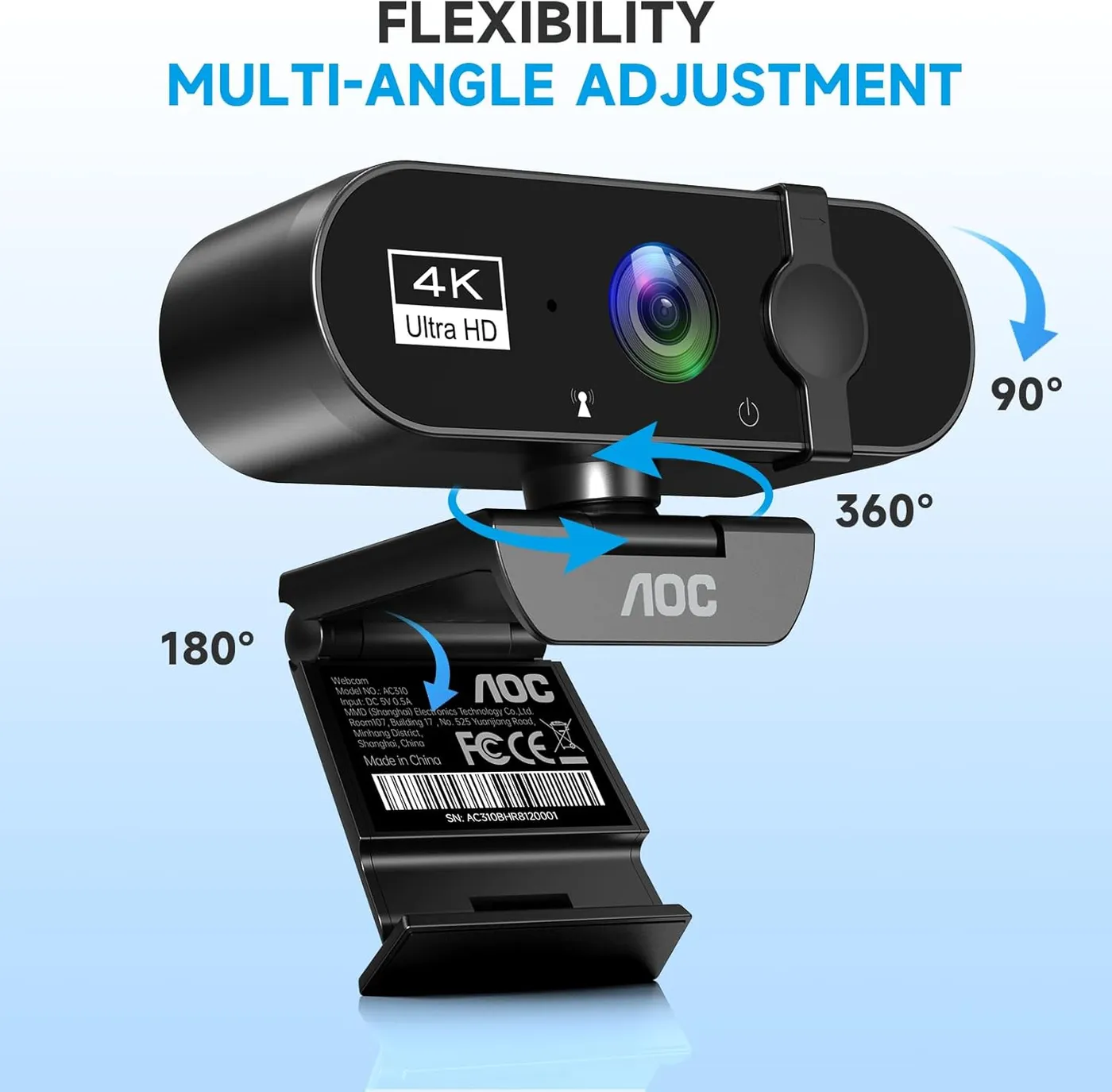
The 4K is the part to weigh with care. On a call, the extra detail isn't a given, and the resolution that arrives also depends on the app and on the computer's camera settings. Around that picture, the package is practical. The 80-degree lens takes in a wide view, while the mount tips through 180 degrees and turns a full 360. Between calls, a built-in slider shuts the lens away, and a USB-A adapter rides along with the USB-C plug.
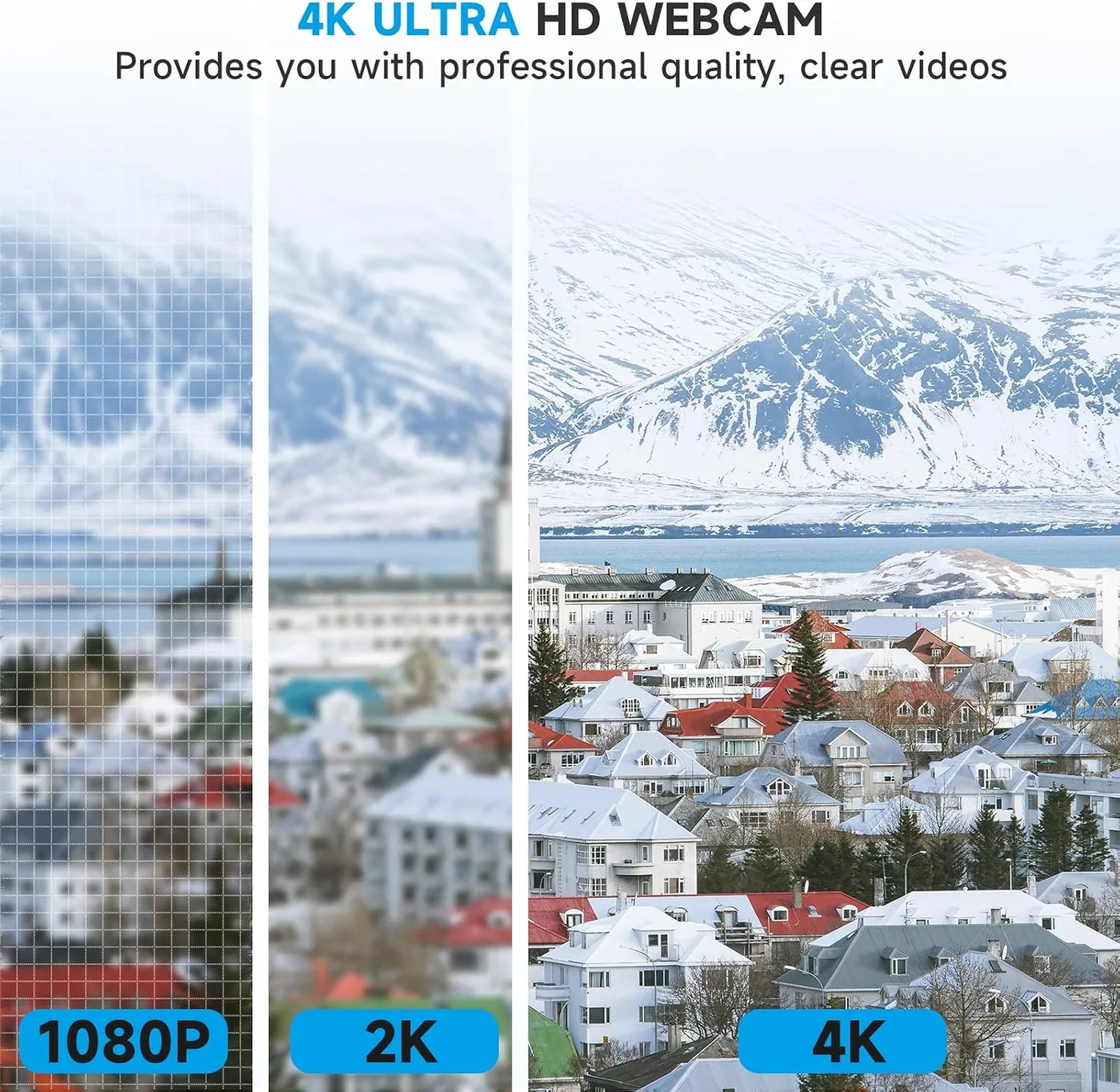
Picture: what 4K means on the AOC AC310
Calls are where the picture does its best work. Faces stay sharp in Zoom and Teams, and the image keeps an online lesson or a meeting free of blur. That clarity matters most in a class or a meeting, which is the work this camera does best.
The 4K label deserves a closer look. By definition, 4K Ultra HD means 3840 by 2160 pixels, four times the count of 1080p, and AOC rates the AC310 for it. Its listing gives no frame rate or sensor size to go with that figure, though. On screen, the extra detail doesn't always arrive either. On some setups the picture looks closer to HD than to 4K, sharp enough for a meeting yet short of what the label suggests.
Settings matter here. The resolution a call or a recording receives depends on the program and the computer's camera settings, so check those first. Before anything goes live, a recording program's resolution menu shows what the camera is sending.
I'd treat 4K here as a ceiling to reach for, not the picture every call will show. At this price, the call itself is the fair test of a 4K label, since clarity counts for more there than pixels. The same picture also carries a casual stream, although a channel built on fine detail will want more than this camera shows. As a clear camera for calls at budget money, it does its job.
Lens: a wide 80-degree view with bowed edges
AOC gives the lens an 80-degree view. On paper, that places it between EMEET's NOVA at 73 degrees and UGREEN's 2K model at 95. AOC pitches the width at fitting a whole group into the frame. On screen, the view really is wide, with plenty of room around a seated speaker. For two chairs at one desk, that width earns its keep.
It carries two costs on the AOC AC310, however. The edges bow outward in a fisheye curve, most visible toward the corners. A lone speaker at arm's length also looks small and far away, with much of the room in the shot.
AOC's feature list names no zoom or framing control, and the frame holds its full width on every call. To fill more of the shot with one face, move the camera closer, then use the tilt and swivel to aim it. Anything behind the desk stays in view as well, which makes the background worth a glance before a call starts.
Light and color: clean indoors, sharpest when well lit
AOC also builds in automatic light correction. By the company's account, it brightens the video so a face still looks good when the lighting is poor. In an ordinary indoor room, the picture stays clean and bright enough for a call, and moderate light poses no problem for it.
Good light still brings out its best: detail and color look strongest in a well-lit room. Adding light is therefore the simple fix for a dim corner. A lamp facing the speaker is the cheapest upgrade this camera can get. For finer changes, Windows' own camera settings hold image controls such as brightness and contrast.
Color reads as natural and bright on the whole. A minority of units, however, add a color cast that pushes shades toward red or green.
Microphone: clear speech for meetings and lessons
Sound comes from a built-in mic, which AOC describes as noise-reducing. On calls, speech comes through it clearly and reaches the other end clean. Unlike EMEET, which rates the NOVA's pair to 8 feet, AOC quotes no pickup range for it.
For meetings and online lessons, the mic does the job on its own, so a headset is optional for everyday calls. It also handles the voice side of a casual stream. Recording is a bigger ask, though. For a podcast or a narrated video, I'd still plan on a dedicated microphone, since AOC pitches the built-in one at calls.
Setup: one plug, an adapter and no drivers
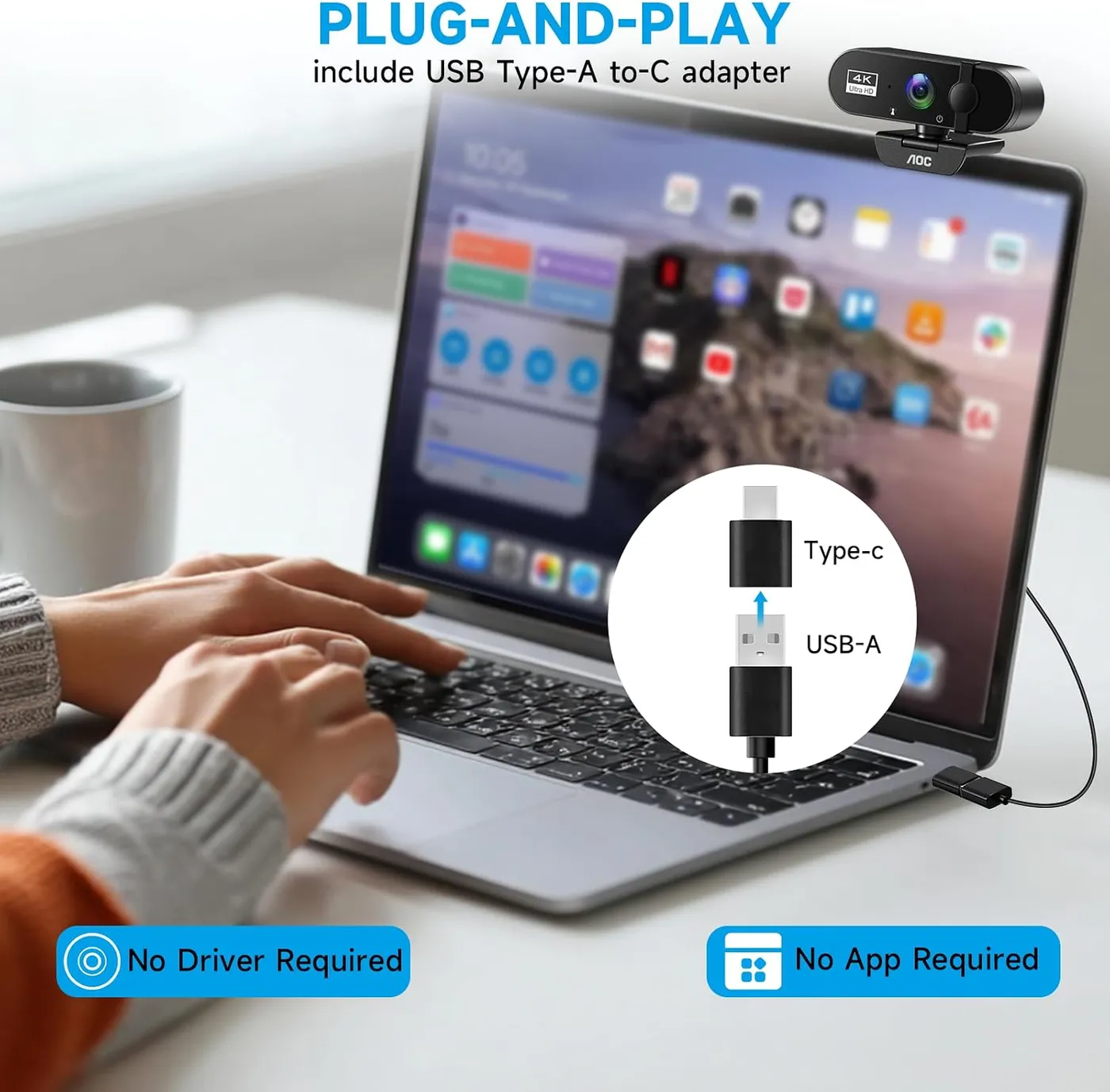
One cable does the job. AOC promises driver-free setup, and the camera keeps that promise. Plugged into a free port, it appears in Zoom or Teams within moments, with no software to install. Both apps also appear on AOC's own compatibility list. No operating system gets a mention there, though, so a Mac or a Chromebook relies on the plug-and-play claim alone.
The connection is USB-C, and a USB-A adapter comes with it. The company pitches the pair at newer and older computers alike. As a result, a USB-C laptop and a desktop with only USB-A ports can both take it.
Plug-and-play isn't universal, though. On a minority of computers, the camera takes some coaxing before the system finds it. When that happens, a different USB port is the first thing to try, with the adapter as a second route. After that, check that the call app has the AOC AC310 and its mic selected, then restart the app.

Build: a small shell, a hinged clip and a lens door
The camera is compact. It sits on a monitor without crowding the desk, and it feels well made for the money.
AOC rates the hinge for a 180-degree tilt and a 360-degree swivel. Aiming the lens takes only a moment, and the clip takes a firm hold on a monitor's top edge. It goes onto a laptop screen just as easily. AOC lists monitor, desk and tripod mounting, and it pitches the range at finding the right angle every time.
The clip has a learning curve, though. It takes some figuring out on certain monitors, and on a few it feels less secure.
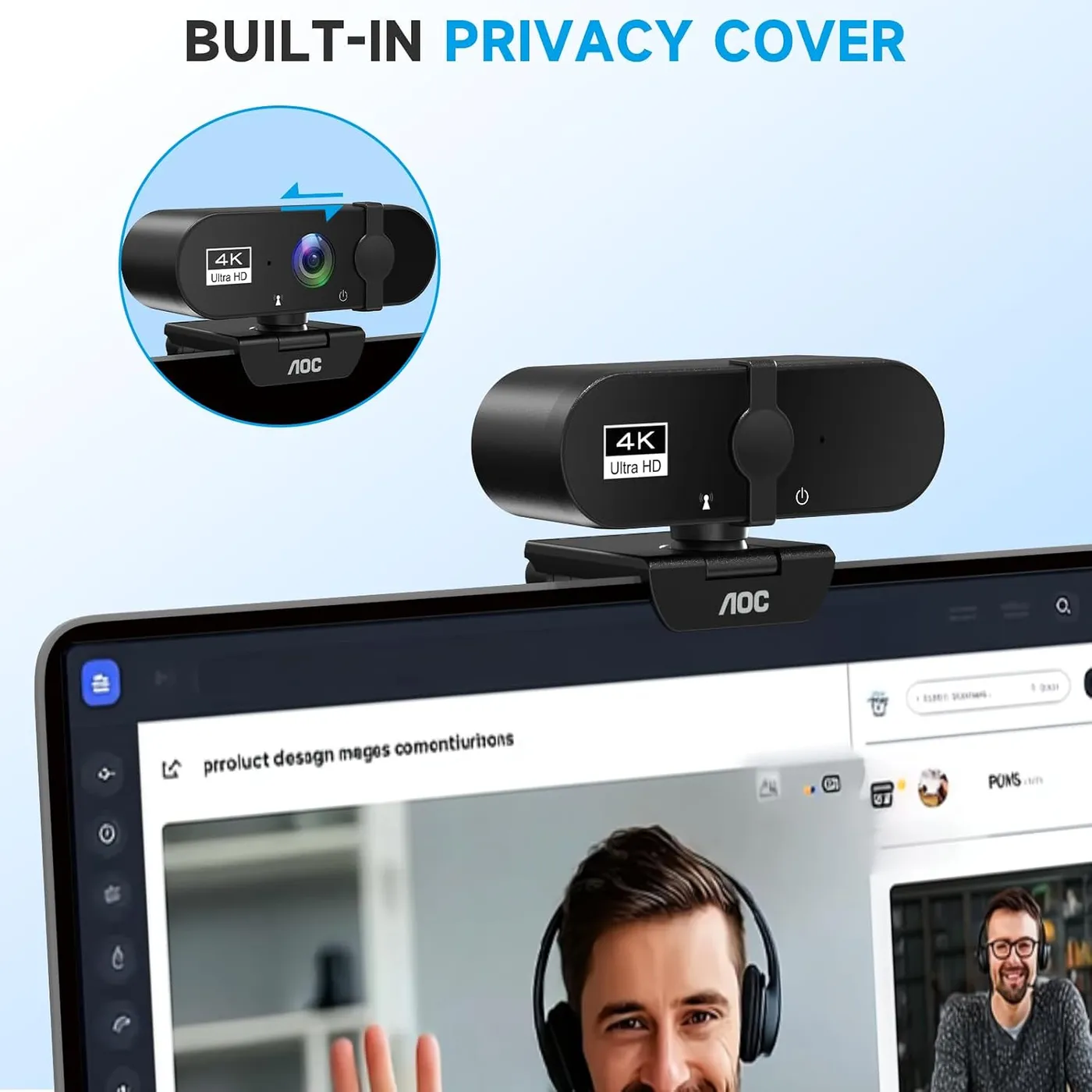
Privacy comes with the body. A sliding cover physically blocks the lens when the camera isn't in use, and it slides shut in a second once a call ends. On a family computer or a shared desk, that physical block is reassuring.
Faults: cut-outs during calls and early failures
Rare but real, some units don't hold up. A minority cut out partway through a call, dropping the picture or the sound, while others stop working early.
A cut-out is worth tracing at the computer first. Plug the camera straight into a port with no hub in between, then try another port or the other plug type through the adapter. If it drops out again on a second computer, the trouble sits with the camera itself.
Rivals: three budget picks and a mid-range step up
The EMEET NOVA 4K is the closest match at budget money. EMEET lists phase-detect autofocus and two built-in mics for it, and its view stays fixed at 73 degrees. AOC's listing names no focus system and no mic count. Instead, the AOC AC310 answers with a wider 80-degree lens, a sliding cover in the body and an adapter for older USB-A ports. In contrast, EMEET wires the NOVA with a fixed Type-A cable.
Acer's A640 is the other budget 4K option. Its listing adds phase-detect focus, a Sony sensor and 60 fps at 2K and 1080p, and Acer's box also holds a USB-C adapter. Like the NOVA, the A640 lists 4K at 30 fps, a figure AOC leaves out. For mid-range money, the EMEET S600 moves up to a 1/2.55-inch chip from Sony. It pairs PDAF with smooth 1080p at 60 fps for streaming, and its view narrows to 40 degrees at 1080p.
The UGREEN 2K Webcam takes a different route and trades resolution for width. It tops out at 2K with fixed focus but opens to 95 degrees, and it carries two mics. As a low-cost webcam for calls, classes and a casual stream, the AOC AC310 still holds its own on clarity, setup and privacy.
Each rival settles one trade. The NOVA buys phase-detect focus and a tighter frame, while the A640 buys 60 fps. Meanwhile, the UGREEN buys width and the S600 buys streaming headroom. For plain calls and classes, my pick is still the AC310, because its cover, its adapter and its clear picture count for more there.
Pros: What we liked
- Pro: Clear, sharp picture on Zoom and Teams calls, with natural color in good light
- Pro: Driver-free setup that has the camera on a call within moments of plugging in
- Pro: Built-in mic carries speech clearly in meetings and online lessons
- Pro: Sliding lens cover built into the body, quick to close between calls
- Pro: Mount tips through 180 degrees and turns 360, and the clip holds a monitor firmly
- Pro: USB-C connection, plus an adapter for older USB-A computers
Cons: What could be better
- Con: The 4K label doesn't always show on a call, where detail can look closer to HD
- Con: The wide lens bows the frame's edges and leaves a lone speaker small, with no zoom listed
- Con: Looks its best only in good light, and some units tint colors toward red or green
- Con: A minority of units cut out mid-call or stop working early
Best For
- Students who need a clear camera for online classes or a webcam-monitored exam
- Remote workers on Zoom or Teams who want a lens cover and nothing to install
- Laptop users who want a separate camera they can aim from a monitor or a tripod
Not Ideal For
- Streamers whose channel depends on true 4K detail or a tight, zoomed-in shot
- Callers in a dim room who need a strong picture without adding light
| Specification | Details |
|---|---|
| Resolution | 4K Ultra HD, per AOC |
| Field of view | 80 degrees |
| Microphones | Built-in mic, which AOC calls noise-reducing |
| Connection | USB-C, with a USB-A adapter included |
| Privacy | Built-in sliding lens cover |
| Mounting | Monitor, desk or tripod; 180-degree tilt, 360-degree swivel |
| Software | No drivers needed (plug-and-play) |
Alternatives Worth Considering
Final Verdict
AOC put 4K at the top of the AC310's listing, yet the number matters less than the call it serves. On that call, the camera supplies a clear face and a voice that carries. It adds a cover that slides shut and a plug for either kind of port, and setup asks for nothing beyond a free USB socket. That makes the AOC AC310 a sound budget pick for work meetings and remote lessons. A stream built on fine detail, or a solo speaker who wants a tight frame, points to one of the rivals instead. I'd judge this camera by the picture a call receives, and on that measure it does its work well.
Frequently Asked Questions
Does the AOC AC310 show 4K on a Zoom or Teams call?
Not always. AOC rates the camera for 4K, but the resolution a call receives depends on the app and the computer's camera settings, and on some setups the picture looks closer to HD. It still comes through clear and sharp.
Can the camera zoom in or narrow its 80-degree view?
AOC's feature list names no zoom or framing control, and the frame stays at full width. To make one face larger, move the camera closer and aim it with the mount, which tips through 180 degrees and turns 360.
Will it connect to a laptop with only USB-C ports?
Yes. AOC gives the camera a USB-C connection and packs a USB-A adapter in the box, so it plugs into a USB-C laptop or an older computer with USB-A ports.
Does the AC310 need drivers or extra software?
No. AOC promises setup without drivers, and the camera shows up in Zoom or Teams soon after it goes in. On a minority of computers it takes some coaxing, so another USB port is the first thing to try.
Is the built-in mic good enough for meetings?
Yes, for calls and online lessons. Speech comes through it clearly, and AOC describes it as noise-reducing. For a podcast or a narrated video, a dedicated microphone is the safer choice.
The Verdict
Buy the AOC AC310 for clear calls and online classes on a small budget: it needs no drivers, carries a voice well and slides a cover over its lens, with 4K best taken as headroom.