EMEET NOVA 4K Review: Budget 4K That Keeps PDAF Autofocus
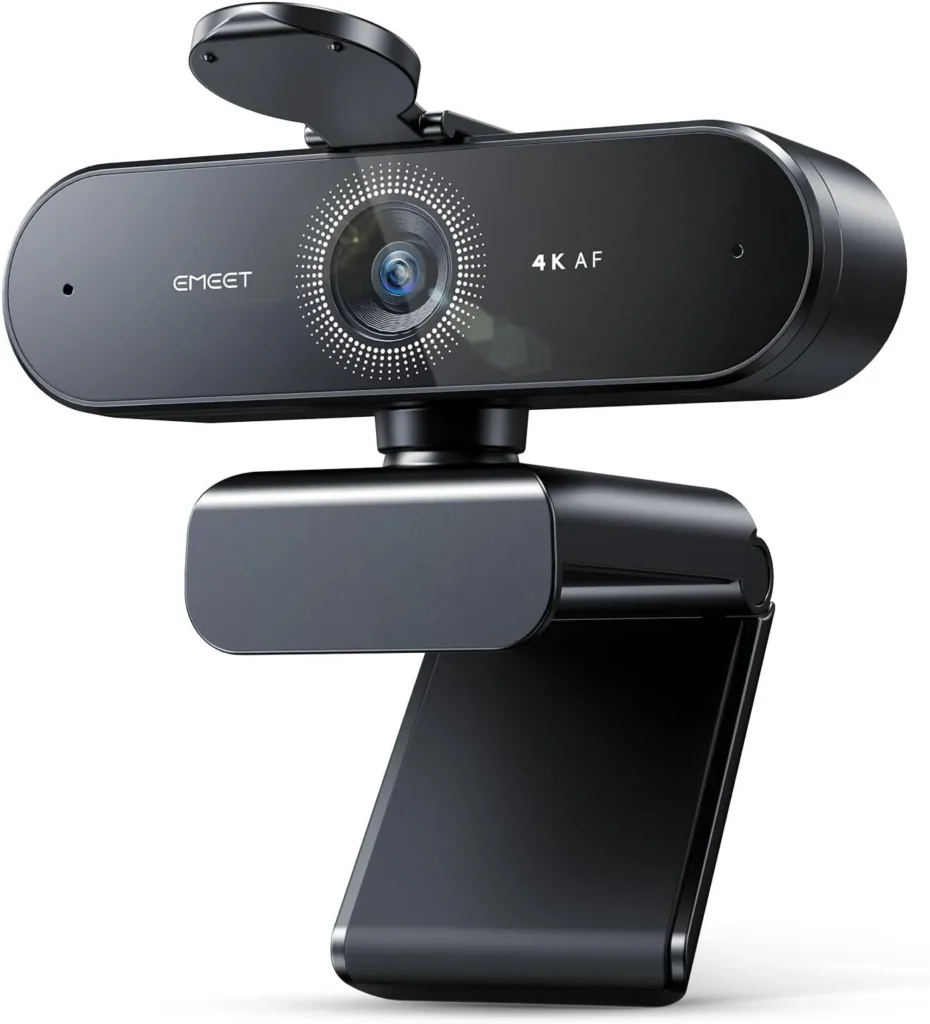
For one person at a desk on a budget, EMEET's NOVA 4K delivers crisp 4K detail, phase-detect focus that holds through a call and clear desk-distance audio.
Budget pricing forces cuts somewhere, and EMEET's listing for this camera says plainly where they fell. Focus is automatic only, the view sits at 73 degrees, and the frame rate never climbs past 30. The fixed cable also wants a Type-A socket.
What survived is the part a call shows. The EMEET NOVA 4K's picture is sharp and natural in color, while its phase-detect autofocus holds steady through a meeting. Two built-in mics also carry a voice at desk distance, and a stick-on cover closes the lens between calls.
That trade suits one person on daily calls, an online class or a first stream. A creator who wants to set every control by hand, however, will meet the limits sooner.
When a face has to stay sharp on an EMEET NOVA 4K
Detail is the camera's strongest suit. Faces look crisp and skin tones stay natural, and the sharpness is plain to see on the other end of a Teams or Zoom call. EMEET ships it at 1080p, though, so 4K is a switch you make in the camera software or in an app such as OBS or PotPlayer.
A fixed 73-degree view suits one person at a desk. It keeps the framing tight enough that the room behind plays a small part.
Grain is where the picture can let you down. On some units it lingers whatever the settings, and nothing in Windows or EMEETLINK clears it.
Focus matters just as much. EMEET pitches its PDAF system as fast, accurate focus that keeps images sharp through motion, and on the EMEET NOVA 4K that claim holds. The autofocus settles quickly and then leaves the image alone. Shifting position in the chair doesn't set it pulsing. The working range runs from 7.9 to 118 inches, close to 10 feet, so a face two or three feet from the lens sits comfortably inside it.
There is no way to step in, though. The listing rules out manual focus, face tracking and any change to the view, and autofocus has no off switch. In short, the camera alone decides what sits sharp in the frame.

When daylight gives way to a desk lamp
Low light is one of its strengths. Evening calls and lamp-lit desks still produce a clear picture, so a ring light is a nice extra here, not a requirement. EMEET also lists automatic light adjustment among its features, so exposure needs no attention on an ordinary day.
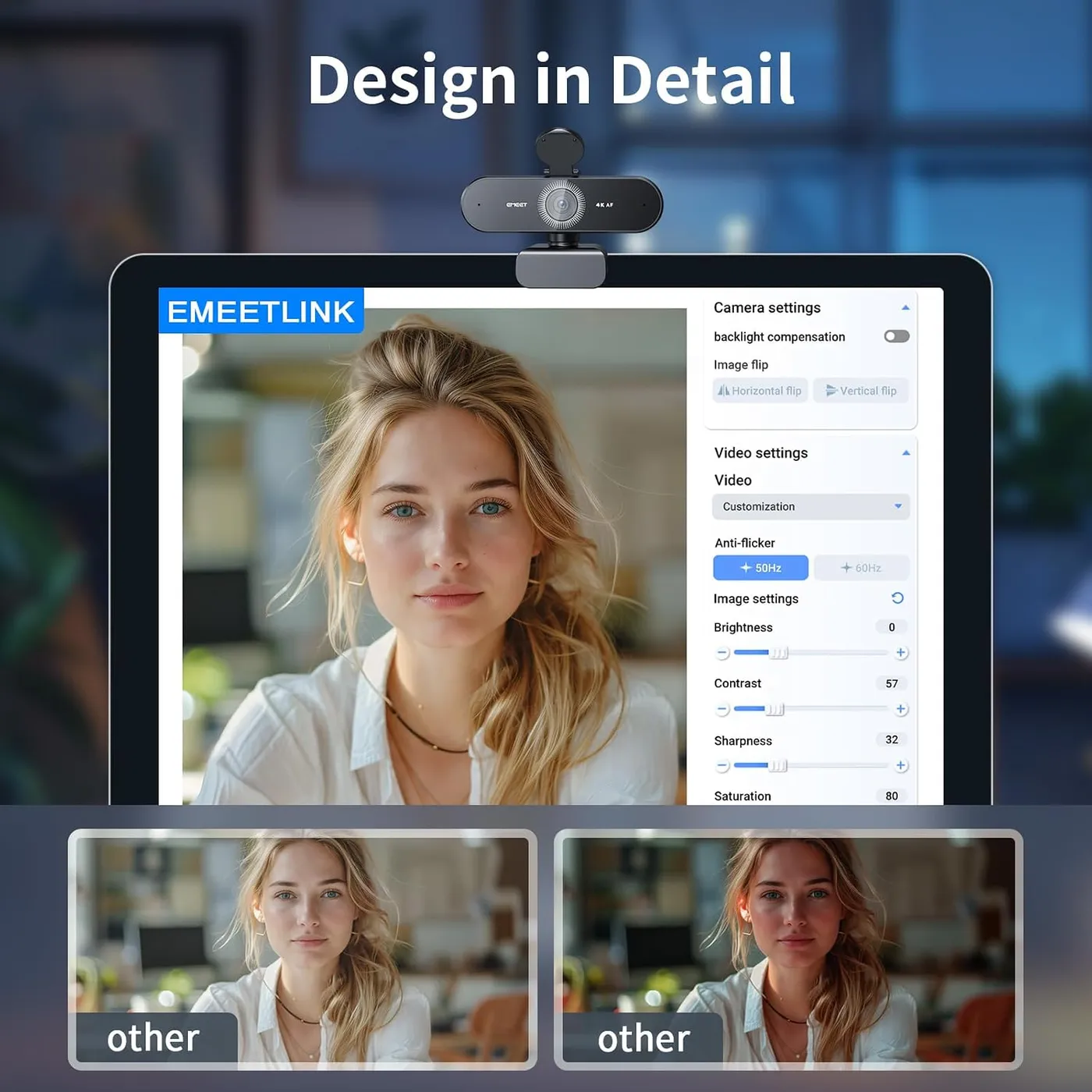
For a harder scene, EMEETLINK holds the manual tools. EMEET names backlight compensation as the setting for more brightness on a backlit face. The app also carries sliders for brightness, contrast and saturation, along with a button that restores the default settings. Most calls never need them, though, since the automatic settings already look right in an ordinary home office.
When the monitor becomes the camera's permanent home
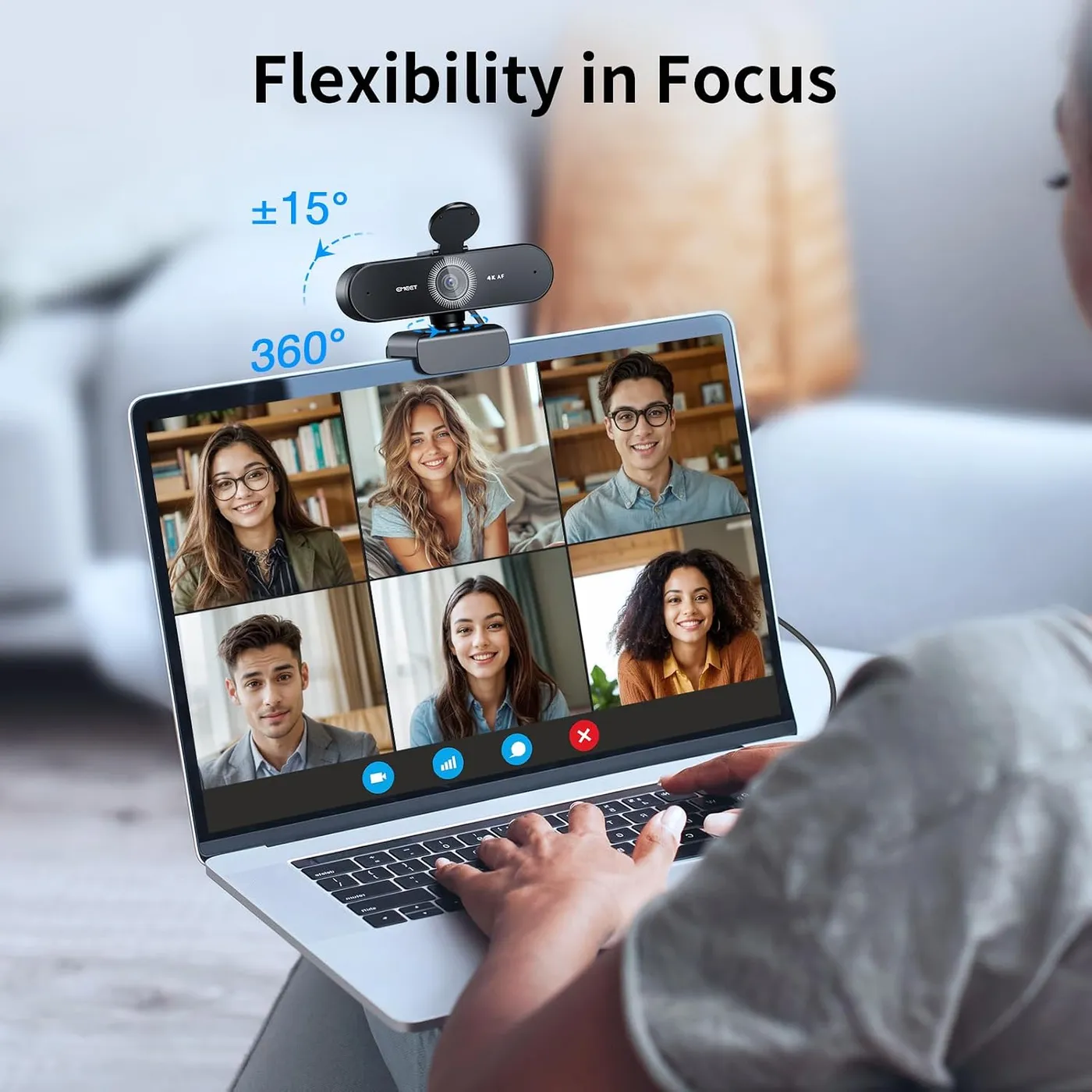
The mount is a clip on a universal joint. EMEET lists 360 degrees of horizontal turn and 15 degrees of tilt, and the stand opens through 180 degrees. A standard 1/4-inch tripod thread sits underneath, while rubber inside the clip grips the screen. On a tripod, EMEET notes, the camera can go wherever the framing works best. The build is solid as well, and EMEET calls the swivel joint between lens and stand robust.
The clip is an unusual design and takes a minute to work out. EMEET says to unfold it over the top of the screen, then tilt or turn it to frame the seat. Once it sits right, it holds firm on a monitor, and the swivel makes the right angle easy to find. Its cable runs a fixed 1.5 meters to a USB 2.0 Type-A plug, the port EMEET specifies.
EMEET's FAQ lists the camera, a privacy cover, a safety guide and a manual in the box. The cover ships loose, so fitting it comes first. The same FAQ for the Nova and Nova 4K says to wipe the front of the camera, peel the backing tape and press the cover on for three seconds. After that, it flips down over the lens between calls. A blue status light also comes on whenever an app opens the camera.
By EMEET's account, privacy also comes from what the camera leaves out. It has no Wi-Fi or Bluetooth radio and needs no cloud storage, so video stays on the connected computer.
When the call needs your voice without a headset
The two built-in mics suit calls best. At normal distance from the monitor, a voice comes through clearly. The pair can stand in for a headset in ordinary meetings, lessons and a game's voice chat.
EMEET rates clear pickup at up to 8 feet and quotes 100 Hz to 10 kHz for best results. The listing also describes the pair as omnidirectional, which means they take in sound from every side. EMEET's own advice is to keep the mics unobstructed, sit close and use them in a quiet room. Because the mics sit in the camera body, sitting close means sitting close to the screen the EMEET NOVA 4K rides on.
Recording asks more of them. For a podcast, a voiceover or a narrated video, the pair sounds plain. A dedicated microphone is the better buy for that work, especially on a channel where the voice matters as much as the picture.
When the same camera has to carry a stream
The NOVA 4K holds up beyond meetings. On a Twitch or YouTube stream the picture holds its detail, and autofocus keeps pace with normal movement at the desk. For a new channel, it makes a sensible first camera. OBS, one of the apps the listing names for the 4K switch, also puts the full resolution one setting away.
Thirty frames per second is the rate EMEET gives it, and the listing names no faster mode. The listing pitches the EMEET NOVA 4K at meetings, online classes and personal streaming, while EMEET aims its S600 at game streaming. That model runs 1080p at 60 fps on Sony's 1/2.55-inch sensor, and its field of view can tighten to 40 degrees at 1080p, for mid-range money. Both cameras top out at 73 degrees, so the S600 adds a tighter crop, not a wider one.
I'd pay the difference for a gaming channel, though the NOVA 4K covers calls and a starter channel.
When the finer settings live in EMEETLINK
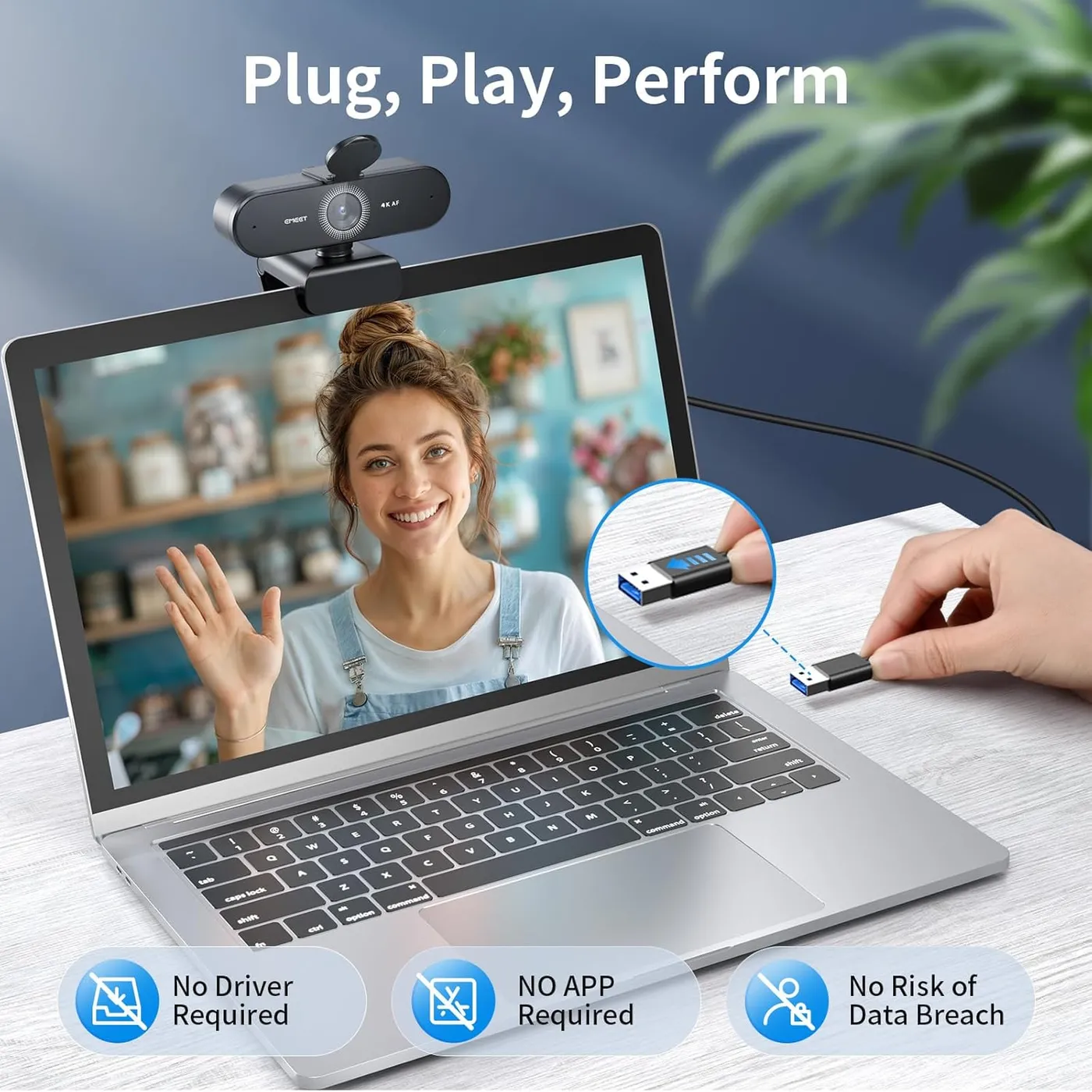
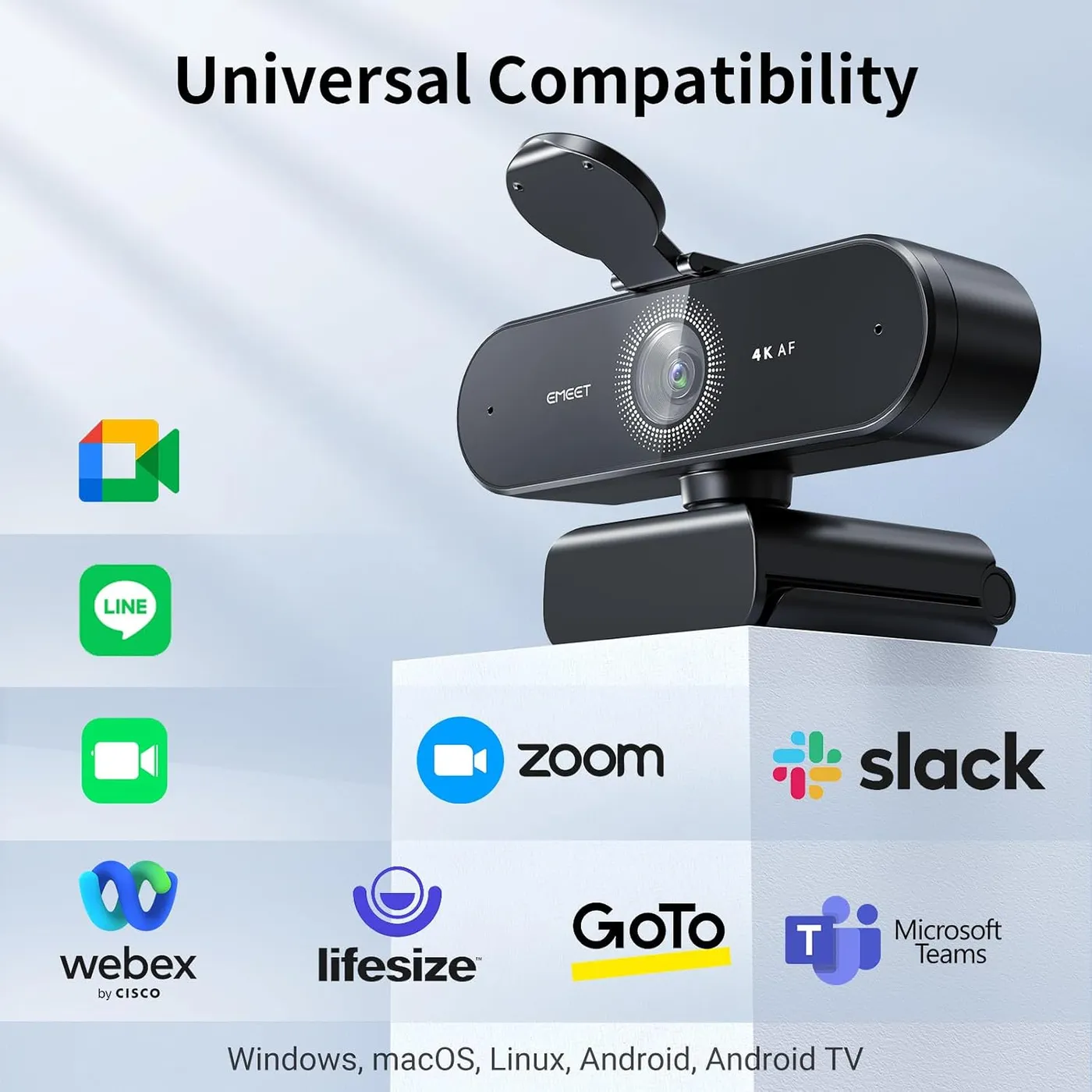
Setup is plug-and-play, and the EMEET NOVA 4K asks no technical knowledge. Windows sees the camera without a driver, and the Windows Camera app shows a picture straight away. Zoom, Teams and Google Meet list it as soon as the cable goes in, and a Mac behaves the same. EMEET's list covers Windows 10 and 11, macOS 10.14 or later and Android TV 7.0 or later.
EMEETLINK is optional. It holds the image sliders and backlight compensation, and EMEET delivers firmware updates through it. The routine is simple: keep the camera connected and online during the update, then unplug it and plug it back in to apply it. The app runs on 64-bit Windows 10 or later, though not on ARM-based Windows, and on macOS 10.14 or later. EMEET's Nova and Nova 4K FAQ walks through each step.
EMEETLINK is also the weakest part of the package. It is plain and a little awkward to work with. Since the camera needs it so rarely, the awkwardness costs little day to day.
When a unit has to last beyond the first months
Some units fail. A few never show a picture at all, while others run for weeks or months before the focus stops holding or the camera goes dark.
A handful of checks come first, before writing a unit off. The status light should turn blue once an app opens the camera. If the computer doesn't recognize it, EMEET's first suggestions are a different USB port or a restart. For focus that has turned slow, EMEET's advice is a gentle wipe with an eyeglass cloth, and the update check in EMEETLINK confirms the firmware is current.
When 60 fps or a wider view matters more
Two rivals answer the NOVA's limits directly. Among budget 4K webcams, the Acer A640 pairs PDAF with a Sony 1/2.8-inch sensor and runs 2K and 1080p at 60 fps. A USB-A to C adapter comes in its box, too, which makes it the easier fit for a laptop with only USB-C ports.
The Anker PowerConf C200 tops out at 2K, a step below the EMEET NOVA 4K, and makes the opposite trade on framing. Its software offers views of 65, 78 or 95 degrees against the NOVA's single 73-degree frame. Both put a cover over the lens, and both rely on a pair of built-in mics.
Two more names cover the edges. The UGREEN 2K Webcam opens to 95 degrees with fixed focus, a width UGREEN pitches at group meetings. It also asks for a seat more than 50 cm, about 20 inches, from the lens. Meanwhile, the Logitech C920x stays at 1080p and 30 fps, with stereo mics and a 3-month XSplit VCam license but no privacy shutter. Against it, the NOVA 4K adds the 4K sensor and a cover for the lens.
Pros: What we liked
- Pro: Sharp 4K detail and natural skin tones on calls and streams
- Pro: Phase-detect autofocus settles fast and stays steady as you shift in the chair
- Pro: Keeps a clear, usable picture in dim, lamp-lit rooms
- Pro: Fixed 73-degree view keeps the framing tight on one person at a desk
- Pro: Two built-in mics carry a voice clearly at normal desk distance
- Pro: Plug-and-play on Windows and macOS, with a stick-on cover that folds over the lens
Cons: What could be better
- Con: Focus is automatic only, inside a 7.9 to 118 inch range, and video tops out at 30 fps
- Con: Grain shows on some units, and no setting in Windows or EMEETLINK removes it
- Con: EMEETLINK, the app behind the extra image controls, is plain and a little awkward
- Con: Some units fail, either at the first plug-in or after weeks or months on the desk
Best For
- Remote workers on Teams, Zoom or Webex who want a sharp, dedicated camera at a budget price
- New streamers on Twitch or YouTube starting out with one camera and its built-in mics
- Online tutors and students who sit at a desk and want picture and voice from one device
Not Ideal For
- Podcasters and video makers who need recording-grade audio straight from the camera
- Game streamers who want 60 fps motion, since EMEET rates the NOVA 4K at 30 fps
- Creators who want manual focus or a view they can widen and narrow
| Specification | Details |
|---|---|
| Resolution | 4K, set to 1080p out of the box |
| Frame rate | 30 fps |
| Field of view | 73 degrees, fixed |
| Focus | PDAF autofocus, 7.9 to 118 in; no manual focus |
| Sensor | CMOS |
| Microphones | 2 built-in omnidirectional mics, rated to 8 ft by EMEET |
| Connection | USB 2.0 Type-A, fixed 1.5 m cable |
| Privacy | Stick-on privacy cover that folds over the lens |
| Mounting | Clip with 360-degree swivel and 180-degree stand; 1/4-inch tripod thread |
| Software | EMEETLINK (optional) for Windows and macOS |
Alternatives Worth Considering
Final Verdict
An 8.4 reflects how much the EMEET NOVA 4K gets right for a single seat at a desk. Its 4K picture is sharp and natural in color, focus rarely wanders during a call, and dim rooms don't throw it. The two mics also carry a voice at normal distance, while setup takes nothing more than a free Type-A port.
Control is what keeps the score out of the high 8s. Focus is automatic only and the frame never widens past 73 degrees, while 30 fps is the ceiling and EMEETLINK remains a plain app. On daily calls from one chair, those limits rarely come into play, which is why the score still sits well inside the 8s.
Frequently Asked Questions
Does the EMEET NOVA 4K start out in 4K resolution?
No. EMEET sets the camera to 1080p by default. Switch it to 4K in your camera software or in an app such as OBS or PotPlayer, and expect 30 fps.
Is there a manual focus mode on this camera?
No. The listing says manual focus isn't supported and the autofocus has no off switch. Phase-detect focus works from 7.9 to 118 inches away, close to 10 feet.
Does the camera need EMEETLINK to work on calls?
No. It is plug-and-play on Windows and macOS with no driver. EMEETLINK adds brightness, contrast, saturation and backlight compensation, and EMEET uses it for firmware updates.
How far away do the built-in microphones pick up a voice?
EMEET rates them for clear audio up to 8 feet and advises sitting close in a quiet room. At normal desk distance a voice comes through clearly on calls, while a podcast or voiceover needs a dedicated microphone.
Will it plug into a laptop with only USB-C ports?
Not directly. The fixed 1.5-meter cable ends in a USB 2.0 Type-A plug, and EMEET lists a Type-A port as the requirement, so a USB-C-only laptop needs an adapter or a hub.
Does the privacy cover come fitted to the camera?
No. It ships loose in the box, and EMEET's FAQ has you stick it to the front of the camera. After that it folds down over the lens and remains closed until you lift it.
The Verdict
For one person at a desk on a budget, EMEET's NOVA 4K delivers crisp 4K detail, phase-detect focus that holds through a call and clear desk-distance audio.