Anker PowerConf C200 Webcam Review: Bright 2K in Dim Light
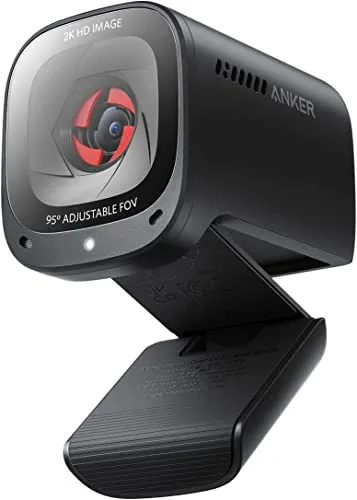
A good buy for clear video calls, even from a dim room, and a better one once color is set by hand in AnkerWork.
The Anker PowerConf C200 Webcam gives a video call a sharp, clean picture. It also keeps a face bright as a room grows dim. Anker pairs that 2K picture with two microphones, three viewing angles and a cover that slides over the lens. The price is modest, too.
The rest is less even, however. For instance, left on automatic it can misjudge color, and its focus can wander, more so as the light weakens. AnkerWork, the app that holds the manual controls for both, has rough edges of its own. Also, the base suits thin screens better than thick ones, and the supplied cable runs short.
How does a face look on the Anker PowerConf C200 Webcam?
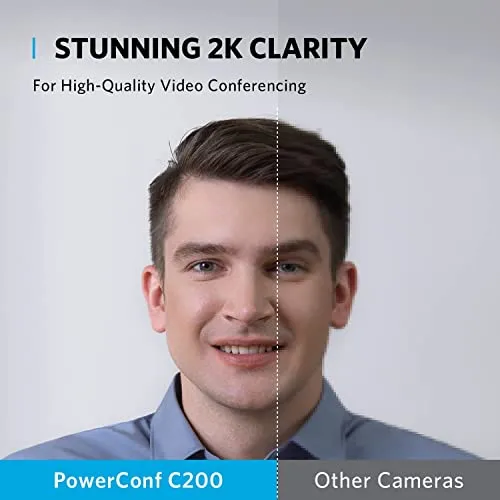
At desk distance, the 2K picture is sharp. Anker sells the 2K resolution as sharp, detailed video for professional-grade conferences. On a face, that detail is clearly there, and the image stays clean in steady light. The detail is fine enough to keep printed text in the frame readable. On a client call, the picture looks polished.
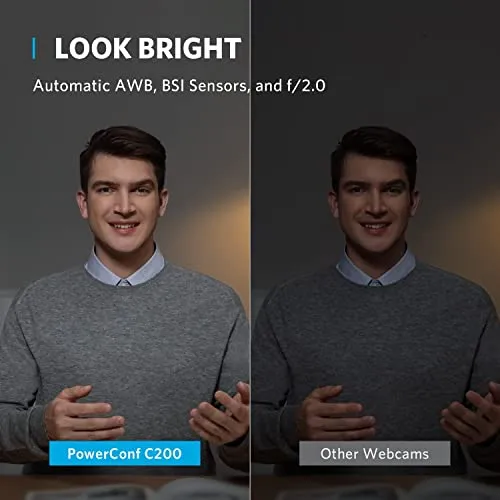
It also copes well as the light dims. In a dimly lit room, the Anker PowerConf C200 Webcam keeps a face bright and clear. Notably, it manages that without an extra lamp on the desk. That holds late in the day, too, as an office darkens toward evening. In addition, exposure adjusts by itself to the room's light. More light still helps, though, and the image is at its cleanest with a lamp or ring light in front.
Still, the picture has limits at the dark end and on a close look. With very little light, grain creeps in. The processing also leaves visible artifacts, even at 2K. For a meeting, neither flaw matters much. For video recorded for an audience, though, both count for more, and this is a meeting webcam first. It can still serve for a short, casual recording.
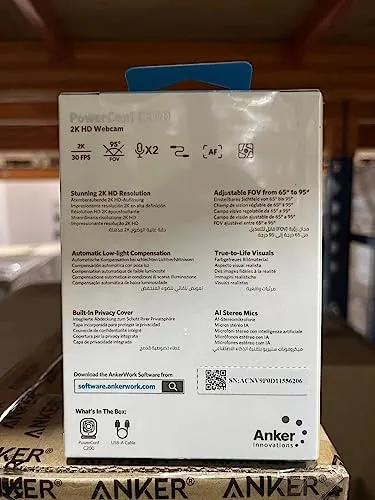
Can color and focus stay on automatic?
Color needs watching, and focus sometimes does too. On many desks, the default color looks natural and lively. There, the camera needs no tuning at all.
The Anker PowerConf C200 Webcam's automatic white balance is its weak point, however. It can push skin too warm or leave the frame too cool, depending on the room. It struggles most in dim or LED-lit rooms, where the automatic setting can misread the light and tint the whole frame. On default settings, colors can also look washed out, and the brightest parts of the frame blow out easily. Where a frame mixes bright and dark areas, the shadows can suffer too.
Switching white balance off automatic and sliding the temperature to taste takes one visit to AnkerWork. Setting it by hand fixes the tint.
Focus is quick and steady in good light. The autofocus hunts more as the light weakens, and in some rooms it hunts in ordinary light. In a meeting, that shows as a face drifting in and out of focus. For a seat that stays put, AnkerWork offers a manual focus setting, though it does not help on every unit. Its automatic settings also react a little slowly.
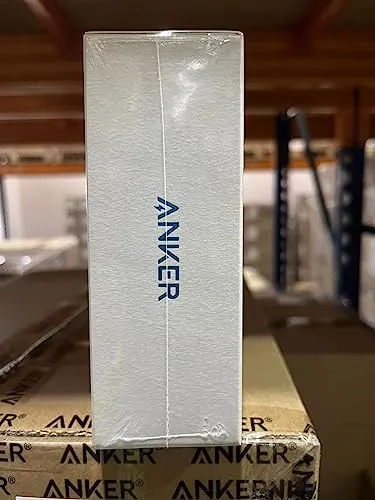
Can it keep a cluttered room out of frame?
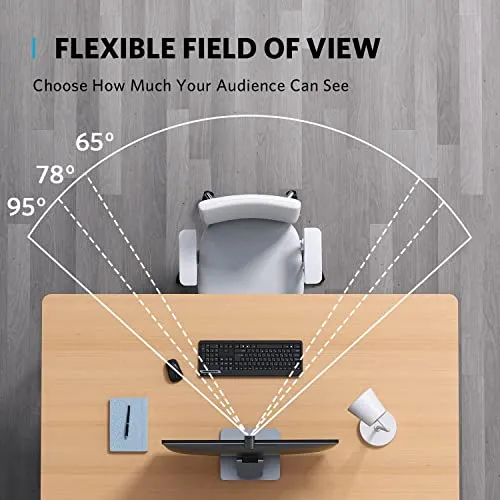
Yes, with the narrowest of its three angles. Anker lists them as 65, 78 and 95 degrees, chosen in software. At 65 degrees, for example, the frame closes in tight around a face and keeps a cluttered room out of view. At 95, in contrast, the Anker PowerConf C200 Webcam takes in much of the room behind.
All three angles are cuts from the same image, since the narrower settings crop the frame digitally instead of changing the lens. AnkerWork also adds a zoom slider. For a single face, the middle setting makes a natural start. The chosen angle does not always stick, however, and on some setups it resets between calls. Where the room must stay out entirely, the background effects in calling software work on its feed as well.
Will its two microphones carry a meeting?
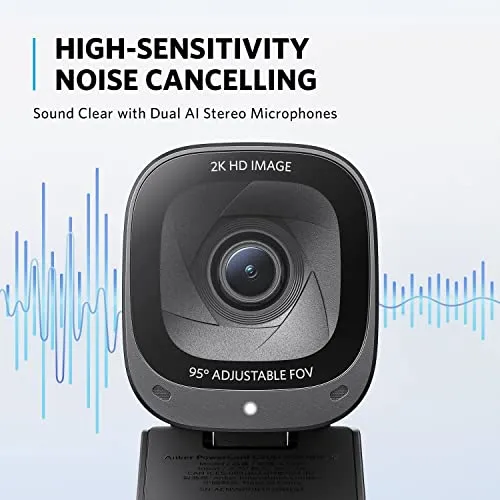
In a quiet room, yes. The Anker PowerConf C200 Webcam picks up a voice clearly, well enough to carry a meeting on its own. AnkerWork also switches the pair between two pickup patterns. One covers the whole room, while the other aims at the seat in front. Because it picks up less of the room, the front-facing pattern suits a single voice.
Anker says the AI noise cancellation keeps voices crystal clear even in noisy surroundings. With more going on around the desk, however, some background noise still comes through, whichever pattern is in use. The tone is plain, clear for speech and not much more. On some units, the microphones also develop glitches that the far end can hear.
Can the shutter be trusted?
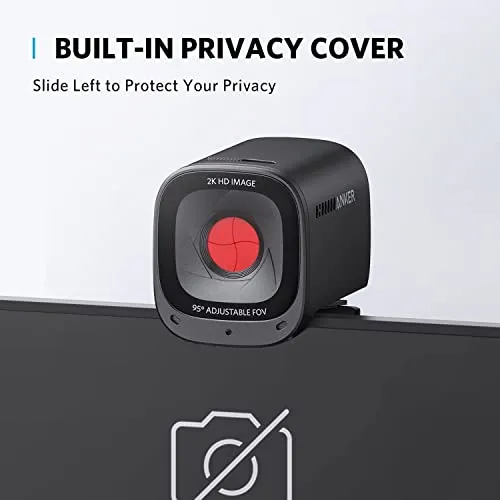
Closing the cover turns the camera off electrically. Anker describes an integrated cover that slides over the lens, for security and peace of mind between calls. With it shut, no picture leaves the camera. A red flag then shows behind the front glass. A light also marks the camera as live whenever it runs.
From outside, a slider works the cover. Inside, the cover closes like a camera aperture, with blades that draw in toward the middle. It sits behind the glass, inside the body.
Does AnkerWork need to be running?
The camera works without AnkerWork. Plugged into a Windows PC or a Mac, the Anker PowerConf C200 Webcam shows up in Teams and Zoom. It is ready once plugged in, and setup is simple. The calling app may still need pointing at it, with camera access allowed, before the first call.
That has held on Windows 10 and 11 and on Macs. It also moves between a Mac and a Windows PC without fuss. Managed work laptops that refuse new software take it too. Beyond calling apps, it shows up in streaming and recording software as well.
AnkerWork holds the finer controls instead, and its layout is easy to follow. Resolution, the angles and zoom, focus and white balance all live there. So do sliders for brightness and sharpness, contrast and saturation. It also sets the microphones' pickup pattern. Firmware updates arrive through it as well. The app itself is plain and light, with few extras beyond the camera's settings.
Most settings hold after AnkerWork closes. Set once and closed, it rarely needs opening again. On a Mac, however, AnkerWork can be glitchy, and its sliders can stick or ignore a change. On other Macs, it runs without trouble. At times, the download page and the app's sign-in have also failed.
Which monitors and desks does it suit?
Thin screens and laptops suit its base best. The Anker PowerConf C200 Webcam rests on top of the screen on an adjustable base. On those, its tilt is easy to adjust, and it holds that angle and stays put. Seating the base can take some figuring the first time, however. It is small enough to cover little of the display, and it looks neat up there. The compact body is solid and well made. In long sessions, it runs warm, though not overly hot.
With the camera on a separate monitor, a laptop can stay closed off to one side during calls.
Thick monitors and wide bezels are harder. There, the base struggles to grip, and a good angle is hard to find.
A standard tripod thread underneath is the way around that. On a tripod or a camera stand, it can sit wherever the desk allows. It is also light and easy to travel with.
The cable is the other weak spot. It runs short for a computer any distance from the screen. At the camera, it also juts straight out of the back. Still, it detaches at the camera, so a longer one is an easy swap.
Does a call show the full 2K?
Not always on Zoom. Zoom's own settings decide the resolution a call carries, so the far end can see less than the camera's full 2K. I read the 2K, then, as a gain for the preview and for recordings more than for calls. For a calendar full of Zoom meetings, the extra resolution is a bonus.
Motion is its other limit. For a face that stays seated, the picture moves smoothly enough for a meeting. The frame rate can dip, however. Fast movement also looks less fluid than a steady face. The Anker PowerConf C200 Webcam therefore suits a meeting far better than a fast-moving stream. Online classes, casual streams and chats on Discord still sit well within its reach. It suits calls with family and friends, too.
Pros: What we liked
- Pro: Sharp, detailed 2K picture that stays bright in a dim room without an extra lamp
- Pro: Plugs into Windows PCs and Macs and works with Teams and Zoom straight away
- Pro: Built-in shutter cuts the camera electrically, with a red flag when closed and a light when live
- Pro: Three viewing angles and a digital zoom keep a cluttered room out of frame
- Pro: Clear voice pickup in a quiet room, with whole-room and front-facing pickup modes
Cons: What could be better
- Con: Automatic white balance can tint skin too warm or too cool, and default color can look washed out
- Con: Autofocus can hunt, more so as the light weakens, with manual focus in AnkerWork as the fallback
- Con: AnkerWork can be glitchy on a Mac, where its sliders can stick or ignore a change
- Con: The base struggles on thick monitors and wide bezels, and the supplied cable is short
- Con: The frame rate can dip, and fast motion looks less fluid than a steady, seated face
Best For
- Home-office workers who take video calls in a dim room
- Anyone who wants a shutter that turns the camera off between calls
- Laptop and thin-monitor setups that want a camera ready as soon as it is plugged in
- Anyone who wants a camera light enough to travel with
Not Ideal For
- Streamers who need smooth, fast motion at high frame rates
- Mac users who want a polished settings app
- Desks with a thick monitor and no tripod or stand to hand
| Specification | Details |
|---|---|
| Resolution | 2K |
| Field of view | 65°, 78° or 95°, chosen in software |
| Microphones | Dual stereo mics with AI noise cancellation |
| Low-light correction | Yes, per Anker |
| Privacy | Integrated cover that slides over the lens |
| Compatibility | Windows 7 or later, macOS 10.11 or later |
| Dimensions | 2.17 x 1.97 x 1.57 in (H x L x W) |
| Color | Black |
| Part number | A3369011 |
Alternatives Worth Considering
Final Verdict
I count AnkerWork as the cost of the camera's manual controls, because that is where a tint from automatic white balance gets fixed. It does not settle the app's glitches on a Mac, though, or the lower resolution a Zoom call carries.
For calls from a dim home office, the picture is strong enough that one visit to AnkerWork for color makes this a good buy.
Frequently Asked Questions
Which systems does the Anker PowerConf C200 support?
Anker lists Windows 7 or later and macOS 10.11 or later.
Does AnkerWork need an Anker account?
No. The app offers to create one, and skipping that step still leaves the settings available.
How big is the camera?
Anker's listing gives it as about 2.2 inches tall, 2.0 inches long and 1.6 inches wide.
When did the Anker PowerConf C200 come out?
Anker's listing gives January 2022.
The Verdict
A good buy for clear video calls, even from a dim room, and a better one once color is set by hand in AnkerWork.