Logitech Brio 101 Review: Face-First Framing for 1080p Calls
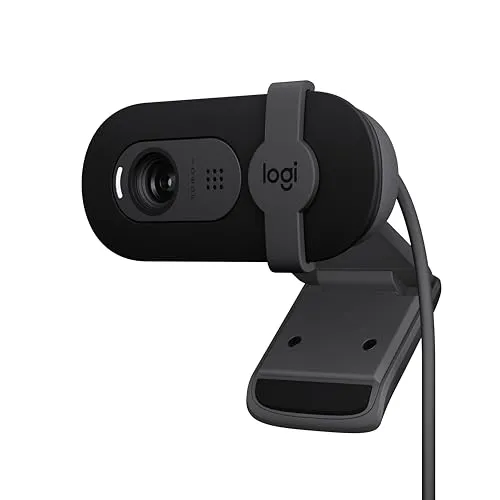
Logitech's Brio 101 is a small plug-and-play 1080p camera with a sliding shutter, and it suits solo calls taken a little back from the screen.
The Logitech Brio 101 has one fixed lens, and that lens sets the terms for every call. Logitech gives that lens 58.9 degrees of diagonal view, and nothing zooms it out. Sit close and a face crowds the frame; sit farther back and the shot opens up around it.
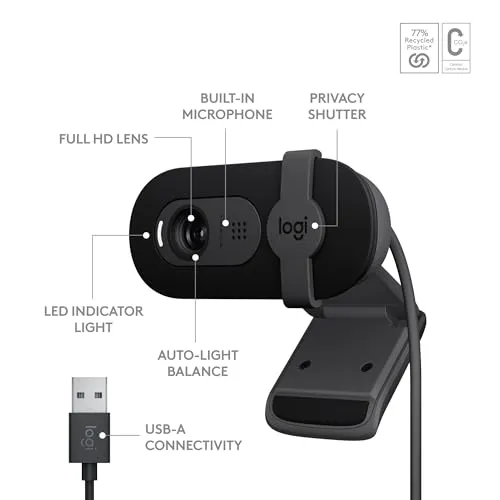
That tight frame has an upside, too, because a cluttered room stays largely out of view. Around the lens sit a clear 1080p picture at 30 frames per second, Logitech's RightLight 2 light balancing and an integrated sliding shutter. One mono mic and an attached USB-A cable round out a camera that costs budget money. It needs nothing more than a free USB-A port to start.
Leave space between your face and the lens
Logitech chose a narrow lens for this camera. Logitech's specification page for the Brio 101 lists the 58.9-degree diagonal view alongside fixed focus and a 2 MP camera. Seated at a laptop, or close to a monitor on a shallow desk, a face takes up nearly the whole picture. On a call, that face also looks oversized and too close.
Logitech's listing says its Logi Options+ app can adjust zoom and framing. Still, the view doesn't zoom out, so distance is the one adjustment that widens the shot. Moving the chair back works, and so does setting the camera farther away on a second monitor or a mount behind the screen.
Tilt handles the rest. Logitech's setup guide has you tip the camera up or down by hand until the face sits in frame. A laptop puts the screen, and the camera with it, closest to the face. This lens therefore suits an external monitor set back on the desk better than a laptop lid.
That same crop works in the camera's favor in a messy home office. With the face filling the picture, little of the clutter behind the chair reaches the call.
Judge the picture against your laptop camera
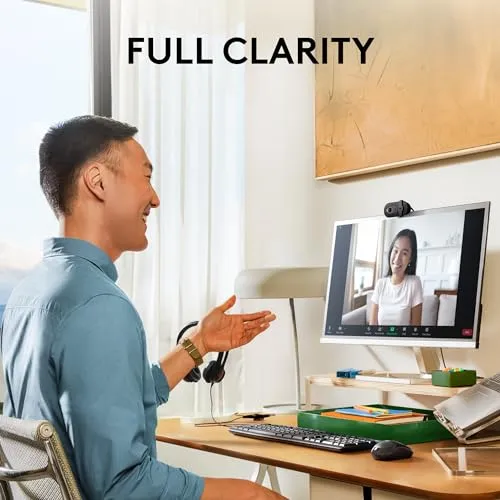
Next to a laptop's built-in camera, the 1080p image is a clear upgrade. Detail looks sharp and color reads true to life. Logitech pairs a four-element lens with an anti-reflective coating. Its highest mode runs 1080p video at 30 frames a second, and a 720p mode matches that rate.
Fine detail has a ceiling on the Logitech Brio 101, though. The image can look slightly grainy or a little soft, yet on a Teams or Zoom call that ceiling rarely gets in the way.
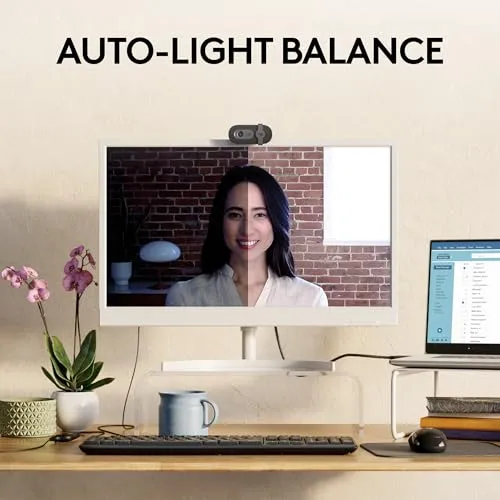
Logitech calls its automatic light balancing RightLight 2 and aims it at challenging light. Its listing goes further, with a footnoted claim of up to 50 percent more brightness than earlier Logitech webcams. Logitech also says it reduces shadows on the face.
For a picture that still looks dark, Logitech's help article sets out three steps. First, adjust the image in Logi Options+; next, add light in front of you; then try sitting closer, starting at about 30 inches. With a lens this tight, I'd add the lamp before moving the chair any closer.
Slide the shutter open without covering the mic
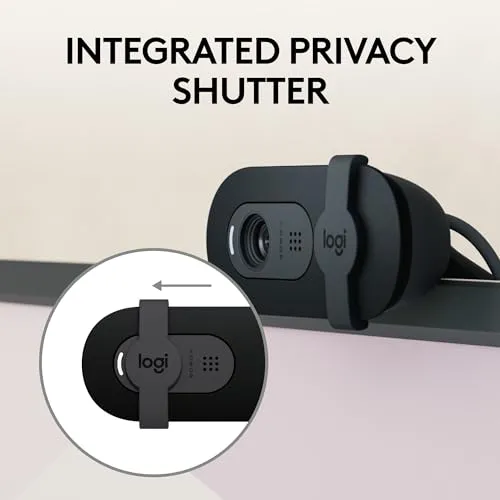
The privacy shutter is part of the camera body. It slides across the lens by hand, and a closed shutter is plain to see. Nothing about it depends on an app or a button. Logitech's setup guide says to open it by sliding it left to right, and to keep it clear of the built-in mic.
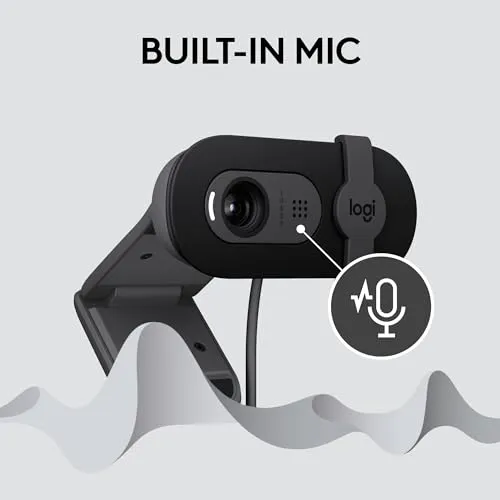
The Logitech Brio 101 relies on a single mono mic, which Logitech rates for pickup up to 4 feet (1.22 m). Its listing promises only that others will hear you clearly on calls, and it delivers that. Speech comes through cleanly on Teams, Zoom and Meet calls, and the far end hears it without trouble.
Per Logitech, the white LED lights only while an app is capturing video and audio. Until Zoom, Teams or the camera app opens it, a freshly plugged-in camera therefore stays dark.
Seat the clip flush behind the screen
Logitech's universal clip hooks over a laptop lid or a monitor. Its setup guide wants the end of the clip flush against the rear of the display. On a laptop lid and on many displays, that arrangement holds well. On some monitor shapes, though, the grip turns loose or awkward, and the camera can slip out of position.
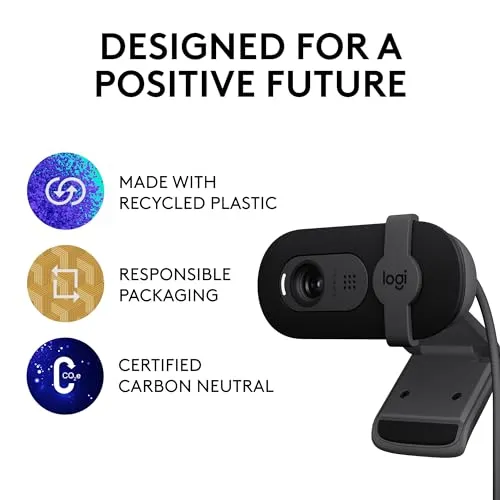
The body also overhangs the top edge, covering a strip of the screen on thin-bezel monitors and TVs. The Logitech Brio 101 itself is small: Logitech gives 2.87 inches across, 1.26 inches tall and 2.65 ounces without the cable. It also lifts off easily and is simple to store between calls. Logitech's listing adds that the camera uses at least 77 percent post-consumer recycled plastic.
The camera tips up and down on its hinge, yet it won't swivel left or right. There's no tripod thread either, and Logitech's parts list names only the universal mounting clip. An off-center seat or a boom arm therefore takes some improvising.
Connect the Logitech Brio 101 without a hub
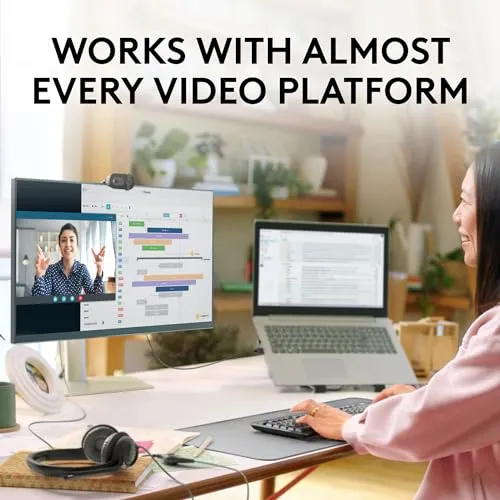
Setup takes one plug and no driver. A Mac mini, a MacBook or a Windows 11 PC picks the camera up within moments. Call apps then list it right away. Logitech supports Windows 10 or newer, macOS 10.15 or newer and ChromeOS. It also certifies the camera for Microsoft Teams, Zoom and Google Meet, and its listing claims compatibility with the GameChat mode on Nintendo's Switch 2.
The camera's cable finishes in a USB-A plug, and Logitech says it can't come off. A USB-C-only laptop therefore needs an adapter or a dock. Logitech warns that the adapter must carry both power and video, because one that passes power alone leaves the camera unrecognized. It also recommends plugging straight into the computer, since some hubs and extenders can't supply what the camera needs. A docking station with a spare USB-A port works too, per Logitech.
Logitech adds that some call apps top out at 720p, and others need their own HD setting switched on. A crowded USB bus, a busy processor or a download speed under 3 Mbps can drag quality down as well. Logitech also asks for 2 GB of RAM to stream at 1080p. On Windows, its help pages confirm the camera in Device Manager; on a Mac, System Report shows it under Camera. Those checks, plus the dark LED and the adapter choice, have their fixes in the Logitech Brio 101 troubleshooting guide.
Open Logi Options+ only when the picture needs help
Most setups never need it. Logitech names Logi Options+ as the recommended app for this camera. Its help articles list brightness, contrast, saturation and sharpness among the controls. The same app can switch off auto white balance and auto exposure for manual control. If the image looks overexposed, Logitech's fix is to turn auto exposure off and set the exposure slider by hand. Options+ also sets anti-flicker to 50 Hz or 60 Hz to match the room's lights.
Options+ first listed the camera in version 1.54. Logitech's 1.56 release, dated October 2023, then added shutter speed, ISO and low light compensation for the Logitech Brio 101 and its siblings. A later build, 1.62 from February 2024, shows the webcam preview as soon as you select the camera.
It earns its place in a room with awkward light or flickering lamps, which is exactly where Logitech's help articles point to it.
Treat streaming as a sideline for this camera
Logitech's listing pitches the camera for streaming as well as meetings. Its spec page lists two modes, 1080p and 720p, both at 30 frames per second. Dropping to 720p therefore buys no extra smoothness. A casual or first stream sits within its reach, especially with a light in front of the face. The same close crop carries over, too, because the lens stays the same whatever the app.
A channel built on picture quality needs more, though, since the grain and the 30-frame cap leave little headroom for a polished stream.
Put the Brio's frame beside EMEET's C960
Per EMEET's listing, the EMEET C960 has a 90-degree view and two omnidirectional mics, where Logitech's spec page gives this camera a 58.9-degree diagonal view and one mono mic. Both use fixed focus. EMEET's 2025 box adds a USB-A to USB-C adapter, while Logitech's holds the camera with its attached cable, plus documentation. EMEET pitches its wider lens at fitting more participants into the shot. The Logitech, in contrast, keeps the room behind the chair out of it. I'd pick the EMEET when a second face has to fit, and the Logitech when the room should stay private.
Framing is the spec to settle first when choosing an external webcam, and the nearest rivals answer it differently. NexiGo gives its N60 a 110-degree diagonal view on a fixed-focus lens, which it optimizes for subjects between 19.6 inches and 13 feet. EMEET's NOVA 4K brings PDAF autofocus, a 73-degree view and a tripod nut.
Logitech's own step up is the C920x, which costs more and adds autofocus and stereo mics. Its box, though, carries no privacy shutter. On Logitech's C920s sheet, which covers the same camera sold with a shutter, the diagonal view reaches 78 degrees and tripod mounting appears among the options.
Pros: What we liked
- Pro: Clear, natural-looking 1080p picture, a plain step up from a laptop's built-in camera
- Pro: The narrow 58.9-degree view keeps a cluttered room largely out of the shot
- Pro: Integrated sliding shutter covers the lens by hand, with no app or button involved
- Pro: Plug-and-play on Windows PCs and Macs, with no driver and no required software
- Pro: Mono mic carries a voice cleanly enough for everyday calls
- Pro: Small, light body that tilts up and down on its clip and lifts off easily
Cons: What could be better
- Con: At laptop distance a face fills the frame, and the view doesn't zoom out
- Con: The clip grips some monitors loosely, and the body can overhang a thin bezel
- Con: Tilts but doesn't swivel, and there's no tripod thread for other mounts
- Con: USB-A only, so a USB-C-only computer needs an adapter that carries power and video
Best For
- Solo callers at a monitor set back on the desk, where the tight lens frames a face well
- Home-office workers who want a physical lens shutter and plug-in setup on a budget
- Anyone who'd like a messy room kept out of their video calls
Not Ideal For
- Laptop users who sit close to the screen and want head-and-shoulders framing
- Anyone who needs a tripod mount, a swivel or a wide view of the room
- Streamers who want 60 fps, since Logitech tops it out at 1080p and 30 fps
| Specification | Details |
|---|---|
| Resolution | 1080p at 30 fps; 720p at 30 fps |
| Frame rate | 30 fps at both resolutions |
| Field of view | 58.9 degrees diagonal (Logitech) |
| Focus | Fixed focus |
| Sensor | 2 MP camera (Logitech) |
| Microphones | One mono mic, range up to 4 ft (1.22 m) |
| Connection | Attached USB-A cable; needs a USB-A port |
| Privacy | Integrated sliding shutter |
| Mounting | Universal monitor clip; tilts up and down |
| Software | Logi Options+ (optional) |
Alternatives Worth Considering
Final Verdict
Everything about the Logitech Brio 101 comes back to its fixed 58.9-degree lens. Set a little back from the face, it gives a clear 1080p picture and a shutter that closes by hand. Plug-in setup and budget money complete the case. Up close on a laptop lid, that lens frames little beyond the face, and only distance changes that. A monitor-based desk with some depth is where it belongs, and I'd send a laptop seat or a busier frame to EMEET's wider C960.
Frequently Asked Questions
Does the Logitech Brio 101 have autofocus or manual focus?
Neither. Logitech's specification lists fixed focus for the Brio 101, so there is no autofocus mode and no focus control to adjust.
How can more than a face fit in the Brio 101's frame?
Add distance between the lens and your face: move the chair back, or set the camera farther away on a second monitor or a mount behind the screen. The view doesn't zoom out, and Logitech gives it a 58.9-degree diagonal field of view.
Will the Brio 101 work with a USB-C-only laptop?
Yes, through an adapter or a dock with a USB-A port. Logitech says the adapter must carry both power and video; one that passes power alone leaves the camera unrecognized.
Does the Brio 101 work with a Mac or a Chromebook?
Yes. Logitech lists macOS 10.15 or newer and ChromeOS alongside Windows 10 or newer, and certifies the camera for Works With Chromebook. On a Mac mini or a MacBook it plugs in with no driver.
Which software does the Brio 101 use, if any?
It works without software. Logitech names Logi Options+ as the recommended app, with brightness, contrast, saturation, sharpness, white balance, exposure and anti-flicker controls. Version 1.56 added shutter speed, ISO and low light compensation.
The Verdict
Logitech's Brio 101 is a small plug-and-play 1080p camera with a sliding shutter, and it suits solo calls taken a little back from the screen.