NexiGo N60 Review: A Wide 1080p View for Everyday Calls
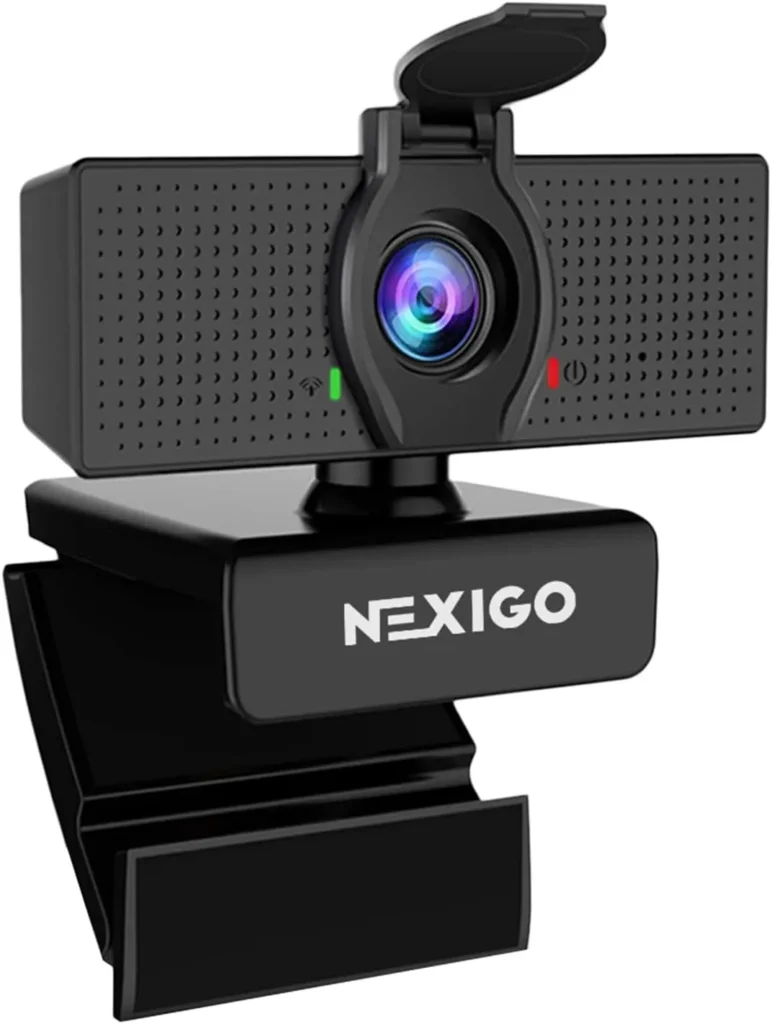
A wide 110-degree view, a lens that never needs focusing and a one-cable setup make the NexiGo N60 an easy first camera for everyday calls, best in good light.
Picture a desktop tower that never had a camera, or a laptop folded shut on a dock beside two monitors. The NexiGo N60 belongs on that desk. It perches on the screen's top edge, takes one USB port and then puts a 1080p picture into Zoom or Teams without any driver software.
Everything about it follows from one wide, fixed-focus lens. NexiGo rates the view at 110 degrees. The 3.6 mm glass holds one focus, with its near limit about a foot and a half out. That design decides how much of the room a call sees, and how close an object can come before it leaves the sharp zone. Sound is the second variable, from one built-in mic that NexiGo calls noise-canceling.
This lens sees the whole desk
That 110-degree figure is diagonal, per NexiGo's own spec sheet. From the top of a monitor, the frame holds a face with room to spare. The desk surface also fits, along with a good share of the room behind. NexiGo pitches the width at presentations, though it has a cost too, because whatever sits behind the chair lands in the shot.
Focus never moves. The NexiGo N60 sits among the maker's fixed-focus models, with one focal length and no focus control. Its listing gives the 3.6 mm glass lens a sharp zone of 19.6 inches to 13 feet. NexiGo's comparison chart, however, quotes a range that starts a little closer and ends sooner, at 15.7 to 118 inches. Either way, the near limit sits about 16 to 20 inches from the lens. Inside that range, faces at a desk come out sharp with nothing to adjust.
Close work is where the fixed lens runs out. An ID card raised for a proctored exam sits closer than either near limit, and so does a page held up for a colleague. Both fall outside the range NexiGo quotes. For a tighter shot, NexiGo's settings app adds a 2x digital zoom. The zoom crops into the frame and trims the clutter, though it can't change what the lens sees. The maker's FAQ says the field of view comes from the lens itself. For a narrower picture, it walks through cropping the sides in OBS Studio instead.
Bright rooms bring out the detail
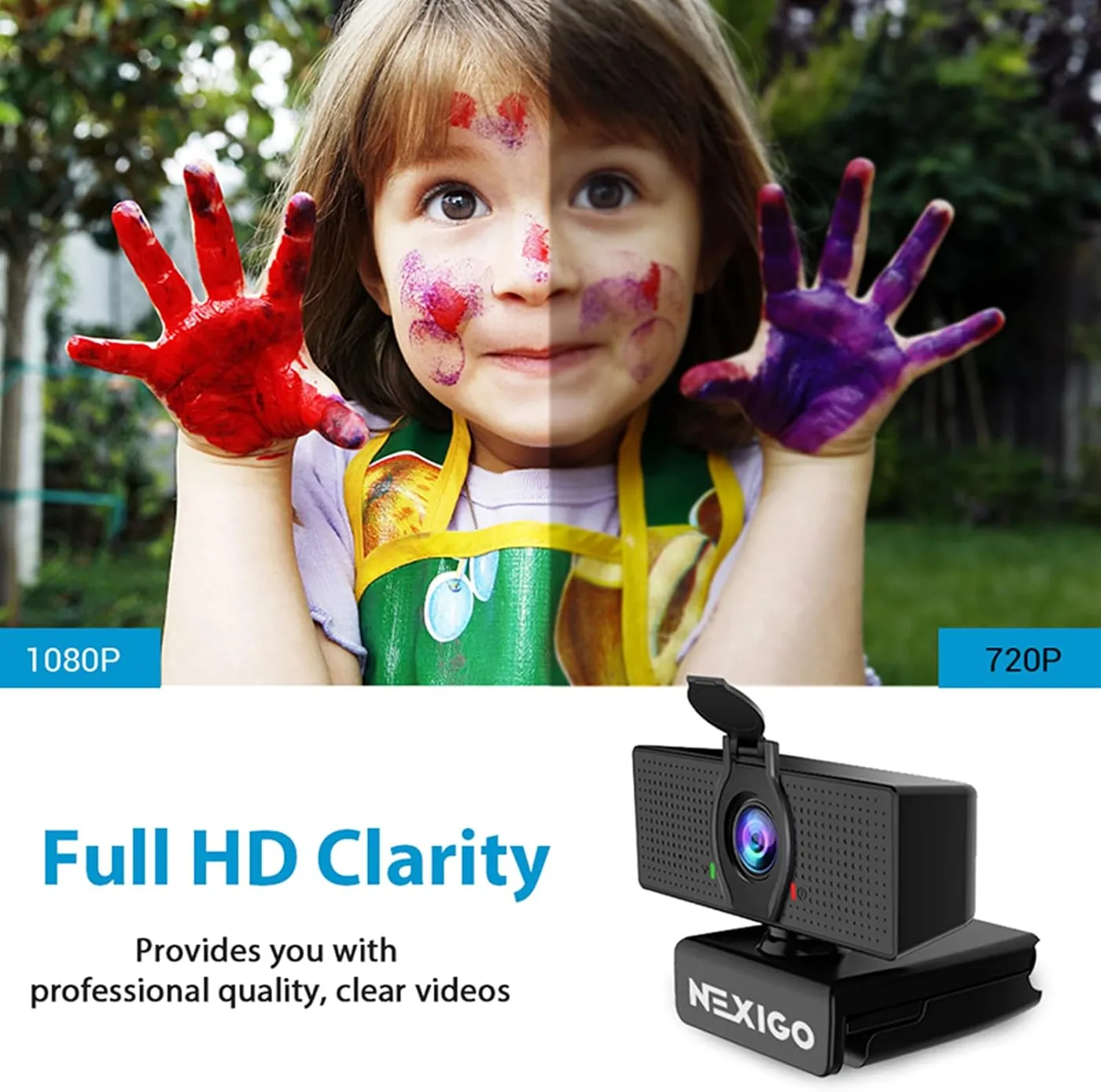
The 2 MP sensor captures 1080p at 30 frames per second. In a bright, evenly lit room, that adds up to a clean, sharp picture for a call, with smooth motion. NexiGo also lists low-light correction, and it keeps a face visible when the room light is less than ideal. As the light drops, though, fine texture turns soft and a little grainy. It gets by for casual streams and simple videos, while polished recordings for a channel ask for more detail than it has.
Color is less steady than detail. Saturation can run high, and the automatic white balance NexiGo lists doesn't always land on natural skin tones. Manual control fixes much of that, since the settings app sets exposure, white balance, brightness and contrast by hand. NexiGo suggests saving the original settings as a preset before changing anything, and a Defaults button returns everything to factory values. For odd color in particular, its FAQ names the hue and saturation sliders as the usual cause. For a dark picture, the FAQ's first advice is more direct light, then the brightness, contrast and gamma controls. I'd set exposure and white balance by hand once, then leave them alone.
One more setting deserves a look before the first call. If the picture flickers or shows wavy bands, the same FAQ points to the power-line frequency switch, which NexiGo says normally clears them. When a call shows less than 1080p, the FAQ also traces it to processor load, network bandwidth or the calling app's own limits.
One mic handles the meeting
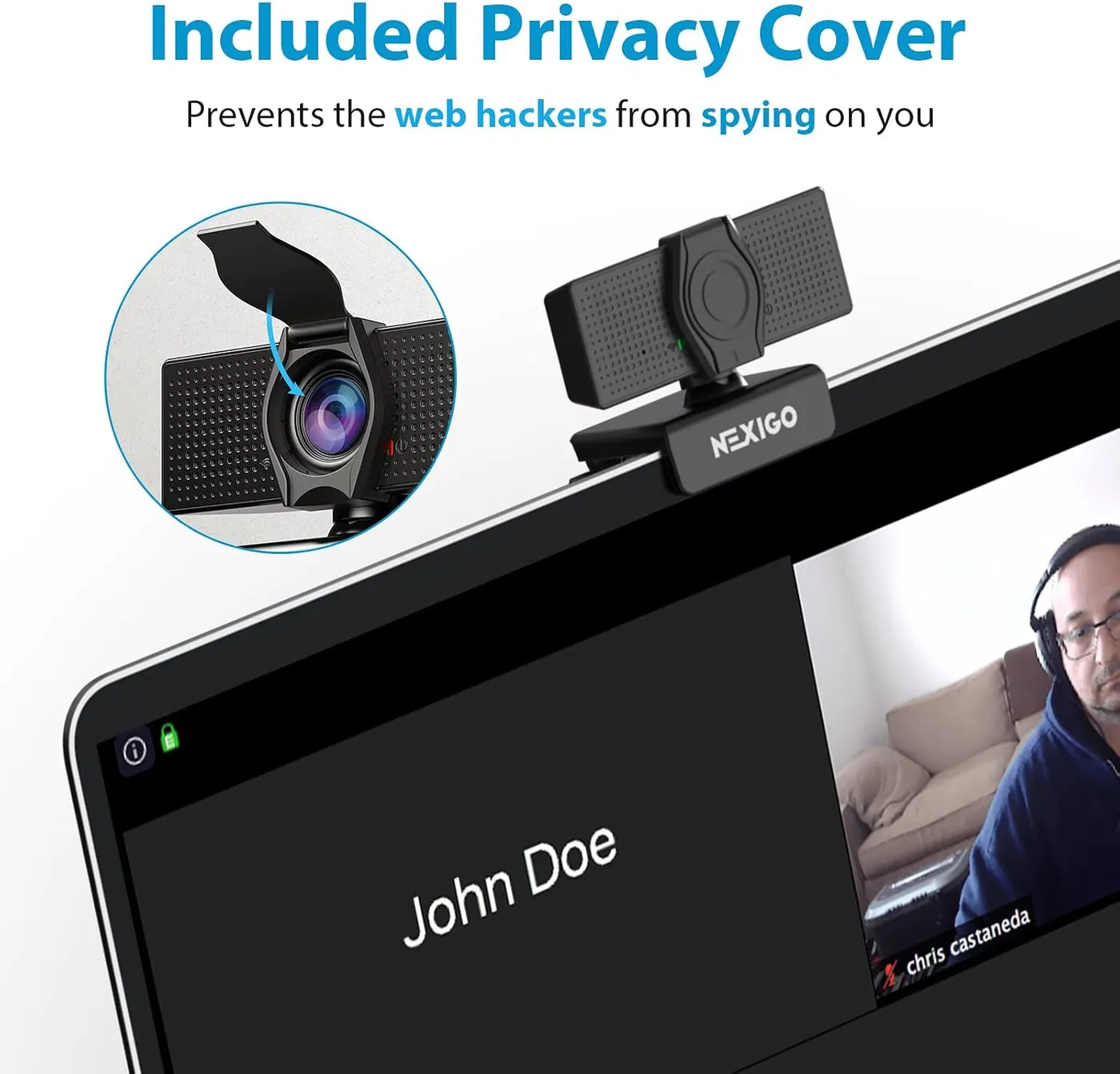
NexiGo calls the single built-in mic noise-canceling. On a call, the NexiGo N60 carries a voice clearly and damps the ordinary noise of a busy house. As a result, a headset becomes optional for routine meetings. For an online class or a weekly team check-in, that covers the job without another device on the desk.
Its limits show in tone, since voices come through thin and flat. That's fine for a meeting, yet it falls short of what a voice-over or a long presentation needs. I'd keep a headset within reach for anything recorded.
Two settings help when the mic sounds wrong. On Windows, NexiGo's FAQ recommends the Microphone and Microphone Boost sliders in the sound settings. In Teams, it also suggests switching off automatic mic sensitivity. Audio that trails the picture is a separate matter. NexiGo's listing prescribes a firmware update for that delay, and the downloads page hosts an N60 audio-lag tool for Windows and macOS. Still, NexiGo advises against running it unless the delay shows up.
Plugging in is the whole setup
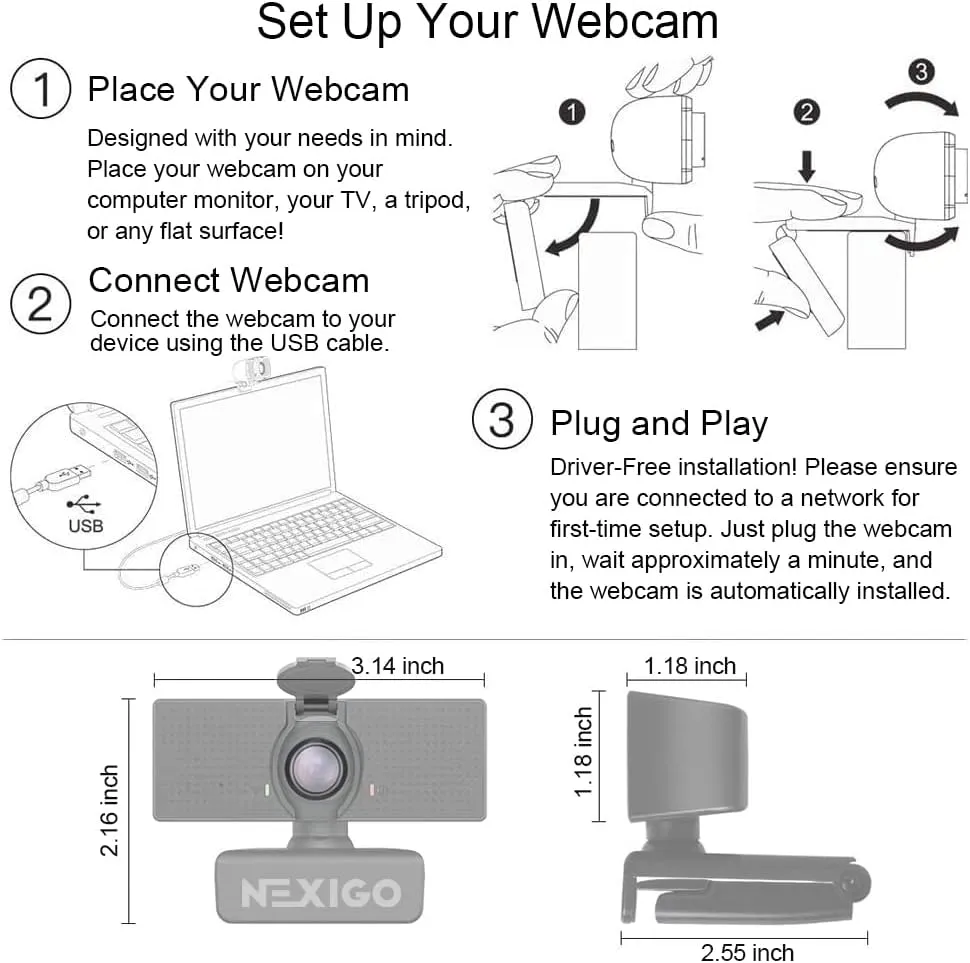
NexiGo says it's ready in about a minute, with no drivers. That holds up, since the computer finds it the moment it's plugged in and any call app then lists it as a camera. Where an app shows several cameras without clear names, NexiGo's FAQ suggests holding a hand in front of the lens and switching until the hand appears. NexiGo names USB 2.0 and 3.0 ports, Windows 7 through 11, macOS 10.7 and later, Chrome OS, Android and Linux. Xbox and PlayStation consoles are out, though.
The settings app is optional, and it adds manual exposure, white balance and the 2x zoom. Windows and Mac versions sit on NexiGo's downloads page, next to the N60's firmware tools. The same page links a fix for when the Windows app misbehaves. If the preview lags, NexiGo's FAQ suggests switching the preview software to MJPEG and keeping the whole cable run, extension included, under three meters. It also recommends a port on the computer itself, not a dock or hub.
Macs ask for more patience: the camera plugs in the same way, yet adjusting it takes extra steps. NexiGo's checks run through Photo Booth while its controls app comes from the App Store, and together the pair can be fussier than the Windows version. Setup steps for each system, with fixes for the usual hiccups, sit in the NexiGo N60 troubleshooting guide.
The clip rests on the monitor by gravity
NexiGo's clip unfolds over the top edge of a screen. A rear leg folds back until it touches the panel, and the camera then balances on top. NexiGo's FAQ says plainly that the clip doesn't clamp and holds by gravity alone. On a steady monitor that works well, and the head tilts and turns to center a face. Its range runs to 30 degrees of tilt and a full 360 degrees of rotation, per NexiGo's chart. Without a clamp, though, it never locks in place, and a bumped screen can tip it out of line.
Underneath, the base accepts a standard tripod screw, and NexiGo marks the camera as tripod-ready. NexiGo also says the clip fits a laptop or a TV as well as a monitor, and it lists the cable at 4.9 feet.
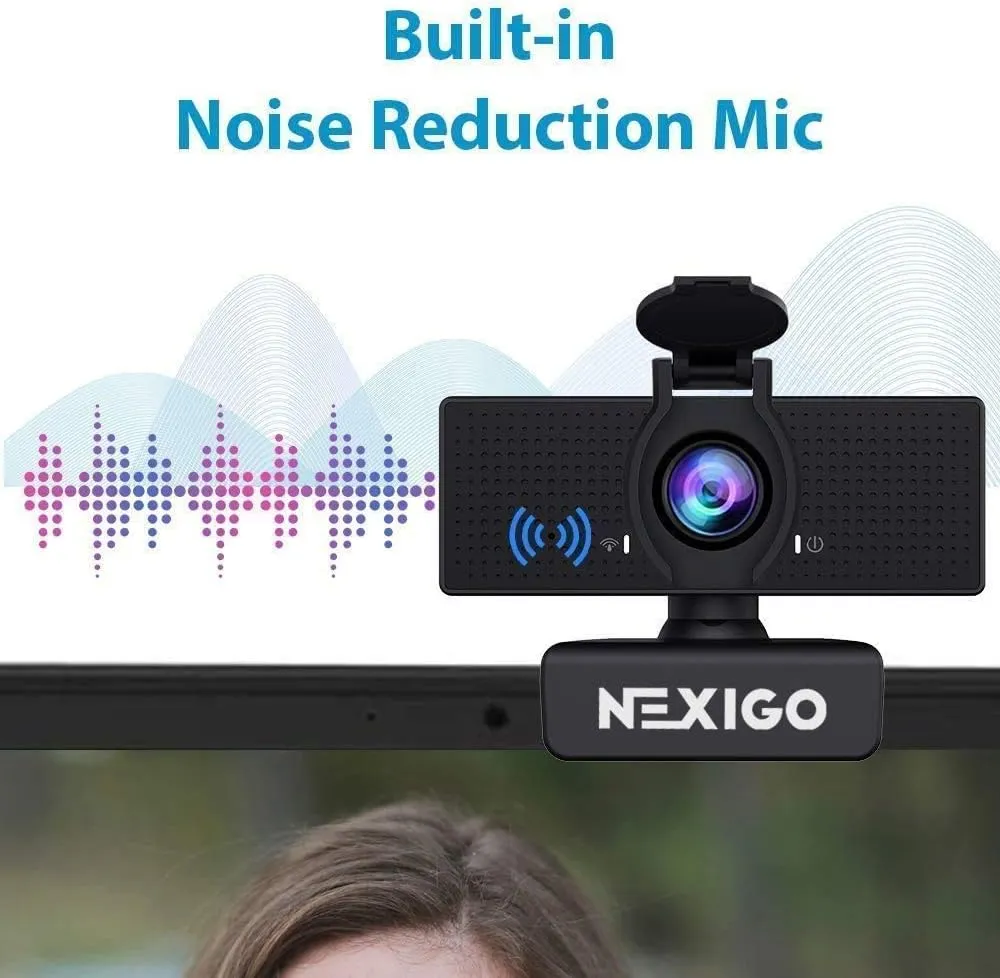
The privacy cover comes in the box as its own piece. NexiGo's chart classes it as an attached cover, not a built-in one. It snaps onto the camera body and folds across the glass when a call ends, and NexiGo adds that it keeps dust off the lens. Privacy here is mechanical, and a lowered flap leaves no question about whether the lens can see anything.
Some units quit early
Reliability is the uneven part. A small share of units arrive dead or quit within weeks or months. A few others turn intermittent: the image freezes or ripples with wavy lines, or the mic cuts in and out. On several of them, the weak point is the cable, especially where it meets the plug. There, a knock to the cord or a sharp bend cuts the feed.
When the feed drops, NexiGo's FAQ suggests another port first, since some ports don't supply enough power, and then a replug or two. Plenty of units, meanwhile, run through daily calls for a year or two without a hitch.
The NexiGo N60 suits a desk with no camera
Its closest rival sits in the same budget tier. Against the Logitech C270, the NexiGo N60 doubles the view, at 110 degrees to 55. It also steps up from 720p to 1080p, with both cameras at 30 fps. Logitech's case for the C270 rests on RightLight 2 light correction and a clip that folds flat for a shelf. Logitech rates its mic, too, for a clear voice at up to 1.5 meters. I'd pick the N60 wherever the extra width earns its place.
Three other cameras bracket it. For a tighter frame at the same resolution, the EMEET C950 narrows the view to 70 degrees. It shares the fixed focus and keeps more of the room out of the picture. The UGREEN 2K Webcam steps up to 2K at 30 fps with dual mics and a 95-degree view, also with fixed focus. At mid-range money, the Logitech C920x brings autofocus and two stereo mics to the same 1080p at 30 fps. Its listing also says this box carries no privacy shutter.
As a 1080p webcam, the N60 earns its place on width and simplicity more than on picture quality. It needs one cable and no drivers, its view covers the desk, and its lens has nothing to focus. That makes it a sensible first camera for a desktop or a docked laptop, and an easy spare for a second desk.
Pros: What we liked
- Pro: 110-degree diagonal view fits the desk and a good share of the room behind
- Pro: Fixed 3.6 mm glass lens keeps faces at a desk sharp with nothing to adjust
- Pro: Plugs in with no drivers and shows up in Zoom or Teams within about a minute
- Pro: NexiGo's settings app adds manual exposure, white balance and a 2x digital zoom
- Pro: Separate clip-on privacy flap physically blocks the lens when it's not in use
- Pro: Tripod-ready base and a clip that tilts and turns on top of a monitor
Cons: What could be better
- Con: Detail turns soft and grainy as the light drops, and color can drift or run oversaturated
- Con: The mic sounds thin and flat, so recordings and long talks call for a separate one
- Con: Focus is fixed, so a card or page held up to the lens sits closer than the range NexiGo quotes
- Con: The clip balances on the screen without clamping, so a knock can tip it out of line
- Con: A small share of units arrive dead or quit within months, and on some a tug or bend at the cable cuts the feed
Best For
- Home and office workers whose desktop or docked laptop has no usable camera
- Presenters who want a wide frame that shows more than a face
- Callers who want plug-in video for Zoom, Teams or online classes at a budget price
Not Ideal For
- Exam takers who need to hold an ID card or a document close to the lens
- Creators who need crisp detail, autofocus or a studio-grade mic for recorded video
- Anyone who wants a tight head-and-shoulders crop without opening a settings app
| Specification | Details |
|---|---|
| Resolution | 1080p (1920 x 1080) |
| Frame rate | 30 fps |
| Field of view | 110 degrees diagonal, per NexiGo |
| Focus | Fixed; 3.6 mm glass lens optimized for 19.6 in to 13 ft |
| Sensor | 2 MP CMOS |
| Microphones | One built-in omnidirectional mic, noise-canceling per NexiGo |
| Connection | USB 2.0 or 3.0, no drivers; 4.9 ft cable per NexiGo |
| Privacy | Attached flip-down lens cover |
| Mounting | Monitor clip with 30-degree tilt and 360-degree rotation; tripod-ready |
| Software | NexiGo Webcam Settings for Windows and macOS; 2x digital zoom |
Alternatives Worth Considering
Final Verdict
Back at that desk with no camera of its own, the NexiGo N60 does what the job asks. One cable puts it on a call, and the 110-degree lens frames the desk and the room behind it. A face stays sharp, too, with nothing to focus. Good light and a few minutes in the settings app bring the picture to its best. A headset, meanwhile, is the upgrade once sound matters more than convenience. For a first camera at budget money, with room to spare in the frame, it earns an easy yes.
Frequently Asked Questions
What field of view does the NexiGo N60 have?
NexiGo rates it at 110 degrees, measured diagonally. That covers a face, the desk and a good share of the room behind, and NexiGo's settings app adds a 2x digital zoom for a tighter crop.
Does the NexiGo N60 have autofocus?
No. NexiGo lists it as a fixed-focus camera with one focal length, and the listing gives its glass lens a sharp zone of 19.6 inches to 13 feet. Faces at a desk stay sharp, while a card held right up to the lens sits closer than that range.
Will the N60 work with a Mac, Linux or a game console?
NexiGo lists macOS 10.7 and later, Windows 7 through 11, Linux, Chrome OS and Android 4.0 or later, with no drivers needed. It also lists Xbox and PlayStation consoles as incompatible.
What can fix audio lag on the N60?
NexiGo's listing points to a firmware update for audio delay, and its downloads page hosts an N60 audio-lag tool for Windows and macOS. NexiGo advises against running it unless the delay shows up.
Is the privacy cover built in?
No. It ships in the box as a separate piece that clicks onto the camera and folds down across the glass. NexiGo adds that it keeps dust and dirt off the lens.
Can the NexiGo N60 sit on a tripod or a laptop?
Yes. NexiGo marks it as tripod-ready and says the clip fits a monitor, a laptop or a TV. The clip balances on the top edge and leans on the back of the screen, without clamping.
The Verdict
A wide 110-degree view, a lens that never needs focusing and a one-cable setup make the NexiGo N60 an easy first camera for everyday calls, best in good light.