Dreame D20 Air Plus Review: Fur, Dust and an Auto-Empty Base
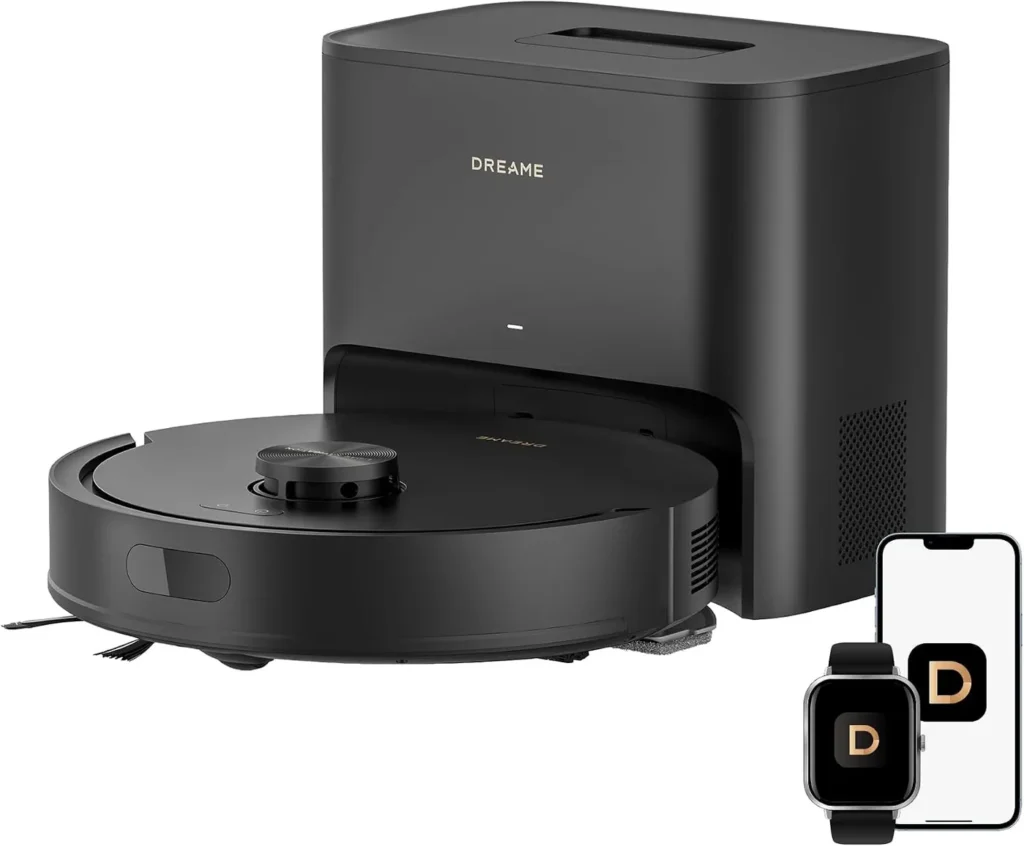
Strong fur and dust pickup, hands-off bin emptying and simple app control suit pet homes well, though the clip-on mop only freshens hard floors.
Shed fur, crumbs and tracked-in grit reappear on the floor daily. A robot earns its place by keeping pace on its own, and the Dreame D20 Air Plus mostly manages that. Its laser sensor maps each room, then the robot cleans the edges before filling in an S-shaped path. Back at the base, the dust box empties automatically into a 4-liter bag, while a clip-on pad adds a damp wipe on hard floors. Pickup is strong on carpet and hard flooring alike, and setup is quick. The catches are practical: hair still gathers on the brushes, big floor plans can outlast one charge and the mop suits light upkeep only.
Strong suction that steps up on carpet
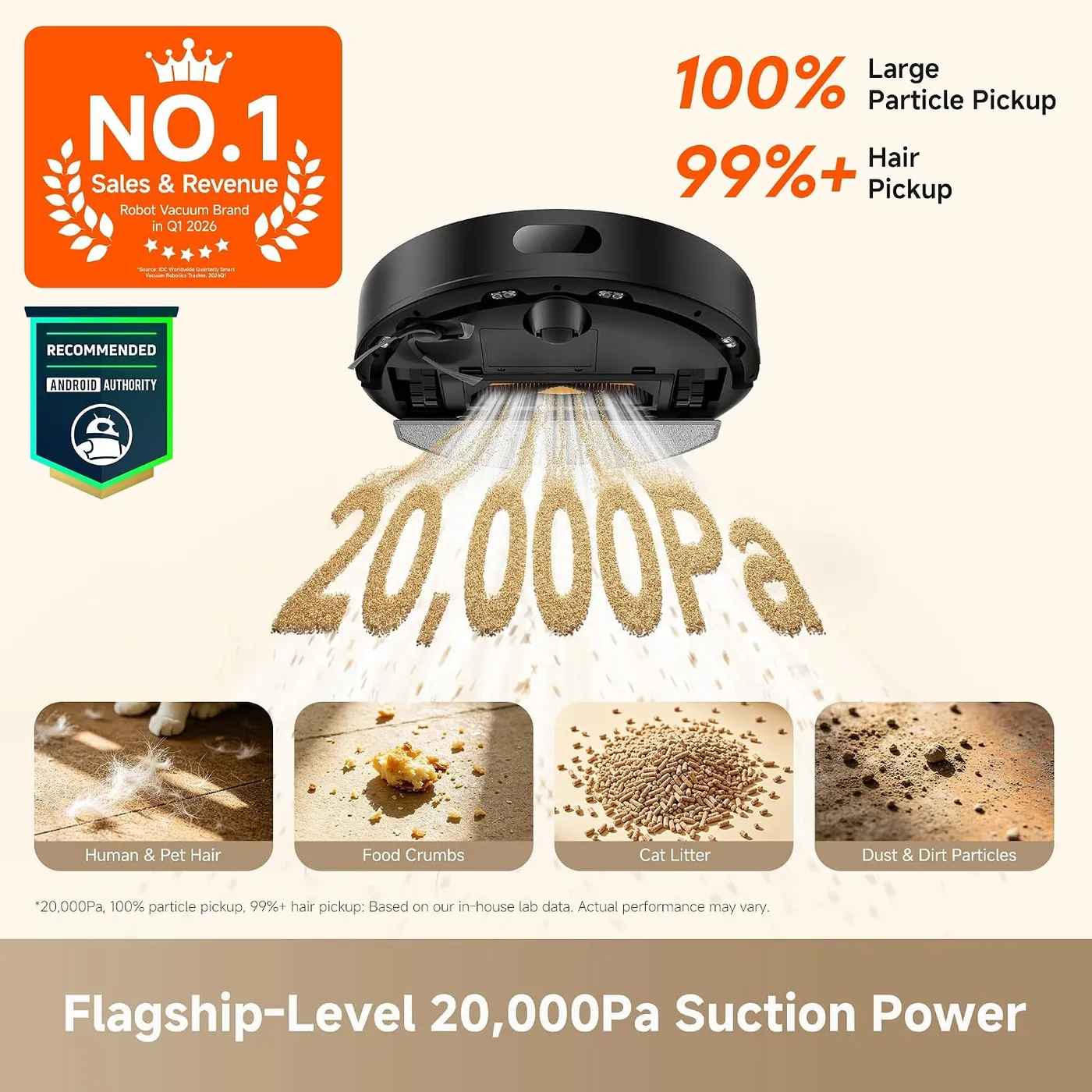
Pickup is where the Dreame D20 Air Plus shines. Dust, crumbs and shed fur lift cleanly from hard floors and carpet, even in multi-pet homes. Dreame rates the suction at 20,000Pa and also claims 100% pickup of hair, crumbs and dust particles. The footnotes on its product page identify both figures as results from Dreame's in-house lab.
Carpet sensing works automatically, raising the suction when the robot rolls onto a rug. Transitions between rugs and hard floors go smoothly, and the app lets you decide how the robot treats each carpet. Suction levels are adjustable on the fly as well, which helps on messier days.
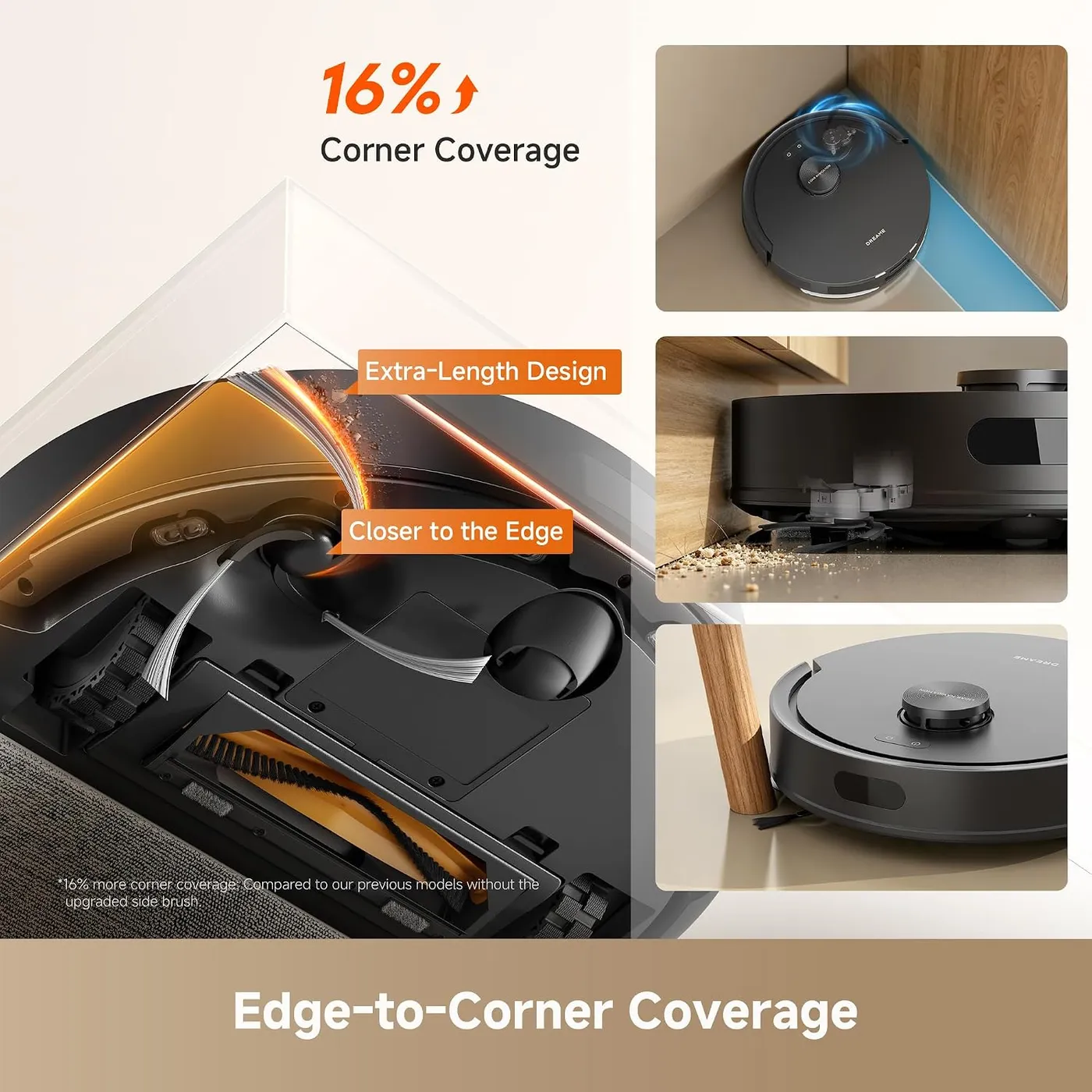
Edges get proper attention, too, because the robot traces walls and furniture lines before it fills in the open floor. Its angled side brush also reaches well into corners and along baseboards. Dreame lists the robot at 94.7 mm (about 3.7 inches) tall, so measure the gap under a low sofa first. Door thresholds set the main physical limit, though, since the manual says the robot can't climb high thresholds or steps. Dreame's troubleshooting table names a door sill over 2 cm (about 0.8 inch) as one reason a room gets skipped.
The manual also rules out hard or sharp debris such as stones, toy parts, broken glass and nails. Clear away large scraps of paper and any liquid or sticky spill before a run.
One clip-on cartridge for dust and water
Dust and water travel together in one removable unit. Dreame calls it a 2-in-1 water tank with dust box, and it pairs a 220 mL bin and HEPA filter with a 280 mL tank. That tank keeps a flat mop pad damp underneath, while the water and the pad stay your job.
As a mop, the Dreame D20 Air Plus suits light, everyday upkeep. The damp pad freshens hard floors and lifts small messes, although set-in grime still calls for a hand mop. Dreame describes the tank as sensor-controlled, and the app sets the moisture level.
The manual sets a few ground rules before the first mopping run. Vacuum every floor at least three times beforehand, then fill the tank with plain water only. Detergent and disinfectant are off the list, and hot water can warp the tank. Afterward, dampen and wring out the pad before clipping it into place.
Carpet is the other boundary, since Dreame advises against mopping on it. The manual also says to remove the mop assembly whenever you aren't mopping, and no-go zones earn their keep when you are. After every run, wash the pad in plain water and let it dry fully, which keeps mildew and odors away. Empty unused water from the tank regularly, too. If the pad stays dry, check for water in the tank, a clean pad and a properly seated holder.
Where the Dreame D20 Air Plus sends its dust
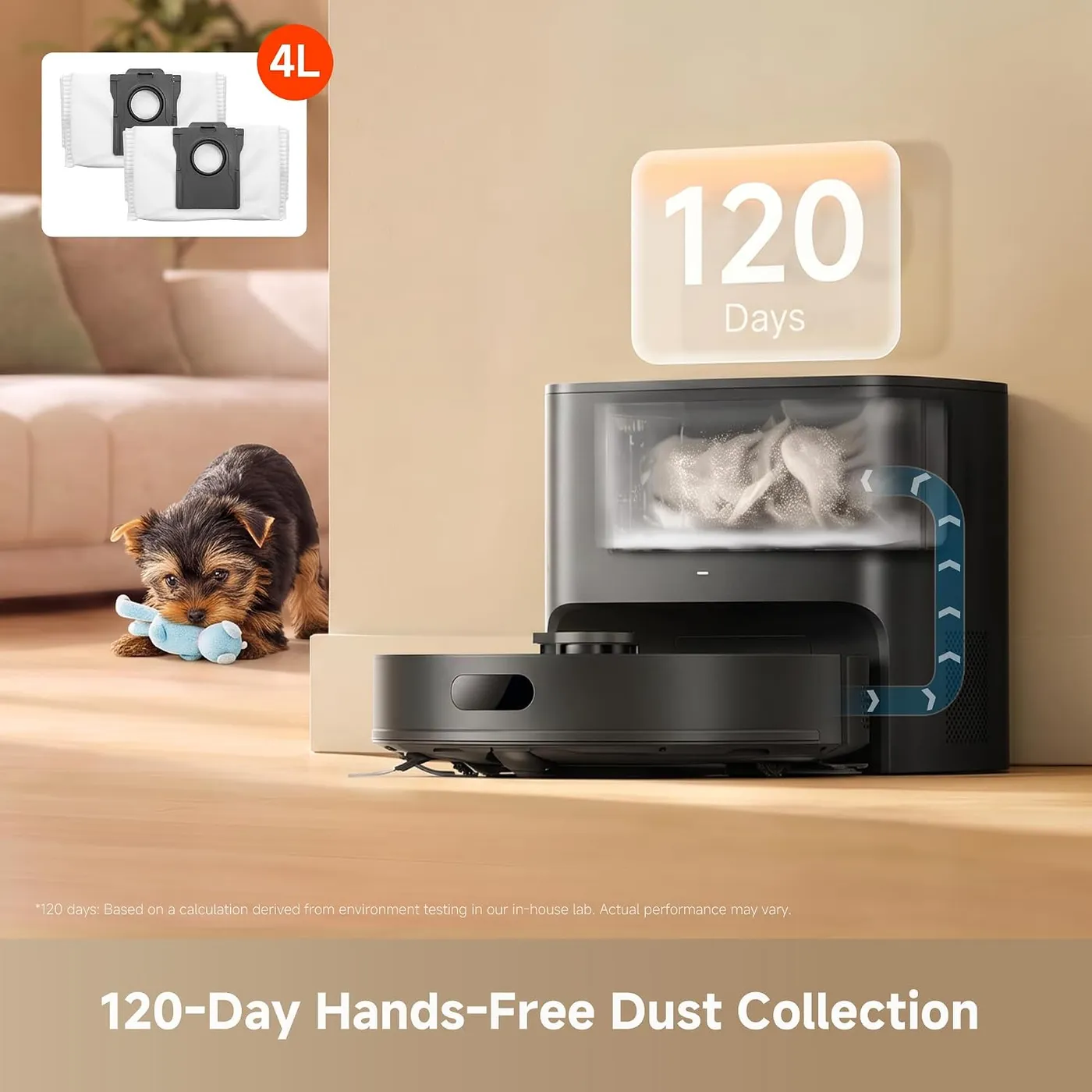
This is the feature to buy it for. When a job ends, the robot returns to the base, which empties the dust box into a 4-liter bag. Dreame's lab calculation puts one bag at up to 120 days of dirt, and its manual lists a fresh bag every two to five months. Between bag changes, the dust box rarely needs any attention.
Changing the bag is tidy, because pulling its handle outward seals it shut before it leaves the base. The base's filter then gets a quick wipe with a dry cloth while the bag is out.
The base measures 293 x 201 x 266.5 mm on Dreame's spec table, about 11.5 x 7.9 x 10.5 inches. Its location still deserves planning, because the manual asks for 1.5 m (60 inches) of open floor in front and 0.5 m (20 inches) on each side. A strong Wi-Fi signal matters as well. Dreame also recommends tile or marble underneath, to keep water stains off wood floors and carpet.
On paper, the D20 Air Plus's nearest rival is the Roborock Q7 M5+. That robot also maps with a laser and carries a clip-on mop. Its dock empties into a sealed bag that holds 2.7 liters. The Dreame D20 Air Plus takes a 4-liter bag instead, and it keeps dust and water together in one shared cartridge.
Maps and zones in the Dreamehome app
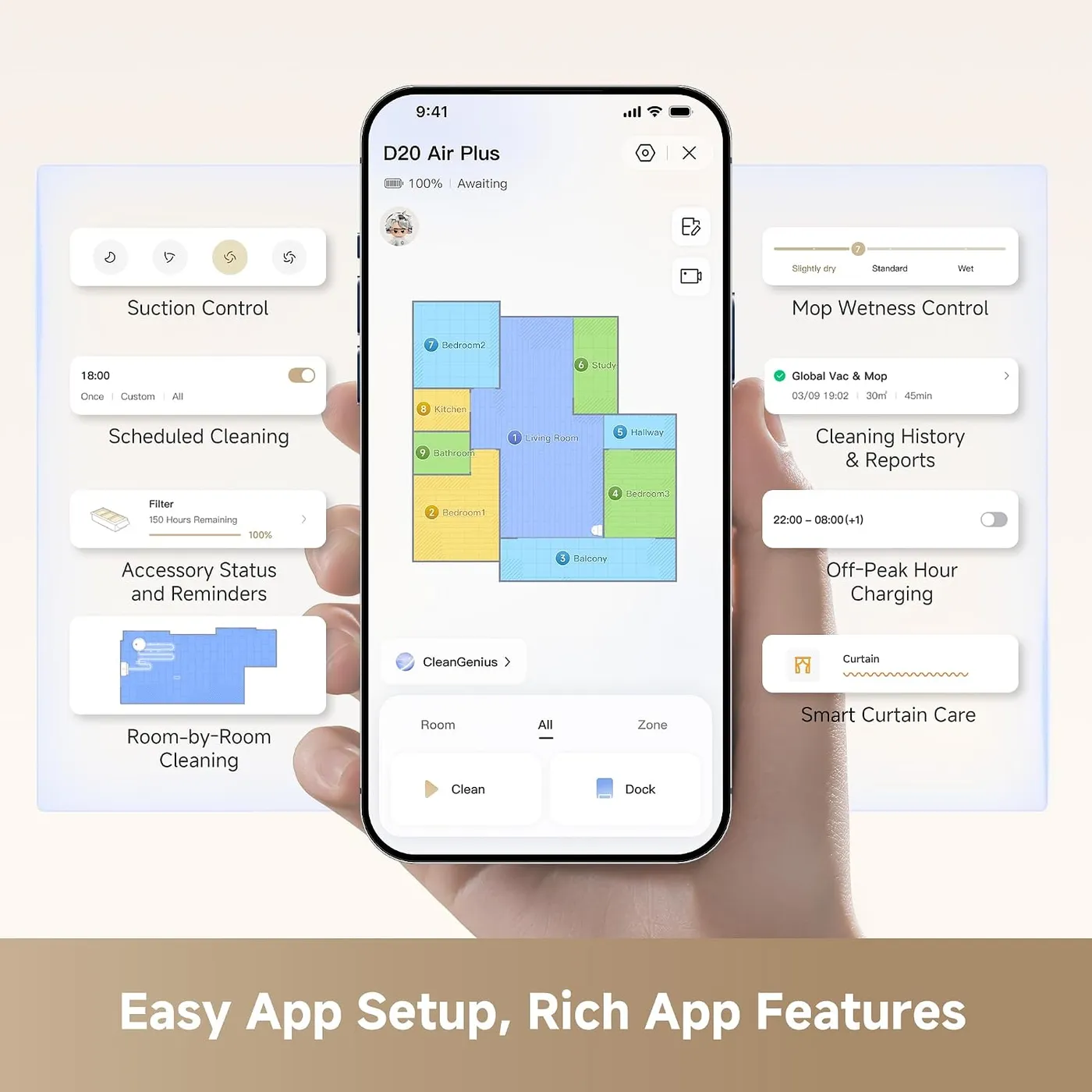
Getting started is quick and uncomplicated. Scan the QR code on the robot with the Dreamehome app and join a 2.4 GHz Wi-Fi network. The first run then builds the map without cleaning. Since the robot can't connect over 5 GHz, Dreame's help pages suggest turning off band merging on a dual-band router. They also advise against hidden network names and VPNs, and they favor plain letters and numbers in the network name and password.
From there, the finished map becomes the everyday control panel. You can send the robot to single rooms on a schedule and draw no-go zones around trouble spots. A 3D view lets you mark carpets and furniture, and the app stores up to four maps for different floors. A floor-direction setting also lines up its passes with the seams of wood or tile.
Day to day, the map pays off, since the Dreame D20 Air Plus steers around furniture with little bumping. Clutter still needs clearing first, and Dreame's manual tells you to pick up cables, cords and slippers before a run. It also asks for a physical barrier at the edge of any stairs, even though the robot carries cliff sensors. Carrying the robot elsewhere can force it to find its place again, and it rebuilds the map when it can't.
The app isn't the only control method, either. Buttons on the robot start a clean, send it home or begin a spot clean over a 1.5 m (about 5-foot) square. Alexa, Google Home and Siri handle voice commands, and a child lock sits in the app.
Hair on the brushes and other upkeep
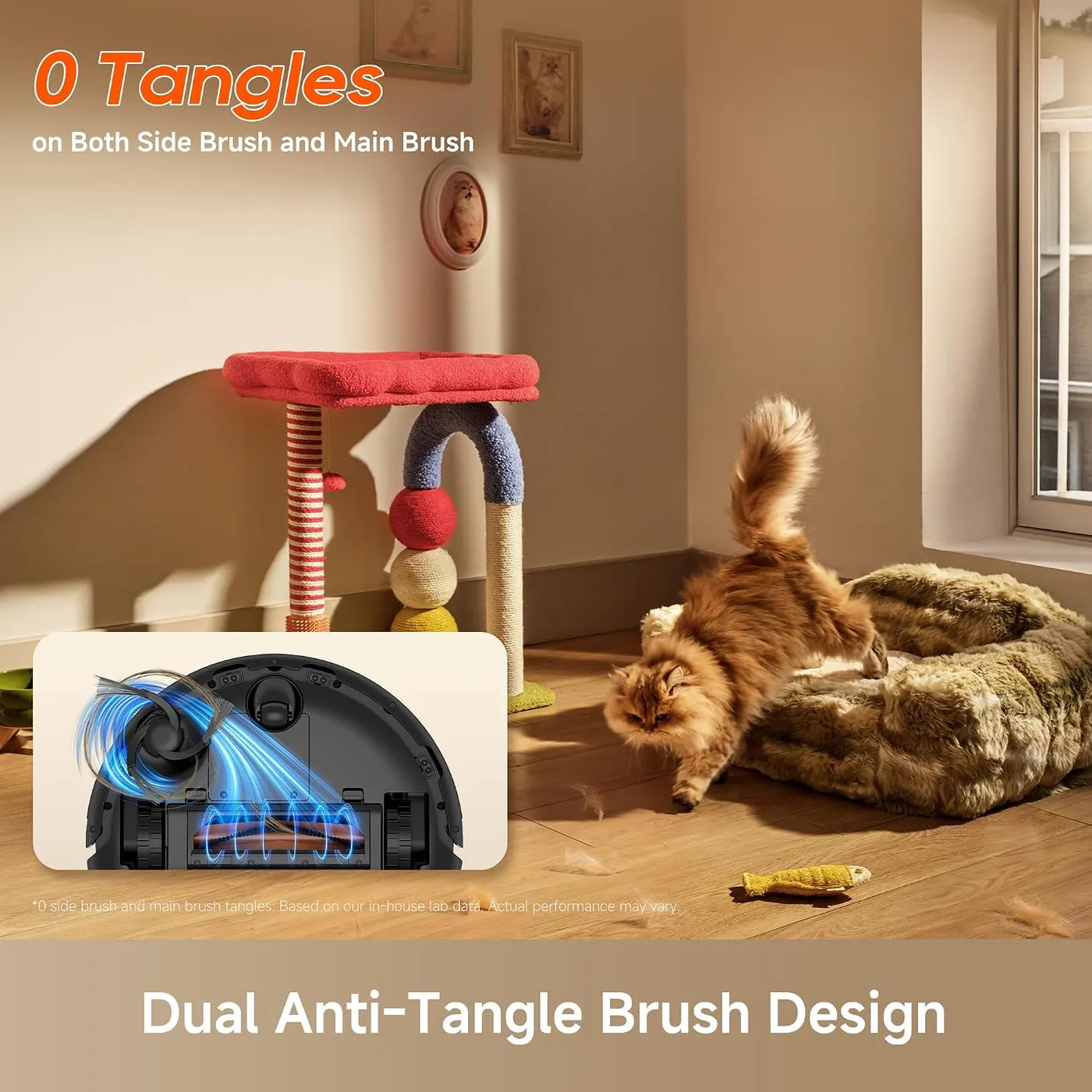
The anti-tangle pitch only goes so far. Dreame's design pairs comb teeth on the rubber-bristle main brush with an angled side brush, and its lab puts tangling at 0%. Hair collects on the brushes anyway, so plan on clearing them regularly with a cleaning tool. I'd count the design as a help with tangles, not a cure.
Reliability is the other caveat, since a minority of units have developed faults within their first days or weeks.
For everything else, the manual's maintenance table sets the routine. Clean the main brush, side brush and dust box filter every two weeks. Once a month, wipe the laser sensor, bumper, charging contacts and auto-empty vents with a dry cloth, then pick any hair off the omnidirectional wheel. Rinse the HEPA filter and dust box in plain water, and let both air-dry fully before they go back in. Never scrub the filter with a brush or a finger, because that can damage it.
As for wear parts, the manual lists a new side brush, filter and mop pad every three to six months. A new main brush becomes necessary every six to 12 months.
When the robot acts up, Dreame's troubleshooting table is the first place to look. A base that won't empty points first to a full bag, then to a blocked auto-empty vent. A robot that can't find its way home may face a closed door, a moved or unplugged base, clutter around the dock or a dusty signaling area. Our D20 Air Plus troubleshooting guide sorts the rest by where the robot stops.
Quiet running and how far a charge goes
Noise is the more forgiving half. By robot vacuum standards, the hum stays low and easy to live with. If it grows louder, the manual points to a clogged filter, a hard object in the brush or a tangle. Switching to the Standard or Quiet suction mode also brings the volume back down.
Battery range is the more demanding half. Dreame's lab measured up to 150 minutes and 140 square meters (about 1,500 square feet) per charge. That test ran in vacuum-only mode at the quiet suction setting. Larger floor plans often need a mid-run top-up, and a full charge from low takes about four and a half hours. Charging also slows down outside the manual's operating range of 32°F to 104°F.
Auto Resume softens that wait, so it's worth switching on in the app. Once enabled, the robot automatically heads home when the battery runs low. After charging, it returns to finish the rooms it missed. Do Not Disturb hours, off by default and preset to 10 PM to 8 AM, hold that resume until the window ends. They also stop the base's auto-empty, though scheduled jobs still run as usual.
The manual's storage advice is simple: charge the robot fully, switch it off and top it up at least every three months.
Pros: What we liked
- Pro: Lifts fur, dust and crumbs well from carpet and hard floors, with an automatic suction boost on carpet
- Pro: The base empties the dust box into a 4L bag that Dreame's lab rates for up to 120 days of dirt
- Pro: Quick setup in the Dreamehome app, with room schedules, no-go zones and up to four saved maps
- Pro: Cleans along walls first and reaches well into corners before covering each room in an S-shaped path
- Pro: Low running noise, with Standard and Quiet suction modes for calmer runs
- Pro: Auto Resume finishes the job after a mid-run recharge
Cons: What could be better
- Con: Hair still collects on the main and side brushes despite the anti-tangle design
- Con: A minority of units have developed faults within their first days or weeks
- Con: Larger floor plans can outlast one charge, and a full recharge takes about 4.5 hours
- Con: The clip-on mop gives only a light damp pass, and Dreame advises keeping it off carpet
- Con: Dust bags are an ongoing purchase, with a new one due every two to five months
Best For
- Homes with shedding dogs or cats and a mix of carpet and hard floors
- Busy parents who want daily crumbs and fur handled without emptying a bin
- Newcomers to robot cleaning who want quick setup and simple app control
Not Ideal For
- Homes that need a mop to scrub sticky kitchen spills
- Large homes that want a whole-house clean on a single charge
- Those set on a bagless dock with no recurring bag purchases
| Specification | Details |
|---|---|
| Navigation | LiDAR laser distance sensor |
| Maximum suction | 20,000Pa (Dreame in-house lab figure) |
| Runtime | Up to 150 min (Dreame lab, vacuum mode, quiet suction) |
| Charging time | About 4.5 hours |
| Dust box | 220 mL |
| Dust bag | 4 L, up to 120 days (Dreame lab calculation) |
| Water tank | 280 mL |
| Robot dimensions | 325 x 325 x 94.7 mm (about 12.8 x 12.8 x 3.7 in) |
| Robot weight | 2.59 kg (about 5.7 lb) |
| Wi-Fi | 2.4 GHz only |
Alternatives Worth Considering
Final Verdict
The Dreame D20 Air Plus handles everyday cleaning well. Its suction clears fur, crumbs and dust from rugs and hard floors, and the app gets it running fast. Better still, the base sends the dust to a bag that Dreame expects to last for months. In return, it asks for routine care: brushes to clear every two weeks, a mid-run recharge on big whole-house jobs and a mop that only freshens hard floors. I'd put it on the shortlist for a home with shedding pets and a mix of rugs and hard flooring. Homes that care more about spotless tile than fur should look a tier up, at robots whose docks wash their own mop pads.
Frequently Asked Questions
Is the D20 Air Plus just another name for the D20 Plus?
No. Dreame sells the D20 Plus and the D20 Pro Plus as separate models with their own manuals. Everything on this page applies to the D20 Air Plus, model RLF41GD, alone.
What does Dreame want done before the first mopping run?
Vacuum every floor at least three times first. Then fill the tank with plain water: the manual rules out detergent and disinfectant, and hot water can warp the tank. Dampen and wring out the pad, clip it on, set the moisture level in the app and keep the pad off carpet.
How often do the brushes and filter need attention?
Dreame's maintenance table calls for cleaning the main brush, side brush and dust box filter every two weeks. It lists a new side brush and filter every three to six months, a new main brush every six to 12 months and a new dust bag every two to five months.
What happens if the battery runs low in the middle of a clean?
With Auto Resume switched on in the app, the robot returns to its base, charges and then finishes the rooms it missed. A full charge from low takes about four and a half hours, and larger homes often need that stop.
Can the base station sit on carpet or a wood floor?
Dreame's manual recommends tile or marble instead, to keep water stains off wood floors and carpet. It also asks for 1.5 m (60 inches) of clear floor in front of the base, 0.5 m (20 inches) on each side and a good Wi-Fi signal.
The Verdict
Strong fur and dust pickup, hands-off bin emptying and simple app control suit pet homes well, though the clip-on mop only freshens hard floors.