Dreame L40 Ultra Gen 2 Review: Reaching Into the Corners
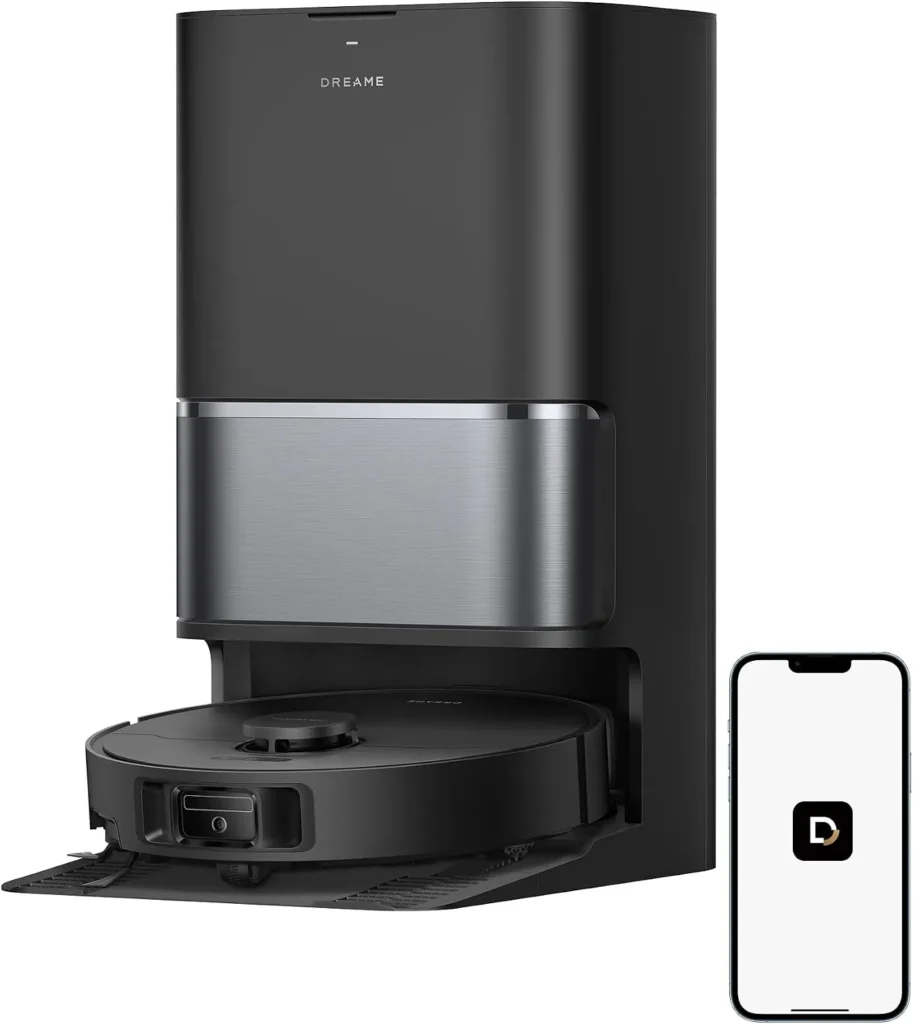
Its brush and mop swing out to reach corners and baseboards, and its dock handles nearly all the daily upkeep, though detergent dosing is a separate purchase.
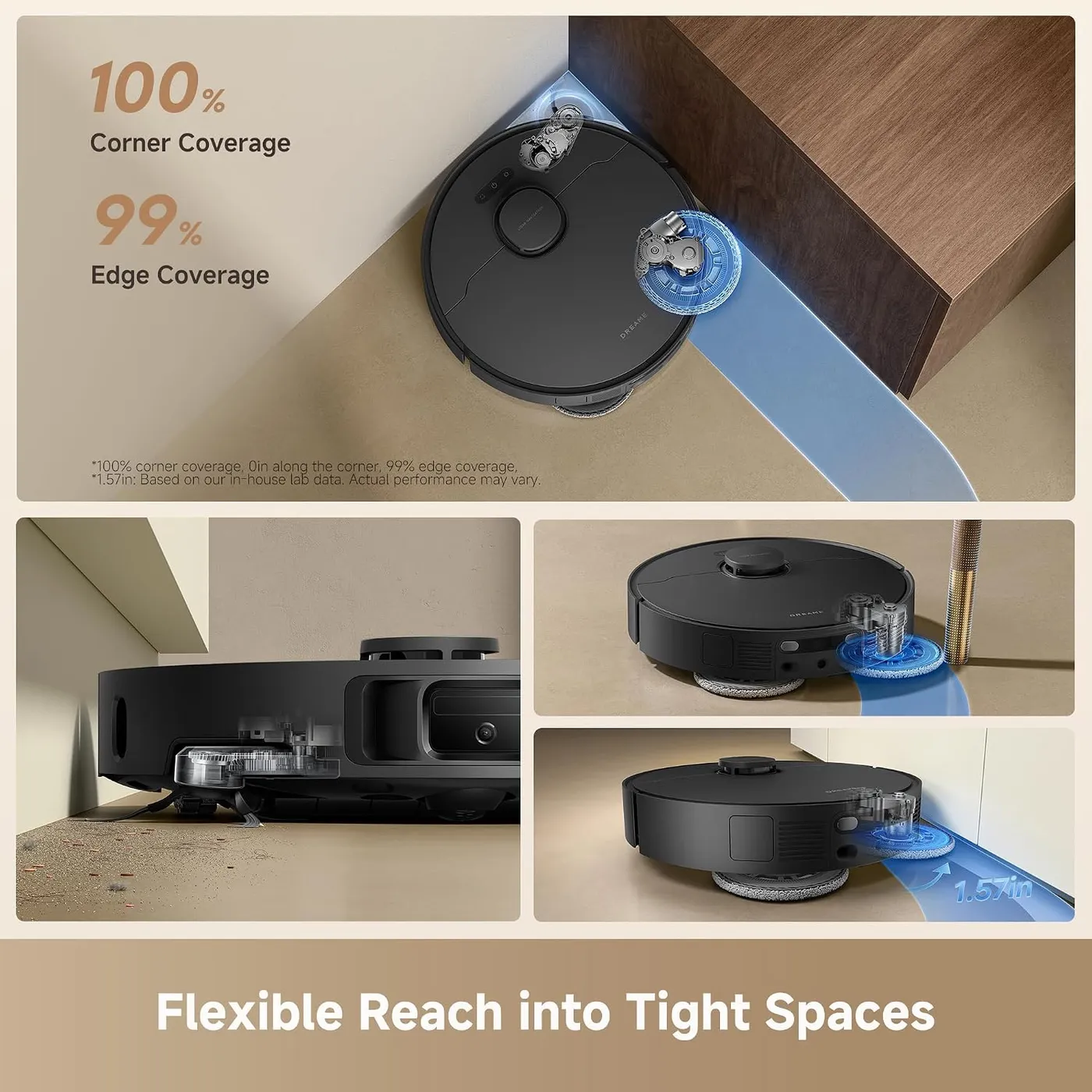
The Dreame L40 Ultra Gen 2 cleans with its elbows out. Near a wall, its side brush extends outward while it vacuums. Then, when it mops, one pad swings out by up to 1.57 inches, according to Dreame's lab figures. That reach is the main reason to buy it, since corners, baseboards and chair legs get cleaned with the open floor. Its dock also empties the bin, washes the pads in hot water and dries them with heated air. Because the robot is quiet, evening runs are realistic as well. Still, the catches are real. Detergent dosing needs a module that Dreame sells separately, and the dock's two water tanks stay your job. Meanwhile, a minority of units have shipped with, or later developed, docking and charging faults.
Edge cleaning with a swing-out brush and mop
Corners are where this robot earns its keep. While it vacuums, the side brush reaches into tight corners and under curved furniture, a system Dreame calls SideReach. Its MopExtend arm then pushes a mop pad past the body to work along baseboards, around table legs and under the overhang of low cabinets. If you're replacing an older robot vacuum, this is the change you'll notice first: the dusty strip along each wall stops coming back.
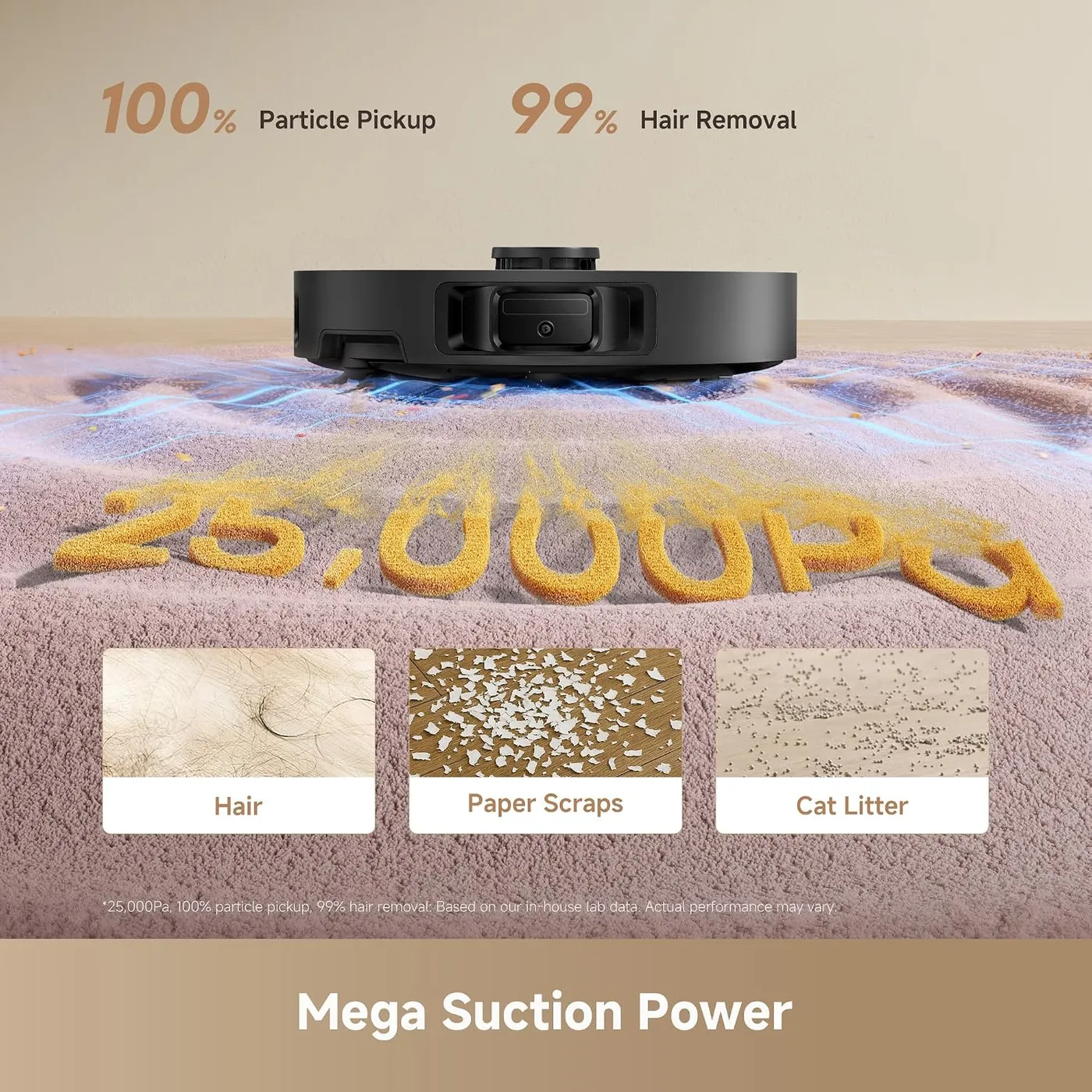
Pickup on the Dreame L40 Ultra Gen 2 is strong on hard floors and low rugs alike. Dreame rates the suction at 25,000Pa, a figure from its in-house lab, with five levels to choose from. On tile and wood it clears hair and crumbs without fuss, and grit buried in doormats and low-pile carpet comes up too. On carpet, Carpet Boost raises suction automatically, while Intensive Carpet Cleaning slows the robot to clean a rug twice.
A multi-pet home with heavy shedders is the exception. The onboard dust box holds only 250ml, according to Dreame's spec sheet. Long fur can pack it tight or clog the intake before the dock has a chance to empty it. Dreame's advice for hair-heavy runs is to empty the box by hand afterward. For long or heavy hair, the company sells an optional TriCut brush with a built-in cutting blade.
A mop that keeps water in check
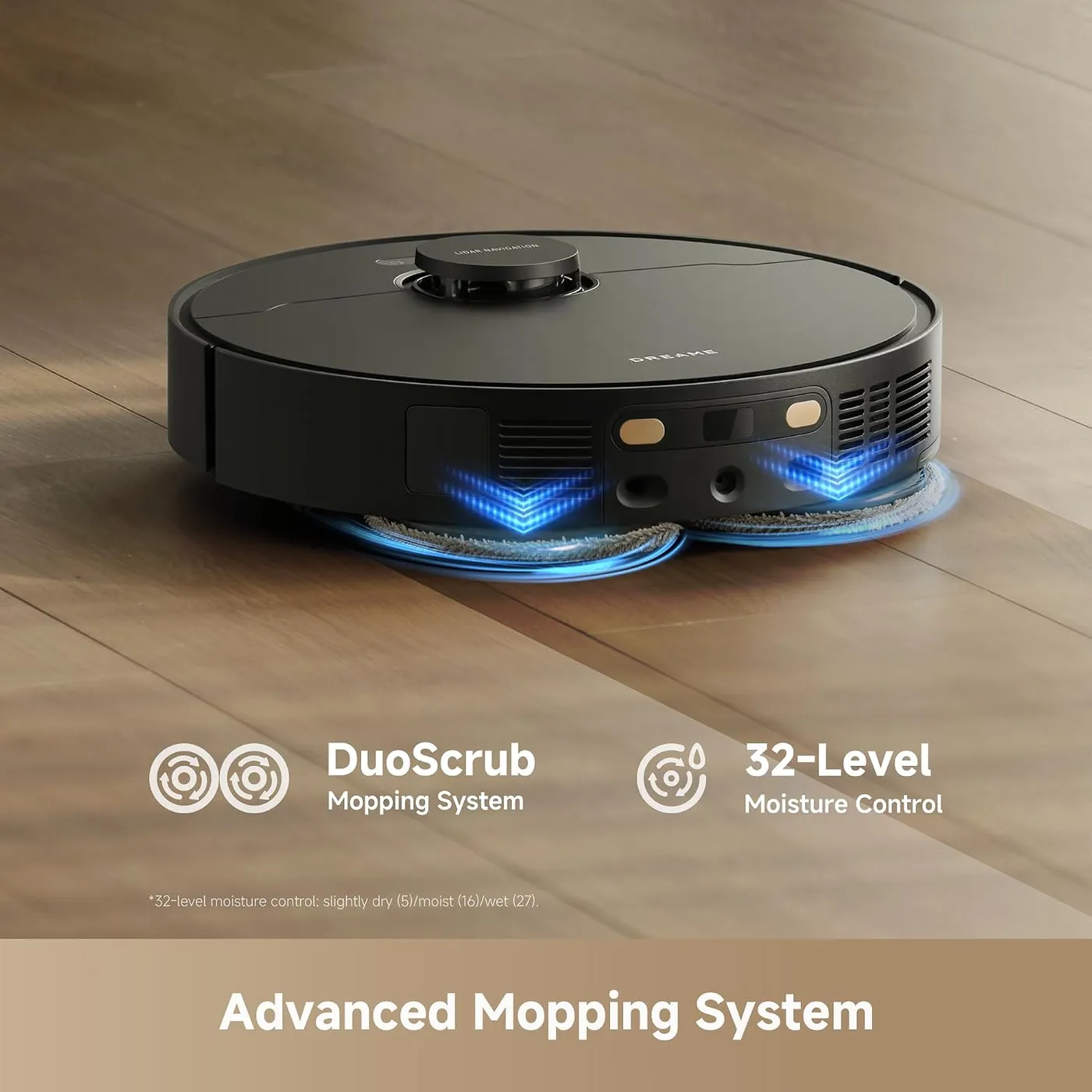
The Dreame L40 Ultra Gen 2 mops with two spinning pads. Dreame's DuoScrub system presses them down as they rotate, and the app sets water flow on a 32-step scale between slightly dry and wet. That fine control pays off especially on wood floors, where the pads leave a thin, even film with no puddles and the boards dry quickly.
Footprints and the dust film that builds up between proper cleans come off well, leaving tile and wood fresher. Dried, sticky stains are a different job, however. The pads wipe more than they scrub, so a set-in spot may need a second pass or a minute with a hand mop.
Rugs stay dry, because the pads lift 0.41 inches (10.5mm) on carpet, a height change Dreame measured in its lab. It recognizes rugs well, and you can draw any it misses onto the map by hand, as Dreame suggests. Dreame's spec sheet marks mop removal as unsupported, so the pads stay attached and simply lift. For fringed rugs, bath mats or a yoga mat, the app can avoid them entirely, cross them without cleaning, or vacuum carpet first and mop afterward.
Spinning pads are one way to mop with a robot. The ECOVACS DEEBOT T90 Pro Omni takes another, running a 10.6-inch roller that rinses itself with fresh water mid-clean. For a home that is mostly tile and sealed wood, it's worth comparing the two designs before choosing.
Quick maps, and a floor worth tidying first
Mapping is fast. On its first outing, the LDS laser charts the home and divides it into rooms, ready for room-by-room schedules and no-go zones. A winding first pass is normal, Dreame's help center says, and later runs settle into neat back-and-forth lanes. Because it steers by laser, it also works in the dark, so overnight runs with the lights off are fine.
With a saved map, the Dreame L40 Ultra Gen 2 moves around furniture well and rarely needs rescuing. At 3.82 inches tall, per Dreame, it slips under beds and sofas with enough clearance, so measure the lowest ones before counting on it there.
Obstacle avoidance relies on a laser system Dreame calls 3DAdapt, which its spec sheet lists as 3D structured light. The same sheet marks AI object recognition as absent. Shoes, toys and furniture legs get steered around well. Loose cords are the exception, though. One can get pulled into the brush, so tuck cables out of the way before a run. Dreame suggests clearing small, light or fragile items as well.
Dreame puts its climbing limit at 0.79 inches (2cm). Anything taller, such as a raised tile molding, can stop it. Small, light rugs can bunch up or snag the robot, so tape down anything thin. Similarly, a long-pile rug or a power cord across a doorway can make it skip the room beyond, according to Dreame's help center.
What the dock does after every run
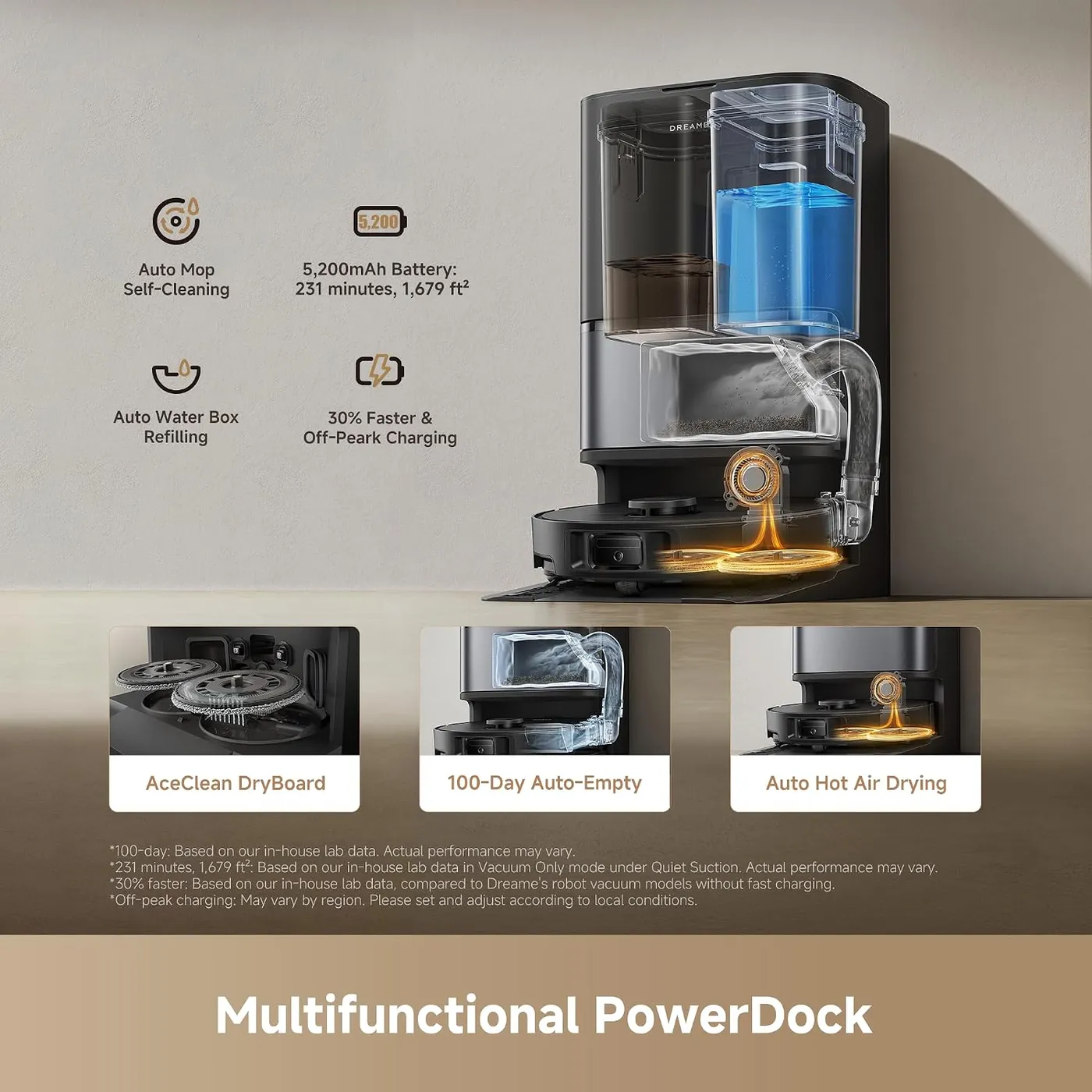
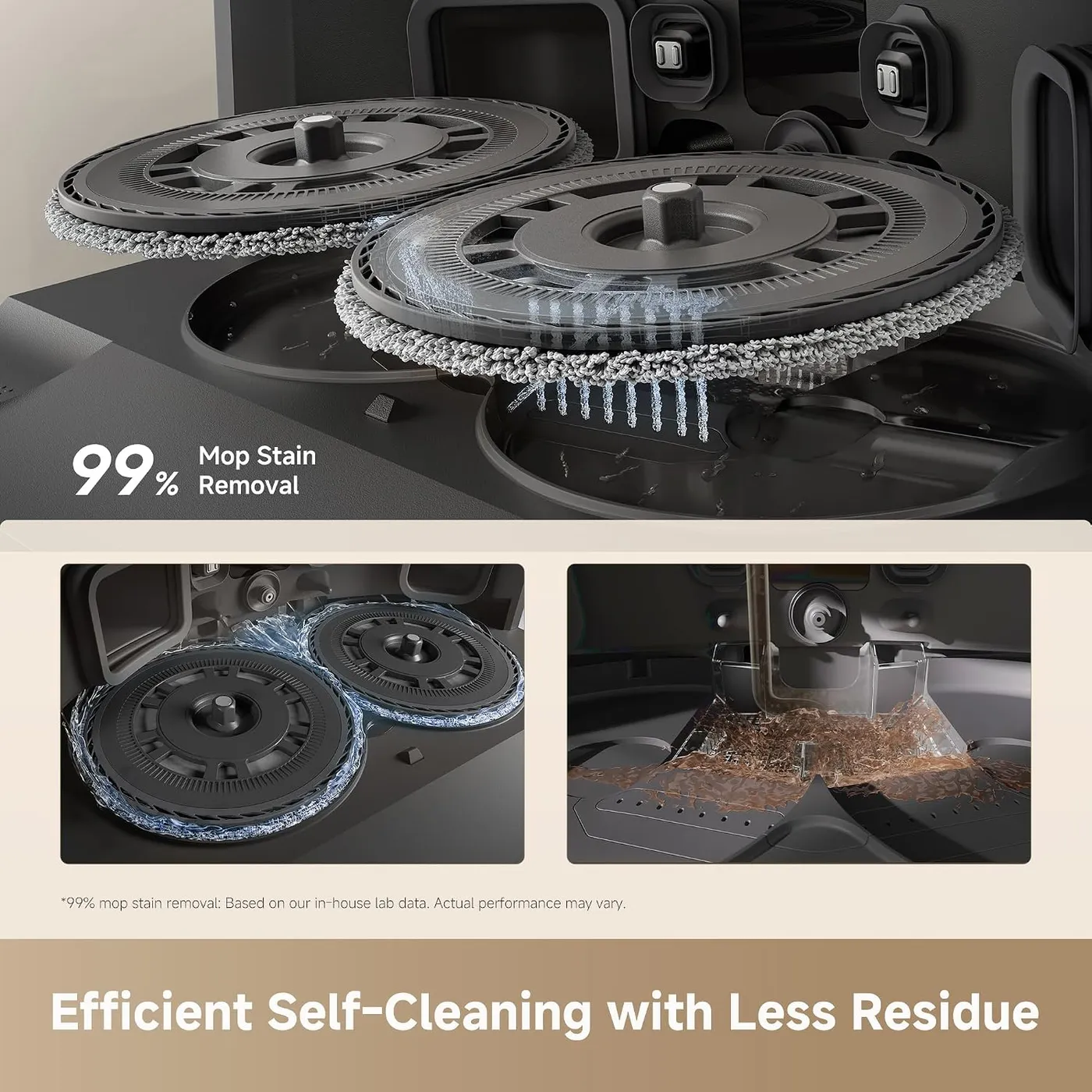
The PowerDock handles nearly every daily chore. After each run, it empties the bin into a 3.2-liter bag, rated by Dreame's lab for up to 100 days. It then washes the pads in hot water on a self-cleaning washboard with 20 spray nozzles. Finally, it dries them with hot air, which Dreame says keeps grime and odors from building up. Between jobs, it tops up the robot's onboard water.
Two jobs stay with you. The dock holds 4.5 liters of clean water and 4 liters of dirty water, and Dreame confirms that you empty one and refill the other yourself. With daily mopping, expect that chore every few days to once a week, depending on how much floor it covers. Dreame's help center recommends checking the washing tray now and then, since dirt there causes odors during drying.
Detergent is the other gap, since Dreame sells the Auto Solution Dispenser Module separately. It holds 0.42 liters, and once it's installed, you switch on automatic dosing in the Dreamehome app. Without it, the Dreame L40 Ultra Gen 2 still mops with plain water, although adding solution means pouring it into the clean tank yourself. Dreame advises using only its own cleaning solutions to avoid damage. For a dock this complete, I'd have expected the dispenser in the box, so budget for one if detergent matters.
The dock also needs floor space: the spec table on Dreame's product page puts it at 17.99 by 13.39 inches and 23.23 inches tall. A ramp extension plate ships in the box. In a small kitchen or hallway, measure that footprint before you order.
Running it on a schedule that suits you
Control lives in the Dreamehome app. Room by room, you can set suction and water levels and choose whether it vacuums, mops, does both at once, or vacuums first and mops after. Marking pet beds as pet zones tells it to give those spots extra attention for fur and scattered food, Dreame says. CleanGenius, Dreame's automatic mode, learns the layout and recommends settings. You can also add or skip a room mid-run without losing the rest of the session.
That depth takes time to learn, since the list of settings is long and the interface feels clunky in places. I'd set aside an evening to work through it; after that, scheduled runs need very little attention.
Dreame quotes up to 231 minutes per charge from the 5,200mAh battery, but that lab figure covers vacuum-only runs on the quiet setting. A large floor takes a couple of hours or more to vacuum and mop. On bigger floors, the robot may stop to recharge before it resumes where it left off. That makes evenings, or hours when you're out, the natural time to run it.
Before buying, check that your router offers 2.4GHz Wi-Fi, the only band Dreame supports. Even then, getting the robot onto the network can take more than one try. Voice control works through Alexa, Siri or Google Home on a compatible third-party device. Matter support, meanwhile, is due in an upcoming firmware update, according to Dreame.
Noise stays low enough for it to clean while the house is occupied. There's a child lock as well, so small hands or curious paws can't change settings mid-run.
Where the Dreame L40 Ultra Gen 2 still needs you
Reliability is the weak link. A minority of units have trouble docking or charging, some straight out of the box and others after weeks or months of use. When it happens, the robot circles or wanders while hunting for its base, or sits on the dock without charging.
Dreame's help center has a short checklist for docking trouble. First, confirm the dock has power and clear clutter from around it. Next, start runs from the dock so the map records where it sits, and remap if the map looks skewed. The system reset clears schedules, cleaning settings and the Wi-Fi setup, so keep that for last. If the checklist doesn't help, support can be slow to resolve a fault. Keep the serial number and receipt where you can find them before you call.
Routine upkeep on the Dreame L40 Ultra Gen 2 is light but regular. Cut hair off the main brush when it wraps, and change the dock's dust bag when it fills; Dreame packs a spare in the box. Beyond bags, the consumables are mop pads and, if you add one, the TriCut brush, which Dreame says to replace every 6 to 12 months. The dust-box filter can go under the tap, though Dreame says to let it dry for at least 24 hours afterward. If suction drops or the robot leaves dust trails, Dreame's first steps are the same: empty the box, clean the filter and clear the brush. Our L40 Ultra Gen 2 troubleshooting guide covers docking, resets and Dreame's parts schedule in more depth.
Pros: What we liked
- Pro: Side brush and mop pad extend outward to reach corners and baseboards
- Pro: Strong suction clears pet hair on tile and wood and pulls grit out of rugs
- Pro: Adjustable water flow avoids puddles, and the pads lift 0.41 inches on rugs
- Pro: Dock empties the bin, washes pads in hot water and dries them with hot air
- Pro: Quiet enough to schedule for evenings or overnight runs
- Pro: Fast mapping with room-by-room settings and maps for up to four floors
Cons: What could be better
- Con: A minority of units fail to dock or charge, early on or months in, and support can be slow
- Con: Automatic detergent dosing needs a dispenser module sold separately
- Con: You still pour out dirty water and top up clean water at the dock by hand
- Con: In multi-pet homes, the 250ml onboard bin can pack with hair between auto-empties
- Con: The app is deep but clunky in places, and it takes time to learn
Best For
- Anyone tired of a dust line at the baseboards and grit around chair legs
- Homes with mostly hard floors and one or two shedding pets
- People who want daily mopping without washing pads by hand
- Families who want the floors done while they're out or in the evening
Not Ideal For
- Multi-pet homes with heavy shedders where a small onboard bin fills fast
- Anyone who wants automatic detergent dosing without buying an add-on
- Homes where beds and sofas sit lower than the robot's 3.82-inch height
- Buyers who can't risk a slow repair process if a unit arrives faulty
| Specification | Details |
|---|---|
| Maximum suction | 25,000Pa (Dreame in-house lab figure) |
| Battery | 5,200mAh; up to 231 min in Vacuum Only, Quiet Suction (Dreame lab) |
| Navigation | LDS laser; 3DAdapt obstacle avoidance (3D structured light) |
| Mopping | DuoScrub dual rotary pads, 32-level moisture, MopExtend up to 1.57in (lab) |
| Mop lift | 0.41in (10.5mm), Dreame lab figure |
| Obstacle crossing height | 0.79in (2cm) |
| Dust capacity | 3.2L dock bag; 250ml onboard dust box |
| Dock water tanks | 4.5L clean / 4.0L used |
| Dimensions | Robot 13.78 x 13.78 x 3.82in; dock 17.99 x 13.39 x 23.23in |
| Connectivity | 2.4GHz Wi-Fi only; Alexa, Siri, Google Home via third-party devices |
Alternatives Worth Considering
Final Verdict
The Dreame L40 Ultra Gen 2 is easiest to recommend for a home where dust gathers along the walls. Its swing-out brush and mop clear corners and baseboards, while the dock keeps the pads clean and the bin empty. Pickup is also strong on bare floors and rugs alike. The compromises, however, sit in ownership: a dispenser module to buy for detergent dosing, two tanks to tend and a small onboard bin that struggles in multi-pet homes. Still, the bigger risk is a unit that won't dock or charge, so run it daily from the start. Once it docks reliably, the line of dust along your baseboards stops being your job.
Frequently Asked Questions
Can the Dreame L40 Ultra Gen 2 mop without the detergent module?
Yes. The dock fills the robot with plain water from its clean tank, so mopping works out of the box. The Auto Solution Dispenser Module, sold separately, adds automatic detergent dosing; without it, you add solution to the clean tank yourself, and Dreame recommends its own solutions to avoid damage.
How far does the mop reach toward the wall?
Dreame rates the extending pad at up to 1.57 inches (4cm) beyond the robot's body, a lab figure. The side brush extends too while it vacuums, reaching into corners and around chair legs.
What upkeep does the dock leave for you?
The water, mainly: pour out the 4-liter used tank and top up the 4.5-liter clean one. Beyond that, swap the 3.2-liter dust bag (Dreame rates it at up to 100 days in its lab), rinse the dust-box filter and cut hair off the brush. Dreame also suggests checking the dock's washing tray now and then to head off odors.
Will it keep up in a multi-pet home?
With one or two shedding pets, yes: pickup on hard floors and rugs is strong. A houseful of heavy shedders is harder, since the 250ml onboard bin can pack tight between auto-empties. Dreame's advice is to empty it by hand after hair-heavy runs, and the company sells an optional TriCut brush for long hair.
Can one robot clean more than one floor?
It can. Dreame says it stores maps for up to four floors. Carry it to the new level, create a map there on the first visit, then pick that floor's map whenever you clean it.
What does it need before the first run?
A 2.4GHz Wi-Fi network, since Dreame specifies 2.4GHz only, and a floor clear of cords, toys and small objects for the mapping pass. Expect a winding route that first time; Dreame's help center says paths settle down after it saves the map.
The Verdict
Its brush and mop swing out to reach corners and baseboards, and its dock handles nearly all the daily upkeep, though detergent dosing is a separate purchase.