MOVA P10 Pro Ultra Review: Steering Around the Clutter
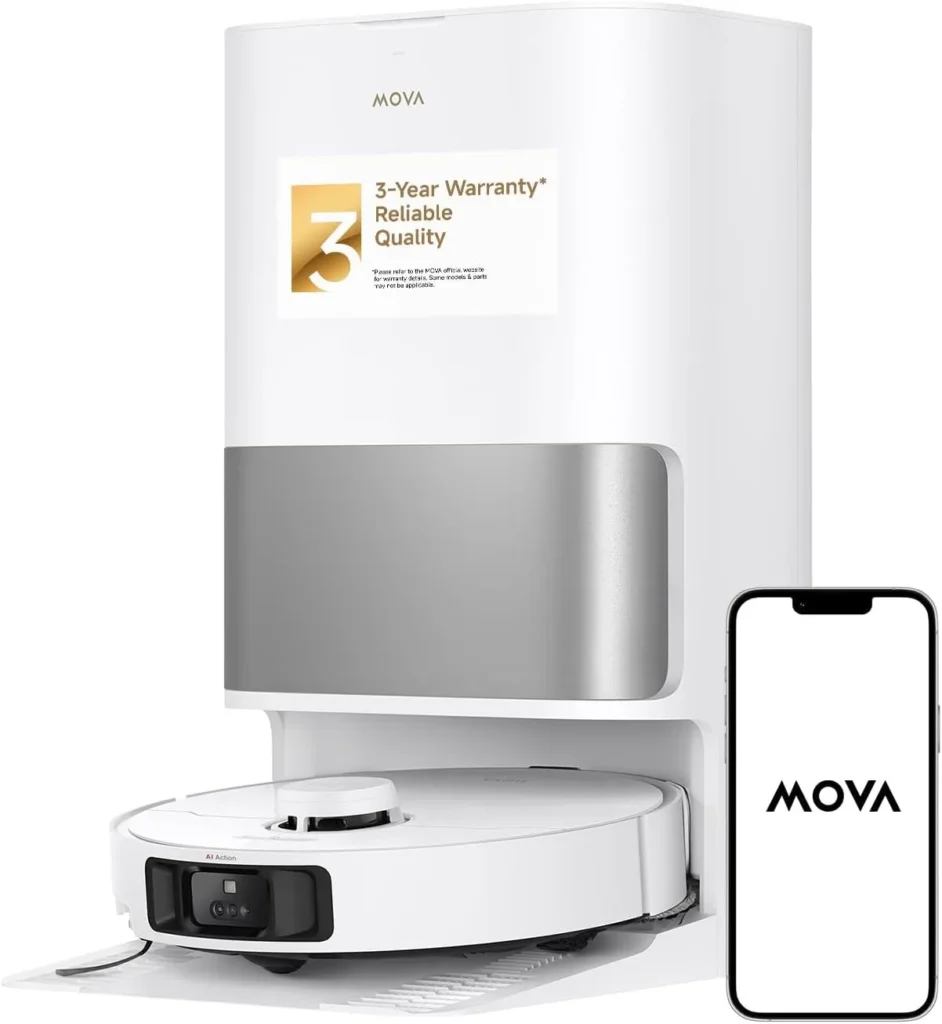
It threads past socks, toys and everyday clutter while a hot-water dock washes and dries its pads, so hard floors stay clean day to day once you tune its settings.
Clearing the floor first is the hidden chore of owning a robot cleaner. Chargers, socks and pet bowls all have to move before a run, or the robot stalls halfway through the job. The MOVA P10 Pro Ultra sets out to spare you much of that daily pickup. Its cameras and 3D line laser help it spot clutter and steer around it, even in a dim room. After each job, its dock empties the bin, cleans the mop pads with hot water and dries them with hot air. On hard floors, that pairing keeps rooms clean with very little effort from you between deeper cleans. Still, the mop has a light touch, the stock brush struggles with heavy shedding, and the app asks for real patience.
Socks, cables and pet bowls on the floor
Obstacle handling is its best skill. MOVA pairs an AI HD camera and an AI IR camera with a 3D line laser sensor, plus an LED light for dark rooms. A laser distance sensor handles the mapping side of the job. Together, those sensors let the MOVA P10 Pro Ultra pick out socks, toys and other floor clutter, then route around it.
That changes what daily life with a robot vacuum looks like. You can start a run without a full pickup first, and it usually finishes the job without getting stuck. Cables are the exception, because it snags a cord now and then. For that reason, MOVA's advice to clear cables before cleaning still applies.
Its caution has a cost, too: it sometimes keeps clear of gaps under furniture that it could easily reach. On its first run, MOVA's manual suggests walking alongside it and moving anything it trips on. It's the quickest way to learn where it holds back in your home. The same manual asks for a physical barrier along the edge of any stairs.
Mapping is quick, since a dedicated Fast Mapping run builds the floor plan without cleaning. The finished map then lets you block off areas and draw virtual walls. MOVA also lists multi-floor mapping, so a two-story home can keep a separate map for each level. Door sills set a firm limit, and MOVA's manual says anything over about 0.8 inches (2 cm) will stop it.
Tile, wood and a mop with a light touch
Hard floors play to its strengths. With frequent runs, the MOVA P10 Pro Ultra keeps tile, vinyl plank and wood visibly clean, and grit and pet hair come up well. Its dual rotary mops then add a damp finish, with 32 water levels to choose from in the app. A multi-channel color sensor judges how dirty the used water is after mopping. If the water comes back grimy, the robot rewashes its pads and wipes that area a second time.
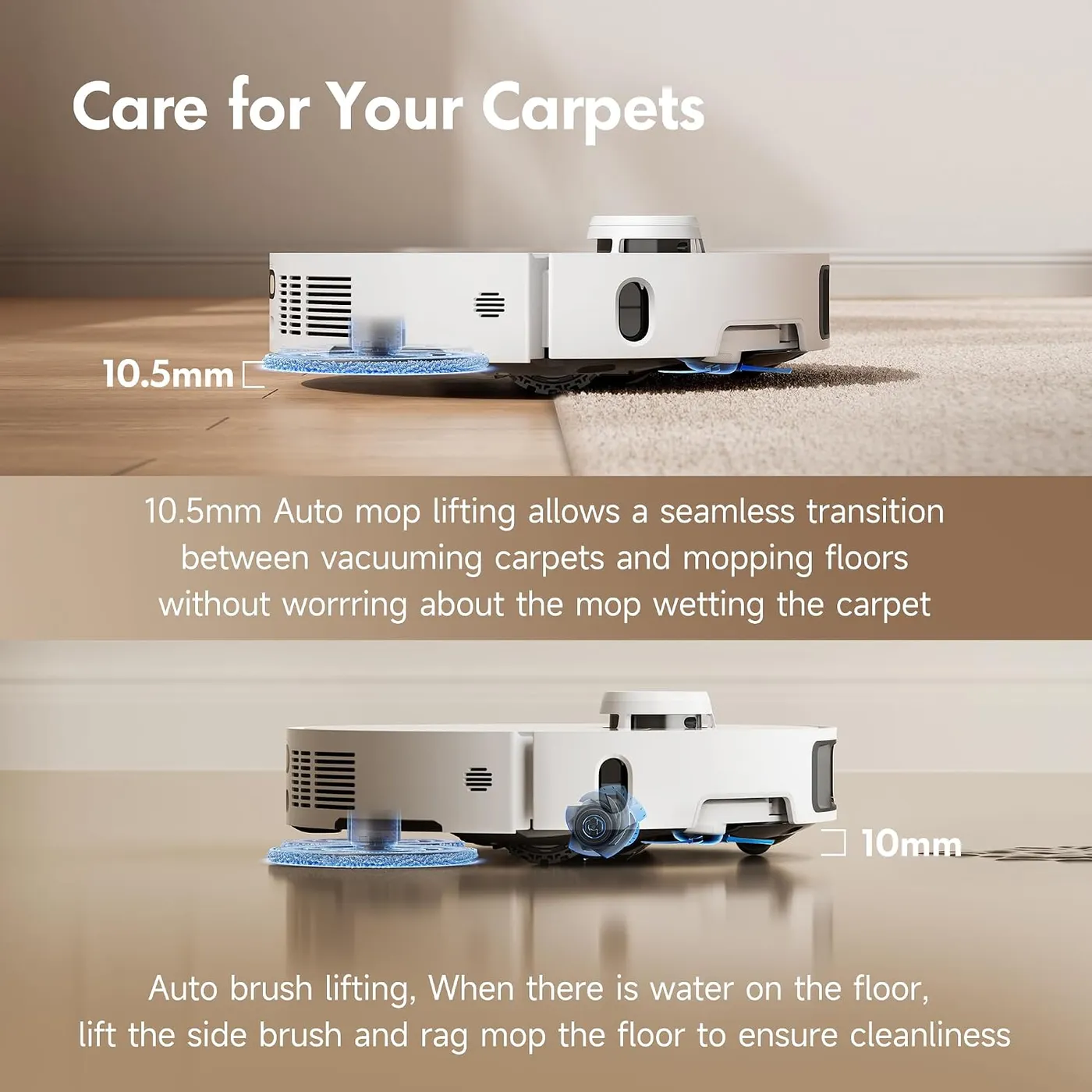
Long jobs don't run on dirty pads, either, because the robot heads back mid-run at a frequency you set. The dock then washes the pads and refills the robot's water tank before it carries on. For rooms with rugs, the Mop after Vacuuming mode vacuums everything first with the mops lifted. After that, it raises both brushes and mops the same rooms with freshly washed pads.
Pressure is the limit: the pads press lightly, so the mop is an upkeep tool for dust and light grime. Dried-on spills and sticky residue, however, tend to survive a pass. If your kitchen floor sees that kind of mess, keep a hand mop nearby. For fresh crumbs, the spot-clean button on the robot covers a 1.5-meter square around it.
The mops stay on the robot and lift 10.5 mm whenever it vacuums or reaches carpet. Now and then a pad works loose mid-run, so check for a stray pad on the floor after a job.
Rugs, long hair and the brush question
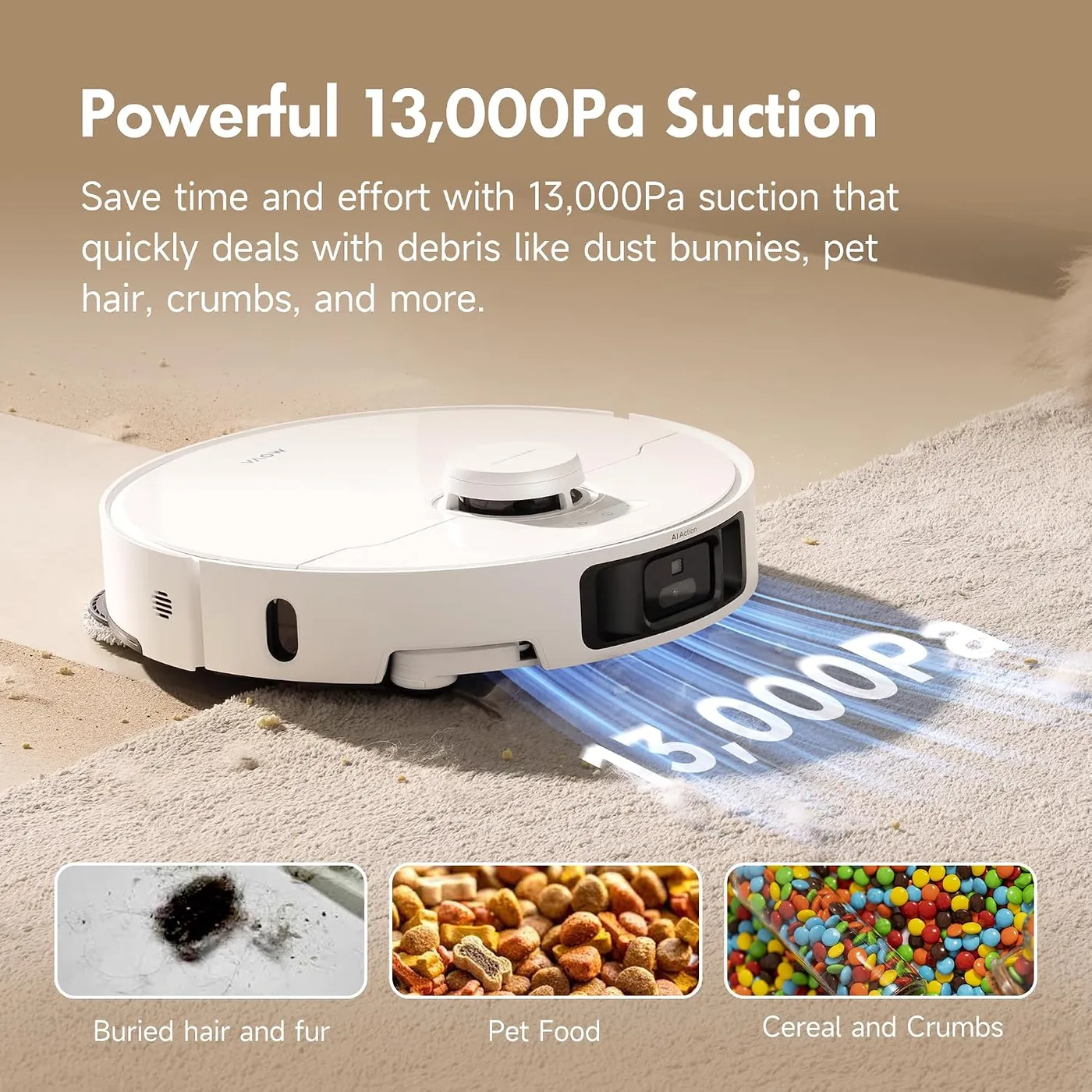
Carpet is where the MOVA P10 Pro Ultra gets less consistent. Peak suction is 13,000 Pa by MOVA's own lab measurement. On rugs, the Carpet Boost and Intensive Carpet Cleaning modes add maximum suction or a second pass. Those settings get loud, though standard suction stays quiet enough for an evening run. Low-pile rugs usually come up clean on a normal pass. Still, hair worked deep into the pile is where the stock brush struggles.
MOVA sells a TriCut detangling main brush separately, and for homes with long hair or a shedding pet, it's the first add-on I'd buy. It handles hair in carpet better than the stock brush, though it won't stop every tangle.
Heavy shedding brings a second quirk. Between dock visits, hair can bunch at the brush and the dust-box inlet, then drop back onto the floor as rolled clumps. The app sets how often the dock empties the robot, and I'd raise that rate for a heavy shedder.
Thick rugs bring one more catch. MOVA lifts the mops 10.5 mm on carpet to keep rugs dry, but its own footnote adds a limit. For pile deeper than 3 mm, MOVA suggests having the robot avoid medium and high-pile carpet altogether.

The base station's long list of jobs
Every job on the MOVA P10 Pro Ultra ends at the dock. There, the station empties the robot into a 3.2-liter bag, washes the pads, cleans its own washboard and dries the pads with hot air. Hot-water washing, which you switch on in the app, covers both the pads and the washboard. Meanwhile, an auto-detergent compartment doses MOVA's cleaning solution into the water without any help from you. A 200 mL bottle of that solution comes in the box, along with a spare dust bag.
MOVA expects a bag to last up to 75 days, and its product page labels that figure an in-house lab calculation. The tanks hold 4.5 liters of clean water and 4 liters of used water. MOVA sells a Water Hookup Kit for automatic refilling and draining separately, and only in certain regions.
At this tier, that wash-and-dry routine is the clearest design difference from the Roborock Q7 M5+. That robot's dock empties its bin into a bag, but its clip-on mop only wipes. If you plan to mop nearly every day, the station here is the reason to choose this one.
The station still leaves you a few jobs. MOVA wants the used-water tank emptied and rinsed after every task to head off odor. The wash tray also needs a deeper clean every two months. Even then, the used water can turn sour, and grime builds up in the tray between cleanings. Size is the last catch, since the dock stands about 23 inches (590 mm) tall and needs roughly 60 inches of clear floor in front.
Getting the MOVA P10 Pro Ultra's settings right
Expect a learning curve. The MOVAhome app goes deep, with room-by-room settings, schedules, no-go zones, virtual walls and a curtain zone mode. Finding each option takes a while, and drawing a rug or an exclusion zone at an angle is especially fiddly on a phone screen.
That effort pays off, because a few helpful behaviors on the MOVA P10 Pro Ultra depend on settings you have to find. Battery life is a strength, yet a large home can outlast one charge, and a full recharge takes about 3.5 hours by MOVA's figure. Auto Resume, which lets the robot finish the job afterward, only works once you enable it. Do Not Disturb, which defaults to a 22:00 to 8:00 window, is off from the factory as well. MOVA's Large Particles Boost for cat litter and bigger debris is off by default, and it only runs in CleanGenius mode.
Wi-Fi is the other setup hurdle. The robot only connects on 2.4 GHz, and its connection can drop mid-job. If it won't pair at all, MOVA's troubleshooting table points to three causes. Those are a 5 GHz network, a wrong password and a weak signal where the robot works.
The camera does more than steer. Through the app, you can start a video call, drive the robot around and check on a pet. An indicator light shows whenever the camera is on, and privacy-minded homes can simply leave those remote features alone.

Faults, wear parts and the maintenance table
Not every unit holds up. A minority develop faults, either out of the box or within the first year. The recurring problems involve docking and charging, or the dock's water supply, drainage and detergent dosing. Drive trouble turns up too, such as a robot that just spins in circles.
A few units have arrived short of a part, so check the box against MOVA's package list on day one. Then run a full vacuum-and-mop job that week to bring any weak spot to light early.
Routine care follows MOVA's maintenance table. Besides the tank rinse, clean the dust-box filter every two weeks and wipe the sensors and charging contacts once a month. On that schedule, new mop pads are due every one to three months, dust bags every two to four, and the main brush every six to twelve.
The filter is the part worth doubling up on. MOVA says to rinse it in clean water only and let it dry completely before it goes back in. A spare keeps the robot running while the wet one dries. Keep extra dust bags and a second set of mop pads on hand.
MOVA's troubleshooting table leans on that same routine. A robot that won't charge may just need its contacts wiped, while a dock that won't empty may have a full bag or a blocked vent. The table also covers a clogged washboard drain, which can upset the water level in the tray. Every fix sits in our P10 Pro Ultra troubleshooting guide, sorted by the automatic job that failed.
Pros: What we liked
- Pro: Camera-led obstacle avoidance steers around socks, toys and other floor clutter
- Pro: Keeps tile, vinyl plank and wood visibly clean with frequent runs
- Pro: The dock bags the dust, cleans the pads with hot water and dries them with hot air
- Pro: Built-in compartment doses MOVA's cleaning solution into the water automatically
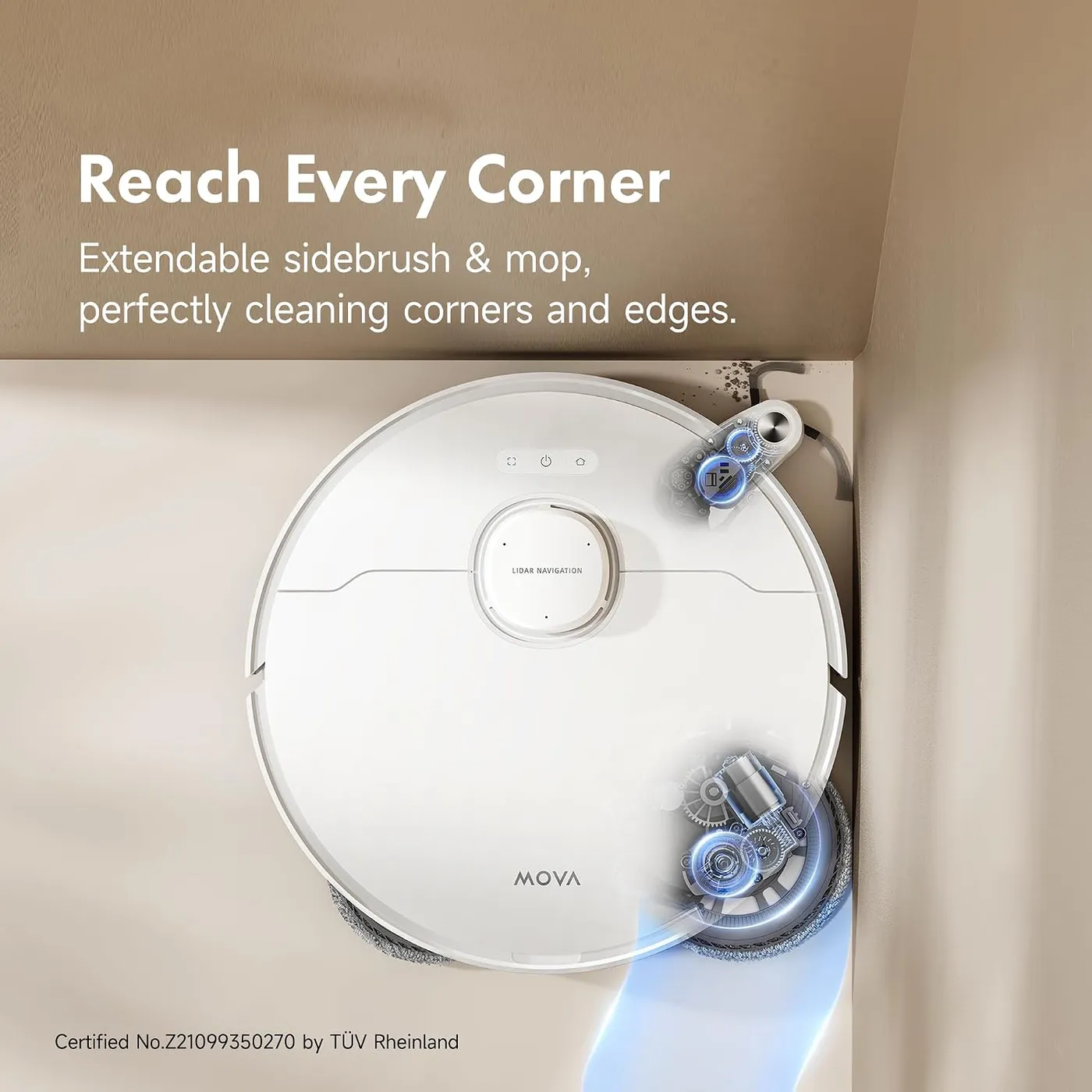
- Pro: Extending side brush and mop reach baseboards and corners on hard floors
- Pro: Strong battery life, plus an Auto Resume option that finishes big jobs after recharging
- Pro: Stays low on noise at its standard suction setting
Cons: What could be better
- Con: Pads press lightly, so dried-on spills and sticky residue usually need a hand mop
- Con: Hair from heavy shedders can clump at the brush and dust-box inlet, and the TriCut brush is sold separately
- Con: The app is deep but slow to learn, and drawing angled rugs or zones is fiddly
- Con: The used-water tank and wash tray need regular cleaning to keep odor and grime down
- Con: A minority of units develop faults, out of the box or within a year, mostly around docking, charging or water handling
Best For
- Hard-floor homes where cords, toys and pet bowls rarely get picked up before a run
- Pet homes willing to add the TriCut brush and have the dock empty the robot more often
- Buyers who want hot-water pad washing and auto-detergent dosing at a mid-range price
- Tinkerers who enjoy setting up rooms, zones and schedules in an app
Not Ideal For
- Carpet-heavy homes, since the dock's wash-and-dry routine mainly serves hard floors
- Cooks who need a robot mop to lift dried-on or sticky spills
- Tech-shy homes that want an app they can learn in a few minutes
| Specification | Details |
|---|---|
| Maximum suction | 13,000 Pa (MOVA in-house lab figure) |
| Battery | 5,200 mAh; about 3.5 hours to charge |
| Dust capacity | 300 mL onboard box; 3.2 L dock bag |
| Dock water tanks | 4.5 L clean, 4 L used |
| Mopping | Dual rotary pads with 10.5 mm auto-lift |
| Navigation sensors | LDS laser, 3D line laser, AI HD and IR cameras, LED light |
| Robot size and weight | 350 x 350 x 97 mm; 4.05 kg |
| Base station size and weight | 350 x 457 x 590 mm; 8.83 kg |
| Wi-Fi | 2.4 GHz only |
| Threshold height | About 2 cm (0.8 in), per MOVA's manual |
Alternatives Worth Considering
Final Verdict
The MOVA P10 Pro Ultra suits hard floors in a home that never quite gets tidied. It slips past the usual clutter, while its dock takes over the pad washing, drying and bin emptying. In return, it asks for patience with the app and a hand mop for anything sticky. Long hair or a heavy shedder also calls for the TriCut brush. If your floors are mostly wall-to-wall carpet, I'd look at other options first. For tile and wood strewn with toys and cables, though, it's a capable daily cleaner.
Frequently Asked Questions
Is this the same robot as the MOVA P10 Pro Ultra Gen2?
No. Everything here applies to the original model, RLM83HE. The Gen2 is a different robot and nothing on this page describes it, so check the exact name before you order.
Does the detergent compartment take any floor cleaner?
No. MOVA's manual says to use only its officially approved cleaning solution, which the compartment doses into the water automatically. MOVA also warns against pouring hot water into the clean water tank.
Is the separate TriCut brush worth buying?
If long hair or a shedding pet lives with you, yes. It handles hair in carpet better than the stock brush, although it won't prevent every tangle. In a home without pets or long hair, I'd start with the stock brush and see.
Can its camera check on pets while you're out?
Yes. MOVA lists video calls and remote cruise control, so you can drive the robot from the app, watch the live view and talk to a pet. An indicator on the robot lights up whenever the camera is active.
Where is the best spot for the base station?
Somewhere open with a strong 2.4 GHz Wi-Fi signal. MOVA asks for about 60 inches (1.5 m) of clear floor in front and 2 inches (5 cm) at each side, and it recommends tile or marble under the dock to avoid water marks on wood or carpet.
Does it work with voice assistants like Alexa?
Yes. It has a built-in voice assistant, and MOVA says it also works with Alexa, Siri and Google Assistant through a device that supports them.
The Verdict
It threads past socks, toys and everyday clutter while a hot-water dock washes and dries its pads, so hard floors stay clean day to day once you tune its settings.