Roborock Q7 M5 Plus Review: LiDAR Mapping on a Mid-Range Robot
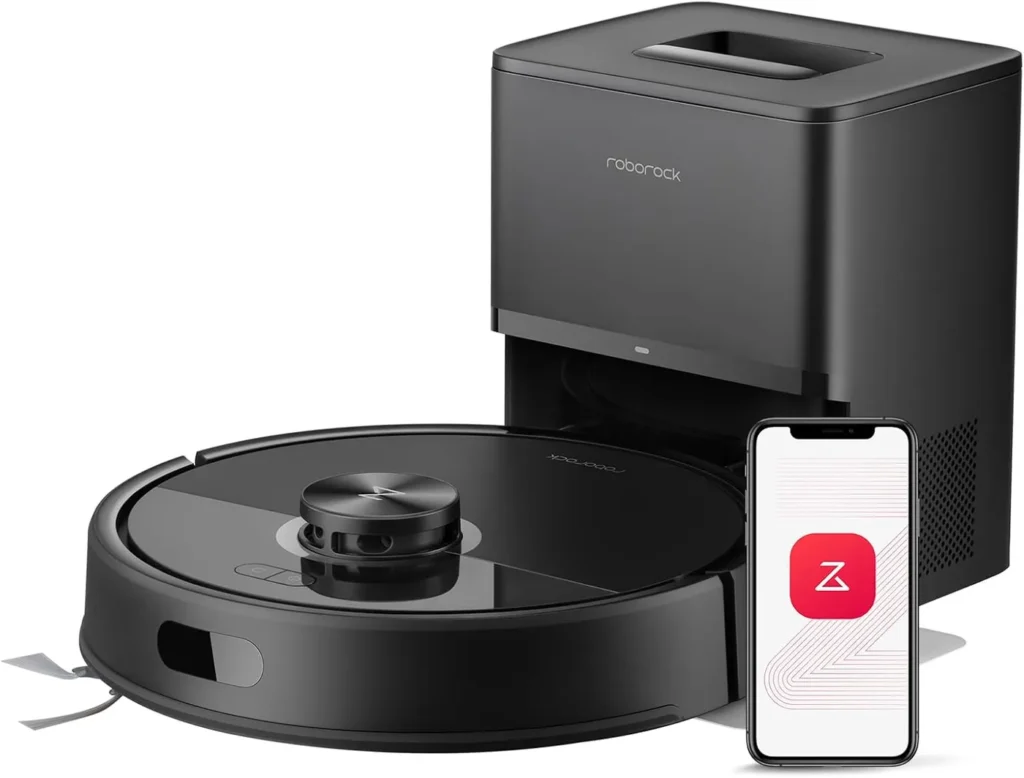
Quick, accurate LiDAR mapping and a dock that empties the bin keep mostly bare floors tidy day after day with little effort from you.
Two jobs decide whether a robot saves time: learning the floor plan, and getting rid of what it collects. The Roborock Q7 M5 Plus handles both well. Its spinning laser builds a map fast and then works each room in tidy rows, while the RockDock Plus empties the onboard bin into a sealed 2.7-liter bag. On tile and wood, that adds up to dependable daily upkeep. The compromises sit at the edges of the job. Heavy shedding can choke the bin. Rug borders collect stray grit, and whole-house runs often pause for slow recharges. The clip-on mop, meanwhile, is a light wipe for fine dust.
Bare floors, rug borders and suction settings
Hard flooring is where it shines. Tile and wood come out clean, especially along baseboards and in corners. Run on a daily schedule, it also keeps dust, crumbs and loose pet hair from building up between deeper cleans.
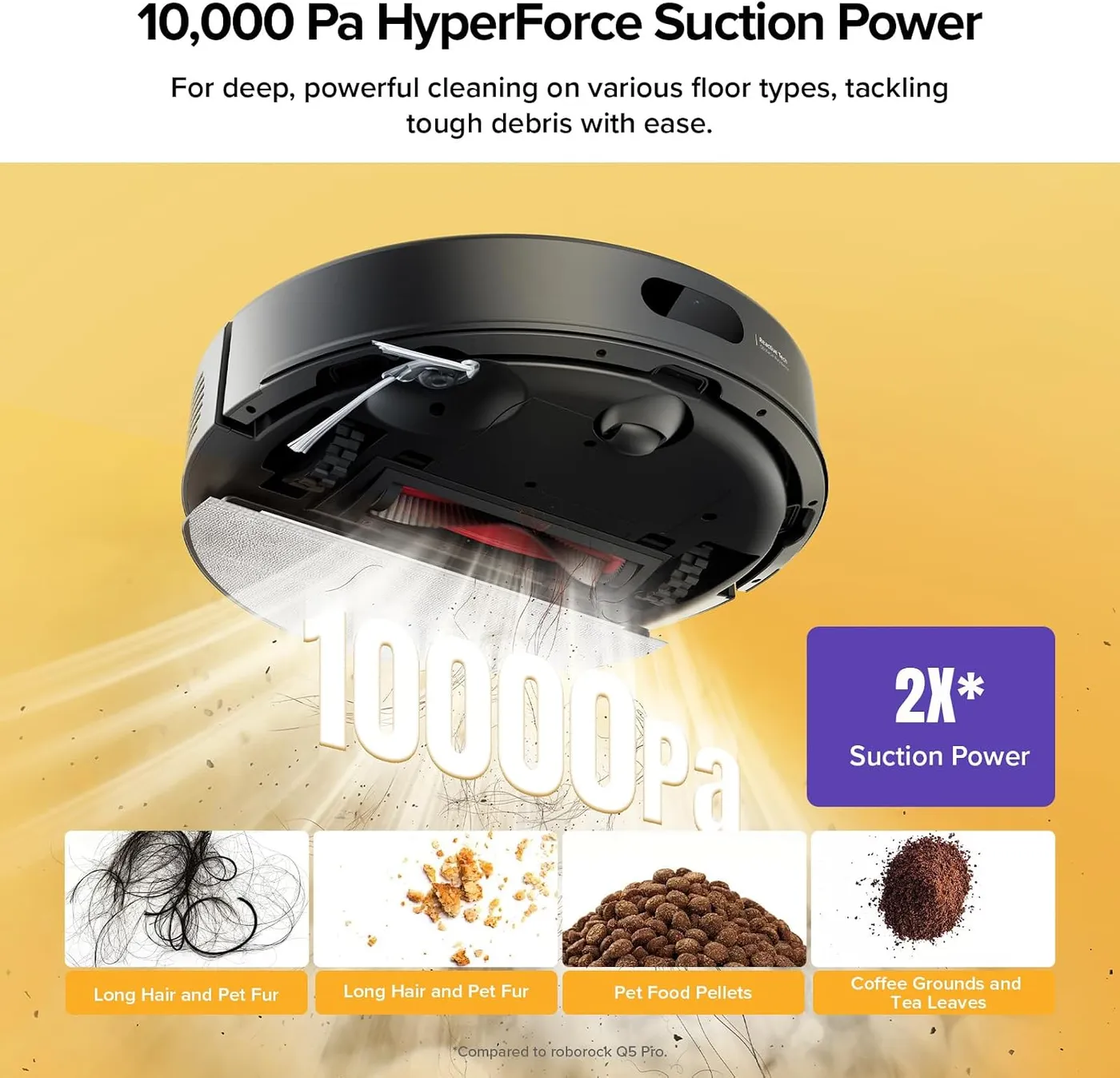
Roborock rates the suction at 10,000 Pa, a figure from its own testing in Max+ mode with a full battery, measured to the IEC 62885-2 standard. The everyday default is gentler, though. On bare floors it can leave fine grit behind, and a step up in the app usually fixes that. Carpet gets help automatically, since Roborock's Carpet Boost increases suction when the robot rolls onto a rug.
The weak spot is the border where a rug or mat meets bare floor. Crossing that edge, the robot tends to drop a small pile of grit or a clump of hair, and door mats trigger the same habit. Results on the rugs themselves also vary more than on hard floors. Larger debris can get flicked aside and scattered as well. I'd keep a handheld vacuum near the rug-heavy rooms for quick touch-ups.
For a home that's mostly bare floor with a few low rugs, the Roborock Q7 M5 Plus makes a capable daily robot vacuum. Thick carpet is another matter. Roborock's own error guide warns that shag and dark carpet can trigger one of its sensor errors, and a full-size vacuum still earns its place on deep pile.
How the Roborock Q7 M5 Plus finds its way
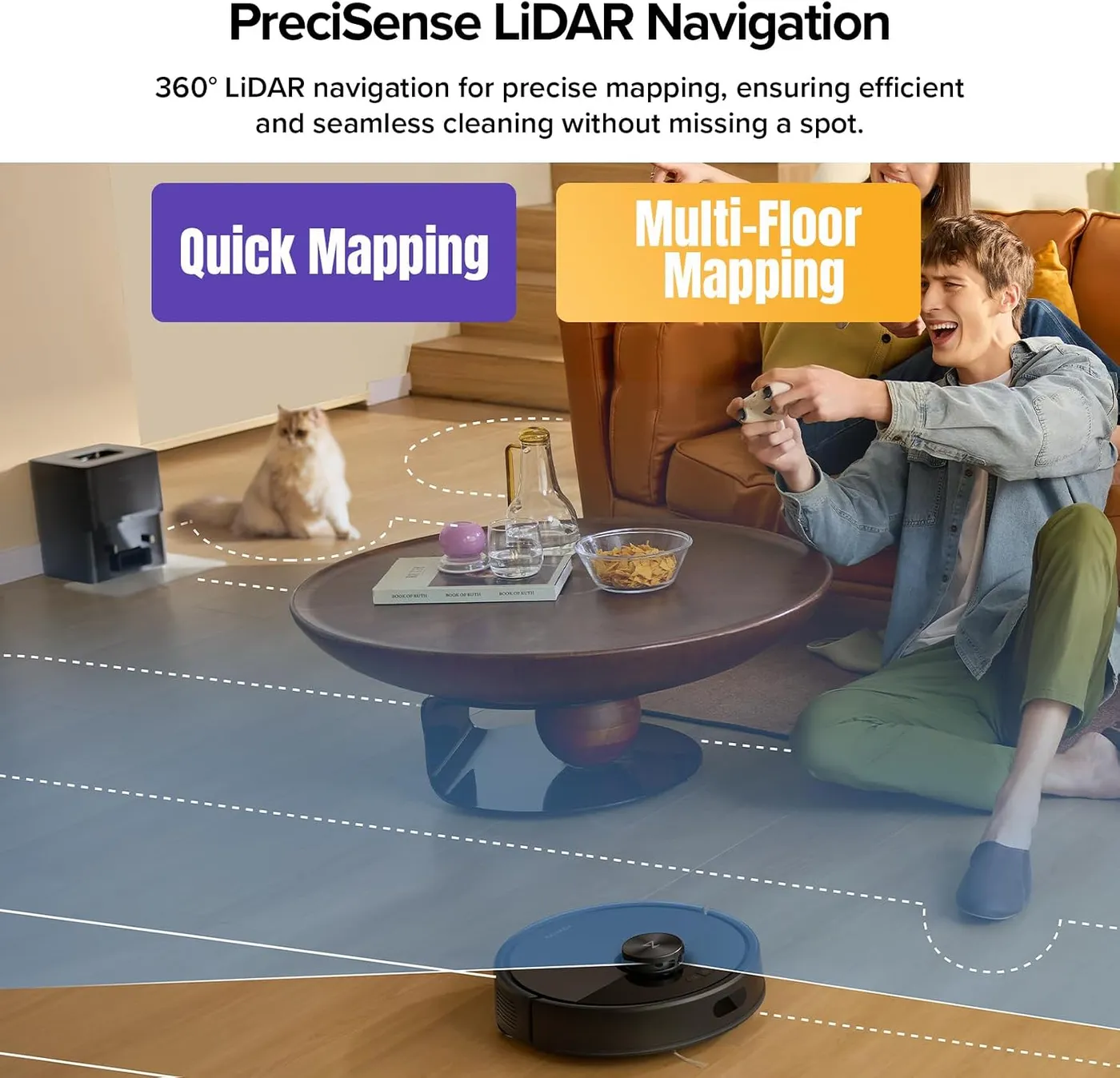
Navigation carries this robot. On the first run, the spinning laser maps the floor plan in minutes, and after that the robot works each room in neat rows. Roborock's PreciSense LiDAR scans a full 360 degrees, and the app shows the map filling in live. The Roborock Q7 M5 Plus also stores maps for more than one floor. Set it down upstairs, and Roborock says it recognizes the level by itself, with no second dock or manual switch. Between rooms, it can climb thresholds up to 2 cm, about 0.8 inches, by Roborock's figure.
Roborock's product page lists the rest of the software: schedules, no-go zones, cleaning along the direction of floor seams and a child lock. The app can also suggest no-go zones for spots Roborock calls tricky, such as the space under chairs and tables. That feature pays off, because furniture with low crossbars can trap the robot. The app itself is easy to learn, and drawing a zone takes a few taps. Roborock lists the robot at 3.9 inches tall, so measure under low sofas and beds before counting on it there.
Floor prep still matters. Charging cables, thin bath mats and small loose rugs can tangle in the brush or stall the robot. A quick pickup before each run saves a mid-job rescue.
The map isn't flawless on every unit. A share of units start wandering into rooms outside the plan, crossing no-go lines or doubling back into a room they just finished. On a few, the saved map goes missing or stops matching the house, and a fresh mapping run is the usual reset. That's an irritation more than a deal-breaker, since the first map takes so little time.
Pet hair, tangles and the 2.7-liter bag
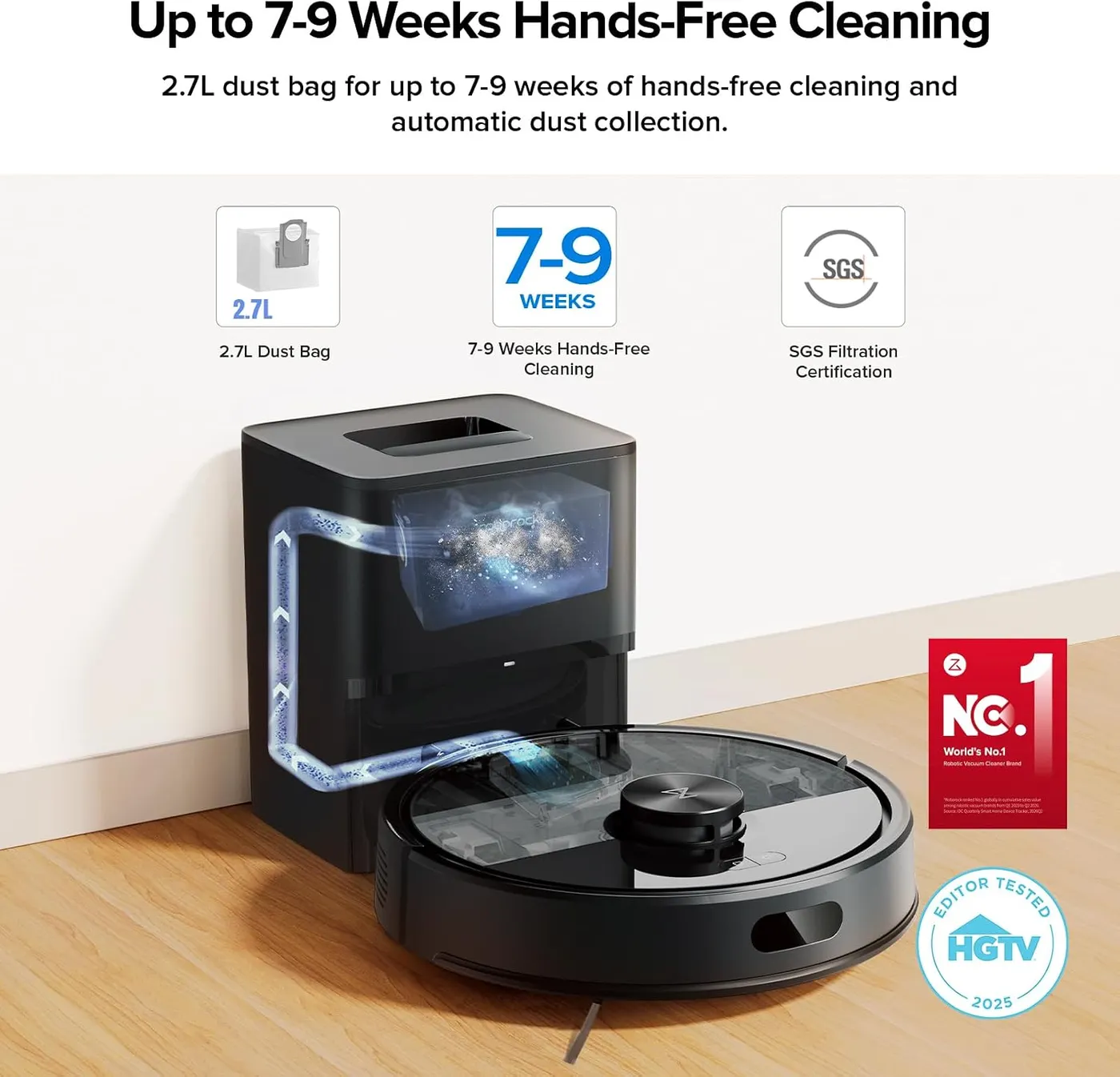
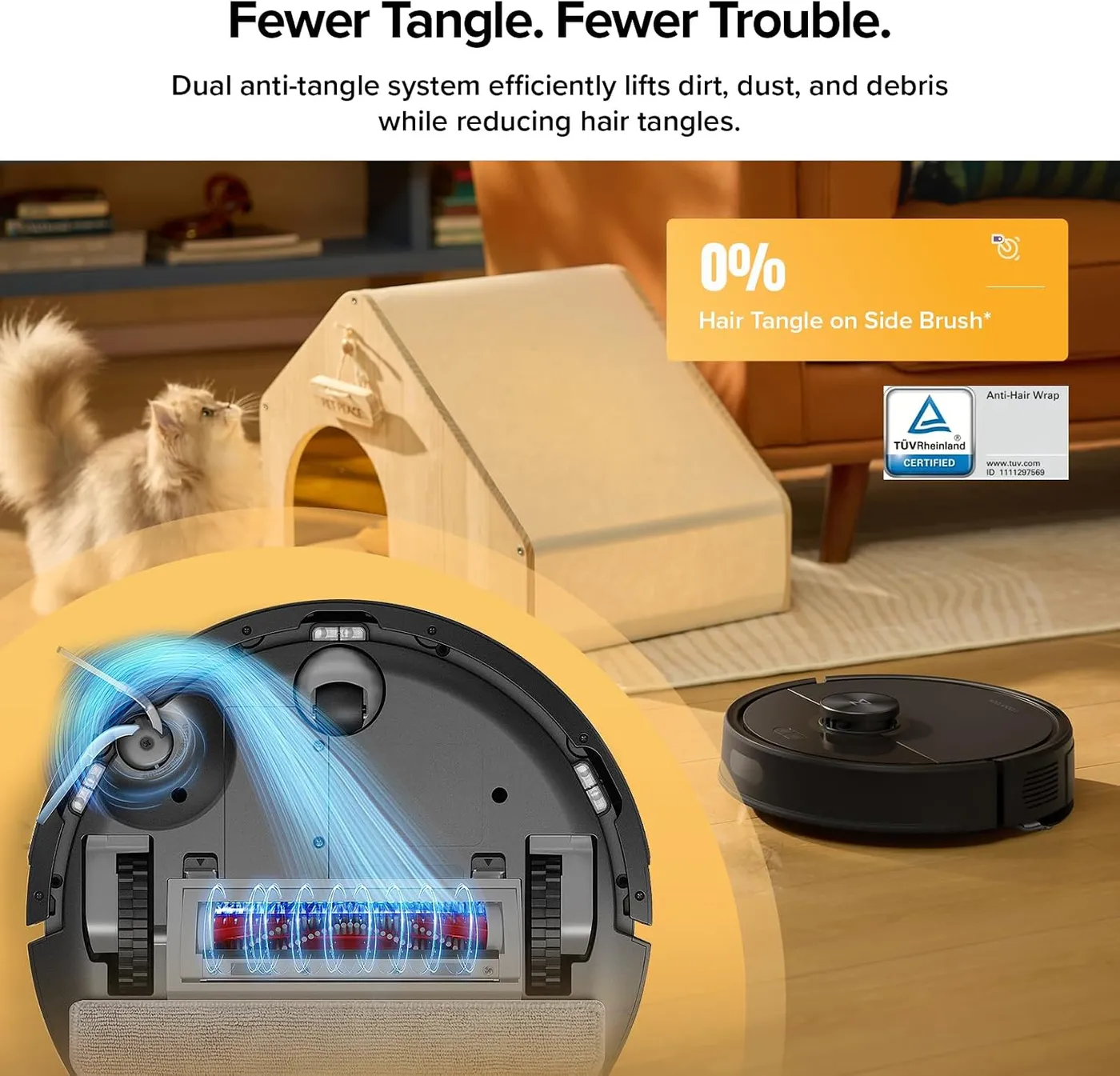
Roborock pitches this model at pet homes. Its main brush uses a JawScrapers comb, the side brush is Roborock's anti-tangle design, and the dock's sealed 2.7-liter bag holds what the robot collects. On floors with a daily layer of fur, pickup is good. Regular runs also stop hair from piling up.
Heavy shedding exposes the weak link, which is the small onboard bin. Thick hair can pack it and plug the opening the dock empties through. Once that happens, the dock can't clear it, and the robot keeps driving its route while collecting very little. It's an easy failure to miss, so a look at the bin's outlet belongs in the weekly routine. The fix is manual: clear the plug by hand, then check the main brush while you're at it.
Hair still winds around the main brush in heavy-shedding homes and on fuzzy rugs, anti-tangle comb or not, so brush cleaning stays on the chore list. Lighter shedding sits well within reach of the Roborock Q7 M5 Plus. With a houseful of heavy shedders, though, I'd think twice.
Roborock's internal testing gets up to seven weeks from one bag, and its footnote adds that results vary with conditions. With a shedding dog, bags fill far sooner. They're also disposable, so replacement bags join filters and brushes as a running cost. Roborock sells washable filters and a main brush cover made for this model.
A clip-on mop meant for fine dust
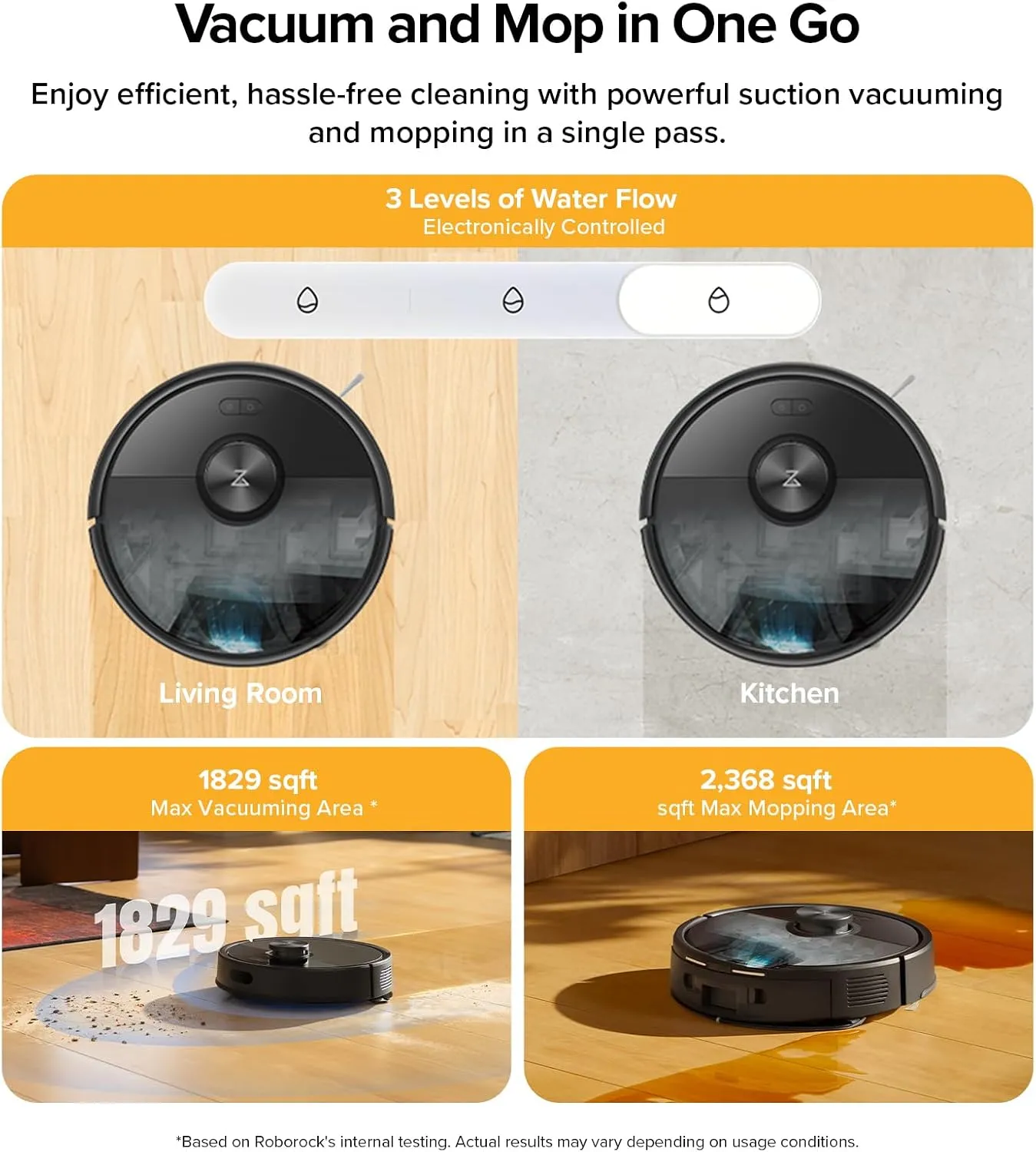
Treat the mop as an extra. A mop module clips under the robot, the tank takes plain water, and the app sets one of three water levels. It vacuums and mops in the same pass. Roborock frames the mop as a way to lift the fine dust vacuuming leaves behind, which is the right expectation.
In practice it's a damp pad drawn across the floor. That suits light dust, but set-in spills still call for a proper mop, and results can be patchy, with streaks or missed strips. Roborock's troubleshooting advice is to keep cleaning products out of the tank, since they can block the water filter.
The bigger cost is effort. The module goes on for a mop run and comes off afterward. Left in place, the pad catches on rug edges and mats, and it can leave floors wetter than you'd like. During mop runs, rugs need no-go lines, or the wet pad crosses them. Each mop run also leaves a cloth to wash, and Roborock sells spares in packs of four.
If there's a rug in nearly every room and you'd like mopping on a schedule, the iRobot Roomba 415X takes a different approach at a similar tier. It lifts its spinning pads over rugs, and its dock washes and dries them between jobs. For mopping mostly bare floors once or twice a week, the Roborock Q7 M5 Plus does the job well enough.
Runtime, slow recharges and noise at full power
Bigger homes expose the battery. Whole-house jobs often stop partway so the robot can return to the dock, recharge and then resume. That top-up is slow, often a matter of hours, and higher suction or a second pass drains the 3,200 mAh battery faster. In a big floor plan, one job can take the better part of a day.
The practical answer is to split the house into shorter scheduled runs that each fit a single charge. Roborock also supports off-peak charging, so the robot can top up when electricity costs less. If a run ends early, the app tracks progress on the map, so the gap is easy to spot.
Noise depends on the setting. Roborock's help center puts normal operation at around 65 dBA, comparable to ordinary conversation or a dishwasher, and notes that the level changes with the cleaning mode. At full suction it's loud enough to schedule around, so running it while the house is empty, or behind a closed door at night, works best. The same page treats a noise as loud as a hair dryer as abnormal, so a unit that gets that loud is due for a check.
Wi-Fi, reliability and the upkeep it asks for
Everything clever here runs through the app. Schedules, no-go zones and spot cleans all live in the Roborock app, and Roborock notes that it supports 2.4GHz Wi-Fi only. Setup is quick when the network cooperates. Pairing is where a minority of units stumble. A few never join the network at all, while others drop off it weeks or months later. Without a connection, the robot falls back to its buttons, and the schedules and zones in the app stop doing anything.
Before buying, check the router. Roborock's support site names the settings that block pairing: a 5GHz network, WEP security, special characters in the network name or password, and a VPN running on the phone.
Reliability is the other open question. On a small number of units, runs end with the robot stopped and powered down wherever it happens to be. A few have gone back for service within the first year. Roborock's support has repaired or replaced faulty units under the one-year warranty and is generally easy to deal with. Roborock's own store also sells one- and two-year extensions for the Roborock Q7 M5 Plus.
Routine upkeep is light but regular. Rinse and dry the washable filter, clear hair from the main brush and wipe the cliff sensors. After that, keep the charging contacts clean so the robot charges reliably on the dock. Give the dock a spot against a wall with open space on both sides and in front. Five of the nine numbered error codes Roborock documents point back to those same parts. Our Q7 M5 Plus troubleshooting guide matches each of those codes to the part it names.
Pros: What we liked
- Pro: LiDAR maps a home in minutes, then cleans each room in neat rows
- Pro: Thorough pickup on tile and wood, right up to baseboards and into corners
- Pro: Self-emptying dock with a sealed 2.7-liter bag, good for up to seven weeks in Roborock's testing
- Pro: Easy app with schedules, spot cleans and no-go zones, plus suggested zones under chairs and tables
- Pro: Stores maps for multiple floors and recognizes the level on its own, per Roborock
- Pro: Keeps up with daily pet hair on bare floors
Cons: What could be better
- Con: Heavy shedding can clog the small onboard bin, and the dock can't empty it until you clear the plug by hand
- Con: Tends to drop grit or clumps of hair where rugs and mats meet bare floor
- Con: Whole-house runs often pause for a recharge that can take hours
- Con: The mop is a damp-pad wipe for fine dust, and the module goes on and off by hand
- Con: A minority of units struggle to stay on Wi-Fi or develop faults within the first year
Best For
- Homeowners with mostly hard floors and a few low rugs
- Pet owners with light to moderate shedding who run it daily
- Shoppers who want LiDAR mapping and self-emptying at a mid-range price
- Busy families who want steady daily upkeep more than deep cleaning
Not Ideal For
- Owners of multiple heavy-shedding dogs or cats
- Anyone hoping the mop will replace hand mopping
- Households with a rug in nearly every room that want hands-off mopping
- Anyone limited to a 5GHz-only Wi-Fi network
| Specification | Details |
|---|---|
| Suction | 10,000 Pa (Roborock internal testing, Max+ mode) |
| Navigation | PreciSense LiDAR with multi-level maps |
| Dust bag | 2.7 L sealed bag, up to 7 weeks (Roborock testing) |
| Mopping | Detachable mop module, 3 water levels |
| Battery | 3,200 mAh |
| Threshold climbing | Up to 2 cm (about 0.8 in) |
| Robot size | 12.8 x 12.8 x 3.9 in (325 x 325 x 99 mm) |
| Dock size | 8.3 x 7.0 x 10.2 in (212 x 178 x 259 mm) |
| Noise | About 65 dBA in normal operation |
| Wi-Fi | 2.4 GHz only |
Alternatives Worth Considering
Final Verdict
The Roborock Q7 M5 Plus gets the hard part of daily vacuuming right. It learns a house quickly, cleans each room in tidy rows and hands its dirt to a bagged dock, so keeping bare floors clean takes little of your time. Its limits are just as plain. Heavy shedding tests the bin, long jobs wait on slow recharges, and the mop only wipes. A small share of units also drop off Wi-Fi or develop faults inside a year. For light to moderate shedding, mostly hard floors and a 2.4GHz network, I'd call it a sensible mid-range buy. Give it a tidy house, and the map does the thinking while the dock does the emptying.
Frequently Asked Questions
How long does one dust bag last in the dock?
Roborock's internal testing gets up to seven weeks from one 2.7-liter bag, and the company notes that results vary with conditions. In a home with a shedding dog, plan on changing bags well before that.
Can the mop module stay on between vacuum runs?
It's better to take it off. With the module attached, the pad snags on mats and rug edges and can leave a damp trail, so clip it on for mop runs only and fence rugs off with no-go lines.
How much floor space does the dock need?
The dock measures 8.3 by 7.0 by 10.2 inches, according to Roborock. Its help center asks for a spot against a wall with at least 0.5 m of clearance on each side and 1.5 m in front, so the robot can find its way back.
How high a threshold can it climb between rooms?
Roborock rates its climbing ability at 2 cm, roughly 0.8 inches. For taller sills, or for furniture with low crossbars that can trap it, a no-go zone is the simpler answer.
How long is the warranty on the Q7 M5+?
Roborock's store lists a one-year limited warranty and sells one- and two-year extensions separately.
The Verdict
Quick, accurate LiDAR mapping and a dock that empties the bin keep mostly bare floors tidy day after day with little effort from you.