iRobot Roomba 505X Review: Its Dock Does the Wet Work
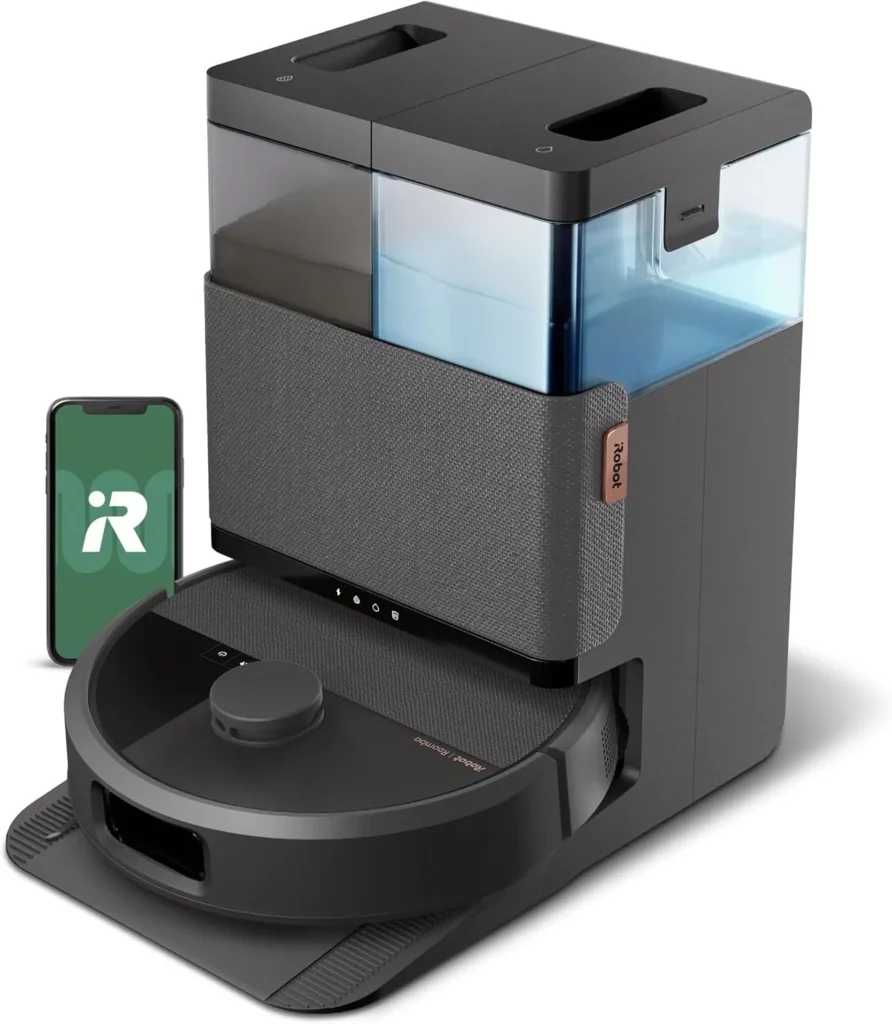
For sealed hard floors, it pairs thorough daily vacuuming with an AutoWash dock that wets, washes and dries the mop pads, though it runs louder than you might like.
Mop pads are the grimy part of robot cleaning, and the iRobot Roomba 505X mostly keeps your hands off them. There's no water tank on the robot at all. Instead, its AutoWash dock wets the two spinning pads, washes them whenever they need it mid-job and dries them with hot air at the end. It also empties the robot's bin into a self-sealing bag. That plan largely works. Vacuuming is the stronger half, with crumbs, grit and pet hair coming up well on hard floors, while the LiDAR map comes together fast. In return, it asks for tolerance of noise, a weekly brush-and-filter routine and a little patience with setup.
Where the vacuuming earns its keep
Vacuuming is the job this robot does best. As a daily robot vacuum on tile, laminate, vinyl plank and sealed wood, it lifts tracked-in dirt, crumbs and dust well enough to take over the sweeping. Fur from shedding dogs and cats comes up thoroughly too, so floors stay presentable between bigger cleans. For a busy house, the time it hands back is the best reason to own one.
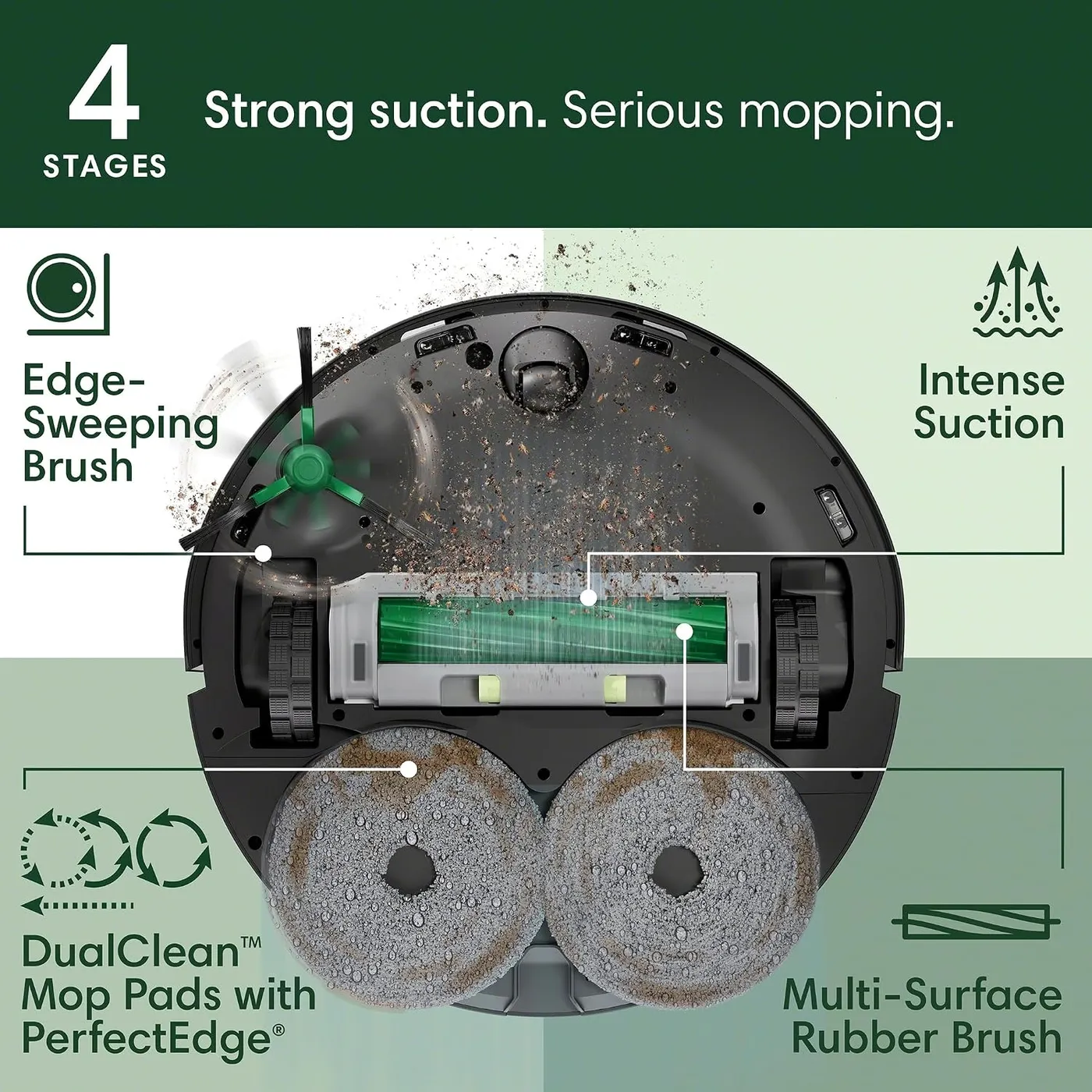
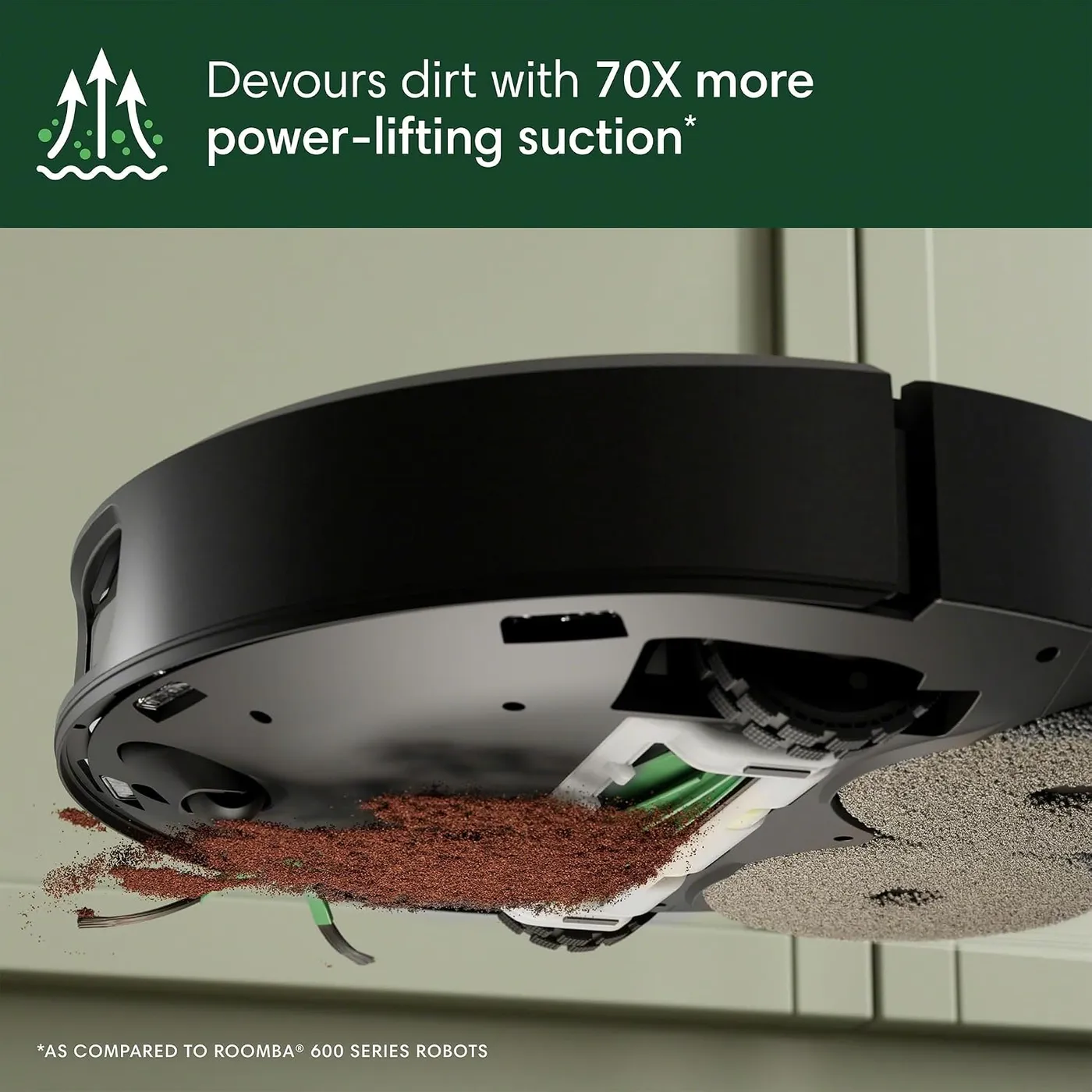
Suction, as iRobot rates it, runs 70 times stronger than a Roomba 600 series robot's, and the app adds four suction levels. A multi-surface rubber brush does the main work, while an edge-sweeping brush reaches along walls and into corners. That pairing gives the iRobot Roomba 505X real bite on hard floors. The robot also tracks which rooms get dirty fastest and, in iRobot's telling, puts those first with settings to match.
Carpet gets a solid upkeep clean as well, and iRobot lists a Carpet Boost feature for it. Deep pile is a tougher ask. The brand's own troubleshooting notes warn that thick carpet or high-pile rugs can slow the brush enough to stall it. For wall-to-wall carpet, I'd keep a full-size vacuum on hand and let this robot own the hard floors.
Two spinning pads and no water on board
All the mopping water lives in the dock. The pads get wet there before a job starts, and the robot heads back whenever they need refreshing or a wash. Both pads spin at 200 RPM, and SmartScrub works them back and forth with extra downward pressure for dried-on spills. The claim is double the scrubbing depth of the standard vacuum-and-mop mode on coffee and grime.
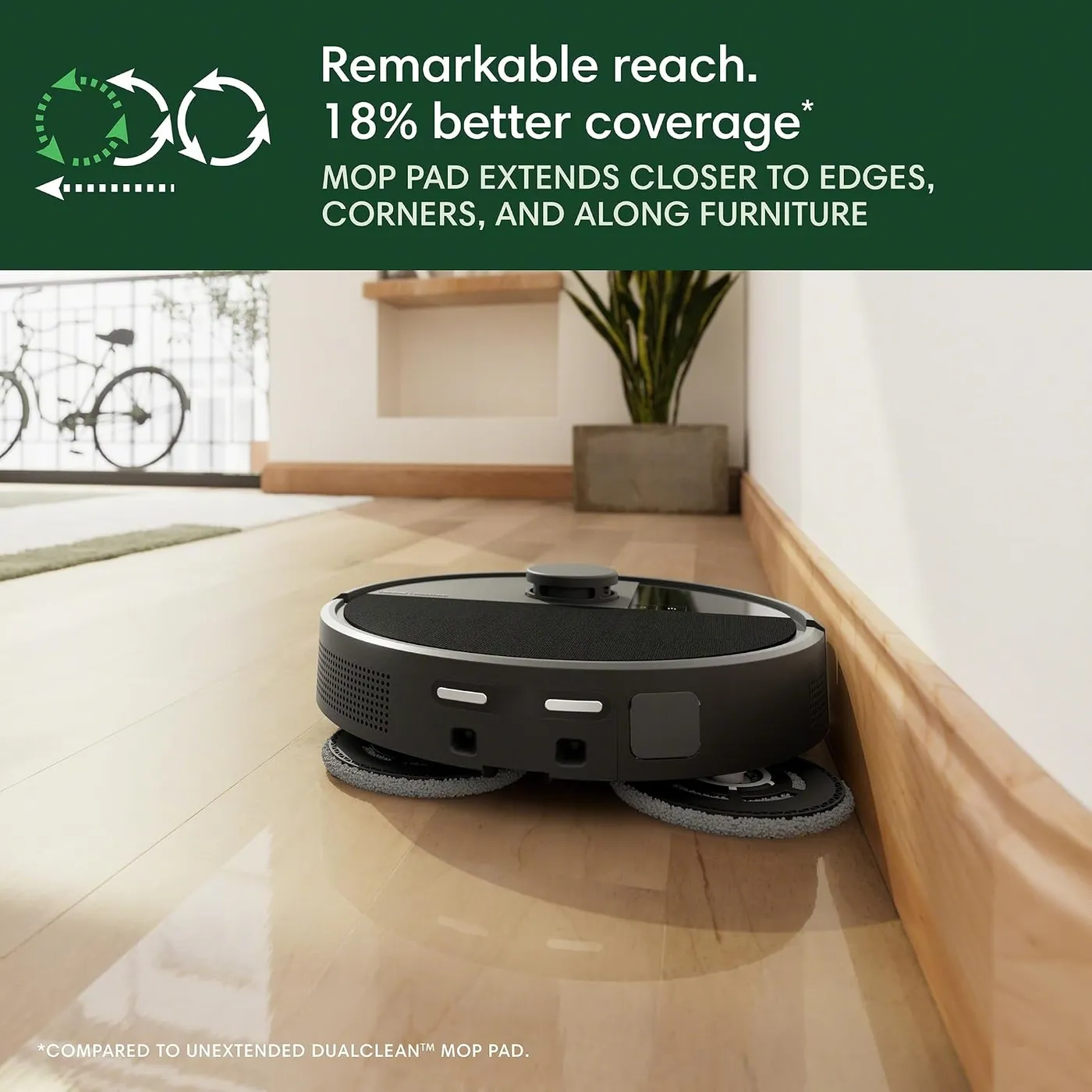
Edges get their own trick. According to iRobot's product page, PerfectEdge extends one pad outward for 18% more mopping coverage than a pad that stays tucked in. Even so, the margins of a room are its least reliable ground. Dirt can linger along walls and cabinet fronts, and the line where a rug meets hard floor often gets skipped.
Day to day, the mop keeps sealed hard floors fresh between deeper cleans. The robot's Dirt Detect feature, by iRobot's description, spots large wet and dry messes ahead and repeats passes over them. Stuck-on marks can still need a second pass or a quick spot mop by hand. Overall, mopping is the weaker of its two jobs.
If wet cleaning matters most, a roller design deserves a look. The ECOVACS DEEBOT T90 Pro Omni scrubs with a 10.6-inch roller that rinses itself with fresh water mid-clean. In contrast, the iRobot Roomba 505X carries its two pads back to the dock for washing.
Check the floor before the first wet run, because iRobot's manual advises against mopping unsealed hardwood and certain laminate or vinyl planks. In the mop modes, the robot steers around carpet, and a small mechanism lifts the pads slightly when it senses carpet ahead. That carpet handling isn't flawless, though, so choose the mop modes room by room in a mixed-floor home.
How the iRobot Roomba 505X sees a room
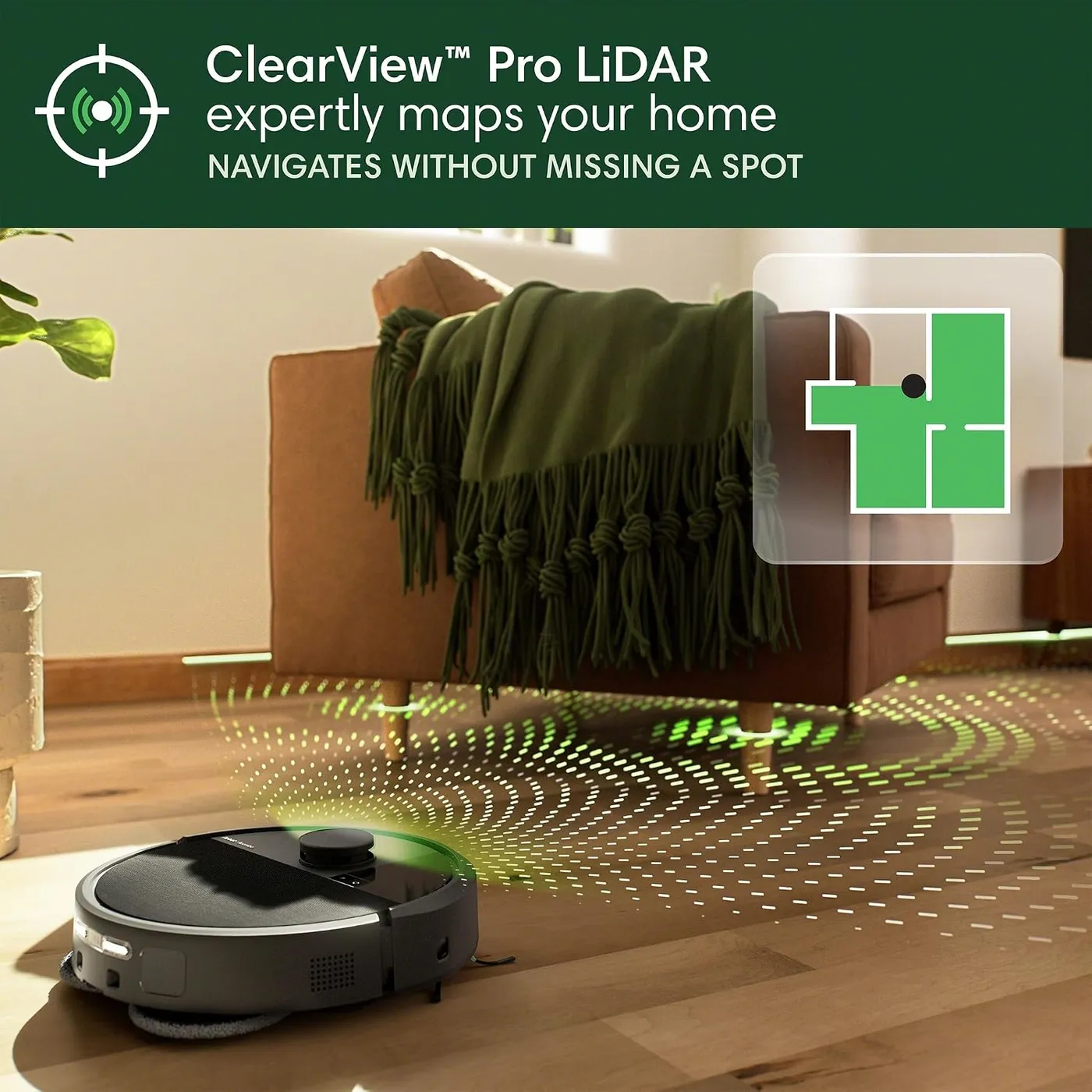
Navigation leans on two systems. A spinning ClearView Pro LiDAR sensor on top maps the floor plan, while a PrecisionVision camera with its own LED identifies objects ahead. Mapping 1,000 square feet takes about nine minutes on iRobot's numbers, and the app stores up to five maps with rooms named automatically. In practice, mapping is quick and accurate, and sending it to chosen rooms works well.
Clutter is where the camera pays its way. The iRobot Roomba 505X steers past dog and cat toys and around furniture with little fuss. Cords are the exception. Despite iRobot's claim that PrecisionVision recognizes cords, socks and even pet waste, loose cables and strings can still snag it. Lifting them off the floor remains part of the routine.
Before counting on it to clean under the sofa or bed, measure the gap, because the robot stands 4.2 inches tall. On iRobot's own account, the LiDAR turret adds about half an inch over earlier Roomba models, which can keep it out from under low furniture.
Editing the map takes more patience than building it. Splitting rooms, renaming them and placing no-go zones precisely are the fiddly jobs. Where the robot keeps getting stuck in one spot, iRobot's advice is to draw a keep-out zone around it.

Round trips to the dock
A whole-home clean happens in stages. The iRobot Roomba 505X returns to the AutoWash dock to recharge, then picks up where it left off. During a mopping job it also heads back to wash or re-wet its pads. Once the job ends, the dock empties the bin, washes the pads and dries them with hot air. The guide says drying can last a few hours, and the app offers different drying times. The dock also runs a self-cleaning cycle that pumps water through it to flush out debris.
How much those trips matter depends on the floor plan. Over a large home, a combined vacuum-and-mop run can drag on with frequent stops, and finishing every room in one go isn't guaranteed. My advice for a big home is to split it into room groups on separate schedules, so each run stays short.
As a vacuum, it sits on the loud side of tolerable. The dock is the noisiest part, though. Bin emptying and pad washing are its loudest moments, and the dryer adds a low hum afterward. Scheduling runs for when the house is empty takes the sting out of it.
Pick the dock's spot with care. The guide wants the dock on a hard floor, out of the sun and at least 4 feet from stairs. It also needs 1.5 feet of clear space on each side and 4 feet in front. Because docking can be fussy and a cramped corner makes it worse, give the dock that space even if the spot is less convenient. A robot docked by hand won't empty its bin until the app or Home button tells it to.
Getting it online and into a routine
The app isn't optional, at least for setup. Per the company's error chart, the robot won't run until it's set up in the Roomba Home app. Room choices, schedules and automations live there too. Before the first run, the guide also recommends up to four hours of charging. Getting online is the likeliest snag. Network names or passwords with special characters can stop it from joining, and even once connected, it can still drop off Wi-Fi now and then. If your router uses symbols in either, sort that out before setup day.
The robot speaks up when something goes wrong, and pressing the Power button repeats the last error message. The app also posts notifications with steps to fix the problem, which matters more when nobody is home to hear a stranded robot. Our Roomba 505X troubleshooting guide sorts the error numbers into ranges and walks through the fixes.
Voice control lets the iRobot Roomba 505X take commands through Alexa, Siri and Google Assistant. Thanks to Matter, it can also join Apple Home, although pairing takes an iPhone or iPad on version 18.4 or later.
Closed doors can end a run early. Shut doors and blocked paths appear among the causes of its navigation errors in iRobot's troubleshooting notes. Leave the route open before a scheduled clean.
Living with it past the first month
Expect a weekly care routine. The filter and multi-surface brush need cleaning every week, and the filter twice a week in a home with pets. Every two weeks, the edge brush, front caster wheel and charging contacts get the same attention. A fresh filter or edge brush is due every three to six months under iRobot's schedule. A new main brush follows every six to 12 months, and mop pads last about 180 hours of cleaning. The pads attach with Velcro and can go in the washing machine.
At the dock, the dirty-water tank needs emptying and a rinse whenever its light comes on. The pad-washing basin also wants an occasional wipe so grime doesn't build up. Dust bags are single-use, and the store page promises 75 days of auto-emptying from the dock. The brand's help pages suggest a fresh bag after 60 bin empties, or whenever the dock or app asks. Budget for bags, filters, brushes and pads as a running cost.
With shedding pets, the brush area needs the closest watch. Hair can pack into the passage between the brush and the bin, and pickup then drops off until you clear it. For weak pickup, the guide's first steps are emptying the bin, cleaning the filter and cleaning the brushes. It also warns that a front caster wheel clogged with hair can damage floors. Taken together, the routine asks more of you than the dock's automation suggests.
A minority of units have arrived faulty or developed faults within their first few months. Because of that, I'd run it often in the early weeks and keep an eye on its error messages, so any problem surfaces quickly. Beyond that, the care routine above is what keeps a healthy unit cleaning at full strength.
Pros: What we liked
- Pro: Thorough everyday pickup of crumbs, grit and pet hair on hard floors
- Pro: No tank to fill on the robot: the dock wets, washes and heat-dries the pads
- Pro: Dock empties the bin after every run into a self-sealing bag
- Pro: Quick, accurate LiDAR maps with named rooms and room-by-room cleaning
- Pro: Camera steers it around toys and furniture
- Pro: Works with Alexa, Siri, Google Assistant and Apple Home through Matter
Cons: What could be better
- Con: Loud enough to schedule around, with the dock's emptying and pad washing the noisiest moments
- Con: Pet hair can clog the passage between brush and bin, and pickup drops off until it's cleared
- Con: Mopping trails the vacuuming: stuck-on marks and room edges can need a second pass or a hand mop
- Con: Wi-Fi names or passwords with special characters can block setup, and the connection can drop
- Con: A minority of units have arrived faulty or developed faults within the first few months
Best For
- Homes with sealed hard floors that want daily vacuuming and mopping with little hands-on work
- Dog and cat homes willing to clean the brush and filter every week
- Busy homes that can schedule runs while the house is empty
Not Ideal For
- Homes with unsealed hardwood or water-sensitive laminate and vinyl plank floors
- Light sleepers hoping to run a quiet robot overnight
- Large or carpet-heavy homes that want one quick pass over every floor
- Homes that want a robot they can run without a phone app
| Specification | Details |
|---|---|
| Suction | 70x a Roomba 600 series robot (iRobot rating); 4 levels |
| Navigation | ClearView Pro LiDAR plus PrecisionVision AI camera |
| Saved maps | Up to 5; about 9 minutes to map 1,000 sq ft (iRobot) |
| Mop system | Two spinning DualClean pads at 200 RPM, PerfectEdge extension, SmartScrub |
| Cleaning modes | Vacuum, mop, vacuum and mop together, vacuum then mop |
| Dock | AutoWash: auto-empties, washes and heat-dries pads, self-cleans |
| Auto-empty capacity | Up to 75 days (iRobot) |
| Robot dimensions | 14.1 x 13.8 x 4.2 in |
| Robot weight | 9.44 lb |
| Voice and smart home | Alexa, Siri, Google Assistant; Matter for Apple Home |
Alternatives Worth Considering
Final Verdict
The iRobot Roomba 505X fits best as a daily cleaner for sealed hard floors in a busy home, pets included. It vacuums thoroughly, maps fast and keeps clear of toys and furniture. Meanwhile, the dock takes the wet, dirty side of mopping off your hands. Against that, plan on scheduling around the noise and giving the brush and filter a weekly clean. Dried-on spots may still need your own mop. Deep carpet and very large floor plans suit it less well. If a louder afternoon seems a small price for swept, mopped floors with no bucket in sight, it belongs on a premium-tier shortlist.
Frequently Asked Questions
How is the 505X related to the Roomba Plus 505 Combo?
On its US store, iRobot lists the same specifications, box contents and feature copy for both. The owner's guide it offers for the 505X is the Roomba Plus 505 Combo guide.
Why does it keep returning to the dock in the middle of a job?
There's no water tank on the robot, so the dock wets the pads before a mopping job and the robot returns whenever they need more clean water or a wash. It also goes back to recharge, then picks up where it left off.
Can vinegar or a home-brew cleaner go in the clean water tank?
Skip the vinegar, since iRobot says it causes corrosion. Its approved options for this series are StayClean Mopping Concentrate, Braava Jet Fresh Liquid Floor Cleaner or plain water that isn't hot, and the manual rules out bleach-based products.
What should I check when it starts picking up less dirt?
Start with the steps in iRobot's manual: empty the bin, clean the filter and clean the brushes. With pets in the house, also look for hair packed into the passage between the brush and the bin, because a clog there can stop pickup altogether.
What can the robot's buttons do without the app?
After the first setup in the Roomba Home app, which iRobot's error chart makes a requirement, the Power button starts, pauses and resumes a job, and a double tap runs a spot clean. The Home button sends the robot back to its dock. Rooms, schedules and keep-out zones stay in the app.
The Verdict
For sealed hard floors, it pairs thorough daily vacuuming with an AutoWash dock that wets, washes and dries the mop pads, though it runs louder than you might like.