Logitech C920x vs C922x: Two Siblings Split by a 60 fps Mode
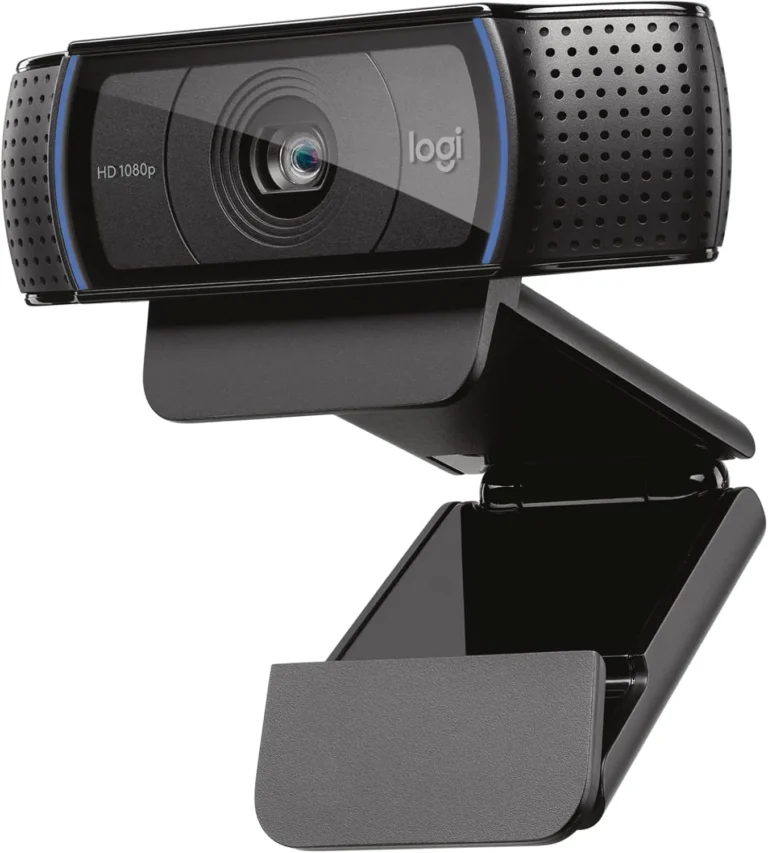
Logitech C920x HD Pro Webcam
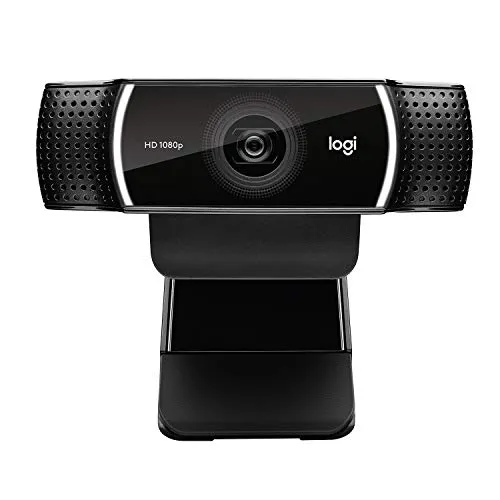
Logitech C922x Pro Stream Webcam
Only the C922x offers a 60 fps mode, and it runs at 720p, while the C920x stops at 30 fps. Beyond that mode, nearly everything else in the Logitech C920x vs C922x choice is common to both. The maker's spec pages give each a glass lens with a 78-degree view, autofocus and two stereo mics. Each also runs full HD at 30 fps over a five-foot USB-A cable. Both clips carry a tripod thread, too.
The C922x's extra mode comes with conditions. At 720p and 60 fps, the picture looks visibly softer than full HD. It also holds 60 frames only when strong, even light falls on the face, so a dimmer room leaves the C922x on the same 1080p mode at 30 fps that the C920x offers.
The C920x sells a tier lower and has one habit to manage. Its autofocus can drift soft mid-call until a restart, though switching it off and setting focus by hand cures that for a seated caller. On the C922x, by contrast, a slip in focus shows only as a brief blur. Our full reviews put the C920x at 8.5 and the C922x at 8.3.
The C920x suits a desk built around daily calls, while the C922x suits a brightly lit desk that streams.
How They Compare
| Category | Winner | Why |
|---|---|---|
| Resolution | Tie | Resolution is level at the top of each spec sheet. Both cameras peak at 1080p, and the C920x's spec row adds 720p, 480p and 360p modes below it, while the C922x's lists 1080p and 720p. At full HD, the C920x resolves stubble and skin texture, with true-to-life color under a front light. The C922x, meanwhile, gives a crisp, natural-looking picture at 30 fps in ordinary room light. Its 720p mode trades sharpness for speed, though, and looks visibly softer than its own full HD. That softer mode is an option rather than a ceiling, so it does not count against the C922x here. Neither review gives either camera a finer 1080p picture, so on resolution the two are level. |
| Frame rate | Logitech C922x Pro Stream Webcam | Frame rate splits the pair: the C920x tops out at 30 fps, while the C922x adds a 60 fps mode at 720p. Both run full HD at 30, and the maker's C922 pages set the faster mode up for live streams in OBS Studio and XSplit. That mode has conditions, however. It looks visibly softer than full HD, and it holds 60 frames only under strong, even light, with the maker's guidance starting at a room above 300 lux. Neither camera reaches 60 fps at 1080p. For a first streaming facecam, the C920x's 1080p feed at 30 fps still covers the job. Even so, only one of these cameras offers the faster mode, so the C922x wins on frame rate. |
| Field of view | Tie | Field of view gives neither camera an edge. The C920x's spec row reads 78 degrees diagonal and 70.4 degrees horizontal, while the C922x's reads 78 degrees diagonal, 70.42 horizontal and 43.3 vertical. On the C920x, that frame takes in the speaker plus a fair slice of the room behind. The C922x's frame, meanwhile, fits two faces side by side on a shared call. For a solo call, either view can take in more of the room than the shot needs. Either frame then tightens in the maker's software, which crops in digitally on the C920x and zooms and pans on the C922x. With the same angle and the same kind of fix, the two are level on field of view. |
| Focus | Logitech C922x Pro Stream Webcam | Focus favors the C922x, although manual focus helps on both. The maker lists 20-step autofocus for the C922x, and it generally keeps a face sharp without help. When it hunts, the focus slips and pulls back in, which shows as a brief blur. The C920x's autofocus, by contrast, is its main weak spot. Its picture can drift soft mid-call even with the speaker sitting still, and the blur can last seconds or even minutes. Movement provokes it too, and objects held near the lens are harder still. Manual focus, set in software, stops the hunting on the C922x and keeps a seated caller sharp on the C920x. With slips that stay brief and pull back on their own, the C922x is the stronger of the two on focus. |
| Microphones | Tie | Microphones come out even, from the spec line to the limits. The C920x carries two stereo mics, the C922x lists built-in dual stereo mics, and both listings promise natural sound in calls and recorded video. On a daily call, the C920x's pair picks up a voice cleanly at desk distance in a quiet room. Meanwhile, the C922x's pair handles speech well and carries a voice clearly to the far end. Both can thin out under harder work, though. The C920x's pickup turns hollow and far away with the speaker sitting back from the desk, and the C922x's sound can come across thin, distant or noisy in recordings. For podcasts or voice-overs, each camera still wants a separate microphone, so on microphones the two are level. |
| Connection | Tie | Connection is identical, plug for plug. Both cameras run USB 2.0 over a five-foot cable that ends in a USB-A plug. On the C920x, a laptop or monitor with only USB-C ports needs an adapter, and a floor-standing tower also needs an extension. For the C920x's best image, the maker advises plugging it straight into the computer, with no hub or dock between, while its C920s pages add that the camera works fully on USB 3.0 ports. The C922x, meanwhile, runs on the operating system's own drivers as a USB Video Class device, so calls need no install. The C920x needs no driver either. With the same cable, plug and driver-free setup, the two are level on connection. |
#1 Logitech C920x HD Pro Webcam (8.5/10)
The C920x is a call-desk camera priced a tier below the C922x. It shares that camera's 1080p mode at 30 fps, 78-degree view and stereo mics, and its autofocus is best locked by hand for seated calls.
Strengths
- Resolves stubble and skin texture at 1080p, with true-to-life color under a front light
- Works as a camera and mic on Windows, macOS and Linux with no driver to install
- Light correction keeps a face bright and clear in a room lit by a single lamp
- Clip holds firmly on monitors and laptop lids, folds to stand on a desk and has a tripod thread
Weaknesses
- Autofocus can drift soft mid-call until a restart, unless manual focus locks it
- Some units stop working within weeks or months, losing power or cutting out during calls
- USB-A plug only, so USB-C-only laptops need an adapter, and the C920x box has no privacy shutter
Review verdict: A dependable desk camera for seated calls in a lit room, the Logitech C920x pairs sharp 1080p detail and natural color with driver-free setup on Windows, macOS and Linux.
- Resolves stubble and skin texture at 1080p, with true-to-life color under a front light
- Works as a camera and microphone on Windows, macOS and Linux with no driver to install
- Light correction keeps a face bright and clear in a room lit by a single lamp
- Dual mics deliver a clear voice to the far end from desk distance in a quiet room
- Clip holds firmly on monitors and laptop lids, folds to stand on a desk and has a tripod thread
- Autofocus can drift soft mid-call until the camera restarts, unless you lock the focus manually
- Some units stop working within weeks or months, losing power or cutting out during calls
- USB-A plug only, so laptops and monitors with only USB-C ports need an adapter
- No privacy shutter in the C920x box, while the C920S version includes one
#2 Logitech C922x Pro Stream Webcam (8.3/10)
The C922x fits a well-lit stream desk and sells a tier higher. Beside the full HD mode at 30 fps that both share, it adds 720p at 60 fps, and when its autofocus slips, the blur is brief.
Strengths
- A 720p mode at 60 fps for streams, alongside full HD at 30
- Autofocus keeps a face sharp, and focus can be set by hand in software
- Crisp, natural-looking 1080p picture at 30 fps in ordinary room light
- No driver needed in Zoom, Teams, Meet or Webex, and stereo mics clear enough for daily calls
Weaknesses
- The 720p mode at 60 fps looks softer than full HD and holds its frame rate only in strong light
- Image settings can revert after a restart or unplug, and can take effort to get right
- No privacy shutter, and the clip's front lip covers a strip of thin-bezel screens
Review verdict: Whether the job is a crisp 1080p call or a 60 fps stream in 720p, the Logitech C922x handles it well, provided the faster mode gets strong light.
- Crisp, natural-looking 1080p picture at 30 fps in ordinary room light
- A 720p mode at 60 fps for streams, alongside full HD at 30
- Autofocus keeps a face sharp, and focus can be set by hand in software
- Works in Zoom, Teams, Meet and Webex with no driver to install
- Stereo mics clear enough for daily calls without a headset
- The 720p mode at 60 fps looks softer than full HD and holds its frame rate only in strong light
- No privacy shutter, so a lens cover is a separate purchase
- Image settings can revert after a restart or unplug, and can take effort to get right
- The clip's front lip covers a strip of thin-bezel screens and grips curved ones loosely
The C922x adds speed, not sharpness
On the maker's spec pages, the pair read almost the same. Logitech's pages for the C922 and the C920s both list a 78-degree glass lens, autofocus and stereo mics, plus a five-foot USB 2.0 cable and a tripod mount. The C920s, in turn, shares its model number, V-U0028, with the C920x, which differs only in what the box holds.
The gap is the C922x's 720p mode at 60 fps, and that mode asks a lot of the room. The maker's C922 pages set it up for live streams, with OBS Studio steps that put the source at 1280×720 and 60 fps in MJPEG. If the frame rate still sags, the same pages suggest switching off low-light compensation. Under a single ceiling fixture, however, full HD at 30 still gives the C922x its better picture, and the C920x matches that mode.
That faster mode is also what the extra money buys. Both are full HD webcams that stop at 30 fps at 1080p, and the C922x sits a tier above the C920x on price. That 60 fps mode is what the premium pays for, above all. Focus behaves differently, too. The C922x's autofocus slips and pulls back in as a brief blur, while the C920x's can drift soft for seconds or even minutes.
Logitech C920x vs C922x for calls and for streams
For a call desk, the two run the same 1080p mode at 30 fps, and the C920x costs a tier less. Its clip also holds firmly on laptop lids as well as monitors. On the C922x, by contrast, some laptop lids and curved screens give the clip less to grip. Both clips' front lips overhang thin-bezel screens, though.
The one setting a call desk must handle on the C920x is focus. With autofocus switched off and focus set by hand at sitting distance, its picture stays sharp while the chair stays put. A lamp aimed at the face helps as well, since the autofocus hunts more as the room darkens. Changes in the maker's software do not always stick, though, and on a Mac a zoom level can fall back to default after a reboot.
A stream desk tilts the other way, provided the light is already there. The C922x's 60 fps mode doubles the frame rate, and its autofocus slips only briefly when it hunts. Its settings can also fall back to automatic defaults after a restart or an unplug. A stream that looked right the day before may then need re-tuning before it goes live. The C920x still covers a first stream at 1080p and 30 fps, and OBS picks it up instantly.
Conclusion
A desk that mostly hosts video calls is better served by the C920x. The C922x does win on frame rate and focus. Its 60 fps mode serves streams, though, and full HD at 30 is its everyday mode for calls. That mode, the 78-degree view and the stereo mics are common to both, and the C920x sits on a lower price tier. As for focus, one change keeps a seated caller sharp on the C920x: autofocus off in the software, with focus fixed by hand at sitting distance. On that evidence, the Logitech C920x vs C922x question goes to the cheaper sibling for calls.
A stream desk with strong, even lighting already in place is the better home for the C922x. There, its 720p mode doubles the frame rate to 60 fps, and its autofocus slips only briefly before pulling back in. Its settings can reset after a restart, so a quick check before each stream is wise. Under a single ceiling light, though, the C922x struggles to hold 60 frames. The extra tier then goes on a mode that the room cannot support.
In short, the C922x earns its higher tier on a well-lit stream, and the C920x covers a calls-only desk for less.
Frequently Asked Questions
Is the C922x sharper than the C920x at 1080p?
No, not on the evidence of either review. Both top out at 1080p, where each runs 30 fps. Detail is the C920x's strongest trait, and a lamp facing the speaker keeps that detail in place after dark. The C922x's full HD picture, meanwhile, is its most dependable strength and a clear step up from a laptop's built-in camera.
Does the C922x need more light than the C920x?
Its 60 fps mode does, and the C920x has no such mode. For a steady 720p stream at 60 fps, the maker calls for a room above 300 lux, with a main light on the face and little backlight. At 1080p, however, the C920x keeps a face bright and clear with one lamp, and the C922x keeps one bright and usable in ordinary room light. Both can turn dark and grainy in a truly dim room.
Do the C920x and C922x need drivers on a Mac?
No. Both work on a Mac with nothing to install. The C920x shows up as a camera and microphone on macOS, Windows and Linux once plugged in, and Ubuntu, Linux Mint and KDE desktops pick it up with no configuration. The C922x, meanwhile, uses the operating system's own drivers as a USB Video Class device, per the maker. It plugs straight into Zoom, Teams, Google Meet and Webex calls on Windows and Mac.
Do the C920x and C922x have a privacy shutter?
No. Per both listings, the C920x and the C922x each ship with a 3-month XSplit VCam license and no privacy shutter. The C920s, which the maker lists under the same model number as the C920x, swaps the license for a clip-on shutter. For the C922x, instead, snap-on covers sold separately fit the housing. Each camera also shows a light while it is live: blue on the C920x and white LEDs on the C922x.
Is the software the same for the C920x and C922x?
Largely, yes. Logi Options+ supports the C920x and the C922x on Windows and macOS, and the maker's software puts focus, zoom and exposure under manual control on each. The C922x joined that list with Options+ version 1.85, released in December 2024. The C922 also appears in the maker's G HUB notes, whose 2024.7 release added manual shutter speed and ISO. Neither camera needs the software for a Zoom or Teams call, though.