iRobot Roomba i4 EVO Review: Pet Hair on Hard Floors
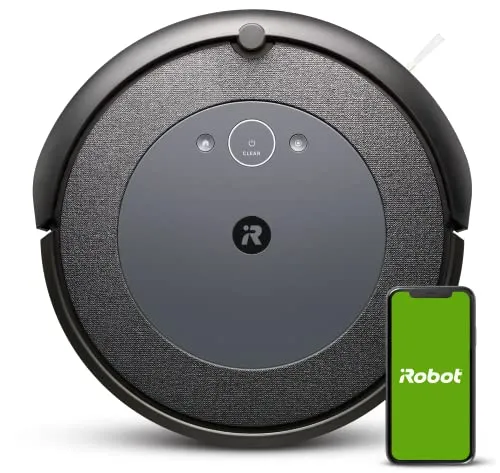
Very good on pet hair and dust across hard floors, and easy to send room by room, the Roomba i4 EVO still asks for a clear floor, patience at the dock and frequent bin emptying.
Pet hair, tracked-in grit and dust under the bed come back every day. The Roomba i4 EVO exists to take that chore off your list. On hard floors, it does the vacuuming very well. It also learns a map of one floor, so it can clean a single room when you ask.
Where it needs help is everything around the vacuuming. It gets stuck on chair legs and sofa edges, and the dock is fussy about contact. Meanwhile, the bin is small enough to empty after every run in a house with pets. Set the floor up for it, and it pulls its weight. Left to fend for itself, however, it will soon need rescuing.
How clean the floors get
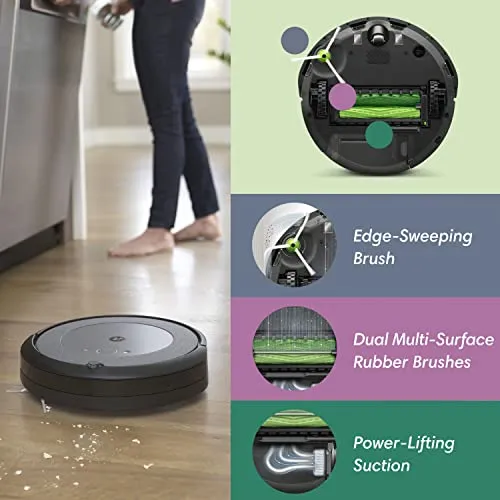
Hardwood and tile get a thorough clean from the Roomba i4 EVO. It collects the dust, crumbs and pet hair that a quick sweep misses. After a run, the bin is often surprisingly full, even in a house that looked tidy beforehand. Corners and deep cleaning still call for a regular vacuum now and then.
Pet hair on a hard floor is its strongest work. Hair rarely wraps around its two rubber rollers, so they stay quick to clear. The wheels still collect hair, though, so check them often in a house with a heavy shedder. With a dog or cats in the house, a daily or every-other-day run keeps shed hair from building up.
It stands 3.63 inches tall, and the space under beds and low tables is where it saves the most bending. Before counting on it under a low sofa, check the gap.
Carpet is less certain. Low rugs and thin carpet go well enough. With pet hair on a rug, however, the rollers gather hair into clumps. They then leave those clumps on the pile or at the rug's edge. As a result, a mostly carpeted home with a shedding pet is the weakest match for it. For a mostly hard-floored home, though, the vacuuming alone makes a good case.
Chair legs, rug edges and other traps
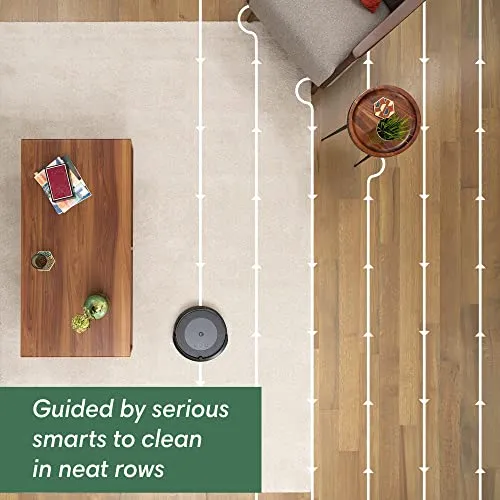
Across open floor, it works in straight rows and covers the ground thoroughly. Ordinary thresholds and the step from tile onto a rug rarely stop it.
Clutter is another matter. The Roomba i4 EVO gets stuck often, and usually in the same kinds of places. Chair and bar stool legs are a regular trap. It climbs onto their feet and rails, then struggles to find a way back out.
The front edge of a sofa is another, because the robot keeps pushing itself further underneath once it wedges in. Light rugs cause trouble too, since thin ones can bunch up or flip over as it passes.
A stuck job tends to end badly. It keeps trying until the battery is flat, so you can come home to a dead robot under the furniture. Before the first full run, clear cords, toys and other small objects off the floor. Anything it does swallow, such as a stray toy, comes out once you lift the rollers free.
It navigates partly by touch, bumping table legs and walls hard enough to scuff its front. A small step down, such as into a sunken room or onto a deck, is another hazard. It can drive over the edge and then fail to climb back. The Virtual Wall barrier in the box keeps it away from a drop or out of a room. You can add more barriers if one is not enough.
One map, one floor
Mapping takes patience at the start. Install the software update before anything else, because the mapping option can stay hidden in the app until the robot has updated. For the mapping runs, lift the chairs and clear the floor. Even then, a usable first map can take more than one attempt.
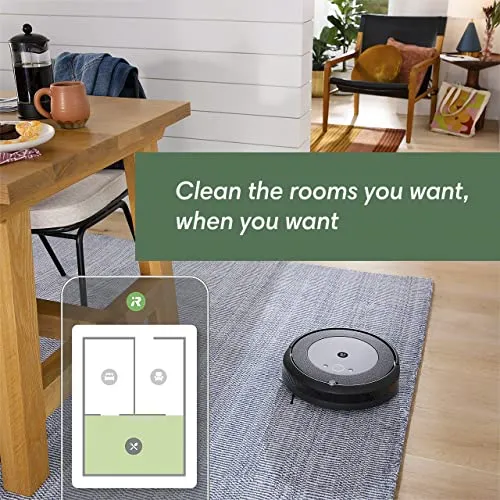
Once a map holds, it pays off. Each room gets a name in the app, and the robot can head straight to one or two of them on demand or on a schedule. A kitchen can get a daily pass while the bedrooms wait for the weekend.
The Roomba i4 EVO keeps a single saved map. In a two-story house, room-by-room control therefore works on one floor only. A large or complicated floor plan is also harder for it to map. On a big floor, I'd map the rooms that matter most first.
Even with a good map, a whole-floor job moves between rooms and comes back to them. It rarely finishes one room before starting on the next, so chairs stacked up for the run stay up for hours. It also copes poorly with change. A new object on the floor or a moved chair can send it over the same patch again and again. Sending it to one room at a time keeps that disruption contained.
Getting the Roomba i4 EVO online
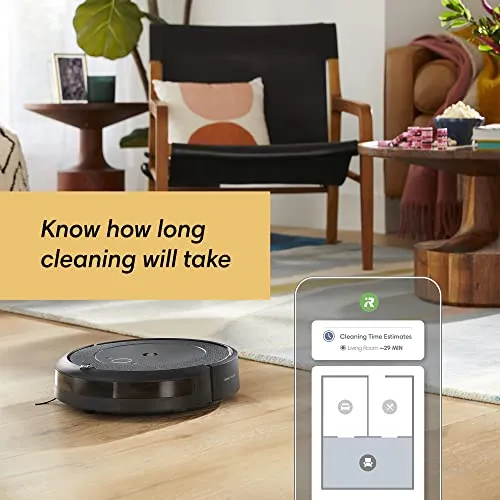
Its map, room selection, schedules and per-room time estimates all live in the iRobot Home app. The app can also start a clean while you are out. iRobot lists voice control through Alexa, Google Assistant and Siri as well. When the connection holds, the app is easy to live with. Scheduling a run, or starting one from work, takes a few taps.
Getting connected is the rough part. Joining Wi-Fi can take many attempts, and the setup instructions live in the app. Even once online, the Roomba i4 EVO can drop its connection. It then needs a restart before it will take a job from the phone. Buttons on the robot start a clean and send it home, although that fallback misbehaves on some units.
The app's future deserves a moment's thought too. Picea, iRobot's main contract manufacturer, has owned the company outright since January 2026, after a court-supervised Chapter 11 restructuring. In its company update, iRobot says it plans no changes to app functionality. It also plans to keep support, warranty coverage and software updates, where applicable, going for current products. Since this robot's rooms and schedules depend on the app, that commitment is part of what you are buying.
The bin, the dock and the noise
The bin is small. With a shedding dog or cats, plan to empty it after every run. On a big floor, it can fill before the job ends.
It also stops to report a full bin when the bin is close to empty. Hair and dust packed into the narrow opening in front of the bin set the alert off. Dust on the sensor can do the same. Clean both first. If the stops continue, the app has a setting that lets the robot carry on when the alert fires.
The bin is quick to empty, although fiddlier than it should be. Its door does not open wide, so fine dust tends to stay trapped inside. Lifting the robot is a two-handed job as well.
Docking is fussy, too. The robot can stop just short of the charging contacts, sit on the dock without charging, or wander past the dock entirely. Cleaning the contacts on the robot and the dock is the first thing to try.
The Roomba i4 EVO is loud, and loudest on hard floors. A whole floor takes hours. One charge covers a modest floor, while a large one needs a recharge stop, after which it resumes where it left off. Scheduling runs for when the house is empty makes both easy to live with.
Parts, repairs and how long it lasts
Routine care is frequent but simple. The rollers and wheels come apart easily for cleaning. The filter clogs quickly and needs cleaning or replacing often. On a real share of units, the spinning edge brush breaks or wears out early. Spare filters come in the box, and the app keeps track of when parts are due.
Genuine replacement parts are easy to find but not cheap. Budget for filters and brushes as a running cost.
Reliability is the biggest mark against the Roomba i4 EVO. A real cluster of units stop working within the first year or two. The faults that recur are a battery that stops charging, brush or cleaning-head faults and error messages that no reset clears. Some units also arrive faulty or fail within weeks. That pattern of early failures is my biggest hesitation with this robot, ahead of the stuck runs and the bin.
Warranty support works, slowly. Expect long troubleshooting sessions and repeated reboots before iRobot agrees to a repair or a replacement, and replacements do arrive. With iRobot saying warranty coverage continues, that is the process to plan for.
Check the box on the day it arrives. Some units ship looking opened or used, or with parts of the kit missing. The return window is the easy time to swap one.
Pros: What we liked
- Pro: Very good pickup of dust, crumbs and pet hair on hard floors
- Pro: Rubber rollers rarely tangle with hair and are quick to clear
- Pro: A 3.63-inch body that cleans under beds and low tables
- Pro: Room-by-room cleaning, schedules and remote starts in the iRobot Home app
- Pro: Resumes after a mid-job recharge, with a Virtual Wall barrier in the box
Cons: What could be better
- Con: Gets stuck often on chair and stool legs, sofa edges and light rugs
- Con: Small bin, and false full-bin alerts that can stop a run early
- Con: Fussy docking and Wi-Fi drops, with a setup that can take many attempts
- Con: Loud, and a whole floor takes hours
- Con: A real cluster of units fail within a year or two, and warranty support is slow
Best For
- Hard-floored homes with a shedding dog or cat
- Single-level homes with an uncluttered layout that stays the same
- Anyone comfortable with an app-first setup and a little weekly upkeep
Not Ideal For
- Multi-level homes that want room-by-room control on every floor
- Dining areas crowded with chair and bar stool legs
- Carpet-heavy homes with a lot of pet hair
| Specification | Details |
|---|---|
| Model number | i415020 |
| Dimensions | 13.34 x 13.26 x 3.63 inches |
| Weight | 7.05 pounds |
| Brushes | Dual Multi-Surface Rubber Brushes |
| Cleaning system | 3-Stage Cleaning System |
| Mapping | Imprint Smart Mapping, clean by room |
| Battery | 20% larger than other Roomba i series models, per iRobot |
| Dirt sensing | Dirt Detect |
| App | iRobot Home app |
| Voice assistants | Alexa, Google Assistant, Siri |
Alternatives Worth Considering
Final Verdict
The Roomba i4 EVO is a very good vacuum inside a demanding robot. It leaves hard floors clean and keeps up with daily pet hair. Meanwhile, the app puts single rooms and schedules within easy reach.
Against that sit the conditions it sets, starting with a clear floor on one level and a patient first setup. The dock needs minding, and the bin wants emptying after nearly every run. The early failures weigh on it as well. For a tidy home with hard floors on one level, it still does more daily cleaning than its sticking points cost.
Frequently Asked Questions
Does the Roomba i4 EVO work on carpet?
It handles low rugs and thin carpet reasonably well, and hard floors are its strength. Pet hair on a rug is harder for it, because the rubber rollers can gather that hair into clumps and leave them behind.
Can the Roomba i4 EVO map more than one floor?
No. It keeps one saved map, so room-by-room cleaning covers a single level. You can carry the robot to another floor, but the map stays with the first one.
Why does it report a full bin when the bin is nearly empty?
Debris caught at the bin's narrow intake, or dust over its sensor, sets off the alert early. Clearing both is the first step. When that is not enough, a setting in the app stops the alert from ending the run.
Does the Roomba i4 EVO need Wi-Fi?
For the features that define it, yes. Maps, room selection, schedules and voice control all run through the iRobot Home app. Buttons on the robot can start a clean and send it home, although that fallback does not behave on every unit.
Will the iRobot Home app keep working?
iRobot says it plans no changes to app functionality. The company now belongs to Picea, its main contract manufacturer, after a court-supervised Chapter 11 restructuring that closed in January 2026. It also plans to continue support, warranty coverage and software updates where applicable.
What comes in the box?
The robot and its charging dock, along with a Virtual Wall barrier and spare filters. Setup instructions come through the app. Check that every item is there on the day it arrives.
The Verdict
Very good on pet hair and dust across hard floors, and easy to send room by room, the Roomba i4 EVO still asks for a clear floor, patience at the dock and frequent bin emptying.