JBL Tune Buds Review: Deep Bass, a Week From the Case
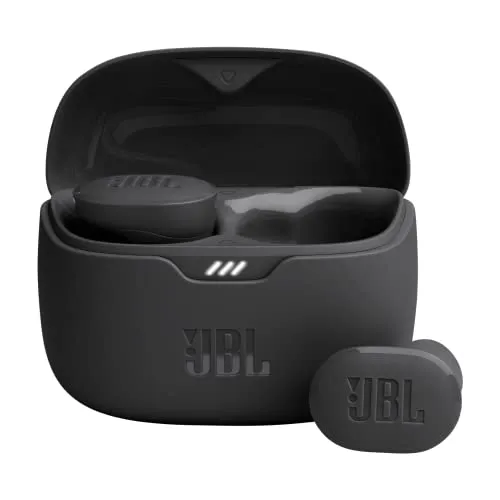
The weakest link in a chain of deep bass, clear sound and a week of charge from the case lies in a large shell that can work loose once you move.
The JBL Tune Buds are mid-priced noise-cancelling earbuds that sound their best once the ear tip seals. Then the bass runs deep and solid, and the sound around it stays clear. A charge also lasts a full workday, and the case keeps that going for about a week.
However, the trouble sits one layer out, in a large, bulky shell. At a desk, the fit usually holds. In motion, though, the shell can work loose on ears it doesn't suit. The touch panels on its outer face also react to the lightest brush. A minority of pairs develop a fault as well. Still, the sound and the stamina are very good, and together they carry the recommendation.
Sound that depends on the seal
Properly sealed, the sound is excellent. The JBL Tune Buds put out deep, solid bass that stays in balance with the rest of the sound. Around it, everything comes through clear and crisp. JBL lists 10mm drivers and calls the tuning Pure Bass Sound, promising you'll feel every pulsing beat. For a bass-heavy taste, though, the stock tuning can still fall a little short. At its least impressive, the sound is merely decent. The equalizer in the JBL Headphones app can then lift the bass or reshape the balance, down to a custom curve.
When a bud slips even slightly, though, the sound drops away, and pressing it back into place brings it back. On an ear that never holds the seal, the buds never reach their best. On these buds, the sound and the fit are one question.
The noise cancelling on the JBL Tune Buds is moderate in strength. It lowers background noise, though some outside sound still gets through. At its best, it blocks noise well. For ordinary day-to-day listening, it does enough. JBL's own pitch is to let you hear more of what you want and less of what you don't.
Even sealed, however, the volume tops out low, with little in reserve for very loud listening. Listening at a comfortable level can mean running the phone near its maximum. The shortfall shows most over loud work such as mowing, or during a hard workout.
The sound also has one fault of its own. A minority of pairs lose most of the volume in one bud, sometimes within months, until that side is barely audible. Cleaning the bud doesn't bring it back, which leaves one useful side. It tends to be the right bud that goes quiet. In a few pairs, one bud stops working entirely. In other units, the sound fades in and out or turns muffled over time. Resets and reinstalls help briefly at best.
A big shell that suits some ears
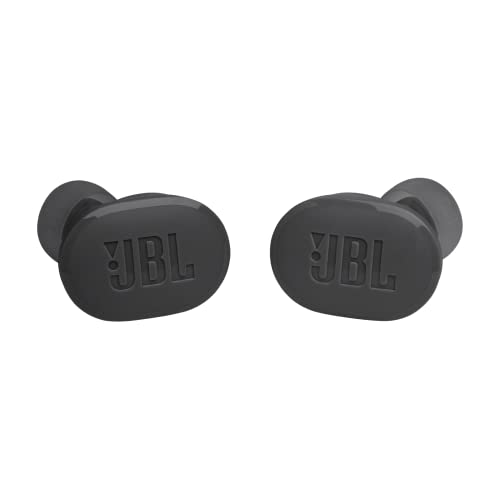
Each bud is large and bulky. The body is thick and oddly shaped for an ear. Seated at a desk, they tend to stay put for hours, and that's where the design makes the most sense.
Movement is where the shape struggles. Running, gym sets and yard work can shake the buds loose. The loosening can be gradual, a slow slide out of the ear. On some ears they need pushing back in every few minutes. On the worst fits, a turn of the head is enough. A walk or a light workout goes either way, and even a bud that stays in can feel insecure. On ears the shape suits, though, the buds sit securely through lighter activity and are easy to forget. Even where the fit fails, the sound stays good for as long as the buds remain in place.
A loose bud can go missing outdoors. The buds themselves feel well made, though. JBL lists the buds as water and dust resistant. A bud that falls out also tends to survive the drop, even into water.
Comfort and tips in the outer ear
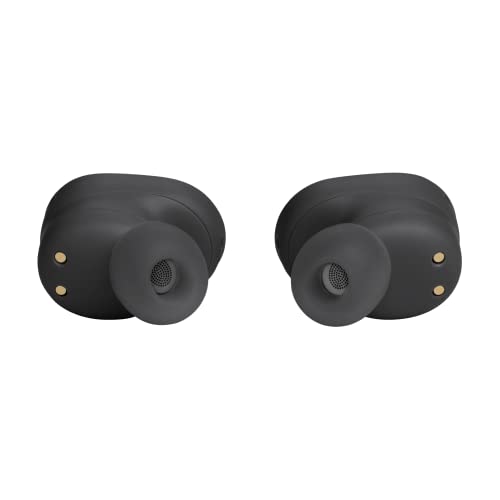
Comfort follows the same pattern as the grip. On ears that suit the shape, the JBL Tune Buds stay comfortable through a full workday. On others, however, the bulk feels awkward and uncomfortable. Long, sweaty shifts also wear on them.
On ears the shell doesn't suit, none of the included tip sizes fixes the problem, because the trouble lies with the body. Some ears also fall between the sizes, with one tip too large and the next too small. On ears the shell suits, trying each size does pay off. Seating each bud also takes a twist and a firm push, and sometimes a few tries to find the angle that holds. The shell fits small ears worst, since even the smallest tip can leave it loose. No spec sheet can settle the fit in advance, because it turns on the shape of one ear. For listening on the move, I'd weigh it above anything else on that sheet.

Touch panels on the outer face
Day to day, the buds are easy to use. Control runs through a touch panel on each bud. Taps play and pause, skip tracks and change the noise mode, and the JBL Headphones app makes reassigning the gestures simple. The scheme is quick to learn, and used deliberately, the controls work well. Besides noise cancelling, the modes include Ambient Aware and TalkThru, under what JBL calls Smart Ambient. JBL says TalkThru lets you stop for a quick chat without taking the buds out. The ambient modes work well enough for everyday use, and a conversation can happen with the buds still in.
The panels are very sensitive, though. A brush of a finger is enough to switch the noise mode or trigger another command. So is the push that re-seats a loosening bud. Misfires can even place a call or end one. In motion, each adjustment can flip the JBL Tune Buds into ambient sound at a bad moment. Seated, with the buds left alone, the sensitivity is a minor irritation. I rank this second only to the fit among the flaws, since the fit makes it worse.

A week of charge in the JBL Tune Buds case
The charge goes a long way. JBL rates the buds at 12 hours on a charge, or 10 with noise cancelling on. The case then adds 36 and 30 hours respectively. A full workday in the buds is routine, and the case keeps them going for about a week of workdays between wall charges. For long work shifts, that makes the battery the easiest part of the decision. Some units fall well short of those hours, though.
The long battery life holds whatever the ear or the fit. The JBL Tune Buds case is also easy to carry. Both the buds and the case refill quickly. They also work well as a spare pair to keep charged and ready.
Charging is where some units go wrong. A bud stops charging reliably in the case and comes out flat when it should be full. The fault can appear within the first weeks. Checking both buds before a long day out is a sensible habit with these.

Calls and pairing at the phone end
Call quality is good. The JBL Tune Buds pick up speech clearly, and calls come through well in both directions. JBL advertises hands-free calls in stereo. Its VoiceAware feature sets how much of your own voice comes back into the buds while you talk.
The JBL Tune Buds connect quickly as they leave the case, and they pair with iPhone and Android phones alike. The first pairing with a phone is quick as well. Once paired, the link tends to hold steady, though some setups see the odd dropout or a fussy pairing. They can also pair with two devices. JBL lists Bluetooth 5.3, with LE Audio support promised through a later update. A laptop or tablet can join too, though setting up that link can take patience. In some units, the buds also connect to the phone while still sitting in the case.
The app on the phone
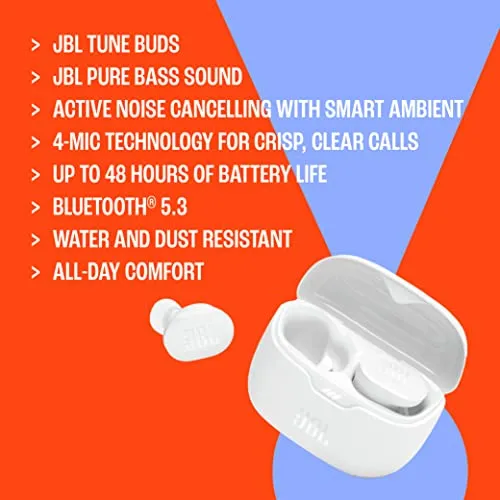
JBL's Headphones app holds most of the settings. Its options run deep, with plenty to customize. The sound is also at its best with the app installed. It can also make a missing bud play a loud tone until it turns up. On buds that can fall out, the finder earns its place.
On some phones, the app takes persistence to get working properly. Once it runs, though, it's simple to find your way around.
Pros: What we liked
- Pro: Deep, solid bass within a clear, crisp sound
- Pro: Long battery life: a full workday per charge and about a week of workdays with the case
- Pro: Comfortable through a full workday on ears that suit the shape
- Pro: Clear calls in both directions, plus pairing with two devices
- Pro: JBL Headphones app with a custom EQ, gesture remapping and a finder for a lost bud
Cons: What could be better
- Con: On some ears, running and gym work shake the buds loose, and no tip size fixes it
- Con: Touch panels react to a brush or a re-seating push, switching modes by accident
- Con: Maximum volume is modest, with little left for very loud listening
- Con: Noise cancelling is moderate, and some outside sound still gets through
- Con: In some units, one bud stops charging or loses most of its volume
Best For
- Desk and office workers who listen for hours while seated
- Bass-first listeners who like to shape the sound in an EQ app
- Anyone who wants several workdays of listening between wall charges
- Anyone after a spare pair to keep as a backup
Not Ideal For
- Runners, gym-goers and anyone who listens during active work
- Anyone with small ears
- Listeners who play music very loud
| Specification | Details |
|---|---|
| Drivers | 10mm; JBL Pure Bass Sound, per JBL |
| Bluetooth | 5.3; LE Audio support via a later OTA update, per JBL |
| Noise control | Active Noise Cancelling; Smart Ambient with Ambient Aware and TalkThru |
| Calls | Stereo hands-free calls with VoiceAware, per JBL |
| Battery, noise cancelling off | Up to 12 hours in the buds, 48 hours with the case |
| Battery, noise cancelling on | Up to 10 hours in the buds, 40 hours with the case |
| Speed Charge | 15 minutes for up to 4 hours of playtime |
| Protection | Water and dust resistant, per JBL |
| Color | Black |
| Release date | May 2023 |
Alternatives Worth Considering
Final Verdict
The app can be fussy, and the odd case stops charging a bud properly. Closer in, the touch panels fire too easily, and the shell can work loose in motion. Those two weigh most, since both reach the sound: a loosened bud loses its seal, and a stray tap flips the mode.
Against those, though, the bass runs deep and solid, and the charge lasts for days. The JBL Tune Buds keep their best work at the ear tip and in the case. That work earns them a clear recommendation for listening in one place, held back by the shell around it and the faults some units develop.
Frequently Asked Questions
Why do the JBL Tune Buds sound quiet?
The ceiling is simply low. Even with every volume setting on the phone and in the app turned up, the top end stays modest.
How fast do the JBL Tune Buds charge?
JBL lists Speed Charge at 15 minutes for up to 4 hours of playtime.
Does the JBL Headphones app run on iPhone and Android?
Yes. It runs on both, so the equalizer is open to either kind of phone.
Can one bud be used on its own?
Yes. JBL's listing says either bud can play on its own, which leaves the other ear open to the room.
Do the JBL Tune Buds support LE Audio?
JBL's listing says LE Audio support arrives through a later over-the-air update, along with sharing audio with a friend's headphones.
The Verdict
The weakest link in a chain of deep bass, clear sound and a week of charge from the case lies in a large shell that can work loose once you move.