Jabra Evolve2 65 MS Review: Multi-Day Battery, Flip-Up Mute
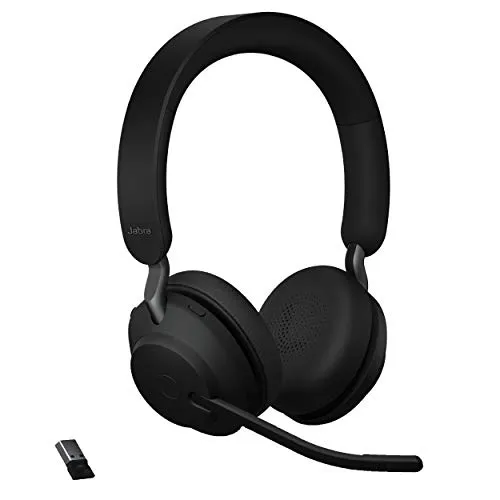
Clear calls, a flip-up mute and days of battery make this a very good Teams headset, though its on-ear fit and wireless range don't suit every setup.
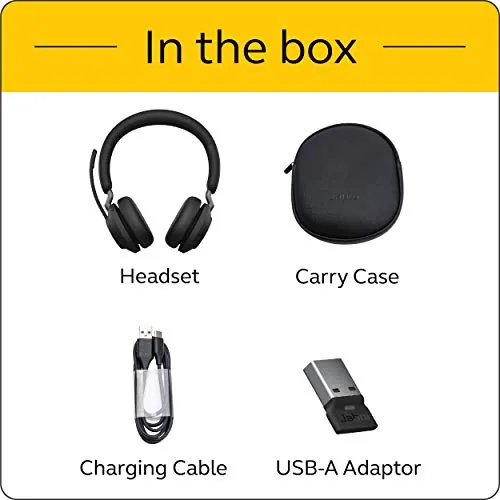
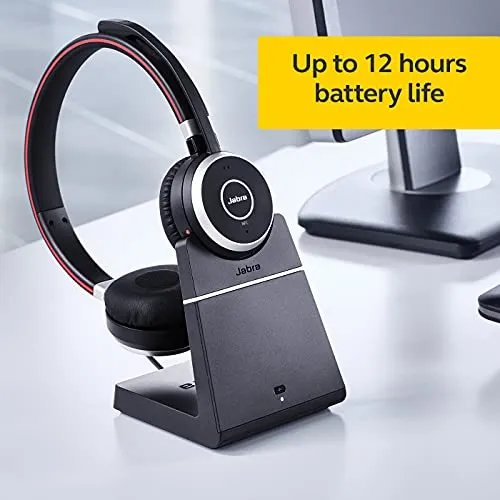
Jabra positions the Jabra Evolve2 65 MS as a wireless stereo headset that handles calls and music. Its listing calls it a business headset built for telework. The box includes the Link 380a, a USB-A Bluetooth adapter for the computer. The MS in the name marks the version optimized for Microsoft Teams, here in the USB-A, stereo, black configuration. Its headline promises cover passive noise cancellation, leak-tolerant 40mm speakers, a 37-hour battery and comfort that lasts the working day.
The sound and battery promises hold up well, and the calling side is where the headset is most convincing. The microphone carries a voice cleanly, and the boom mutes the call when it swings up. For a headset built around calls, that ordering of strengths is the right one. However, the comfort and noise claims deserve more caution. The wireless link is also not equally steady on every unit.
How your voice comes across on a call
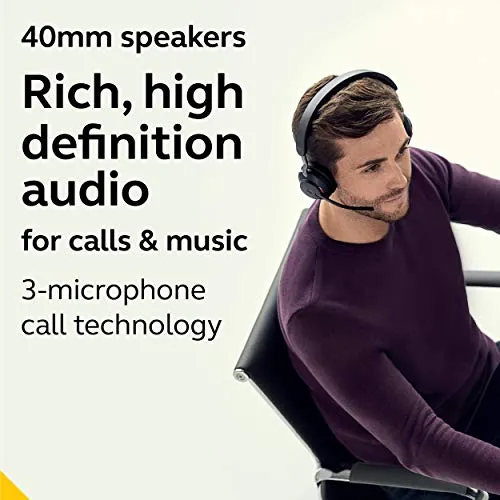
The microphone is where this headset is best. Jabra builds the call side around what it calls 3-microphone call technology, and claims 23% less background conversation noise. Speech comes through clearly and stays easy to follow on Teams, Zoom and phone calls. That clarity also holds up over long stretches of consecutive calls, which matters in sales and call-center roles.
The boom does place the microphone close to the mouth. On some setups the outgoing level also runs loud, with the occasional clipped syllable. A short test call on the first day shows whether a particular setup is affected. After that, the Jabra Evolve2 65 needs little attention on the microphone side.

Muting with the boom arm
Muting is built into the boom. Raise the arm and the call mutes, and lower it again to reopen the microphone. A spoken prompt then confirms each change, and the same voice reports the battery level. Up means muted and down means live, so the arm's position doubles as a status check. No other control on the headset matters as much across a day of meetings.
Red busy lights on the ear cups also switch on by themselves as a call connects. Especially in a shared office, that is a practical signal. Buttons on the ear cup, meanwhile, handle volume and answering calls.
Noise, in both directions
Distant sound is handled well. Music playing across the room, or a baby crying elsewhere in the house, mostly stays off the call. Noise close to the desk is a different story, however. Children or a dog nearby, and especially a baby on a lap, still carry through to the far end.
On the listening side, the isolation is passive. Indeed, passive noise cancellation is the listing's own term for it. Jabra says the memory foam padding and the angled design cancel 48% more of the noise around you. Day to day, the Jabra Evolve2 65 takes the edge off a steady hum, like an air conditioner. Still, conversation nearby comes through, and a loud room overwhelms the cushions. Put together, the call hears less of a busy room than your own ears do.
I would treat it as a headset for a quiet or moderately busy room. In a louder space the microphone keeps coping, although the listening side does not.

Incoming sound, and the battery behind it
Incoming audio is clear on Teams meetings and phone calls alike. Jabra describes the 40mm speakers as leak-tolerant, and the stereo sound is full enough for music between meetings. It also plays music from a connected phone. The tuning leans a little toward the low end.
On battery, the Jabra Evolve2 65 pulls furthest ahead of its caveats. Jabra quotes up to 37 hours per charge, and one charge typically covers several full workdays of calls. A quick 15-minute top-up is rated for as much as 8 hours. The spoken battery report makes the remaining charge easy to check before a long call. A complete recharge, meanwhile, takes about 1.5 hours over the supplied USB-C charging cable. That endurance suits long call shifts particularly well, since charging becomes an occasional chore.
Wearing the Jabra Evolve2 65 for hours
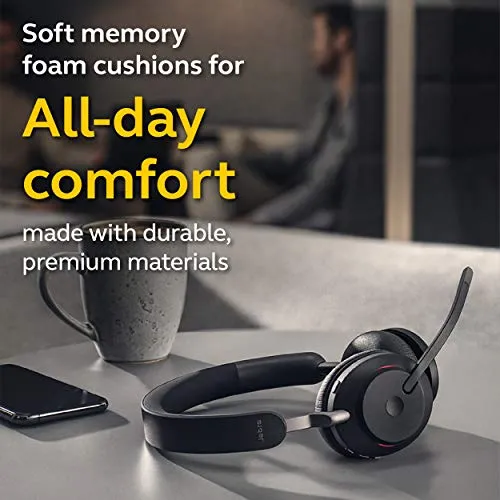
Fit is the least predictable part. Jabra promises all-day comfort, with memory foam cushions that shape to the ears. The Jabra Evolve2 65 is an on-ear design, so its cushions rest on the ears themselves. How it wears depends on the head it sits on. On many heads it stays comfortable through long working days. On larger heads, however, the fit turns tight, and pressure builds where the cushions meet the ears. Results with glasses are mixed as well. Even its size divides, reading as light on some heads and bulky on others.
Yet on some heads the grip is loose enough that the headset slides when you lean down or tilt back. Walking while talking is fine, although bending over tends to dislodge it.
The listing names aluminum, faux leather, memory foam and silicone among its materials. The cushions are also the part that wears out. After a year or two of daily wear, they can wear thin or start to peel, and replacements are available. With comfort this dependent on the head, a long first day is the real test of fit.

Setup, pairing and Jabra's software
Setup starts with the adapter. The Link 380a plugs into a USB-A port, and Windows and Teams recognize the Jabra Evolve2 65 quickly. Nothing needs installing for basic calls. Since this version's adapter is USB-A, I would check the ports on the computer before ordering.
Pairing with a phone over Bluetooth is straightforward, iPhones included. After that, the headset holds both links simultaneously and switches to whichever device has the call. In most setups that switching is smooth. In some, though, a call on one device interrupts the other, or connection alerts fire as the phone moves away.
Beyond basic calls, the settings live in Jabra's software, which is capable. Firmware updates come through the desktop software, while everyday settings are also reachable from the phone app. Sidetone feeds a little of your own voice back into the ear cups, and its level is one of those adjustments.
Teams support is the reason to choose the MS version, and it works as soon as the adapter is in, with no settings to change. The Teams button and its notification light, however, are rougher around the edges than the rest of that integration. Zoom, WebEx and Skype calls also work, and Jabra lists support for all leading unified communications platforms.
Range, dropouts and staying connected
Jabra lists Bluetooth 5 and a range of 30 meters. Around a home, the link usually stretches to the kitchen for a coffee, and often further. Through walls and floors, however, it can fall apart well short of that figure. Different floors of a house are where results diverge most. Keeping calls within a room or two of the adapter avoids most of that trouble.
Even at the desk, some Jabra Evolve2 65 units drop the connection or the microphone several times a day. The symptoms vary. Sometimes the microphone stops sending while the incoming audio carries on. Other times the whole link freezes for a spell. Moreover, on the units that show it, the fault tends to survive firmware updates and fresh pairing. Some of those glitches only clear once the adapter is unplugged and plugged back in.
I weigh those drops more heavily than any other caveat here, since a call that cuts out cannot be adjusted away.
Durability, warranty and value
The build is sturdy overall, and the finish and packaging read as premium. Many units keep working for years, and a carry case comes in the box. A minority fail sooner: some units stop charging, and the occasional boom arm snaps. The listing also states a two-year manufacturer warranty. Some faults surface months in, past the return window, so that warranty is the protection that counts. Over a multi-year life, replacement cushions are the main upkeep to plan for.
Weighed against its price, the Jabra Evolve2 65 earns its money on the calling side: the microphone, the flip-up mute and the battery. In a call-heavy role, those three carry the purchase on their own. The fit and the wireless link, in contrast, vary between setups. In my view, those two keep the score short of a higher mark.
Pros: What we liked
- Pro: Clear outgoing voice on calls, even across long days of consecutive meetings
- Pro: Flip-up boom arm mutes the call, with a spoken prompt confirming each change
- Pro: Battery runs for several workdays between charges, and a 15-minute top-up is rated for as much as 8 hours
- Pro: Holds a computer link through the Link 380a adapter and a phone link simultaneously
- Pro: Windows and Teams recognize it as soon as the adapter is plugged in
Cons: What could be better
- Con: On-ear cushions press on some heads over long sessions, and the grip can slip when leaning down
- Con: Passive isolation only takes the edge off background noise, and nearby voices still reach the call
- Con: Wireless range can fall well short of the listed 30 meters through walls and floors
- Con: Some units drop the connection or the microphone several times a day
- Con: Sidetone, firmware and other settings sit behind Jabra's desktop software or phone app
Best For
- Home-office and call-center workers who spend most of the day on Teams calls
- People who mute and unmute often and want a physical control for it
- Anyone who takes calls on both a computer and a phone and wants one headset for the two
- Desk-based workers who want a battery that lasts several workdays between charges
Not Ideal For
- Larger heads, or anyone sensitive to pressure on the ears over multi-hour sessions
- Workers sharing a room with children, pets or close colleagues, where nearby noise reaches the call
- Anyone who needs to roam through several walls or floors away from the computer during calls
| Specification | Details |
|---|---|
| Model | Evolve2 65 MS, stereo (26599-999-999) |
| Wireless | Bluetooth 5, with the Jabra Link 380a USB-A adapter |
| Listed range | 30 meters |
| Battery | Up to 37 hours |
| Charging | 15 minutes for up to 8 hours; about 1.5 hours for a full charge |
| Speakers | 40mm, 32 ohm |
| Microphones | 3-microphone call technology |
| Fit | On-ear, memory foam cushions |
| Noise control | Passive noise cancellation |
| Warranty | 2-year manufacturer warranty |
Alternatives Worth Considering
Final Verdict
On the calling side, the Jabra Evolve2 65 MS is excellent. Its microphone stays intelligible, and the boom makes muting quick. The battery lasts for days, while Teams recognizes the headset the moment the adapter goes in. Its weaknesses are physical and situational instead. An on-ear design presses on some heads, and the passive isolation is modest. The wireless link can also weaken through walls, or drop out on some units. Its strengths matter on every working day, while its caveats depend on head size and home layout. Where the adapter sits a floor away, or the fit presses within the first hour, those caveats outweigh the strengths. For desk-based calling on a head that suits it, though, the Evolve2 65 does its core job very well.
Frequently Asked Questions
Is the Jabra Evolve2 65 noise cancelling?
Jabra lists passive noise cancellation. The on-ear cushions take the edge off steady hum, but conversation nearby still comes through. On the microphone side, distant sound mostly stays off the call, while noise right beside the desk still reaches it.
How long does the battery last?
Jabra quotes up to 37 hours per charge, and one charge typically covers several workdays of calls. A quick 15-minute top-up is rated for as much as 8 hours, and a complete recharge takes about 1.5 hours.
Will it work with a laptop that only has USB-C ports?
The Link 380a adapter in this version is USB-A, so a USB-C-only laptop needs a hub or an adapter for it.
How far can you walk from the computer during a call?
Jabra lists a 30-meter range. Between neighboring rooms it usually holds, but walls and floors can cut it well short, and results vary most between floors of a house.
Can the ear cushions be replaced?
Yes. Replacement cushions are available, and the cushions can wear thin or peel after a year or two of daily wear.
Does it work with Zoom and other call platforms?
Yes. The MS version is optimized for Microsoft Teams, and Zoom, WebEx and Skype calls work too. Jabra lists support for all leading unified communications platforms.
The Verdict
Clear calls, a flip-up mute and days of battery make this a very good Teams headset, though its on-ear fit and wireless range don't suit every setup.