Google Nest Hub 2nd Gen Review: 7-Inch Smart Display
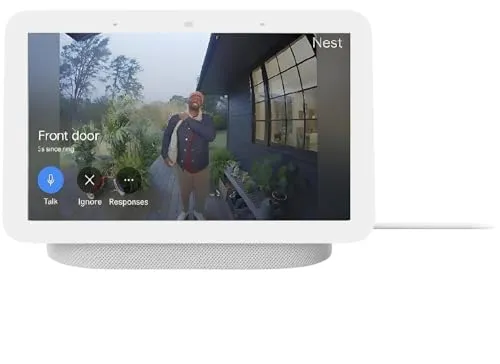
A capable small smart display for a Google household, sold here as an international bundle that boots in Chinese and usually, though not always, switches to English during setup.
The Google Nest Hub earns its keep as a small screen that answers out loud. It also runs everything else in the house. What complicates this one is not the hardware, though. The listing is a global-market bundle, and the unit inside boots in Chinese.
That sounds worse than it usually turns out. Connect it through the Google Home app, and the setup flow switches it to English on the way past. Indeed, that is exactly what the listing says will happen. For a smaller share of units, however, it does not stick. The display drifts back to Mandarin days later, and a few never switch at all.
So there are two questions here, not one. First, is the device any good? Second, does the box you actually receive behave? The first has a short answer: yes, especially if you already own Google cameras or lights. The second is where the caution belongs.
Small jobs it takes over on a counter
Put the Google Nest Hub somewhere you already stand. It starts absorbing small jobs almost immediately. Timers while you cook, the forecast before you leave, a radio station called up without touching anything. None of that is remarkable alone. Together, though, it explains why these end up in kitchens.
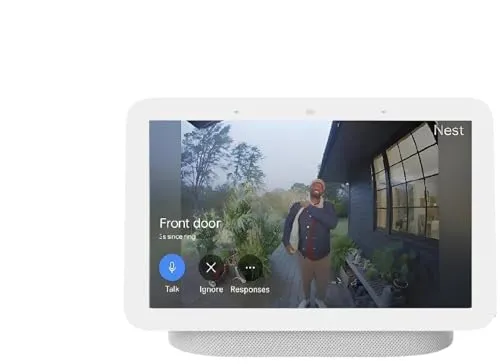
The job that justifies the screen is the camera feed. Ask for the front door, and the doorbell view fills the display. Nest cameras come up the same way. So if you already run Google cameras, a screen that shows them on command beats digging out a phone.
Google Photos is the other quiet win. Left idle, the display cycles your own albums. In fact it makes a better photo frame than most devices sold as photo frames. That part lands especially well with older relatives. They also take to the voice control quickly, because it asks nothing of them but a sentence.
Smart-home control is steadier still. Lights, thermostats, plugs, televisions, locks, blinds: if a device sits in the Google Home app, a spoken request reaches it. Casting to a television works from here too. Finally, there is an alarm that wakes you with the screen instead of a noise. It is a nicer way to start a morning than it sounds.
What arrives is a global-market unit
Read the listing closely, because it tells you this itself. It is described as a value bundle with global language compatibility. English, Spanish, French and Portuguese are named. A universal power adapter and an international manual come in the box. Google's own wording is that it works everywhere.
In practice that means a unit built for another market. The box is printed in Chinese. So is the on-screen text, and the device speaks Chinese when it first wakes. Korean and Portuguese turn up occasionally instead. Nothing about the Google Nest Hub hardware differs from a US-boxed one, and it joins a US network perfectly well. Still, the first impression is a screen nobody in the room can read.
Two smaller things travel with that. Units sometimes arrive opened, with tamper seals cut or wrapping missing. Therefore it is worth inspecting the box before you set anything up. Also, because the seller is not Google, a support conversation about a region problem tends to go nowhere.
I would not call this a defect. It is an undisclosed condition of sale. The hardware is the hardware, after all. What you accept alongside it is a setup that starts in a language you probably did not choose. You also accept a returns path running through a third-party seller.
Getting it into English, and keeping it there
The fix is usually straightforward, and the listing describes it. Plug the device in, then open the Google Home app and let it find the unit. A QR code appears on the screen. Scan it, walk through setup, and the language follows your phone. English is generally in place within minutes, sometimes after a firmware update or two.
Then there is the group for whom it does not hold. A Google Nest Hub switches over, runs in English for a day or several, and reverts to Mandarin on its own. A factory reset buys another day. The loop can repeat for days, and sometimes it never resolves. Others never get English at all, because no language option appears in the device settings.
Region follows the language too. Sleep sensing is the most conspicuous of those absences. It is not offered in every market the device can be configured for. Consequently, anyone buying specifically for sleep tracking should treat that as a real risk.
My advice is simple enough. Set it up the day it arrives. Then leave it running for a week, and see whether English survives a few reboots. If it does, it will keep surviving. If it does not, you want to know while sending it back is still easy.
How the screen and speaker hold up
The screen is seven inches, which suits the work it does. You glance at a timer, a forecast, a camera feed, a photograph. It does not suit watching anything for long, however. Try it and the larger model starts to look like the better buy. Casting to a television is the better answer.
Sound is the pleasant surprise. Google describes it as small and mighty with bright sound, which is marketing. Yet the substance holds up. Music from a device this size is fuller and louder than the footprint suggests, and it is comfortably good enough for a kitchen. Push it hard for a party, though, and the limits show.
Speed is the weaker half. The interface lags in places, animations included. Spoken requests sometimes take a beat longer than they should. Occasionally a request goes unanswered entirely. Set against a phone doing the same job, therefore, the Google Nest Hub feels a step behind.
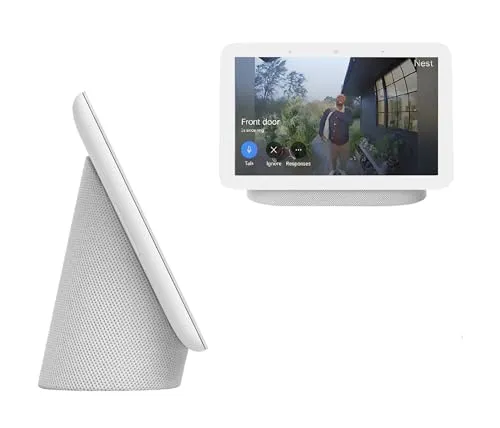
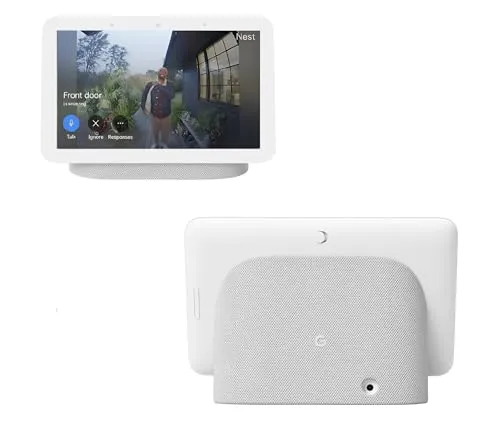
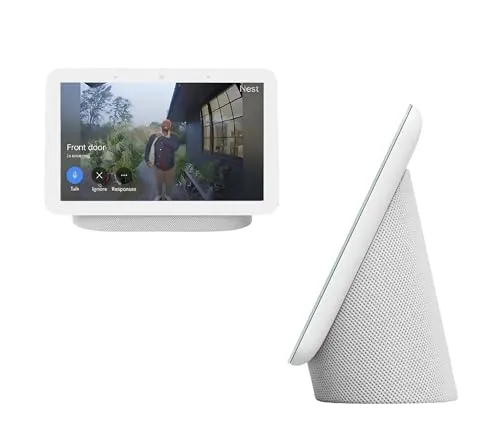
Build and finish are fine. The Chalk fabric suits a nightstand or a shelf. Moreover it is compact enough to sit on a counter without dominating it. It plugs into the wall and stays there, so your outlets decide where it goes.
What the Google Nest Hub will talk to
Inside Google's own world, compatibility is the strong point. Nest cameras and doorbells appear on the display. Google Photos fills the idle screen. Anything paired into the Google Home app answers a voice request, and adding a second unit later is uneventful.
Step outside that world, however, and the walls appear quickly. Ring cameras and doorbells do not show up here. That catches out anyone who assumed a smart display is a smart display. So check it against your own hardware before ordering, because it is the most common mismatch of the lot.
The assistant itself divides opinion more than anything else. One camp finds it noticeably sharper than Alexa, quicker to understand a request. The other finds it thin: fewer services, less willing to answer a general question, weaker in Spanish. Both readings hold up in daily use. Consequently, treat the split as a matter of taste.
Reliability of the camera link deserves its own note. Most of the time it simply works. For some, though, the feeds drop and will not stay connected, and a replacement unit does not always cure it. Where a Google Nest Hub is bought mainly as a camera monitor, that is the failure that would matter most.
Buying it, and buying it here
The case for this device is narrow and strong. If your house already runs on Google cameras, a doorbell, lights and a thermostat, a screen that shows all of it is genuinely useful. No phone app replaces it. A second and a third unit tend to follow the first.
The case against is about ownership, not capability. A share of units stop working inside the first year. A black screen, a device that power-cycles on its own, a screen fault a few months in. Set that beside a seller who is not Google, and the risk is not evenly matched by the saving.
Value therefore depends almost entirely on where you buy. A Google Nest Hub is worth owning. Whether it is worth owning through an international bundle listing is a different question. It comes down to the discount against a domestic unit on the day you look. If the gap is small, buy the domestic one.
Two in-house options sit either side of this one. The screenless Nest Mini gives you the same assistant for a room that needs a voice and no picture. Its listing carries the same global-bundle wording, so the same caveat comes with it. The Ortizan Portable Bluetooth Speaker answers a different question altogether: its listing states IPX7 waterproofing and up to thirty hours of playtime, so it travels and this one stays plugged in.
For anyone already inside the ecosystem, though, this remains a device I would recommend without much hesitation. It does its handful of jobs well. Moreover it does them for years in most homes, and it asks very little of you once running.
Pros: What we liked
- Pro: Nest camera and doorbell feeds come up on the screen on a spoken request
- Pro: Google Photos turns the idle screen into a strong digital photo frame
- Pro: Reliable voice control of lights, thermostats, plugs, televisions and locks
- Pro: Sound is fuller and louder than a seven-inch display suggests
- Pro: Compact enough for a nightstand, a shelf or a kitchen counter
- Pro: Kitchen work suits it: timers, forecasts, casting and music
Cons: What could be better
- Con: The unit ships configured for another market and starts up in Chinese
- Con: On a share of units the language reverts to Mandarin days after being set to English
- Con: Some features, sleep sensing among them, are unavailable in certain regions
- Con: Ring cameras and doorbells do not appear on the display
- Con: A share of units fail inside the first year, with a black screen or unprompted restarts
Best For
- Households already running Google cameras, doorbells, lights or thermostats
- Kitchens and nightstands, where timers, forecasts and music get used daily
- Anyone who wants a digital photo frame that also answers questions
- Older relatives, who take to voice control faster than to an app
Not Ideal For
- Homes built around Ring cameras and doorbells
- Buyers who want to watch anything on the screen for more than a few minutes
- Anyone who needs the device working in English out of the box, with no setup steps
| Specification | Details |
|---|---|
| Display | 7-inch smart display |
| Generation | 2nd generation |
| Assistant | Google Assistant |
| Finish | Chalk |
| Power | Mains powered; universal AC adapter included |
| Languages | English, Spanish, French, Portuguese (Google's global language compatibility) |
| Placement | Nightstand, shelf, countertop or wall (Google's description) |
| In the box | Nest Hub, universal power adapter, quick start guide with international manual |
| Model code | GA01331-US |
Alternatives Worth Considering
Final Verdict
Judged as hardware, the Google Nest Hub is a good small smart display. It is an easy one to live with, too. It shows your cameras, runs your lights, and plays music that outperforms its size. Left alone, it turns into a photo frame. Inside a Google household, therefore, it is close to the obvious purchase.
Judged as a purchase, this listing asks something extra of you. Expect a unit set up for another market. Expect to fix the language through the app, and expect a small chance that it will not stay fixed. A hard week of use in the first days answers all three questions. It answers them, moreover, while a refund is still simple. Past that point the hardware underneath settles into the background, and it quietly does its handful of jobs for years.
Frequently Asked Questions
Why does the Google Nest Hub start up in Chinese?
The listing is a global-market bundle, so the unit is configured for another region. Its box and start-up screen are usually in Chinese. Nothing about the hardware differs from a domestic unit.
How do you change the language to English?
Plug it in, open the Google Home app, and let it detect the device. Scanning the QR code on the screen and completing setup switches the language to match your phone, sometimes after a firmware update.
Does the language setting stay in English?
Usually, yes. On a share of units it reverts to Mandarin after a day or several, and a factory reset only buys more time. Test it over the first week, while a return is still simple.
Does it work with Ring cameras?
No. Ring cameras and doorbells do not appear on this display. Nest cameras and doorbells do, and showing them on command is one of the better reasons to own one.
Is sleep sensing included?
It is a feature of this generation, but availability depends on the region the device is configured for, and it is missing on some units. Do not buy for sleep tracking alone.
The Verdict
A capable small smart display for a Google household, sold here as an international bundle that boots in Chinese and usually, though not always, switches to English during setup.