Redragon GS560 RGB Desktop Soundbar Review
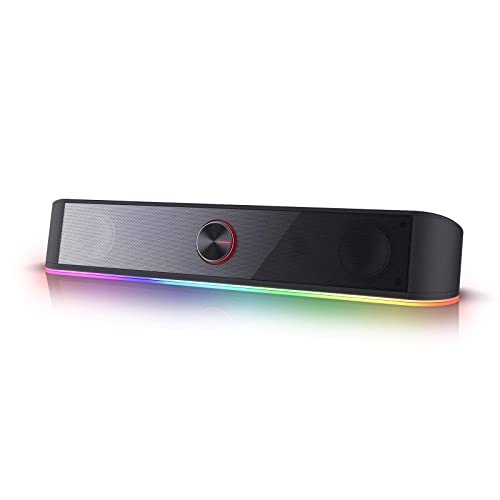
A one-piece desk bar whose lighting genuinely follows the audio, sitting one step behind the wireless-capable speakers it shares a price bracket with.
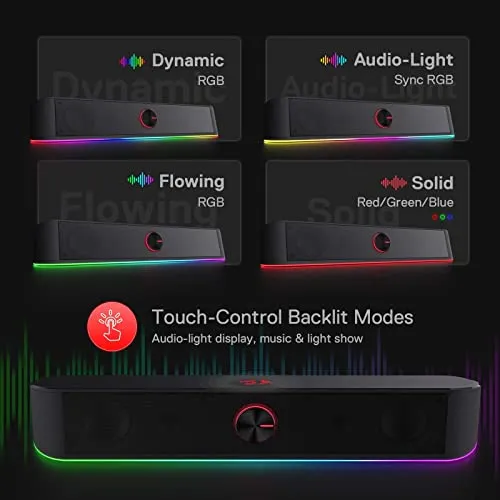
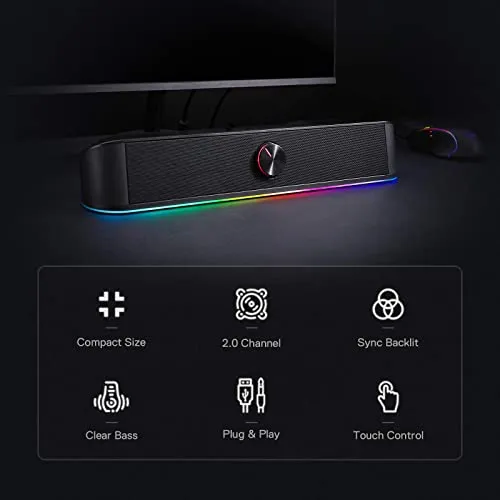
USB for power, 3.5mm for audio, and nothing wireless on the list. That one line settles the Redragon GS560 RGB Desktop Soundbar for anyone hoping to feed a desk speaker from a phone. What remains is a single 15.8-inch enclosure, 2.7 inches tall, designed to sit underneath a monitor, with four backlit modes running from a static glow to patterns that move in time with whatever is playing: Wave, Disco, Rain. Redragon calls it the brand's first RGB sound bar and writes audio-light sync into the product name. On this one, the lighting really is the argument rather than the garnish.
How much desk the Redragon GS560 RGB Desktop Soundbar wants
This bracket has never settled on one shape. Amazon Basics sells a stereo pair, Creative's Pebble does the same, LENRUE strings a 37-inch cable between two units so they can flank the screen, and Redragon's own GS520 allows 31 inches between its pair. Against that, LIELONGREN, XKX, SOULION and LENRUE's A39PRO each sell a single bar, while Cyber Acoustics clips the CA-2890 to the bottom of a monitor. This one belongs with the bars, and it is a long example: 15.8 inches end to end, 2.8 deep, 2.7 tall.
One box means one thing to place and two leads to route, USB for power and 3.5mm for audio, with no height matching and nothing to balance either side of the screen. What it costs is linear space. At 15.8 inches this runs longer than TAOTOSUNE's 12.4-inch unibody bar, so the strip of desk between the monitor foot and the front edge has to stay clear for the whole length. Cyber Acoustics and LXTNFU both dodge that problem by hanging the speaker off the monitor instead; Redragon's instruction is to place this one underneath the screen.
On materials it holds the class line rather than beating it. The casing is durable plastic, carrying both the drivers and the lighting system, and the assembly weighs just under two pounds. Redragon quotes a one-year warranty, the same term it puts on the GS520, while LENRUE covers the cheaper A39PRO for two years. Still, the shape rather than the sound is the honest reason to choose this one: given a clear strip of desk under the monitor, a single bar is less to manage than a pair.
Mids, highs and the limits of one small cabinet
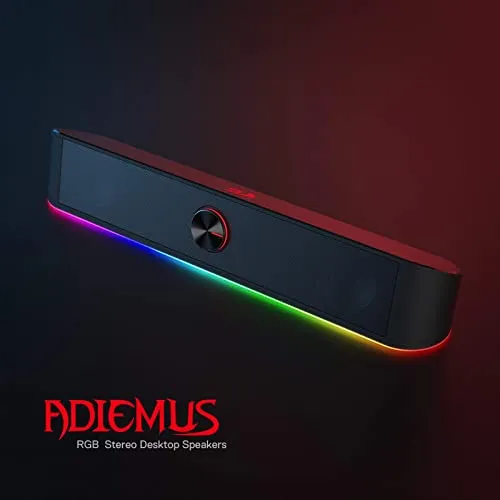
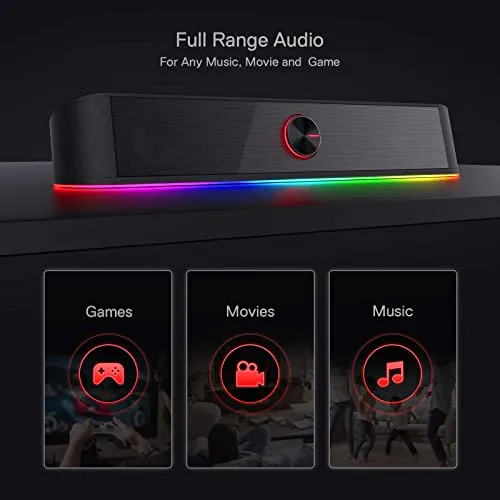
A 2.0-channel bar pushes every frequency through one short cabinet. At the top of the market Klipsch and Logitech answer the bottom end by shipping an actual subwoofer with the ProMedia 2.1 and the G560; down here the answers are cheaper physics. Creative tunes far-field drivers against rear-facing passive radiators on the Pebble, Amazon Basics fits a bottom radiator for what it calls springy bass, and Nylavee builds two bass-boost ports into its six-mode model. Redragon's answer, per the listing, is an upgraded driver delivering clear and crystal sound quality combined with rich bass.
Half that pitch survives the format. Mids and highs are the surviving half: film dialogue stays intelligible without leaning toward the screen, and vocals sit far enough forward to follow through a busy mix. Bass is where it stops. There is enough weight at moderate levels for games and for most music, which is all a cabinet this size promises, but the low end thins as the dial climbs. It gets louder without getting fuller.
Where I'd push back is on what the specification hands a buyer. Jeecoo prints 10W on the M20, five watts a side, and LENRUE prints 2x5W on the A39PRO. Creative rates the Pebble V3 at 8W RMS with 16W peak, and Amazon Basics goes as far as quoting 2.2 watts RMS and a 103Hz to 20kHz range on a cheaper compact set. Those are numbers a shopper can line up side by side. Redragon's bullets for the Redragon GS560 RGB Desktop Soundbar talk instead about an upgraded driver and rich bass. Without a figure to check, I'd place this one where its size and its bracket suggest: competent through the middle, unremarkable at the bottom.
Lighting tied to the signal
Most lighting in this bracket is something you set once and forget. Redragon's own GS520 offers six touch-selectable modes, LENRUE runs a cyclic light you toggle with a button, SOULION's R30 puts rainbow LEDs down both sides behind a small switch, and Amazon Basics simply fits blue LEDs. Bobtot's A10 goes further with Breathing, Flow and Gradient, though Bobtot describes those as lighting modes rather than as anything tied to the audio.
The Redragon GS560 RGB Desktop Soundbar is built the other way round. Audio-light sync sits in the product name, the listing promises a backlight show synced to the playing music, and the four backlit modes split between static glow and dynamic illumination: Wave, Disco, Rain. It is not alone in that, though. SOULION's R50 costs less and lists a rhythm mode among its four dynamic settings. The difference is emphasis rather than kind, since on the R50 rhythm is one option beside gradient, breathing and a fixed colour, whereas here the synced show is the entire premise of the product.
There is a ceiling above this, and a limit built into it. The ceiling is Logitech, which markets the G560's LIGHTSYNC as game-based, with four customisable lighting zones across front and rear projection, at roughly ten times what this bar costs. The built-in limit is simpler: a display driven by the signal is only ever as lively as the signal. Music with a hard beat gets the most out of it. A podcast, or a long afternoon in a spreadsheet, gets close to nothing.
The knob is table stakes in this bracket
A physical volume knob is not a differentiator here; it is the going rate. TAOTOSUNE fits one to the front of a much cheaper bar. SOULION's R50 has one. Jeecoo's M20 uses a rotary knob for level. LENRUE puts the A39PRO's on top and makes a selling point of it not sitting inline on the cable, and another LENRUE model adds a rotary button that doubles as the power switch, while SOULION's R30 asks you to rotate a knob as well. Among the cheap sets here, only the Amazon Basics pair puts its volume control inline on the cable.
So the Redragon GS560 RGB Desktop Soundbar meets the class here rather than beating it, and it does so in the form Redragon already uses on the cheaper GS550: a delicate volume knob combined with an on/off switch, so power and level share one control and adjustment stays continuous instead of stepping through button presses. Touch-control backlit buttons come with it. Backlighting the controls sounds like a detail until you consider where the bar lives, which is under a monitor, often in a dim room, on a black casing. Unlit controls in that spot turn into guesswork after sunset.
The socket list is where it falls behind its own stablemate. Redragon lists a headphone jack and a mic port on the cheaper GS550, Amazon Basics puts a headphone jack on a compact set that costs less still, LENRUE advertises a 3.5mm headphone-in on one of its models, and even Cyber Acoustics' CA-2014 carries one in the front panel. What Redragon lists for this bar is USB power and a 3.5mm audio cable. For a desk where a headset and the speakers trade off through the day, that is the line I would most want to see on the spec sheet.

Wired only, and what it costs
Bluetooth has worked its way below this price. SOULION's R50 pairs wirelessly and costs less than this bar, and Jeecoo's M20 runs Bluetooth 5.3 for less as well. Above the bracket it is a given: Creative's Pebble V3, Nylavee's Bluetooth sound bar, Bluedee's soundbar and Logitech's Z207 all carry it. Redragon lists the Redragon GS560 RGB Desktop Soundbar as USB powered with a 3.5mm audio cable, for PC, TV, laptop and smartphone. That list is worth reading closely, because naming a TV is not a given down here. TAOTOSUNE and LXTNFU both rule TVs out explicitly, and LENRUE's G11 does the same.
Wireless in this bracket is also less liberating than it sounds. Jeecoo is explicit that the M20 still needs its USB cable connected to a power supply in Bluetooth mode, and SOULION notes that the R50's link has to stay within about ten metres. Neither one cuts the cord. Both simply add a second way in, and what that second way buys is the ability to feed the speaker from a phone without running a cable to it. That convenience is real, and it is the one this bar does not offer.
The wired design does buy three things back. Redragon sells this as plug and play, so no pairing step repeats itself and no mode has to be selected before sound arrives, where the M20 wants a double-click to swap between wired and Bluetooth and the R50 wants its M key pressed to pick a mode. There is no codec question and no wireless lag, which matters more for games than for music. And there is no battery inside to age out of usefulness, a point Nylavee makes explicitly about its own USB-powered bar.
For what it is worth, the formula sells. Amazon's ranking currently puts this bar inside the top twenty of its Computer Speakers category, so plenty of buyers are evidently content with the trade.
Pros: What we liked
- Pro: Lighting bar syncs to the playing music, with Wave, Disco and Rain patterns named on the spec
- Pro: Four backlit modes spanning static glow and dynamic illumination
- Pro: Physical volume knob with the on/off switch built in, plus touch-control backlit buttons
- Pro: One 15.8-inch enclosure sits underneath the screen instead of flanking it
- Pro: Plug and play over USB power and 3.5mm, listed for PC, TV, laptop and smartphone
Cons: What could be better
- Con: No Bluetooth, while two cheaper bars in this bracket pair wirelessly
- Con: Bass thins as the volume climbs, and the listing quotes no wattage or driver size
- Con: No headphone jack listed, unlike Redragon's own cheaper GS550 sound bar
Final Verdict
The lighting is the thing being bought here, and it does what the product name claims: modes that move with the audio instead of cycling on a schedule of their own. Everything around it is ordinary in the unexciting sense rather than the bad one, a competent 2.0 bar with a proper knob, the power switch built into that knob, backlit touch controls, and a connection list that stops at USB power and a 3.5mm cable. That last item carries the decision. A desk with one monitor and one PC, where the bar goes underneath and stays put, gives up nothing to it; a desk where a phone or a headset has to get involved during the day gives up a fair amount, and SOULION's R50 and Jeecoo's M20 both pair wirelessly for less than this bar costs. I'd still take the lighting over the extra socket, but that is a choice worth making before ordering rather than after.
The Verdict
A one-piece desk bar whose lighting genuinely follows the audio, sitting one step behind the wireless-capable speakers it shares a price bracket with.